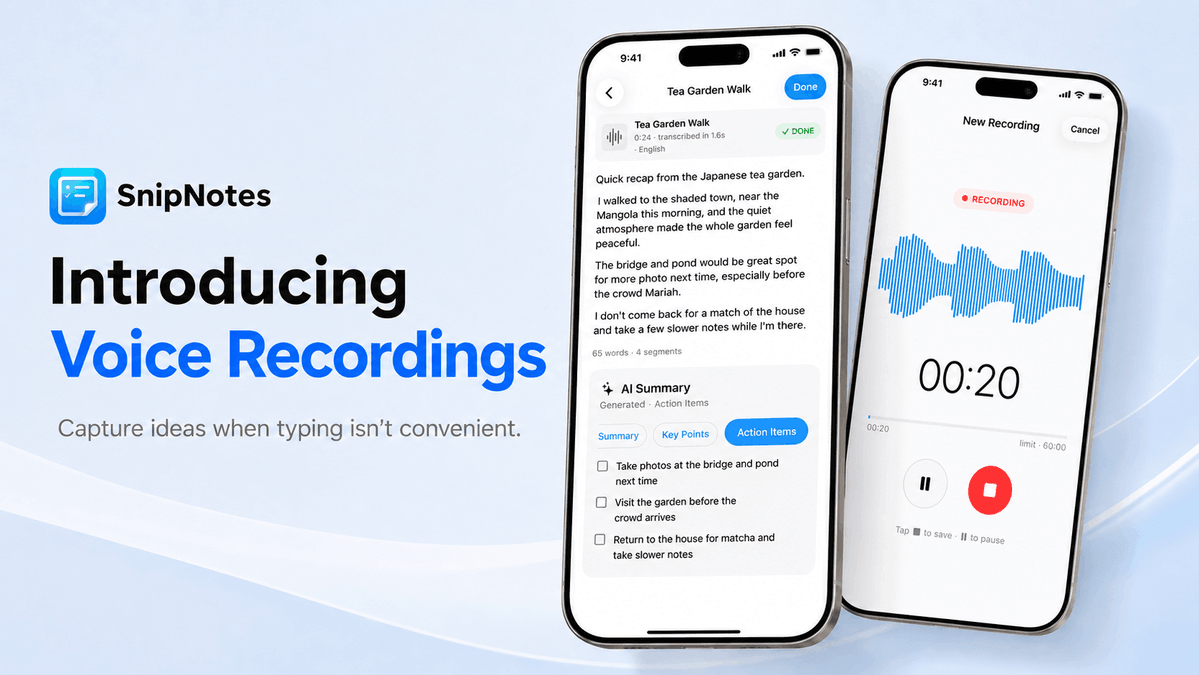
Introducing Voice Recordings in SnipNotes! 🎙️
Capture ideas when typing isn’t convenient. Save audio in your notes, then transcribe and summarize recordings on supported devices.
Available now for iPhone and iPad. The Mac app should be available soon.
https://t.co/xKolbPQg38
Quick update: Voice Recordings are now also available on Mac! 🎙️
The Mac version unfortunately spent almost 10 days in App Review, which delayed the release a bit. Thanks for your patience!
https://t.co/5Y9MmHLzek
🏷️ SnipNotes 6.2 is here! Organize your notes with colorful tags — add multiple tags per note, filter by tag, and sync across all devices. Your notes, even better organized! 📝✨
Learn more: https://t.co/lXtulVpxsR
https://t.co/5Y9MmHLzek
Merry Christmas! 🎄 Whether you're jotting down gift lists, saving holiday recipes, or capturing special moments – thank you for using SnipNotes this year. Wishing you a wonderful 2026 filled with ideas worth saving! ✨
SnipNotes is now ready for iOS 26 with the beautiful new Liquid Glass design. I've also completely rewritten the Apple Watch app for better speed and reliability. ✨
https://t.co/5Y9MmHM73S
🚀 SnipNotes 6 is here! Attach files (PDFs, videos, docs), draw with Apple Pencil, and highlight text in your notes. Your ideas just got more powerful! 📝✨
Learn more: https://t.co/8C6bSiqpQi
https://t.co/5Y9MmHM73S
📝 SnipNotes for iOS 18 is here! 🎉
• New Control Center widgets for quick note access
• Adaptive app icons for dark and tinted home screens
• Quick note translations
Please let me know if you have any questions or feedback! 😊
https://t.co/5Y9MmHM73S
SnipNotes Note-Taking App System #REVIEW Organize your thoughts effortlessly with @SnipNotesApp, the innovative note-taking app designed for busy people on the go. #productivity
https://t.co/aVpJu1G6U6
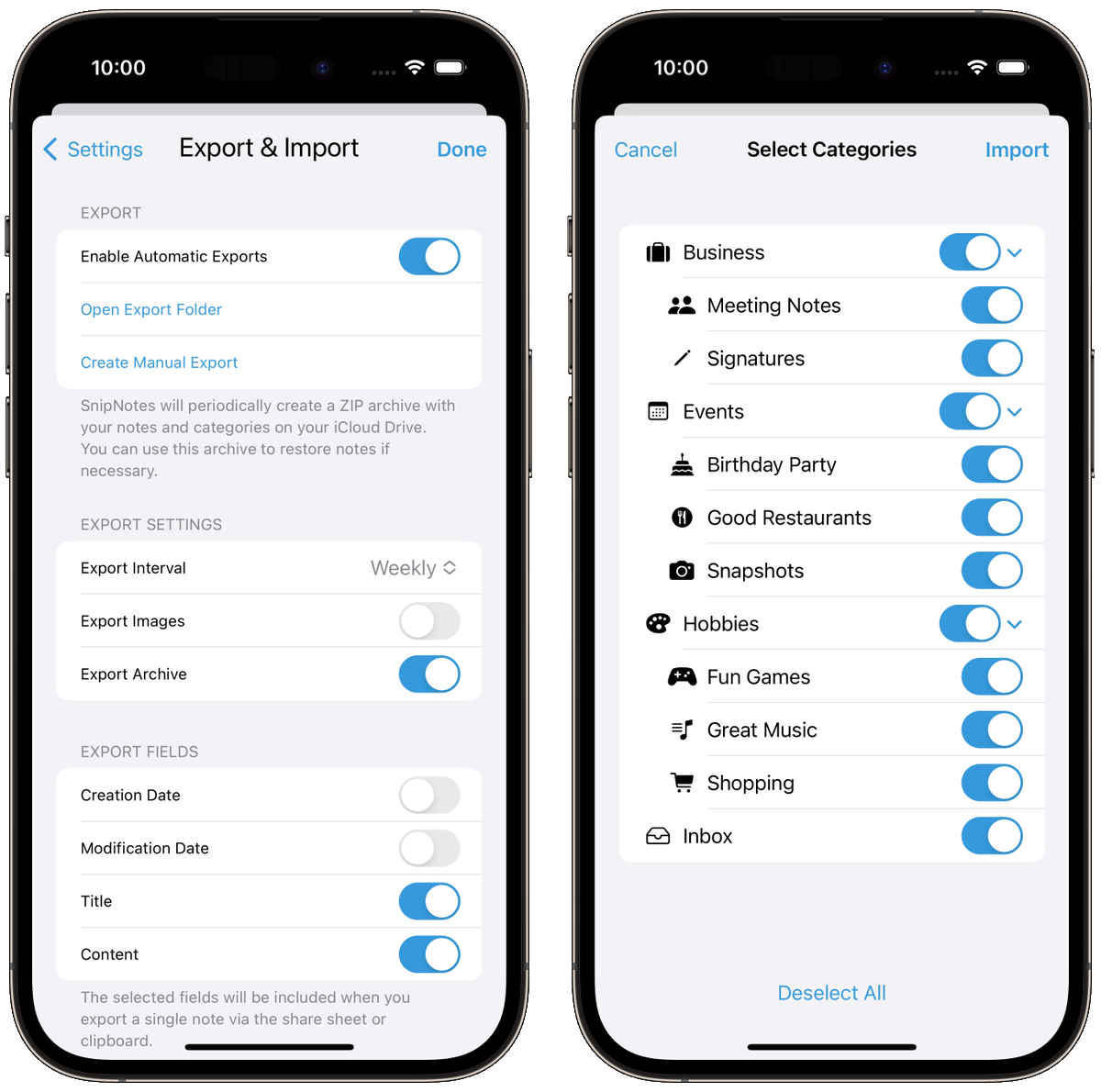
📥 You can import an archive file from the "Export & Import" section of the settings menu. SnipNotes will save the contents of the archive into a separate category. Your existing notes remain unchanged. (3/3)
🌟 SnipNotes 5.1 is now available on the App Store with automatic note backups! 💾
https://t.co/5Y9MmHLzek
SnipNotes will periodically create an archive file with all your notes and save it to your iCloud Drive. (1/3)
🔒 This is a safety feature in case notes get lost or are accidentally deleted. You can configure or turn off the automatic export in settings. By default, images are not included in the archive to save space. (2/3)
@MichaelTheGeek Thanks for letting me know! Could you please send me a crash report to [email protected]? Click on "Report..." in the crash dialog and copy the contents of the text box.
SnipNotes 5 is now available on the App Store! This major new update includes features that many of you have been requesting. Let's take a closer look at what's new. 🌟
https://t.co/5Y9MmHLzek
🧵 Thread 🧵
(9/9) You can learn more about the new features and changes in this blog post:
https://t.co/KgNYLR9AHI
Thank you for reading and please consider leaving a review on the App Store. ♥️
https://t.co/UZvUwXzBZQ
(8/9) 💻 To enable shared purchases for iOS and macOS, I had to release a new app on the Mac App Store. Click the link below for instructions on how to migrate to the new version. Your notes and purchases will be automatically transferred to the new app.
https://t.co/DYWDBu7ztH