@regtrhtrhytn@unluckyShark 1: Right-Click on Spriter in your Steam Library
2: Click 'Properties'
3: Click on 'Game Versions & Betas'
4: Enter "PlayWithSpriter2Test" in the box
5: Click 'Check Code'
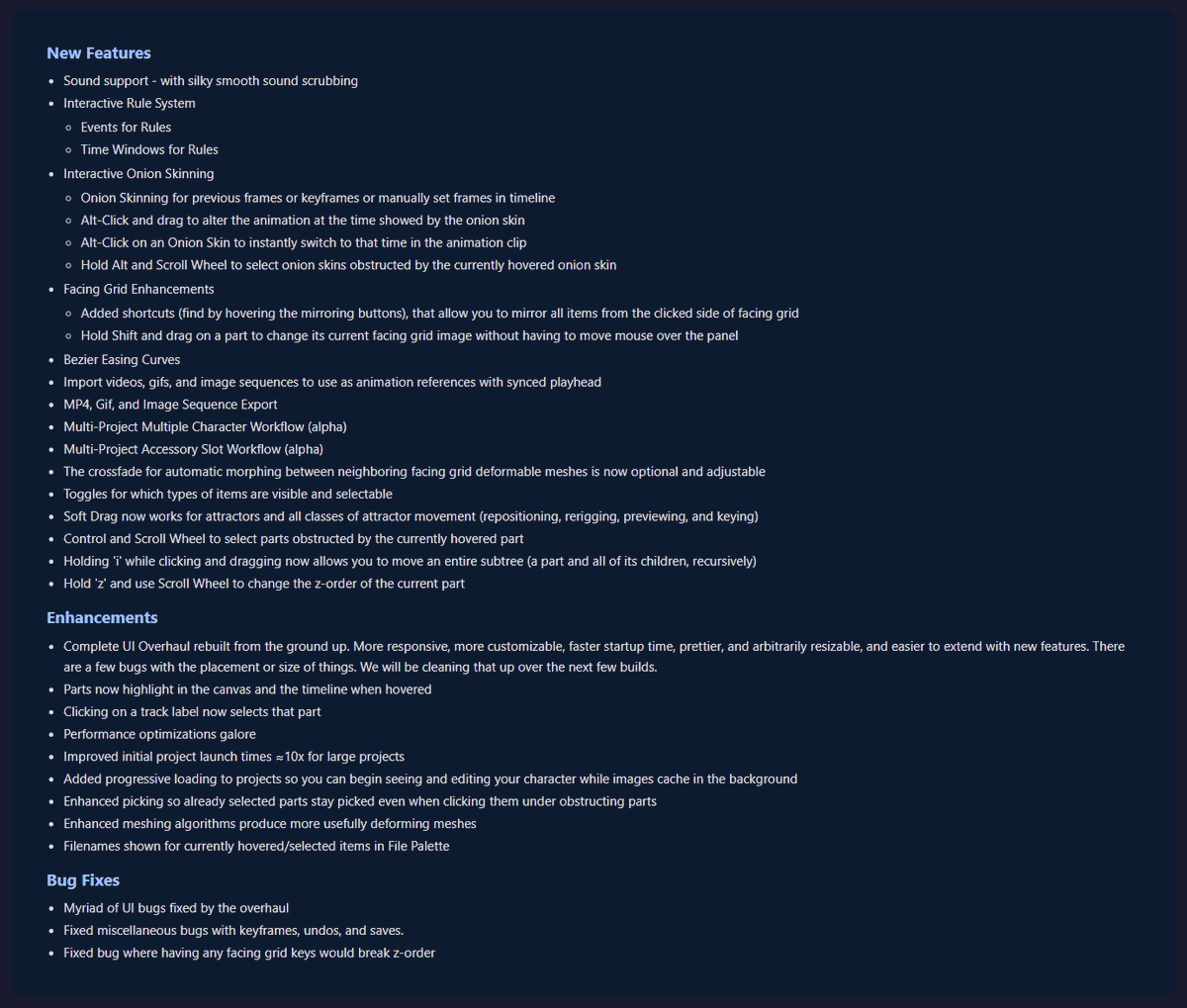
Hello everyone. Apologies for the radio silence. We've been busy building up some really exciting features that are in this build. Multiple features in this changelog are quite powerful and will require full videos to explain. We're excited to show them off, but we didn't want to make you wait any longer while we prepared art and videos.
With all the changes, expect some bugs. Spriter Two is now getting dogfooded by a team of artists and animators, and that process is helping us find bugs and enhance workflows rapidly. The dogfooding is helping throughout the pipeline, including workflows that move beyond the Spriter Two editor. More on that later.
We realize that some in-depth tutorials are sorely needed at this point, especially for the newer more novel features. The dogfooders are helping there as well, as we are learning where things are most unclear to new users.
More coming soon. In the meantime, please poke around and enjoy.
https://t.co/bst1JYzanK
@DapperDogDigi Sometime in the next 2 weeks. It's working start to finish in our own test game (though the community might still find additional bugs). Just need to clean up some test-specific scaffolding.
We were hoping to release this for you in time for the holidays, but here is a teaser of some of the stuff in the January build. Merry Christmas and Happy Holidays, everyone!
Hello everyone. Here is the changelog for today's release. We're now working with others to fix the issues that have been causing the delays.
https://t.co/0SkKaBG7mW
Sorry we missed the usual scheduled updates, I had a chain of personal and family emergencies pop up which are luckily settling down so I should be able to get back to a regular update schedule soon.