Managing projects across multiple https://t.co/OBMVHPccYU boards?
In our latest monday Community post, we share a practical reporting workflow from one of our customers.
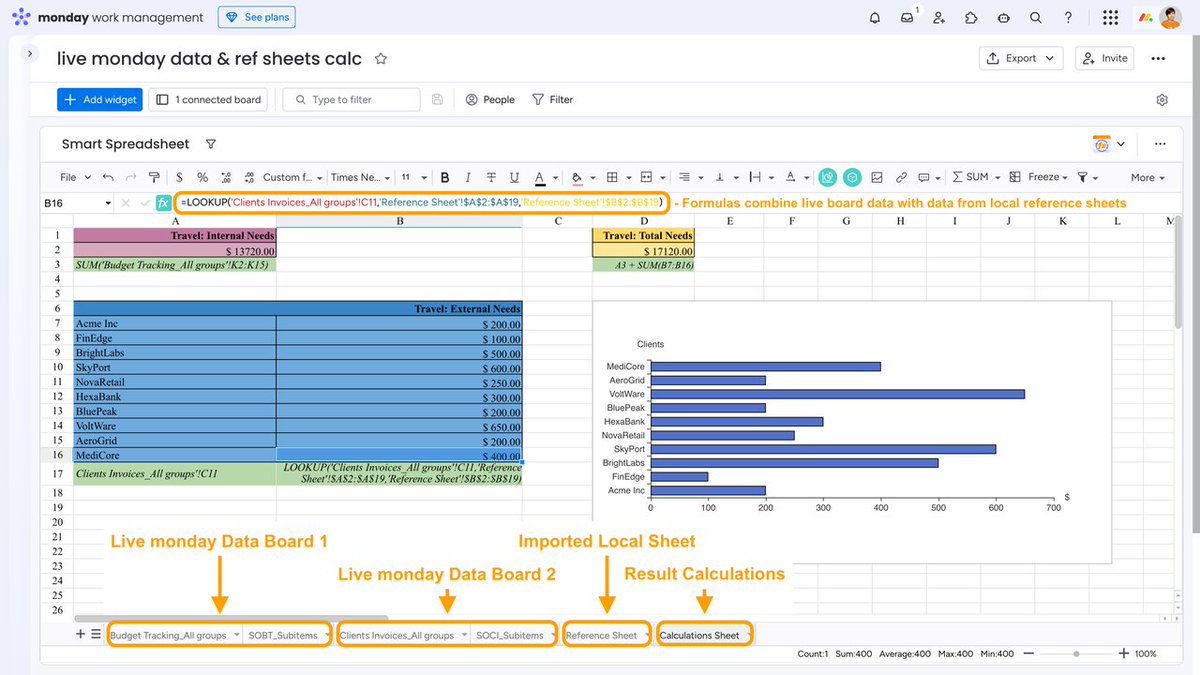
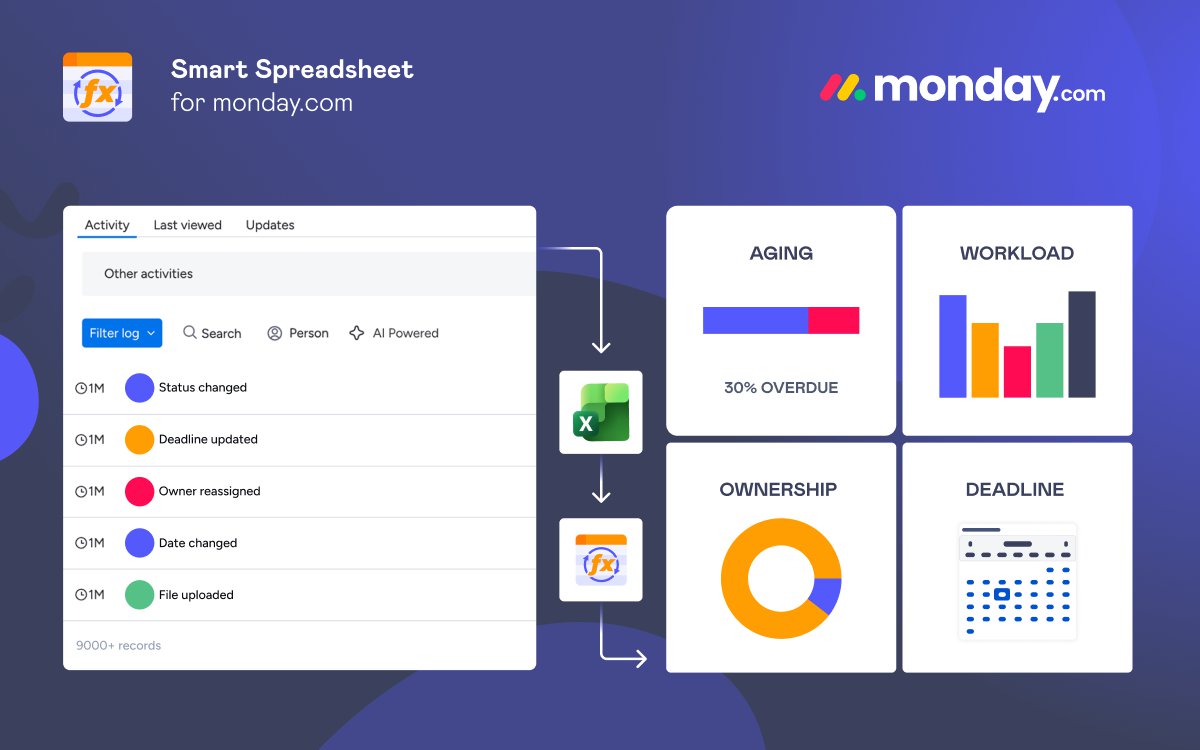
Instead of creating multiple Dashboard widgets, they use Smart Spreadsheet to combine live data from several boards into a single Master Sheet, then build multiple reports with Pivot Tables and charts - all inside one Dashboard widget.
One of those reports is a simple team workload chart showing planned hours by employee and reporting week.
If you work with cross-board reporting, custom dashboards, or spreadsheet-style analytics in https://t.co/OBMVHPccYU, this example might give you a few ideas.
Read the full post:
https://t.co/x9Hp7hzKv5
Cross-board formulas.
External spreadsheets.
One reporting workflow.
See how to bring everything together in https://t.co/Ea3RtMbcWv.
Learn more 👇
https://t.co/TNe6BaugSR
Vacation spending can get out of control fast. The same can happen with business finances.
See how https://t.co/OBMVHPccYU and Smart Spreadsheet help track budgets, manage financial data, and keep both work and personal finances organized.
📖 Blog post: https://t.co/EEJ67QZ5eU
🎥 Video guide: https://t.co/6rXpt7Wltt
🎉 New in Smart Spreadsheet: Templates!
Save any spreadsheet as a reusable template instead of exporting/importing files every time.
Templates are available across your https://t.co/Ea3RtMbcWv account.
📖 Learn how it works:
https://t.co/INN0rIpfxq
Your vacation schedule is full enough already. Reporting shouldn't add to it.
Learn how Smart Spreadsheet automatically generates and sends reports on schedule, so your team stays informed even when you're away.
📖 Documentation: https://t.co/0hreAf5luB
🎥 Video guide: https://t.co/IrDDYB91FG
Your vacation is happening live. Your documents can be too.
Learn how ITEMVALUE() brings live https://t.co/OBMVHPccYU data into document templates, keeping reports, invoices, contracts, and other documents automatically up to date.
📖 Blog post: https://t.co/ex1va6tVNh
🎥 Video guide: https://t.co/gh7ATRGVcV
A cockpit dashboard helps pilots stay informed. Project dashboards serve the same purpose for your team.
Learn how dashboards work in https://t.co/OBMVHPccYU and how to turn project data into meaningful insights.
📖 Blog post: https://t.co/tjgx5JPV2m
🎥 Video guide: https://t.co/ogDbzr4OfL
While you're relaxing and recovering, your workflows are still moving through different stages.
See how Time in Status helps you understand where work slows down and where your team can gain valuable time in https://t.co/OBMVHPccYU.
📖 Blog post: https://t.co/AHqPLXI7Vp
🎥 Video guide: https://t.co/DwXUOHTCzT
Stop building reports manually in https://t.co/OBMVHPccYU.
Connect AI Sidekick with Board Email Reports and generate + email professional reports using a single prompt.
✅ Natural language
📊 Charts included
📧 Send to anyone
⚡ No dashboards or exports
📖 Blog: https://t.co/CdtDEezb21
🎥 Video: https://t.co/0uuvXhGH4g
We've updated our guide to financial management in #mondaydotcom 📊
Now includes:
✓ budgeting & expense tracking
✓ financial reporting
✓ dashboards & automations
✓ dynamic invoice & approval templates powered by live board data
Read it here 👇
https://t.co/jEwfXImQKB
A quick health check can save a vacation. The same goes for your projects.
Discover how to track project health in https://t.co/Ea3RtMbcWv and catch problems before they become emergencies.
📖 Blog post: https://t.co/ZJKboplPVz
🎥 Video guide: https://t.co/qCshFbAFmc
Still uploading CSV or JSON files to Confluence manually? 📊
We compared popular Confluence Cloud apps that help teams import and sync data from spreadsheets, APIs, Jira, Google Sheets, SharePoint, and more.
✔ CSV & JSON imports
✔ Live integrations
✔ Interactive tables
✔ Reporting & dashboards
Read the comparison 👇
https://t.co/F5Jw1UEOKN
#Confluence #Atlassian #DataIntegration #CSV #JSON #Productivity
See how Interactive Gantt Timeline helps teams plan, adjust, and approve schedules in https://t.co/Ea3RtMbcWv.
📖 Blog post: https://t.co/um2GMVw1Zy
🎥 Video guide: https://t.co/XR7VPF63TT
Create dynamic invoice templates in https://t.co/Ea3RtMbcWv 🚀
✔ Pull live item data with ITEMVALUE()
✔ Reference data across boards
✔ Reuse templates as .tfss files
✔ Auto-update calculations for every item
Blog: https://t.co/7VXefFygkJ
Video: https://t.co/7ylAbLOyco
New guide + video: How to Monitor Project Health in https://t.co/OBMVHPccYU with Custom Reports.
Learn how to:
• identify overdue tasks early,
• detect workflow bottlenecks,
• monitor workload distribution,
• track financial changes,
• and automate reporting for stakeholders inside and outside https://t.co/OBMVHPccYU.
📖 Blog post: https://t.co/6YCbpsHgFL
🎥 Video walkthrough: https://t.co/IiuzCcMICP
Most teams pick a Jira checklist app based on features and … then replace it 6 months later.
Because the real job of a checklist app isn’t just checklists, it’s becoming the process layer inside Jira.
We wrote a guide on what actually matters:
✔️ Native Jira UX
✔️ Nested checklists
✔️ Templates + automation
✔️ Reporting
✔️ Enterprise security
Based on lessons from building Checklists for Jira (Templates & Automation).
👉 Checklists for Jira (Templates & Automation): https://t.co/ZaAe3cSZN8
👉 Guide: https://t.co/5gg86uTkWW
Your https://t.co/Ea3RtMbcWv board shows the current project state. The Activity Log shows how it got there.
Learn how to audit workflows, spot stale items, track ownership changes & analyze workload 👇
https://t.co/LeGvJipYc2
You asked - we delivered.
Custom import is now live in Smart Spreadsheet:
• Choose groups
• Include/exclude subitems
• Hide unused columns (no data loss)
Cleaner data. More control.
👉 https://t.co/LQnhwkbTCg
A checklist without deadlines is just a wish list 😅
Type // → pick a date → Done. Suddenly, your Jira checklist becomes a living plan, not a wall of vague tasks. 📅💡
Check out the full guide: https://t.co/fZqiQdeRCW
Recurring tasks in Jira = recurring checklists.
Why recreate them every time?
We shared 3 ways to create reusable Jira checklist templates — including ones created with automation 🤖
👉 Check out our guide: https://t.co/PulGqOCOjx