Hey X 👋 I’m at #BuildwithGemini Hyderabad and today I built 3 apps with Antigravity today.🛠️
1. Fitness coach
2. Chai and biscuit rapid clicking game.
3. Filmy dialogue dhamaka
JWT are common but have you ever felt need of API Key Authentication ?
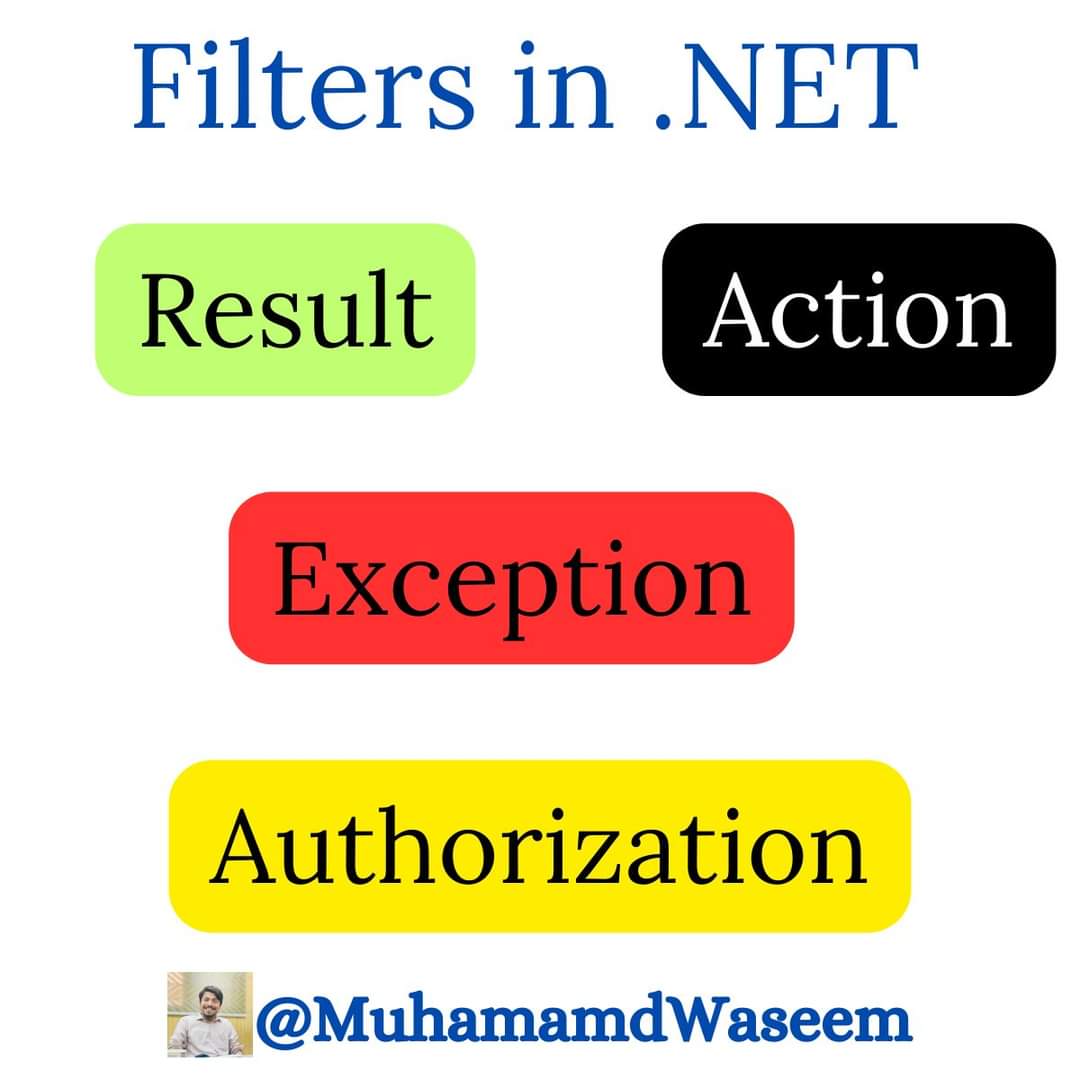
In .NET, action filters are a part of the ASP .NET MVC and ASP .NET Core frameworks, and they allow you to execute code before or after an action method is called.
There are various types of filters that serve different purposes. Here are some common types:
1. Result Filter
2. Action Filters
3. Excepton Filter
4. Authorization Filter
1) Result filters are executed before and after the execution of the action result. Useful for implementing global changes to the response.
2) Action filters allow you to run code before and after the execution of an action method. They are useful for tasks such as logging, caching, and modifying the result of an action.
3) Exception filters are executed when an unhandled exception occurs during the execution of an action method. They are used to handle and log exceptions.
4) Authorization filters are used to perform authorization checks before an action method is executed Helps in managing user authentication and authorization logic in a modular way.
API Key authorization is a common method to authenticate API requests by including a unique API key in the request headers.
An Authorization Filter can be employed to check the presence and validity of the API key before allowing access to the API.
To learn more about C# and .NET subscribe to my weekly newsletter with 9800+ engineers → https://t.co/tA7nbLf8zc
Repost ♻️ would be appreciated
I built a GitHub repository to help you learn system design 2 weeks ago.
And was trending on GitHub for many days and received 3,701+ stars.
This repository gives you:
With every iteration of C#, we gain more features that make our dev lives easier. In this #dotNETConf session replay, we explore what's new in C# 9, 10, 11 and 12, how the language has changed, and why these changes will give us fewer bugs in our code. 📖 https://t.co/LS7hDsyOu6
What is a Webhook?
Here's an example to help you understand it.
You have an application, and you want it to automatically do things without you having to trigger them manually.
That's where webhooks come in!
Webhooks are like messengers, allowing one system to send a message to another whenever a specific event happens.
It's like getting a notification on your phone when someone comments on your social media post or when you receive an email.
Webhooks work similarly but for systems and applications.
Here's the basic flow:
1) Service A exposes a webhook
2) Service B subscribes to the webhook from Service A
3) Service A writes down the subscription
4) The event occurs in Service A
5) Service A sends the webhook request to Service B
There are many ways that webhooks can be helpful.
For example, you can use webhooks to automatically update a database or trigger an action when a form is submitted on your website.
They can also be used to send notifications or alerts, such as when a new user signs up for your service or when an error occurs in your system.
I once implemented a webhook in a text-to-speech API.
The application exposes an endpoint to upload a text file, and you can also pass in a webhook URL.
An AI model will process the text file in the background and convert it into an audio file.
When the audio file is complete, the application will trigger the webhook.
The client can then download the audio file or do something else.
P.S. If you liked this, consider joining The .NET Weekly - my newsletter with 43,000+ engineers that teaches you how to improve at .NET and software architecture.
Subscribe here → https://t.co/4JSYvF3ri4
❓ Bonus question
How would you reliably handle sending multiple webhook requests?
Next up in the series for Front-end Web Development with .NET for Beginners, we get our development environment set up to build our first Blazor web app. Follow along with the series. 🎥 https://t.co/MHGCP1Cvki #dotNET
What Are the Different Ways to Pass Parameters in REST APIs?
There are several ways to pass parameters in REST APIs:
1. Query Parameters:
- Appended to the end of the URL
- Visible in the request URL.
- Example https: //api.example.com /resource ?id=123&name=john
2. Request Headers:
- Included in the HTTP headers.
- Used for information like authentication tokens.
- Example: Authorization: Bearer token123
3. Request Body:
- Used for more complex data.
- Commonly used for POST and PUT requests.
- Data is sent in the request body in JSON or XML format.
4. Path/URL Parameters:
- Used to add dynamic values in URL
- Part of the URL path.
- Example : https: // https://t.co/g4dOXQcIGB /client/123/department/456/employees
📌 If you found it helpful then you should join my weekly .NET newsletter with 9500+ engineers.
Subscribe here → https://t.co/tA7nbLf8zc
Repost ♻️ would be appreciated
Microsoft just replaced Bing with Copilot.
If you don't use it, you're falling behind.
Here're 12 New Features of Copilot you don't want to miss before 2024:
[🔖 Bookmark for later]
Announcing Neverinstall AI & CloudLink 🚀
We're now live on @ProductHunt 🎉 , come and join us in our new journey. This launch has super upgrades for you all -
1) New Brand Identity✨- We've updated our logo and improved the overall user experience. Hope you like the fresh vibe.
2) CloudLink 🌩️ - Seamlessly connect your cloud accounts to Neverinstall and dive into a powerful Cloud PC experience with enhanced GPU, boosted performance, and minimal latency.
3) Neverinstall AI 🧠- Meet the world's first AI-driven cloud PC. It's smart enough to manage tasks like app installations, web browsing, and more, while also providing valuable insights.
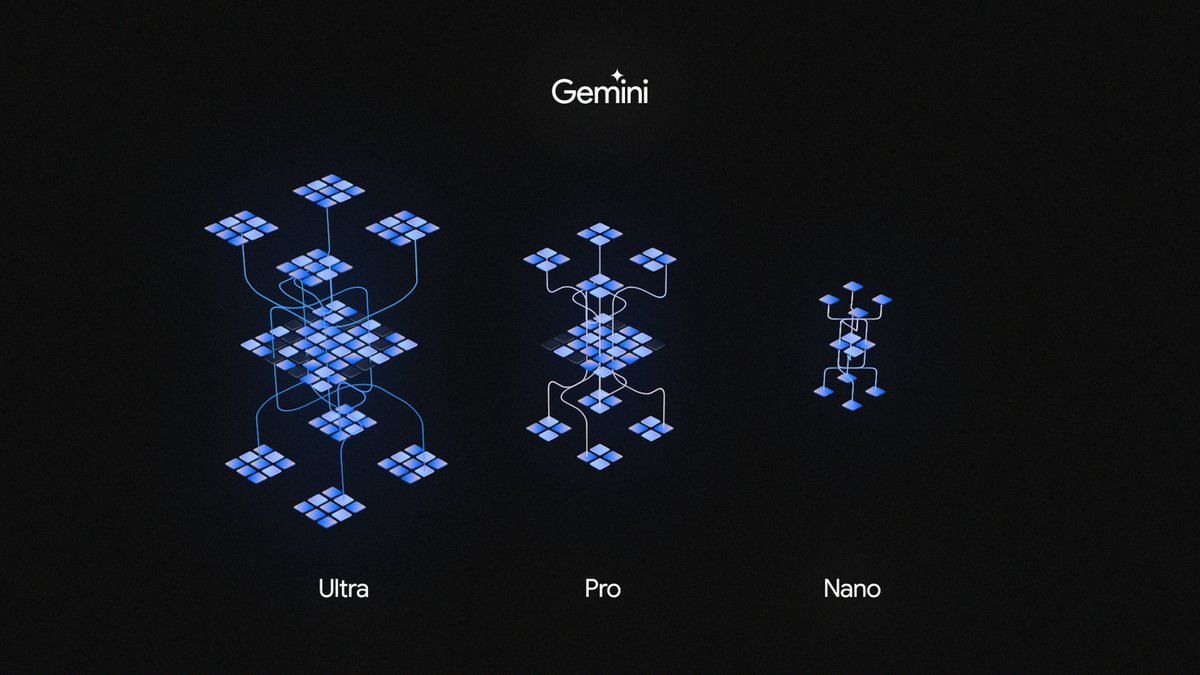
Google just revealed Gemini and will directly integrate the AI into Google apps.
The GPT-4 competitor comes in 3 models — Ultra, Pro, and Nano.
Here's a thread of EVERYTHING you need to know:







![heyronir's tweet photo. Don't buy software in 2024!
Here are 10 web apps that can replace costly software for FREE.
[ 🔖 Save it for the future ] https://t.co/Zt2H56l75y](https://pbs.twimg.com/media/GIH_S4mbEAAU11T.jpg)






![CodeByPoonam's tweet photo. Microsoft just replaced Bing with Copilot.
If you don't use it, you're falling behind.
Here're 12 New Features of Copilot you don't want to miss before 2024:
[🔖 Bookmark for later] https://t.co/oszM7jJKop](https://pbs.twimg.com/media/GBEPhAnakAAdbPW.jpg)