Certified A+ & A+ Network Technician
- Founder of Stix Pc services
- Push Power Limits With Direct Hardware Modifications
- Worked with @ChicaLive @fhayuhh
Ran our Chipset Tuner on a few setups this week after a huge update we released and the numbers speak for themselves. These aren't your ordinary tweaks, not Windows level, not even your Bios.. Much further!!
https://t.co/sOTCJUKQUD
🚨 Windows Users
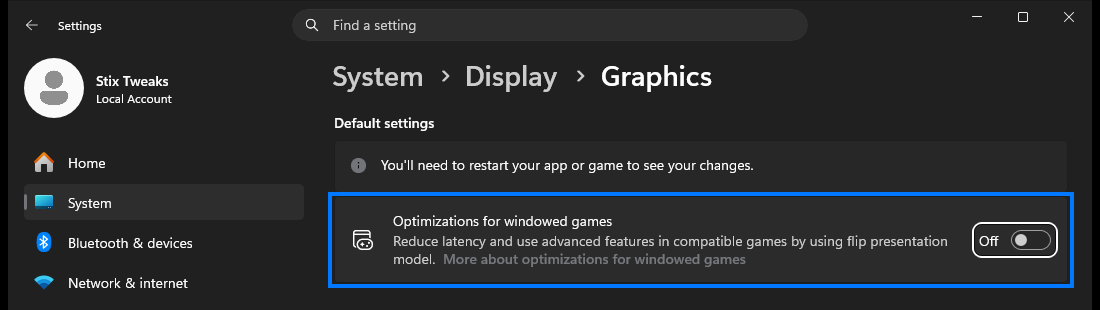
Your DX11 games might have extra DELAY in borderless
It's called Optimizations for windowed games, and it can be OFF.
Here's how to check ⬇️
1. Settings > System > Display
2. Click Graphics
3. Turn on Optimizations for windowed games
4. Restart your game
@RealMuffinmaker Does this help you. Without Resizable BAR / SAM, your CPU can only reach your GPU's VRAM through a 256MB window. Textures and game data get pushed through that window in small pieces instead of in one go.
🚨 Windows Users
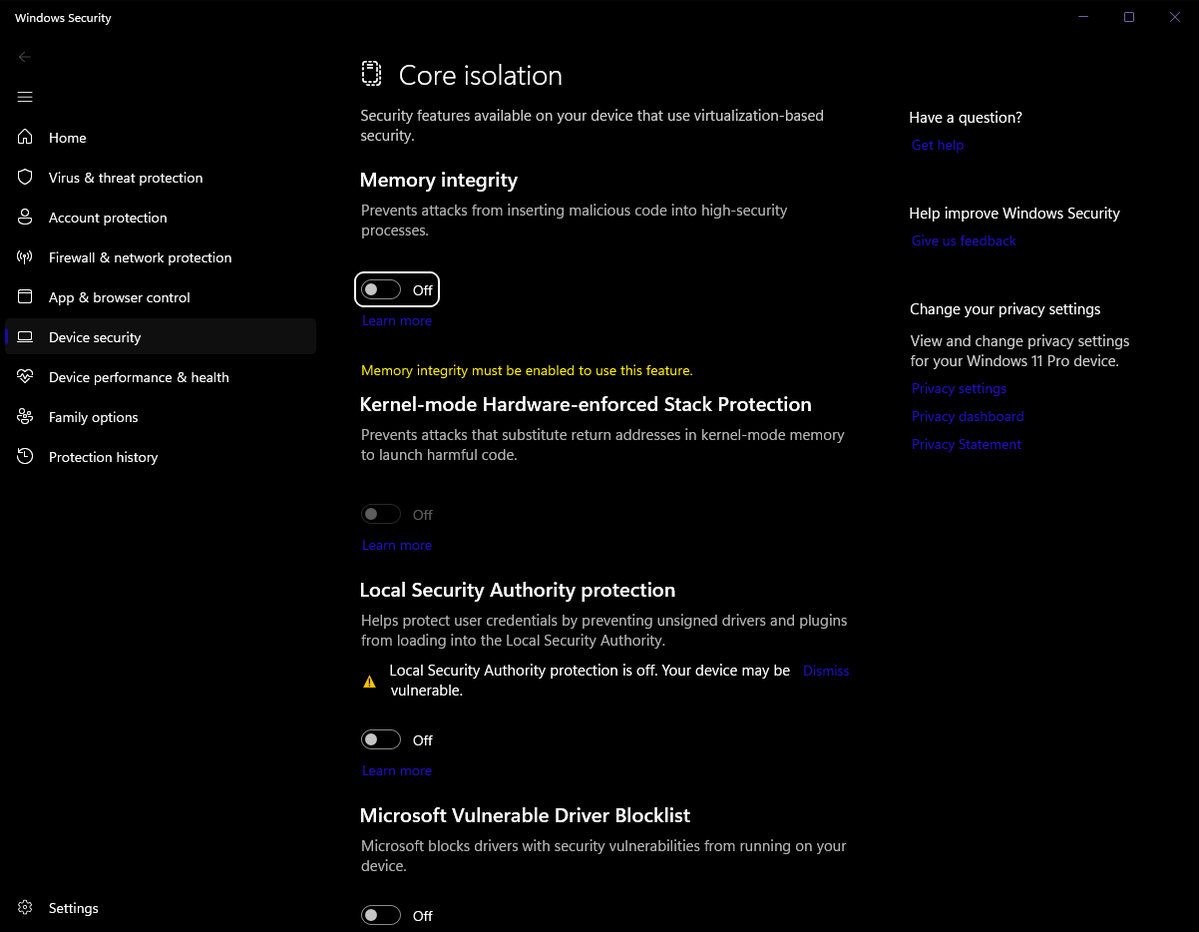
A security feature might be SLOWING your games
It's called Memory Integrity, and it's ON by default on new PCs.
Here's how to turn it off ⬇️
1. Search "Core isolation" in Start
2. Turn Memory integrity OFF
3. Restart your PC
4. Turn it back on after gaming
🚨 Windows Users
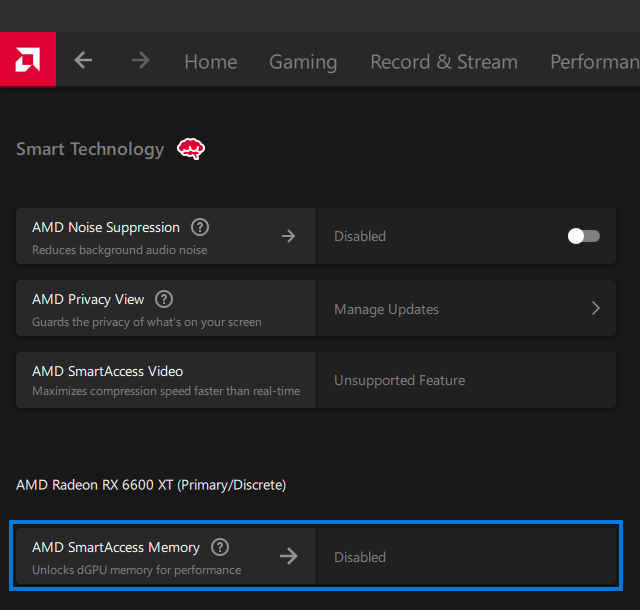
Your CPU might only see 256MB of your GPU's memory, costing FPS
It's called Smart Access Memory, and it can be OFF.
Here's how to check ⬇️
1. Open AMD Software
2. Click Smart Technology
3. Check AMD SmartAccess Memory
4. Disabled? Enable Re-Size BAR in BIOS
🚨 Windows Users
Windows might be SPEEDING UP your mouse, ruining your aim
It's called Enhance pointer precision, and it's ON by default.
Here's how to turn it off ⬇️
1. Win + R, type main.cpl
2. Pointer Options tab
3. Uncheck Enhance pointer precision
4. Click Apply
🚨 Windows Users
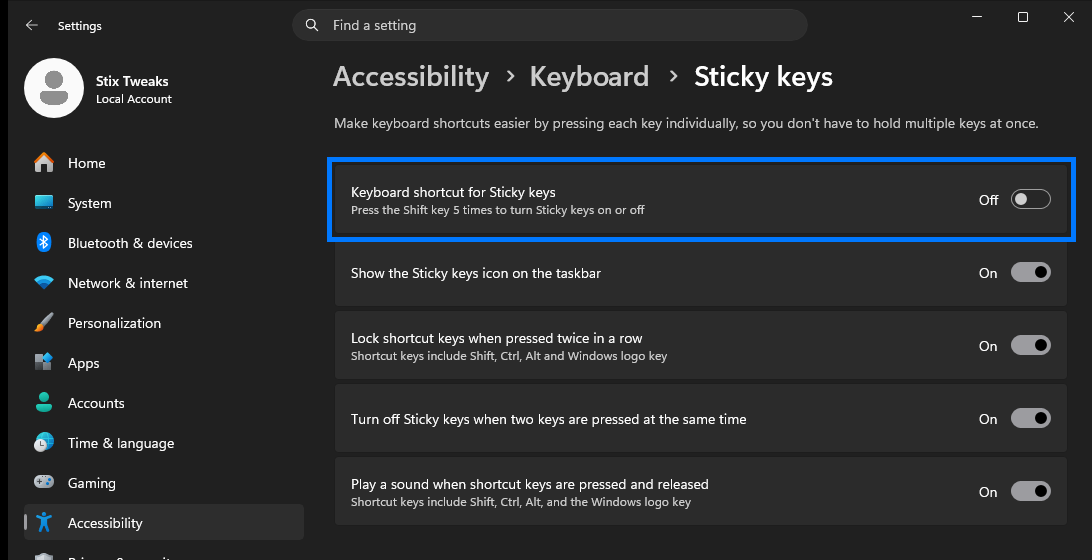
Tapping Shift 5 times can pull you out of your game
It's called Sticky keys, and the shortcut is ON by default.
Here's how to turn it off ⬇️
1. Settings > Accessibility > Keyboard
2. Open Sticky keys
3. Turn off Keyboard shortcut
🚨 Windows Users
Your monitor might be plugged into your MOTHERBOARD instead of your graphics card, causing low FPS
Here's how to check ⬇️
1. Open Settings > System > Display
2. Click Advanced display
3. Find "Connected to"
4. It should name your graphics card
🚨 PC Gamers
Your Wi-Fi might be STUCK on 2.4GHz, causing lag spikes
2.4GHz is slower and more crowded.
Here's how to check ⬇️
1. Open Settings > Network & internet
2. Click Wi-Fi, then Hardware properties
3. Find Network band (channel)
4. If it says 2.4 GHz, switch to 5GHz
🚨 PC Gamers
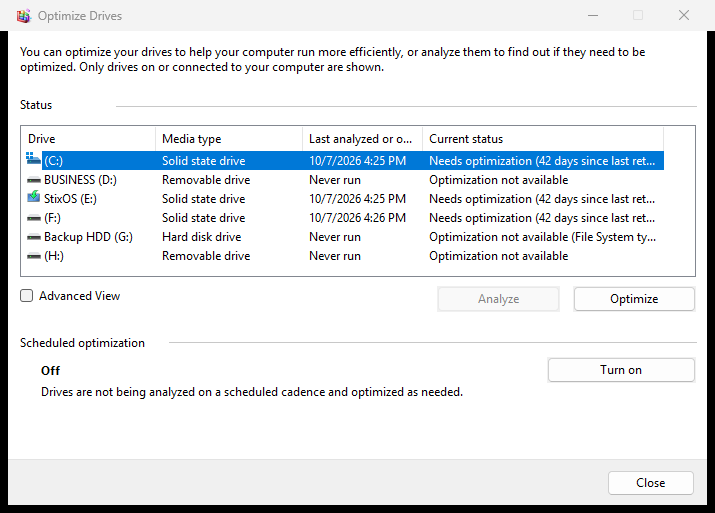
Your games might be on a slow HARD DRIVE, causing stutter and long loads
SSDs load games way faster.
Here's how to check ⬇️
1. Press Windows + R
2. Type dfrgui and hit Enter
3. Find the drive your games are on
4. If it says Hard disk drive, move games to an SSD
🚨 Windows Users
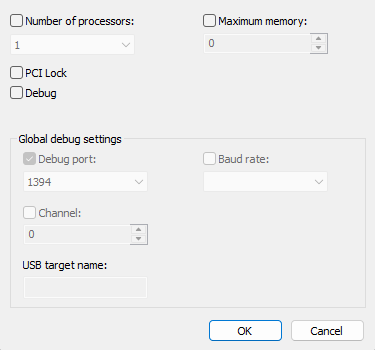
Your PC might be LIMITED to fewer CPU cores by an old tweak, causing lower FPS
Here's how to check ⬇️
1. Press Windows + R
2. Type msconfig and hit Enter
3. Boot tab, click Advanced options
4. If Number of processors is checked, uncheck it and restart
🚨 PC Gamers
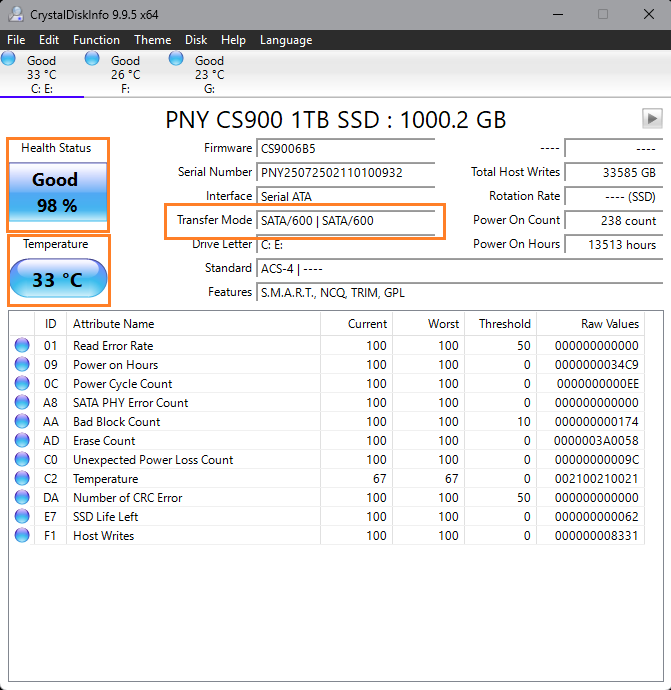
Your NVMe SSD might be running at HALF speed
Here's how to check ⬇️
1. Download CrystalDiskInfo (free)
2. Pick your NVMe drive at the top
3. Look at Transfer Mode
4. If the x number on the left is lower than the right (x2 | x4), move it to another M.2 slot