🚀 AppScreen Studio 4.0 is here!
What’s new:
1️⃣ Direct Upload to App Store Connect
2️⃣ Bulk Import existing App Store screenshots
3️⃣ 15+ new languages + Isolated per-locale layers
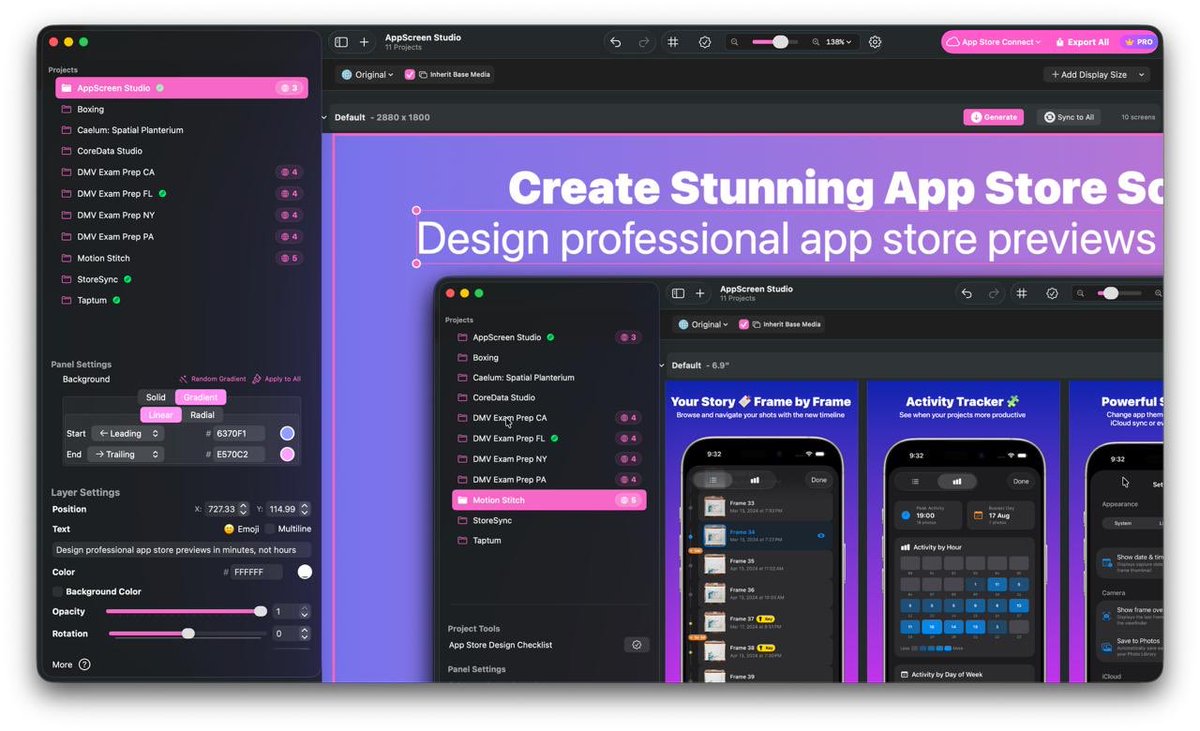
4️⃣ Redesigned macOS toolbar & precision zoom
Exporting app screenshots has never been easier! 🎨
🚀 Version 4.0.1 is live!
We focused on speeding up your localization workflow:
⚡️ Create locales instantly by pasting language codes (en-US,de-DE,ja...) with a progress bar
🗑 Select & bulk delete multiple locales at once
🧵 (1/2)
↕️ Reorder panels with arrows + sync layout order across all locales & App Store Connect
🔑 Built-in guide: Easily find your Key ID, Issuer ID, and Private Key (.p8)
Update today and let us know what you think! 👇
(2/2)
Translating App Store screenshots into 10+ languages used to be a mess. Not anymore! 🌍
AppScreen Studio 4.0 introduces:
• 15+ new languages
• Per-locale layer isolation (no leaking into other languages)
• Fast switch to Original base layout
Localize your app in minutes 🚀
🚀 AppScreen Studio 4.0 is here!
What’s new:
1️⃣ Direct Upload to App Store Connect
2️⃣ Bulk Import existing App Store screenshots
3️⃣ 15+ new languages + Isolated per-locale layers
4️⃣ Redesigned macOS toolbar & precision zoom
Exporting app screenshots has never been easier! 🎨
Tired of manually dragging and dropping dozens of App Store screenshots for every single locale? 😮💨
AppScreen Studio 4.0 now syncs & uploads screenshots directly to App Store Connect in 1 click!
• Selective sync
• Real-time progress
• Saves hours of work ⏱️
How many hours do you spend copy-pasting metadata in App Store Connect? Switching between 40+ locales in a browser is slow. We built StoreSync to bring App Store Connect metadata management and ASO directly to your Mac with native-speed performance. 👇
• Fixed "Generate All" Batch Export: Fixed an issue where multi-language batch exporting produced folders with incorrect localized screenshots. The exporter now successfully switches languages and loads corresponding assets for each folder during the generation process.
What's New in Version 3.4.4:
• Improved Layout Adaptation on Classic Screens: Adjusted the layout scaling algorithm for 16:9 aspect ratio displays. Elements now scale proportionally using an aspect-fit approach.
• Fixed Project Cloning: Resolved a bug where copying a project generated an empty placeholder instead of duplicating all project assets. Cloned projects now correctly copy all panels, layers, and localized translations.
New 3.4.2 is out:
New Feature: Added the App Store Design Checklist — an interactive, 14-step helper panel scoped to each project with actionable tips to help you design higher-converting screenshots.
Improvement: The ability to generate an individual panel as a screenshot.
600 screenshots? Done. ✅
4 languages? Done. 🌍
Every iPhone size? Done. 📱
We just exported 600+ assets for English, Spanish, Russian, and Ukrainian versions of our app.
Version 3.4.0 has been released:
[New] Folder Organization: Exported folders now include the Project Name for much easier file management.
[New] Layout Flexibility: Deleting specific screen sizes in a translated language no longer affects your "Original" (Base) version.👇
[Improvement] Pro Memory Management: We've completely overhauled the core engine. Switching between projects is now near-instant and uses up to 80% less RAM.
👇
[Improvement] Smart Loading: The app now intelligently loads only the images for your active language, keeping your Mac fast even with 40+ translations.
👇