Minimal Move is back!
Minimal Move 2 brings new worlds, new mechanics and a completely redesigned progression.
Explore the game your way and choose which worlds to unlock.
Coming soon to iOS & Android.
#MinimalMove2#IndieGame#PuzzleGame#UnrealEngine
Every puzzle starts with a simple sketch! ✏️
Here's a little behind-the-scenes look at how I create levels for Minimal Move 2.
From sketching ideas on paper to building them in Unreal Engine 5, fine-tuning the gameplay, and finally testing everything on mobile.
I'm looking for Android beta testers for Minimal Move 2!
To join, simply fill out the form below, and I'll give you access to the beta.
https://t.co/aF9ua2HaXI
If you know someone who likes mobile puzzle games, please share the form with them!
Unreal Engine 30-Second Tip #07
Want multiple skins for your character?
Use the same rig and bone hierarchy, then import your new skin using the original Skeleton.
Same character, same animations, different skins!
#UnrealEngine#GameDev#IndieGame
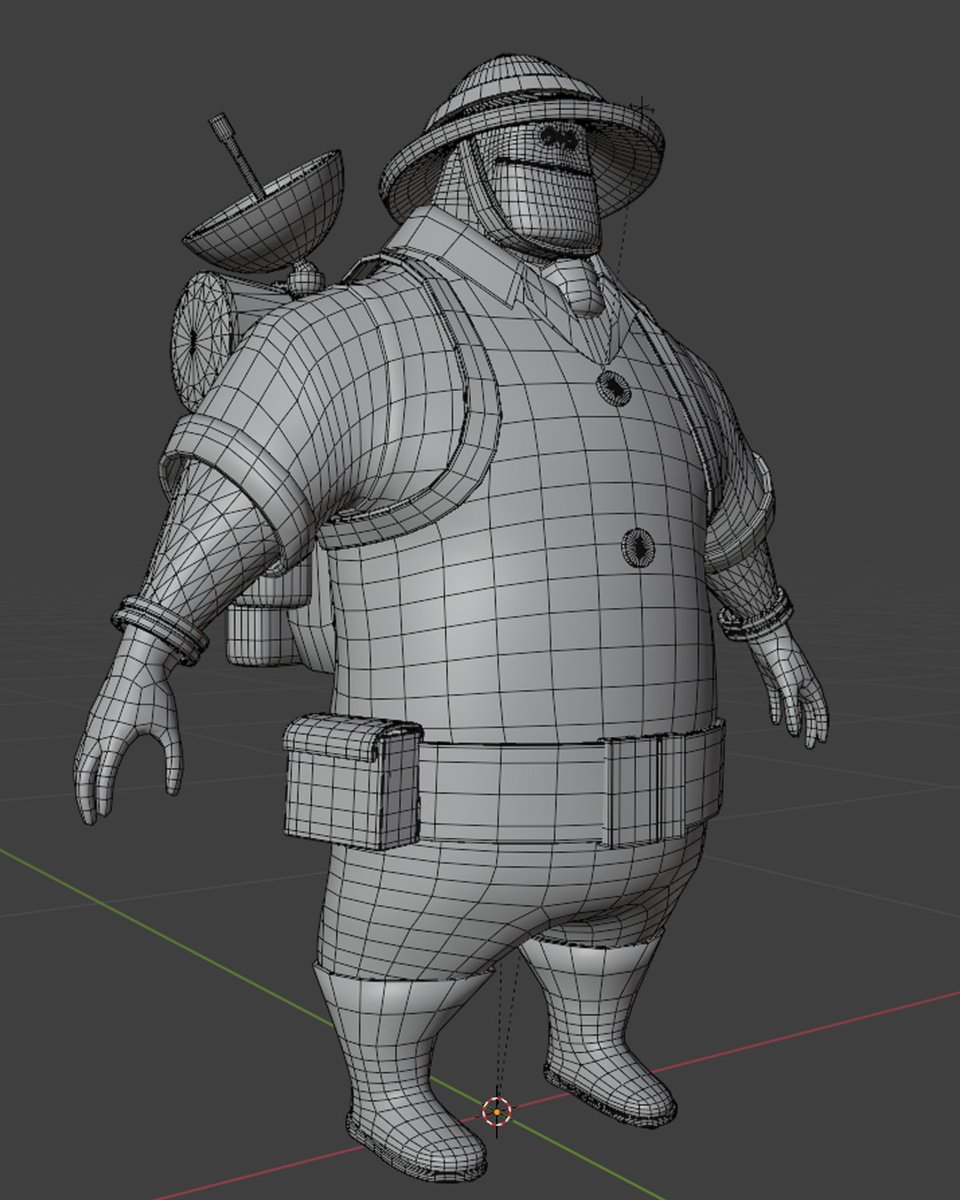
Jungle skin is done! Part explorer, part PAW Patrol villain.
Each biome in Minimal Move 2 gets its own character skin, matching the mood of the world.
Simple shapes, simple colors, and still readable on a small phone screen.
#MinimalMove2#GameDev#UnrealEngine
Adapting Minimal Move's controls from PC to mobile wasn't that easy!
I tested dynamic vs. fixed joysticks, dead zones, contextual buttons, camera controls and more.
After many iterations, it's finally starting to feel right!
Optimizing foliage can significantly improve your mobile game's performance.
In this tutorial, I cover:
• SpeedTree
• Foliage tool
• LODs
• Materials Optimisation
Full video on YouTube ↓
https://t.co/zA17A9vbO2
This file might be making your build much bigger.
Unreal generates a BuildData file when you build your lighting.
Keep your Lightmap Density in the blue or green range to reduce your build size.
Full video on YouTube ↓
https://t.co/5Du4AlBpCF
Unreal may package maps you don't even use.
By default, Unreal can include maps that aren't needed in your final build.
By specifying which maps to include, you can avoid packaging unused levels and reduce your build size.
Full video on YouTube ↓
https://t.co/5Du4AlARN7
Large builds increase download times, take up more storage, and can reduce your install conversion rate.
In this tutorial, I cover:
• Texture Optimization
• Maps to Include
• Lightmap Resolution
Full tutorial on YouTube.
https://t.co/5Du4AlARN7
Nihon Legacy just went live on Google Play!
First stop: Meiji Jingu.
Learn its history and collect stamps as you explore.
Download now on Google Play. 🇯🇵 🇫🇷 🇩🇪 🇬🇧 🇺🇸
https://t.co/xTwes7MS8b
What is Foliage Distance Culling?
Set a maximum rendering distance for trees and plants.
Less foliage rendered = better performance, especially on mobile.
Full tutorial on YouTube
https://t.co/V1RhYAJsJD
What is a Cull Distance Volume?
It lets you define different culling distances based on object size.
Smaller objects can disappear sooner, while larger objects stay visible longer.
Fewer actors rendered = better performance.
Full tutorial on YouTube
https://t.co/V1RhYAIUU5
What is frustum culling?
Objects outside the camera view are not rendered.
Simple, automatic, and great for performance.
But in large scenes, that may not be enough.
That's why we also use distance culling.
Full tutorial on YouTube.
https://t.co/V1RhYAJsJD
#UnrealEngine
Your UE5 scene is probably rendering objects you can't even see.
In this tutorial, I cover:
• Frustum Culling
• Cull Distance
• Cull Distance Volume
• Foliage Culling
Full video on Youtube↓
https://t.co/V1RhYAIUU5