SurveyJS v2.5.26 is here — but the BIG news is SurveyJS v3.0 Beta 🎉
A major step forward for the entire platform:
🎨 Design Tokens — a new CSS-based styling foundation for consistent theming across Form Library, Creator, Dashboard & PDF.
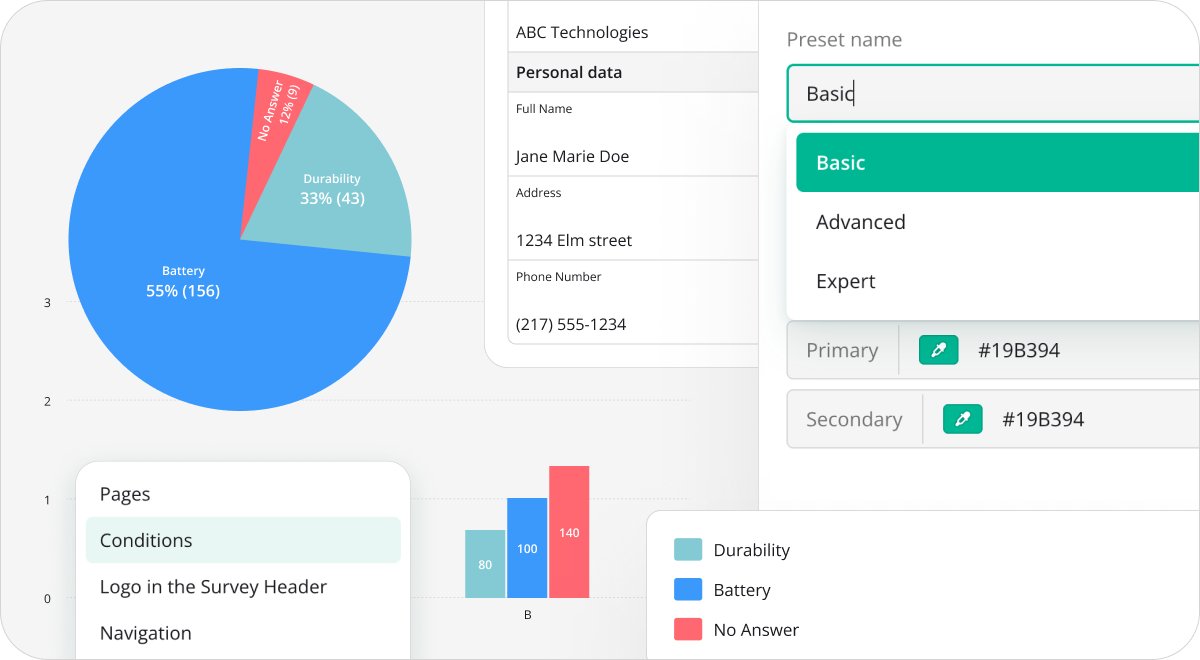
📊 Reimagined Dashboard — redesigned UI, interactive cross-filtering, built-in date filtering, new visualizations & simpler state-based setup.
📄 Enhanced PDF Generator — web-to-PDF visual alignment, CSS-powered styling, layout presets & deeper customization.
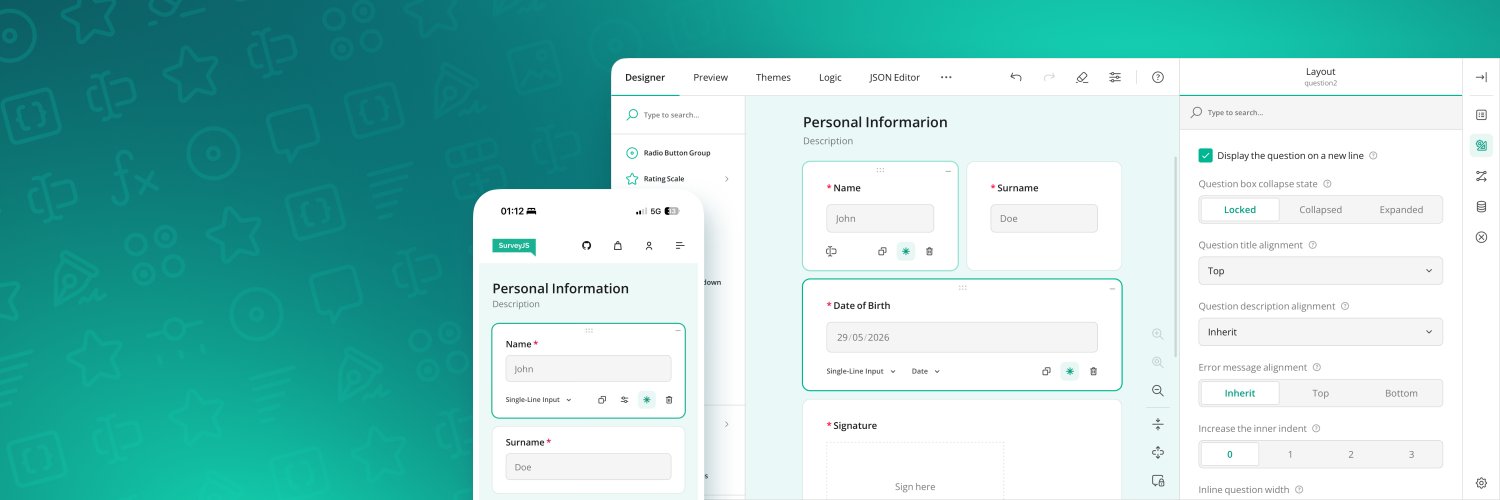
🛠️ No-Code Survey Creator UI Editor — configure Creator UI & behavior visually and export reusable presets in minutes.
Explore all new features: https://t.co/GdTCnblMpX
v3 is our biggest step forward yet — and we can't wait for you to try it.👀
RN: https://t.co/h7kBoET39q
NPM: https://t.co/Re5nRFgprw
SurveyJS v2.5.25 released
New: Dynamic Panel API → enable/disable Add Panel & Remove Panel buttons at runtime with enableAddPanel and enableRemovePanel.
✅ Alternative to the default behavior (where buttons are hidden)
✅ Define enable/disable rules dynamically with SurveyJS expressions
Release notes: https://t.co/RrzYbj1mxG
Great time @JavaScriptCon London this week!
A huge thank you to everyone who visited our booth, shared ideas, and chatted with the team! It was fantastic meeting so many developers, teams, and partners in person.
More exciting things ahead 🚀
SurveyJS v2.5.23 is here!
This release introduces AI-powered hybrid paper & digital form collection with our new open-source MIT-licensed AI Form Response Extractor: https://t.co/TvDHL25x2W
✅ Design once, collect data anywhere
✅ Process scanned paper forms into SurveyJS JSON
✅ Unify online & offline response workflows
Plus bug fixes and improvements across Form Library, Survey Creator, and Dashboard.
https://t.co/MGtHURVwMd
@WalkerJono Hi Jono! Thank you! We have already released SurveyJS v3 Beta, which is available on NPM https://t.co/9dJtNRR79a We're aiming for the official release in a couple of weeks🤞 If you have an account with us, you'll receive an email announcement once it's released.
SurveyJS v2.5.22 released
You can now hide question descriptions globally without hiding titles using questionDescriptionLocation: "hidden", or override it per question with descriptionLocation": "hidden".
The release also includes bug fixes and minor enhancements: https://t.co/uo9f0AXslr
Quick update from last week's release:
minInArray / maxInArray now return related fields
You're no longer limited to just computed numeric values—you can now return data from the same array item that produced the min/max result.
Example:
👉 Get the name of the cheapest item, not just its price
👉 Filter + return in one expression
New signature supports:
returnField
filterCondition
both combined
Plus: a new Multi-Step Form Wizard demo
Learn how to build cleaner, user-friendly flows with step-by-step navigation.
This update along with a few bug fixes, are now live. To upgrade, please follow the instructions in the release notes: https://t.co/MkwRd5Frax
SurveyJS v2.5.19 is out!
What's new:
🇺🇸 Show language names in English across Survey Creator UI
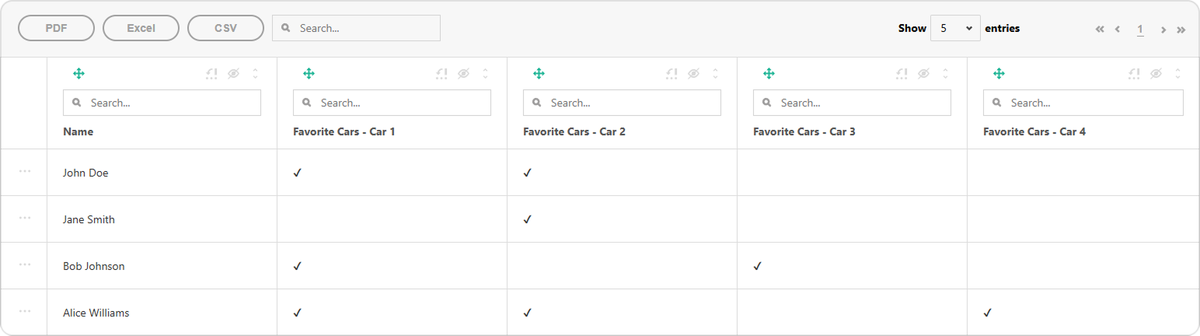
📊 Nested tables in Dashboard Table View for hierarchical data (Dynamic Matrix, Panel, etc.)
Plus: a new blog post on building CMS-driven dynamic forms with Node.js.
Learn more 👉 https://t.co/hhiojRK8a9
SurveyJS v2.5.18 is here!
🔍 Toolbox search now includes subitems.
📊 Table View can split multi-select answers into columns. Selected choice options can be marked with a checkbox or their selection order number.
Full Release Notes for SurveyJS v2.5.18: https://t.co/SUPeZARGQl
Quick update from last week's release:
API to Customize Expression Syntax
If you've used SurveyJS expressions before, you're probably used to writing things like: {age} >= 18, or using dynamic text like: Hello, {firstName}. Until now, that syntax was fixed. With this release, you can fully customize how those expressions are written globally.
1. Change variable delimiters
By default, SurveyJS uses {} to reference variables.
Now you can switch to any format that fits your project:
🔹{{variable}}
🔹{% variable %}
🔹%variable%
2. Change or disable $ for element property access
SurveyJS recently added the ability to access element properties inside expressions. Now you can:
🔹Replace $ with something else (e.g. @)
🔹Or disable this feature entirely
Survey Creator: Invalid Values Are Now Preserved
Previously, if you entered an invalid value in the Property Grid, it would just get cleared. Now:
🔹Invalid values are kept
🔹You can fix them later without losing progress
🔹They’re stored temporarily and not added to the JSON until valid
New Help Topic
How to create a custom Thank You page
👉 Full Release Notes for SurveyJS v2.5.15: https://t.co/PbBmRIHbJf
Some forms stay UI. Others quietly become rule engines. 🎨⚙️
Why do these two approaches exist? And how do you choose between them? https://t.co/FIjkFt99WS
(Article supported by @SurveyJS 💖)
SurveyJS v2.5.14 is here!
We've just shipped v2.5.14, bringing a useful new feature to Multi-Select Matrix question, plus important bug fixes and minor enhancements across the ecosystem.
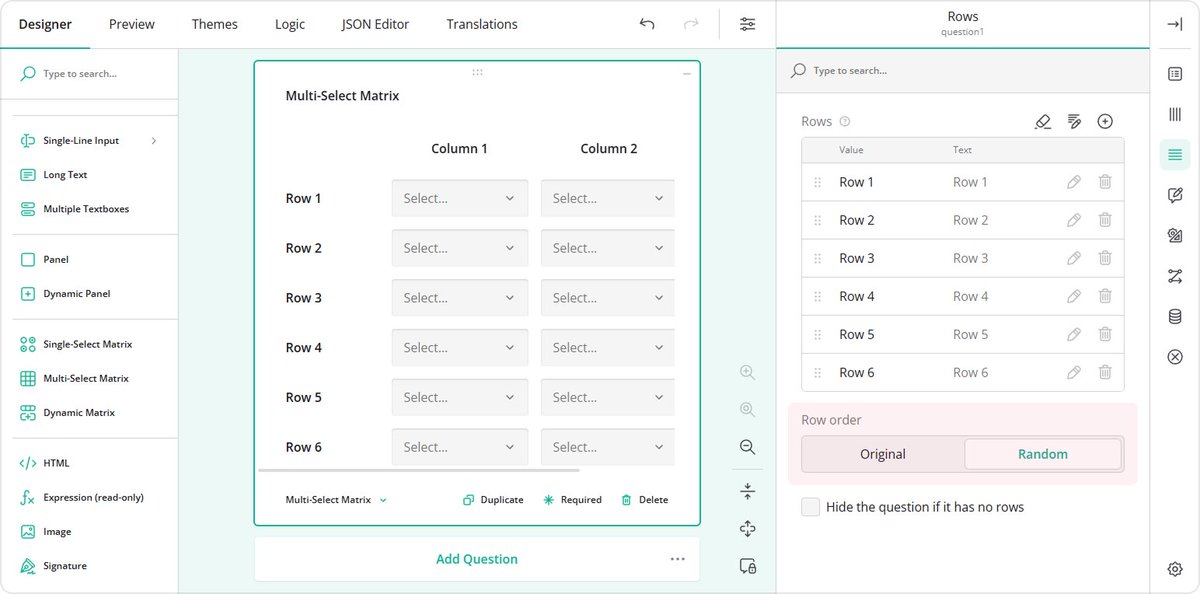
New: Randomize Rows in Multi-Select Matrix
You can now randomize rows each time a survey loads. Simply set: "rowOrder": "random".
This works in:
- Form Library (via JSON schema)
- Survey Creator (Rows → Row order → Random)
Perfect for reducing order bias in surveys and assessments.
📚 New Help Topic
How to Create a Welcome Page in Your Form
For full release notes and upgrade instructions, please visit: https://t.co/b8NVAmxb6E
At some point, complex forms stop fitting neatly into JSX.
This article breaks down schema-driven forms in React — defining structure in JSON, keeping logic maintainable, and rendering dynamic workflows with SurveyJS.
Worth a read 👇
https://t.co/W0QRdJDGrN
Hello everyone 👋
Quick update from last week��s release:
The JSON Editor now suggests fixes for invalid property values using Levenshtein distance.
When a property value does not match any of the allowed options (for example, an enum value), the editor compares the entered value against valid alternatives and suggests the closest match. For example, if you mistype an enum-based property value—such as "emial" instead of "email":
The JSON Editor detects that "emial" is not a valid inputType and suggests "email". You can apply the suggested correction with a single click.
Hey folks,
We built a backend service for working with SurveyJS forms called the SurveyJS JSON Schema Validator. It validates SurveyJS form schemas and ensures that user submissions conform to them.
Use it to:
🔸Detect structural, syntactic, and logical errors in survey definitions
🔸Ensure required questions are answered and data types match
🔸Catch issues early in development or before persisting survey data
It runs as a standalone service locally or in Docker, exposing a simple HTTP API. You can integrate it into your backend workflow for automated validation.
SurveyJS JSON Schema Validator Repo: https://t.co/B639ijtByk
Celebrating 1 year working with #SurveyJS. ComponentSource and @SurveyJS have partnered for 1 year to deliver customizable form and #survey solutions for modern #web#applications. https://t.co/5bKFHwV76Z
SurveyJS v2.5.8 is out!
This release brings smarter input masks, a new API for navigating the survey structure, and a solid batch of fixes:
1️⃣ Input mask upgrades
Pattern-masked fields now support custom placeholders. The placeholder is shown until focus or typing starts, then switches to pattern hints.
2️⃣ Better validation for masked inputs
Incomplete pattern-masked values are no longer silently cleared on lost focus. Instead, users can return to the field to complete the input. No more accidental data loss.
3️⃣ New API: getOwner() to traverse the survey element tree
Available on all survey elements, it lets you move up the survey hierarchy (question → panel → page → survey) to identify higher-level elements.
👉 Full details in the release notes: https://t.co/cAtoQBBdeL