TERYON: persistent remote shells over plain OpenSSH, with a TUI, a native desktop app, agent-aware panes, a file browser and an MCP server. Rust. https://t.co/ozeodsxbOw
We built MACORA because understanding your Mac’s network should feel easier. 🍎
If you’ve ever opened ifconfig, scrolled through en0, utun, bridges and a wall of flags, and wondered “which of these actually matters?”—this is for you.
Meet MACORA by Zyvor AI Labs: a native SwiftUI app, a Rust CLI and an interactive terminal workspace for macOS.
Your Mac’s network, made clear.
🦀 A fresh way to work in the terminal
Start with:
macora
See connected adapters first, with interfaces grouped into Network, Bridges, Tunnels, System and Loopback.
Then explore:
macora en0
Inspect one interface with readable details.
macora en0 raw
See the original ifconfig output when you need it.
macora list up
List administratively enabled interfaces.
macora explain en0
Understand flags, IPv6 attributes and the interface’s role in plain language.
macora all
Expand everything, including tunnels and system interfaces.
Familiar tools underneath. A clearer way to understand what they’re telling you.
🩺 Answer “Why is my network slow?”
Run:
macora diagnose
MACORA walks through link → router → internet → DNS → MTU, stopping when a prerequisite fails and explaining where the problem appears to be.
You also get tools for deeper investigation:
macora ping 1.1.1.1 count 5
macora trace https://t.co/E6MxdhT4v1
macora resolve https://t.co/E6MxdhT4v1
macora routes
macora dns
macora neighbors
macora sockets
📊 Watch your network change
macora watch count 10 interval 1 json
Stream traffic counters and rates as NDJSON for scripts.
macora watch prometheus
Output metrics in Prometheus text format.
Capture a baseline before troubleshooting:
macora snapshot before.macora
Capture another afterward, then compare:
macora diff before.macora after.macora redact
See what changed instead of trying to remember what looked different.
⌨️ Stay in an interactive workspace
macora interactive
Open a persistent command session with interface selection, baselines, change inspection and history.
macora tui
Open a full-screen terminal workspace with filtering, keyboard navigation, a command palette and live refresh.
🖥️ Prefer a native Mac app?
MACORA brings the same network visibility into a SwiftUI workspace:
• Live traffic charts and interface sparklines
• Wi-Fi discovery and connection controls
• Network services, locations, DNS and proxy settings
• IPv4/IPv6 routes, neighbors and socket inspection
• A guided diagnosis page
• Menu bar monitoring
• ⌘K action search
• Shortcuts actions
• Light and dark appearances
🔒 Deliberate controls
Read-only by default. Configuration changes show a preview and require explicit apply or authorization.
Export interface reports as Markdown, HTML or JSON, with an option to mask IP and MAC addresses before sharing.
Local-first. No telemetry. No server or background daemon.
Zero external Rust crates. Zero external Swift packages.
Open source under Apache 2.0, built for macOS 14+.
If ifconfig is part of your daily workflow, give MACORA a try. Keep the raw output when you need it—and get clearer explanations, live views and interactive tools around it.
Explore the code, try it on your Mac, and tell us what you want next.
https://t.co/i62TmgllDb
#macOS #RustLang #SwiftUI #OpenSource #Networking
Introducing TERYON 🚀
Close the laptop. Your shells stay.
TERYON keeps real terminals alive on your Mac mini or Linux box and reattaches over plain OpenSSH. A small per-user service on the host owns the PTYs; your laptop connects over the OpenSSH you already use. Sleep, switch networks, come back tomorrow: same live shells. No new ports, no new accounts.
What's in 0.15:
🤖 Agent-aware panes. Claude Code, Codex, Gemini CLI, aider, Cursor and OpenCode get a live status chip (working, needs you, idle, done), and you get a notification when a background agent is waiting on you. ⌘⇧A lists them all.
🌙 "While you were away". Reattach and a card tells you what finished and what failed, built from shell marks, no AI needed.
🔌 An MCP server, so your coding agent gets a terminal that survives it:
claude mcp add teryon -- teryon mcp --allow-write
Durable panes, local or over SSH. Reads are always on; writes are opt-in and only touch the server's own workspace.
⌨️ AI in your prompt, without handing over control. ⌘⇧K: describe a command, get one command with a risk label. It's inserted at your prompt and never runs until you press Enter. Secrets in terminal text are scrubbed before they reach a model.
🗂️ A Finder-like file browser (⌘B), local or over SSH. Space is Quick Look, a double-click types a quoted path, and download, rename and move to Trash are one right-click away. Nothing is deleted outright.
🖥️ A native desktop app with rounded pane cards, splits you can drag, 20 themes and a command palette.
Honest status: it's a 0.15 engineering preview. Input is acknowledged, not guaranteed executed, and a reboot ends live processes. The limits are written down in docs/LIMITATIONS.md.
Rust. Open source. Apache-2.0.
https://t.co/CeaRVFFdjC
https://t.co/NsQiODRNna
Try it, break it, tell me what's missing.
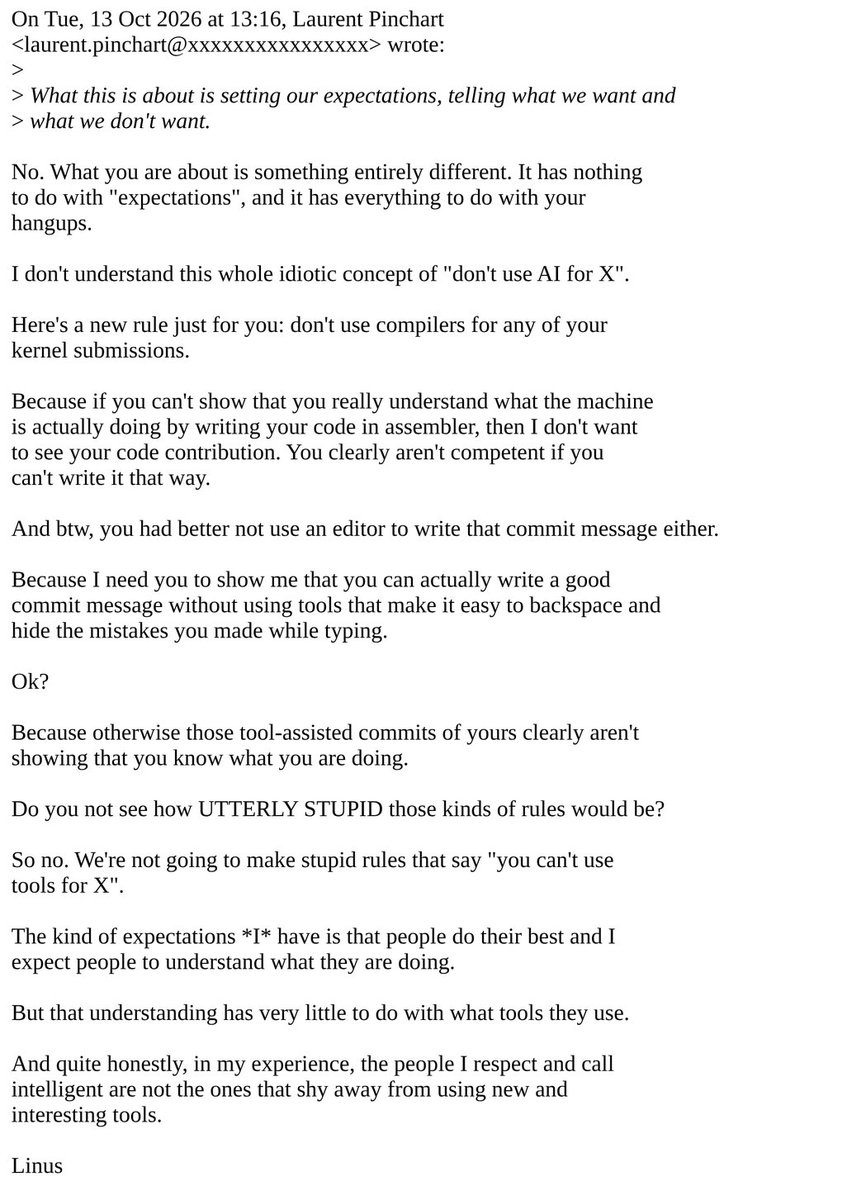
‼️ Linus Torvalds called rules against AI coding tools "UTTERLY STUPID" on the Linux kernel mailing list.
He says people he respects and calls intelligent do not shy away from using new tools.
How the Nutanix exit works in Transiva v0.2.0:
1. Export. Transiva talks to Prism over the v4 API, negotiating the version with OPTIONS. It picks the disk up over NFS from .acropolis/vmdisk/<uuid>/, runs qemu-img convert, and writes an artifact-manifest.json (v1.0).
2. Hand-off. It runs h2kvmctl --manifest. The manifest carries pipeline, output and libvirt_integration sections.
3. h2kvm stages. Inspect, fix, convert, validate, then libvirt integration. The fix stage runs through GuestKit and adds a DHCP fallback (netplan/networkd) when the guest has none. It detects UEFI from the EFI System Partition, and the domain gets a unique name.
4. Progress. Export covers 0–40%, inspect 40, fix 45, convert 60–85, validate 88, land 92, and 100 is "Migration complete". The Jobs page reads h2kvm's Stage: and Progress: lines.
What changed in the daemon:
• PAM login (build tag pam) that fails closed without it; 5 failures in 5 minutes locks the account
• Sessions stored as sha256 hashes, with a 24 h idle limit and a 7-day cap
• The API requires a session token or API key by default
• The WebSocket selects a constant subprotocol so the token is never echoed
• A data race in the h2kvm output reader is fixed; cmd.Wait could close the pipes before the last lines were read
Result: Ubuntu 24.04, UEFI, 7 of 7 checks, 747 s. Linux guests
Punchy
We just moved a VM off Nutanix without touching it.
Export → fix → convert → boot on KVM. One flow, no manual steps.
Ubuntu 24.04: 7 of 7 checks, 747 s. It booted under UEFI, got an IP and answered ping.
The source VM had no network config, so h2kvm adds a DHCP fallback. You don't fix it by hand.
Shipped:
→ Transiva v0.2.0, first tagged release, with a live Jobs page and real PAM login
→ h2kvm v1.8.1, which fixes guests during migration
→ Kryton v1.3.0, with 11 Linux templates and a libvirt provider
https://t.co/CdcyMciBAV
I love the Mac. The little Mac mini especially. ❤️
That tiny box makes you want to build something bigger.
Today, we’re introducing Gryvia for Apple Silicon—helping your Macs work together to run AI jobs, with a native Mac app.
Built with love, by Zyvor.
https://t.co/NXeuDOEBkt
🚀 Introducing Zyvor Nivora — See every connection on your Mac.
We built Nivora because understanding what is actually happening on a Mac’s network shouldn’t require jumping between Activity Monitor, nettop, lsof, routing tables, DNS tools, VPN settings and packet captures.
Nivora brings it together in one Mac-native experience.
See which application is talking to which destination, through which interface — in real time.
With Nivora you can explore:
→ Live per-application upload & download bandwidth
→ Every active network flow and remote endpoint
→ Wi-Fi, Ethernet, VPN and virtual interfaces
→ DNS, routes, listeners and local network neighbours
→ A 0–100 network health score with explanations
→ A Time Machine showing when DNS, routes, VPNs and interfaces changed
→ Application-level flow inspection and filtering
→ CSV / JSON / NDJSON exports with privacy redaction
→ Offline network investigation
→ FluxVM VMs and sandboxes alongside host traffic
And one principle mattered to us from the beginning:
🔒 Local-first.
No account required.
No cloud dependency.
No telemetry upload.
No network payload collection by default.
Nivora runs locally on your Mac and is built around an observe-first security model.
The native interface is built with SwiftUI, while the collector is deliberately lightweight — Python standard library, zero external dependencies.
And because Nivora understands FluxVM, we’re beginning to connect Mac host observability with VM and sandbox observability in one place.
This is part of a bigger direction at Zyvor AI Labs:
Making Apple Silicon a serious platform for virtualization, development, AI infrastructure and infrastructure engineering.
🍎 Mac-native
⚡ Real-time
🔒 Local-first
👁 Observe-first
🖥 FluxVM-aware
Nivora is now public.
GitHub:
https://t.co/yz5dmrUeKW
Live demo:
https://t.co/KJqtVqkioH
Product site:
https://t.co/weHoHMVAdr
See every connection on your Mac.
#Zyvor #Nivora #macOS #AppleSilicon #Networking #NetworkObservability #CyberSecurity #SwiftUI #Virtualization #FluxVM #DevTools #Infrastructure #OpenSource
Give every AI agent its own throwaway computer. On your Mac.
FluxVM agent sandboxes run on Apple's Virtualization.framework:
• one brew install
• ~2 s from the warm pool
• fork one sandbox into 4 running copies in ~4 s
• no network card unless you allow it
brew install zyvorai/tap/fluxvm
Set it up in three lines:
brew install zyvorai/tap/fluxvm
brew services start zyvorai/tap/fluxvm
fluxctl mcp install claude-code
Your agent now has sandbox_create, sandbox_exec, sandbox_read_file and sandbox_write_file. Works with Cursor, Codex, VS Code and Gemini too.
The trick we like most: fork.
An offline sandbox snapshots in 0.7 s, splits into 4 running copies, and the agent tries 4 fixes in parallel (0.3 s). Keep the one that passes, throw the rest away.
Measured on an M4 Mac mini, 16 GB.
Safe by design, when you ask for it:
• "offline": true → no network card, only lo
• allow_hosts → only the domains you list
• speculate → see the changeset before you apply it
• a local model (llama.cpp / MLX) reachable over vsock while the internet stays cut off
It's a preview, and we say what's measured:
• ~800 MiB per active sandbox → roughly a dozen on a 16 GB Mac mini (estimate)
• warm slots need an unlocked login session
• Mac Studio sizes not measured yet
Open source, Apache-2.0:
https://t.co/lyTQbmtqzP
macOS is alive inside FluxVM.
Desktop booted. Terminal running. SSH enabled and listening.
A big milestone for Zyvor’s virtualization journey—and a step toward repeatable macOS development and testing.
https://t.co/mESJJhkS6d
#FluxVM#macOS#Virtualization