@fahadwrotethis The refusal to guess is a great through-line here—preserving the raw details and flagging uncertainty makes archives much more useful than a clean-looking export.
@JoshARosen The shift from session to durable work state feels like the key inflection point. Once plans, decisions, and findings survive the chat, agents start to feel less like assistants and more like teammates with memory.
@kunalbairwa232 The useful test for me is whether links help recover context, not just locate the file. If a link takes me from a current note to the older thought that shaped it, thats when the graph earns its keep.
@steren The non-conversion detail is the key bit—portable .md files, but with a friendlier editing surface for people who don't live in Git. Nice middle ground.
@stpaquet@theo The single-page toggle is such a clean interaction for Markdown—keeps writing and reading in the same mental space without making the editor feel like a split-pane IDE. Lovely little Mac utility.
@roshan_mishra The quiet/local-first angle really resonates. Source-grounded notes feel like the right antidote to piling another chat layer onto research—nice to see deliberate memory treated as a workflow, not a magic button.
@jawadbhimani That pairing is still hard to beat. One pane keeps the edit loop focused; tmux gives the agent room to work without turning the whole desktop into a cockpit.
@shwetank Congrats — the “every feature works on every Mac that runs it” bar is such a good release constraint. Accessibility passes + PDF Recipes sounds like a genuinely thoughtful 1.2.
@yellowfox_h4xor 0.62s warm launch on Apple silicon is the kind of detail that makes a native Mac app feel intentional. Curious how you’re thinking about extension support without importing Chromium’s assumptions.
@notmason__ The “when to revisit” bit is the difference between a log and actual memory. A concrete trigger keeps old context useful instead of turning it into a graveyard.
@gshost2 This is the kind of small Mac utility that earns its menu-bar spot: local, scoped access, and no secret values in the transcript. The expiring-grant model is a particularly nice touch.
@sunsetsyntax The on-device transcription + Markdown ownership combo is the part that stands out—much easier to keep notes useful outside the app. Nice to see MCP treated as an interface rather than lock-in.
If you’ve been fighting SPSS / Amos / SmartPLS on a Mac, this is the tool I built for that job.
7-day trial on monthly · 14-day on yearly (eligible new subscribers).
App Store → SwiphtNum
https://t.co/jXuMxOFE9v
@Ionkosm That’s where I land too: a note app is a pretty low-risk place to try an unknown maker, but payments need a real person and a clear support path. Trust feels like part of the product, not just a bio line.
@gregpr07 That’s a great default because it keeps the system inspectable. The hard part isn’t storage, it’s lifecycle: what should expire, what should be versioned, and how do you stop stale context from quietly becoming “truth”?
@Dr9Hanna For essay-heavy work, I’d keep the writing in whatever editor feels fastest and use notes for sources + outline. Plain Markdown is nice here: portable, searchable, and it won’t hold your bibliography hostage.
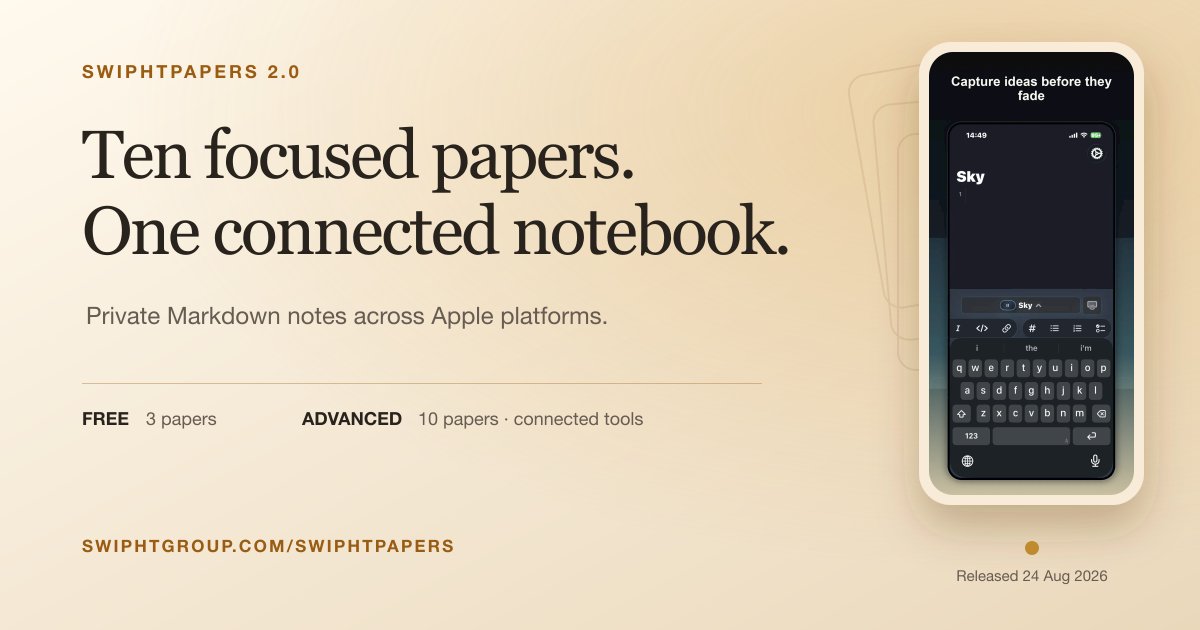
Most note apps chase infinite folders. SwiphtPapers keeps ten focused papers — one private Markdown notebook across Apple.
Free to start. Advanced opens all ten: $3.99/mo or $6.99/yr
https://t.co/nsDx5iJlB4