@smokisevdalisi@smokisevdalisi Amazing work! As I can’t open a GH issue, therefore this way: on macOS it hard blocks having the PT folder on an external drive / linked via sym-link, despite allowing it access to removable volumes. Could you add support for this?
P.s. your ko-fi seems gone…
Get this for free: just take a screenshot ⌘+⇧+3, then open it using QuickLook or Preview App, and use the Text-Recognition button (bottom right/top left usually).
Introducing Snatch 🎉
I got tired of retyping text I could literally see on my screen.
So I built https://t.co/ehAsj89Nlm
Press ⇧⌘2, drag over anything (videos, zoom screen shares, PDFs, screenshots, handwritings) and the text is on your clipboard.
Runs entirely on your Mac. Just $5.99, lifetime. Absolute value.
Get it now at https://t.co/ehAsj89Nlm
I built a Photoshop-like image editor. It’s called Compositor.
https://t.co/5EMXCgaWI1
I originally built it for myself to get off my Adobe subscription, but decided to release it for free and make it open source. It has all the essential tools I need for compositing, with none of the BS.
I know this workflow is kind of archaic in 2026, but I’m still using it until AI can actually get pixel-perfect on some of the details.
The entire app is 12MB. Photoshop is 6,455MB on my machine.
There’s a new #MacGaming Kid on the block: «Highball» 🤩
Finally somebody also gave love to the UI and User experience for playing Windows games on macOS!
https://t.co/bspcAuC7DK
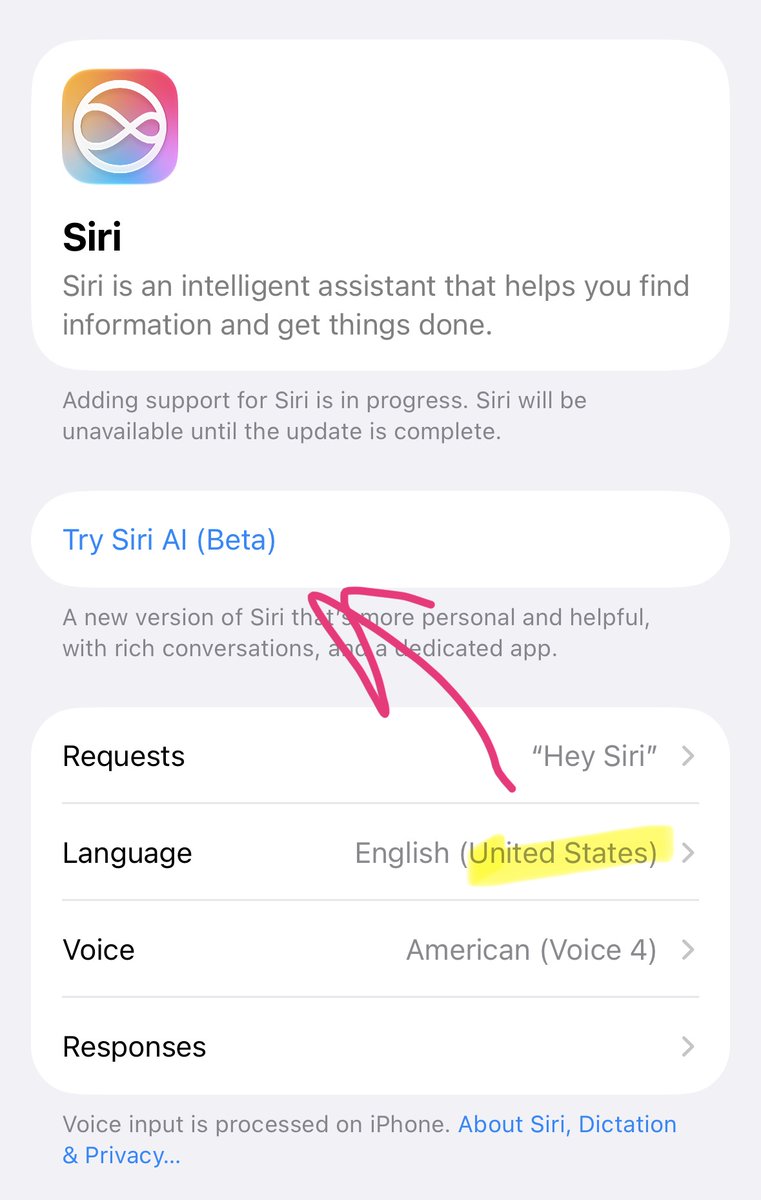
For my fellow Swiss iOS friends who want to use #SiriAI with iOS27 in #Switzerland:
💡 You have to set the primary iOS Language to English (US) AND the Siri Language as well to English (US) – only then «Try Siri AI (Beta)» will appear in Siri-Settings!
iOS 27 breaks DNS based adblockers such as @NextDNS, @AdGuard or Pi-hole unless you disable connectivity assist. Spread the word!
Settings > Wi-Fi > Connectivity Assist
> be Alyssa Rosenzweig
> look at Apple's M1 GPU and see a black box
> Apple provides almost no public hardware documentation
> decide to figure out how the GPU works anyway
> start reverse-engineering Apple's GPU interfaces in 2021
> use macOS itself as the closest thing to documentation
> get a triangle rendering on the M1 within weeks
> realize the impossible-looking problem might actually be solvable
> join forces with the Asahi Linux community
> build an open-source graphics stack from scratch
> keep reverse-engineering hardware Apple never documented publicly
> eventually reach conformant OpenGL 4.6 and Vulkan 1.4
> make Apple's M1 and M2 GPUs work properly under Linux
> turn a completely closed GPU into an open platform
> prove that undocumented hardware can still be understood
> become one of the leading voices in open-source graphics
This is fun: macOS #ScriptedSetup Tool is now on #DeepWiki – and it produced some neat flowcharts actually…
Ready for a deep-dive? https://t.co/Y7o3Dsnrps
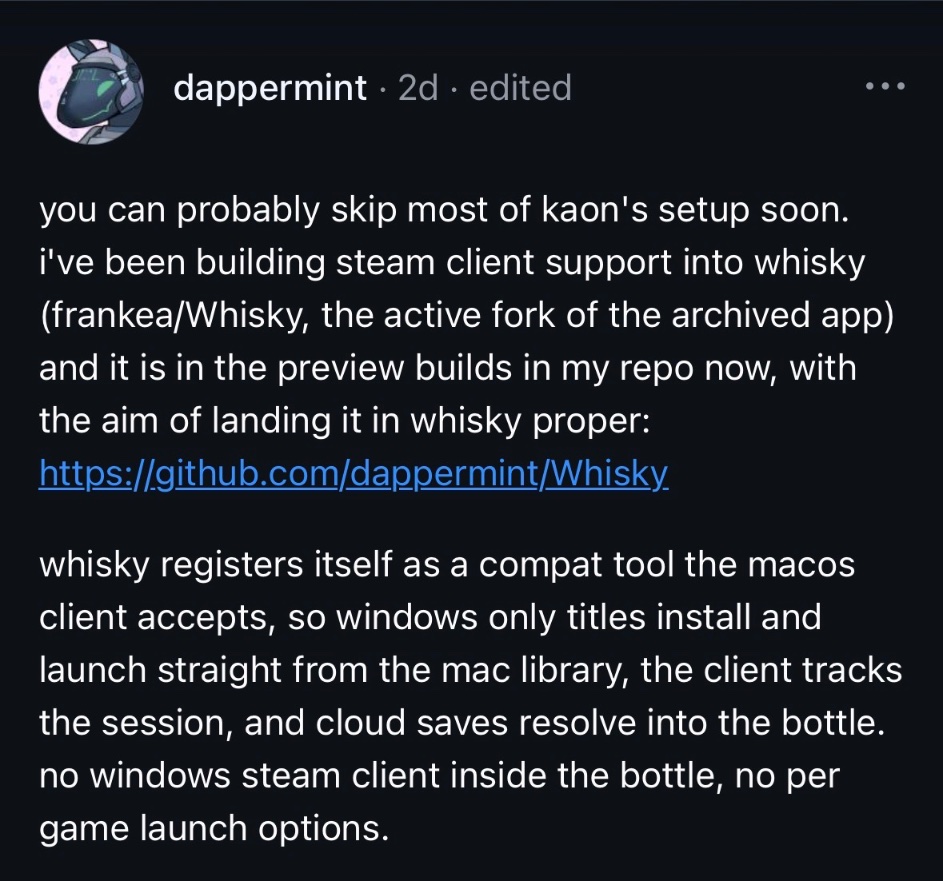
There‘s already a (supported) hack to have #MacGaming@Steam install Windows games natively - and now someone seemingly works on a more flawless setup using the #Wine Whiskey community fork
🤯🔥 *excited* https://t.co/h5A5sSKkv4
Retro vibes: natively play #Quake‘s new «Dawn of the Machine» on your #Mac 💻🕹️
(figuring this out took me longer, than my current playtime… 👾)
https://t.co/fJThEJDSKc