On Android:
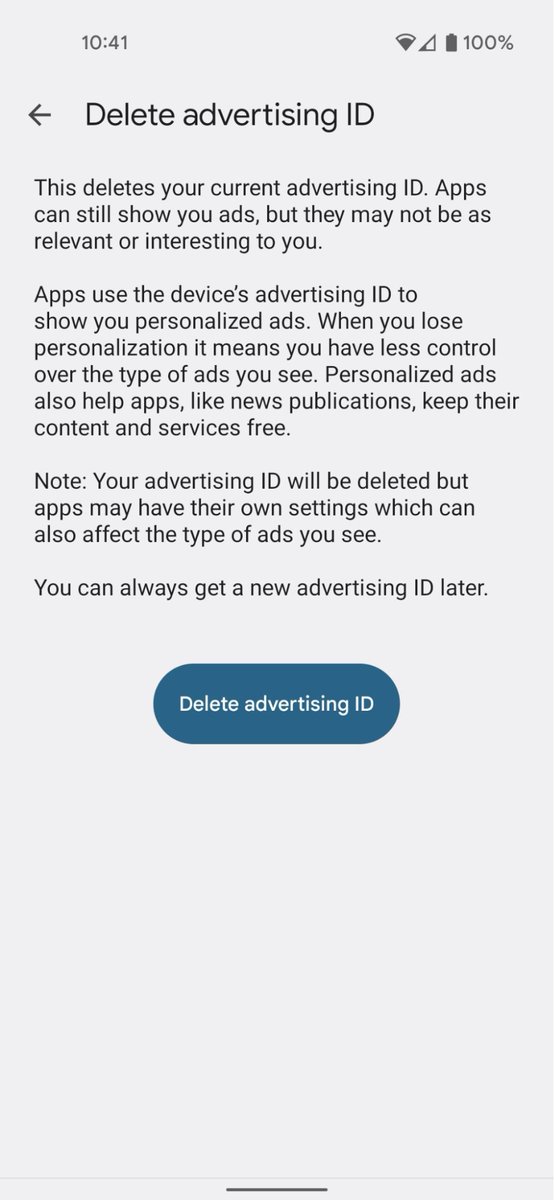
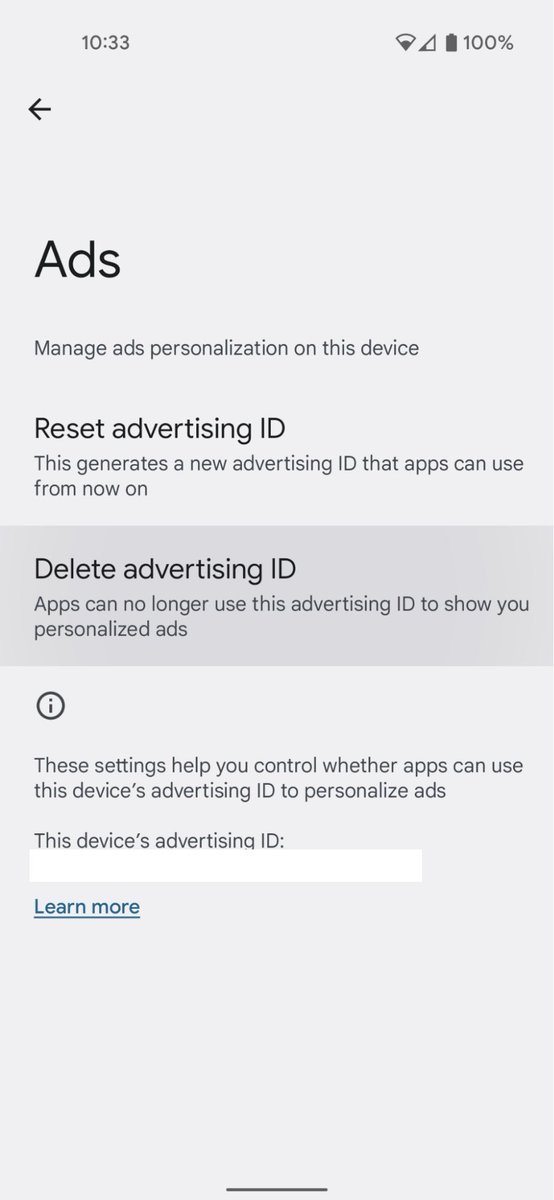
Open the Settings app, and navigate to Privacy > Ads. Tap “Delete advertising ID,” then tap it again on the next page to confirm. This will prevent any app on your phone from accessing it in the future.
Data brokers use your phone's ad ID to track and profile you. Disabling it does a lot for protecting your data privacy, and only takes 1 minute. Here’s how, for Android and iOS: https://t.co/VsPjMbtk6u
@AskDyson@Dyson is it typical for your service center to hold $700 devices hostage and not honor warranty replacements? You've had it for over a month and refuse to mail back a replacement.
I don't understand people who can fall asleep instantly...there are so many hypothetical scenarios and conversations I need to meticulously rehearse in my head should they ever someday happen in real life.
I’M TRYING TO GO TO SPACE & you can help me get there!
If you retweet this video, I’ll print your name on a shirt and wear it in space in your honor ☄️
#inspiration4contest#sendsimonetospace
https://t.co/SvPEQzHmYK