Now the English Tool Disc has an menu system to show information about the applications. And of course you can start the programs immediately too.
Menu System for the FutureOS Tool Disc (English)
FutureOS 2025 release - 2025.12.24
* New Byte-precise File-Copy, keeps the file-size precise to the Byte, by using Extent bytes &0D
* Enhanced sortiing algorithm (FAT32 SD card too)
* Perfectly four layer Debounced Keyboard
* much more
https://t.co/n4HLOPIjus
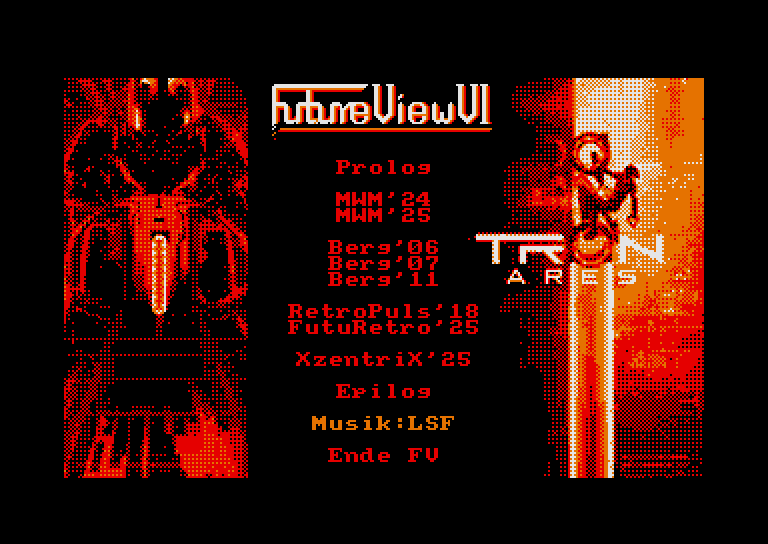
Release of the Disc-Mag FutureView VI
FutureView VI is here, and the theme of this issue is the premiere of TRON Ares.
This time there are many current meeting reports.
LambdaSpeak's MP3 player supported! (FS / III) is supported!
Download: https://t.co/UcR5GlVCUM
Have fun!!
#FutureTex now available at https://t.co/UcR5GlV55e with type-ahead keyboard. Enjoy this text editor, character designer and keyboard layout manager for #Amstrad#CPC :-)
The “FutureOS” folder for the M4 SD card was updated too! 9 MB Soft!
Just copy the folder to the SD card of the M4 extension.
Under FutureOS press 'H' or click the 'IDE' icon and you can browse the M4 SD card starting applications.
#CPC#FutureOS#Amstrad#Schneider#CPC6128#M4
Update on the https://t.co/UcR5GlVCUM homepage, added new links to FutureOS relevant hardware: M4, SF3, Clone of the Vortex FDC
Downloads: The Wallpaper Images have now been expanded to include Disc 11.
#CPC#FutureOS#Amstrad#Schneider#CPC6128#Wallpaper#HinterGrundBilder