Too many tabs open? Same nightmare.
Tabox turns browser chaos into clean, saved collections you can restore anytime.
Close the clutter. Keep the work.
#WorkSmarter#Productivity#ChromeExtension
Happy Thanksgiving from Tabox! We’re grateful for everyone who’s shared feedback, reported a bug, or told a friend about us. Hope you had a lovely holiday and get a little time this weekend to close the laptop and unwind.
We’re saddened by the passing of Sir Patrick Stewart.
Thank you for inspiring generations to lead with curiosity, courage, and compassion.
Our thoughts are with his family, friends, and everyone who loved him.
Tabox 4.2.4 is out.
AI name suggestions work again, your chosen sort order stays put, and saving local-file tabs now comes with clearer Chrome permission guidance.
Plus: a cleaner AI input while it works and email alerts if a Tabox Pro renewal fails.
Tabox 4.2.3 is live on Firefox. Chrome and Edge are coming soon.
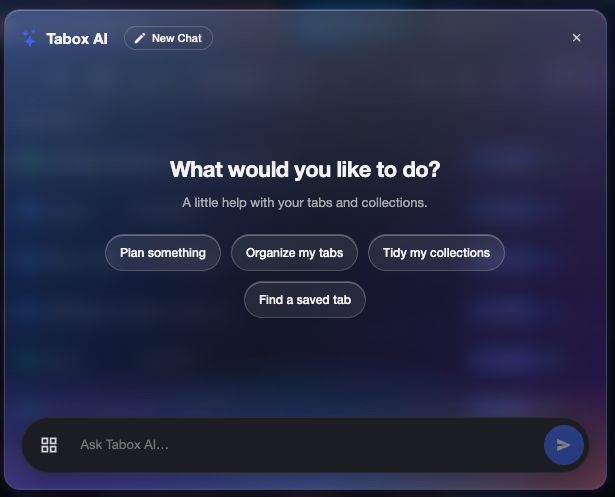
Meet the new Tabox AI Hub:
- ask for what you want in your own words
- organize tabs, tidy collections, or find a saved tab
- plan a project and get a ready-to-use collection
You preview every change first.
Tabox has a new home.
See how we save, organize, reopen, sync, and share browser workspaces, with a fresh look at everything Tabox can do.
Live now: https://t.co/5qbpaVOnOs
@WinstonThomann Closing the tabs gets easier once each open one has to justify the next task it serves. Closing the tabs gets easier once each open one has to justify the next task it serves.
@MansiCodez Forty-seven tabs is basically a second production environment running beside the first.FxForty-seven tabs is basically a second production environment running beside the firstxForty-seven tabs is basically a second production environment running beside the first.