Annotate - Draw, Highlight, and Type on Shared Screens
Now you can mark up your screen in real time.
And with "Remote Control" you can let others highlight and draw on your screen.
Annotate and Remote Cursors now make your sessions so much more productive!
Not a Tandem user? Sign up for FREE at tandem[dot]chat.
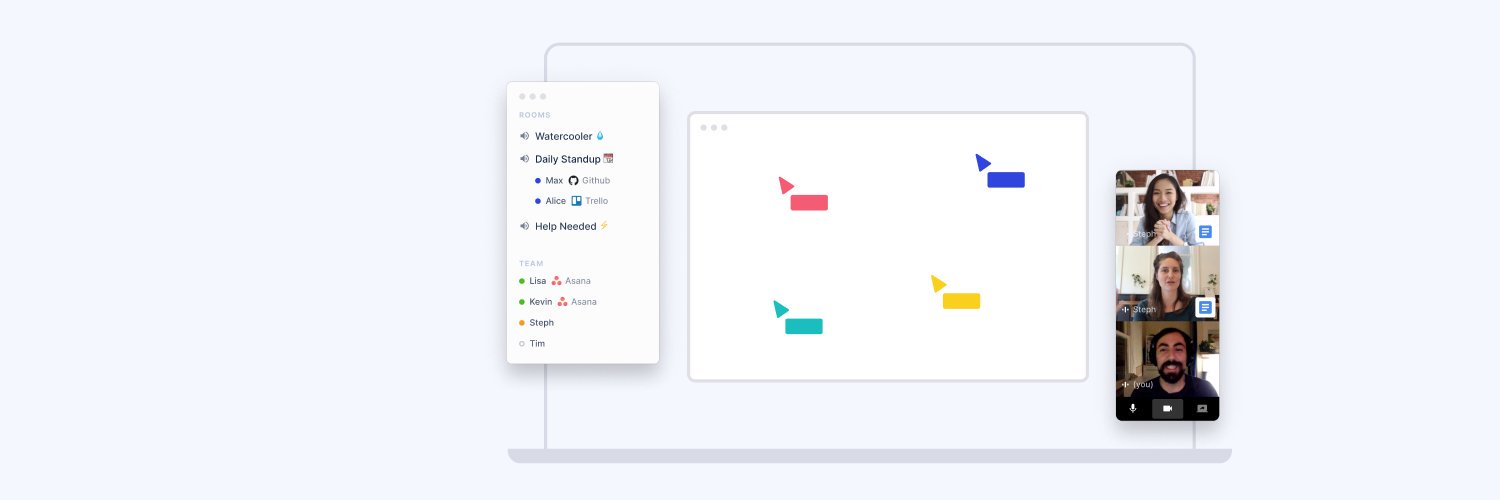
Screen sharing with visible cursors
Interact, collaborate, and whiteboard as if you were in the same room with our instant screensharing, remote control, and visible cursors.
Not a Tandem user? Sign up for FREE at tandem[dot]chat.
Auto-join meetings
No more nervously checking calendar! With Meeting Reminders, you can stay in flow until the last possible second. Works for both Tandem meetings and other services - e.g. Zoom, Meet. Go to Settings > Meetings.
Not a Tandem user? Sign up for free! at tandem[dot]chat.
In-Browser Meetings
No desktop app? No problem! Anyone can now join your Tandem calls in browser. All you need to do is send them the meeting link.
Not a Tandem user? Sign up for free! at tandem[dot]chat.
Do people interrupt each other accidentally in meetings?
The Raise Hand widget lets you to add yourself to an organized list. This is particularly useful if you take turns speaking during a meeting, or for Q&A sessions. Once you're done speaking, hit the "Done" button, and you'll be removed from the list.
Try using widgets on your next call and let us know your thoughts!
Not a Tandem user? Sign up for free at tandem[dot]chat
Have you tried our Timer Widget?
Meetings usually involve a lot of brainstorming, or writing activities, that require you to set some time aside to do some thinking alone or in groups. When that happens, the timer widget helps you stay on track, and it comes with a few handy piggyback features; you can mute everybody on the call and you can also add background music (with our Music Widget!)
Try using widgets on your next call and let us know your thoughts!
Sign up for free at tandem[dot]chat
Pro-tip: use the Agenda Widget to keep things on track.
Organize your discussion by adding items to the agenda widget. Everyone can contribute agenda items, edit items, and mark them as done once you've had a chance to go through them.
Try using widgets on your next call and let us know your thoughts!
Not a Tandem user? Sign up for free at tandem[dot]chat
Run a killer standup with our Standup Widget!
You can get a randomized list of meeting participants, and when someone's finished you can mark them (or they can mark themselves) as done, and this highlights the next person that's supposed to speak. It's a simple way to keep your standup going, saves you a lot of phatic communication, and lets you focus on what matters most: connecting with your team.
Try using widgets on your next call and let us know your thoughts!
Not a Tandem user? Sign up for free at tandem[dot]chat
Elevate the mood in your meeting with one click!
The Music Widget enables you to add ambient music from a variety of genres, and everybody gets to adjust their own volume. It can add nice pleasant vibes when people are filtering into the meeting, or at the end, when you're just chilling or co-working.
Try using widgets on your next call and let us know your thoughts!
Not a Tandem user? Sign up for free at tandem[dot]chat
Instant insight at your fingertips. Add options, and your team decides their pick with a single click.
Try using widgets on your next call and let us know your thoughts!
Not a Tandem user? Sign up for free at tandem[dot]chat
Supercharge your calls with Meeting Widgets!
These lightweight apps help you stay organized, make your calls more engaging and more fun! You can trigger a timer, get a randomized list of participants, add agenda items or a poll, and even put on some background music to set the mood. Anybody can add/remove widgets and multiple people can interact with the same widget at the same time.
Try using widgets on your next call and let us know your thoughts!
Not a Tandem user? Sign up for free at tandem[dot]chat
Dial-Out from Tandem Meeting
Dial-out a phone number and easily connect anyone to your meetings—even those without the app or internet access!
Just dial out directly from Tandem, and they’re in.
Perfect for including clients, partners, or team members on the go!
(Note that this feature is only available for paid subscriptions.)
Not a Tandem user? Sign up for FREE at tandem[dot]chat.
Dial-in to Tandem Meetings
With dial-in support, you can join meetings from anywhere by phone.
Share the dial-in number when scheduling a meeting, so team members without internet or the app can still join seamlessly.
Perfect for hybrid work & on-the-go collaboration!
(Note that this feature is only available for paid subscriptions.)
Not a Tandem user? Sign up for FREE at tandem[dot]chat.
Text chat feature - Timer
"Need a quick countdown? Type "/timer [x] minutes" in your Tandem room or conversation chat to start a countdown for your team.
Perfect for standups, breaks, or focused work sessions!"
Not a Tandem user? Sign up for FREE at tandem[dot]chat.
Text chat feature - Random
Type "/random" in the conversation chat, and we'll give your team a random order!
Not a Tandem user? Sign up for FREE at tandem[dot]chat.
Improved In-Call Chat - Chat Popover
When clicking on the chat Icon you'll now see a Popover window that you can easily close.
Not a Tandem user? Sign up for FREE at tandem[dot]chat.
Improved In-Call Chat - Incoming Chat Messages
Incoming chats will temporarily appear next to your call window. You can reply, click incoming links, or images.
Not a Tandem user? Sign up for FREE at tandem[dot]chat.
Work App Sharing - Add Custom App
Tandem integrates with a long list of work-related apps which allows you to share with your teammates.
You can easily add a custom app that is not integrated already.
Not a Tandem user? Sign up for FREE at tandem[dot]chat.
Work App Sharing - Request Screen Sharing
During a call on Tandem, see the app icons your teammates are working in.
Want to collaborate? Just click on the app icon to request screen sharing!
Not a Tandem user? Sign up for FREE at tandem[dot]chat.
Work App Sharing - Get on the same page
Streamline calls by letting teammates click directly to your page in shared apps—no need to pause and share links! You’ll get a notification when they join.
Teammates can see your app icon, page title, and URL. They can click to join you on the page, if they have the right permissions.
Not a Tandem user? Sign up for FREE at tandem[dot]chat.








![Tandem's tweet photo. Auto-join meetings
No more nervously checking calendar! With Meeting Reminders, you can stay in flow until the last possible second. Works for both Tandem meetings and other services - e.g. Zoom, Meet. Go to Settings > Meetings.
Not a Tandem user? Sign up for free! at tandem[dot]chat.](https://pbs.twimg.com/media/GvC5yOjawAAIzWr.jpg)
![Tandem's tweet photo. Do people interrupt each other accidentally in meetings?
The Raise Hand widget lets you to add yourself to an organized list. This is particularly useful if you take turns speaking during a meeting, or for Q&A sessions. Once you're done speaking, hit the "Done" button, and you'll be removed from the list.
Try using widgets on your next call and let us know your thoughts!
Not a Tandem user? Sign up for free at tandem[dot]chat](https://pbs.twimg.com/media/Gu9wMjEb0AMYZBY.jpg)
![Tandem's tweet photo. Dial-Out from Tandem Meeting
Dial-out a phone number and easily connect anyone to your meetings—even those without the app or internet access!
Just dial out directly from Tandem, and they’re in.
Perfect for including clients, partners, or team members on the go!
(Note that this feature is only available for paid subscriptions.)
Not a Tandem user? Sign up for FREE at tandem[dot]chat.](https://pbs.twimg.com/media/Gue2p9FaoAEOc_Y.jpg)
![Tandem's tweet photo. Dial-in to Tandem Meetings
With dial-in support, you can join meetings from anywhere by phone.
Share the dial-in number when scheduling a meeting, so team members without internet or the app can still join seamlessly.
Perfect for hybrid work & on-the-go collaboration!
(Note that this feature is only available for paid subscriptions.)
Not a Tandem user? Sign up for FREE at tandem[dot]chat.](https://pbs.twimg.com/media/GudkSs1bEAEpkgR.jpg)
![Tandem's tweet photo. Text chat feature - Timer
"Need a quick countdown? Type "/timer [x] minutes" in your Tandem room or conversation chat to start a countdown for your team.
Perfect for standups, breaks, or focused work sessions!"
Not a Tandem user? Sign up for FREE at tandem[dot]chat. https://t.co/5k9V2ifwDa](https://pbs.twimg.com/media/GuZtEw3acAA8rJ7.jpg)
![Tandem's tweet photo. Text chat feature - Random
Type "/random" in the conversation chat, and we'll give your team a random order!
Not a Tandem user? Sign up for FREE at tandem[dot]chat. https://t.co/64p9bEyNEg](https://pbs.twimg.com/media/GuYatFLasAAKvQ7.jpg)
![Tandem's tweet photo. Improved In-Call Chat - Chat Popover
When clicking on the chat Icon you'll now see a Popover window that you can easily close.
Not a Tandem user? Sign up for FREE at tandem[dot]chat. https://t.co/Rk04RnbW1v](https://pbs.twimg.com/media/GuUjeqKbEAAKi9U.jpg)
![Tandem's tweet photo. Improved In-Call Chat - Incoming Chat Messages
Incoming chats will temporarily appear next to your call window. You can reply, click incoming links, or images.
Not a Tandem user? Sign up for FREE at tandem[dot]chat. https://t.co/1n9YO0yU8G](https://pbs.twimg.com/media/GuTRHN2bEAAJeih.jpg)


