From Excel to Power BI 📊✨
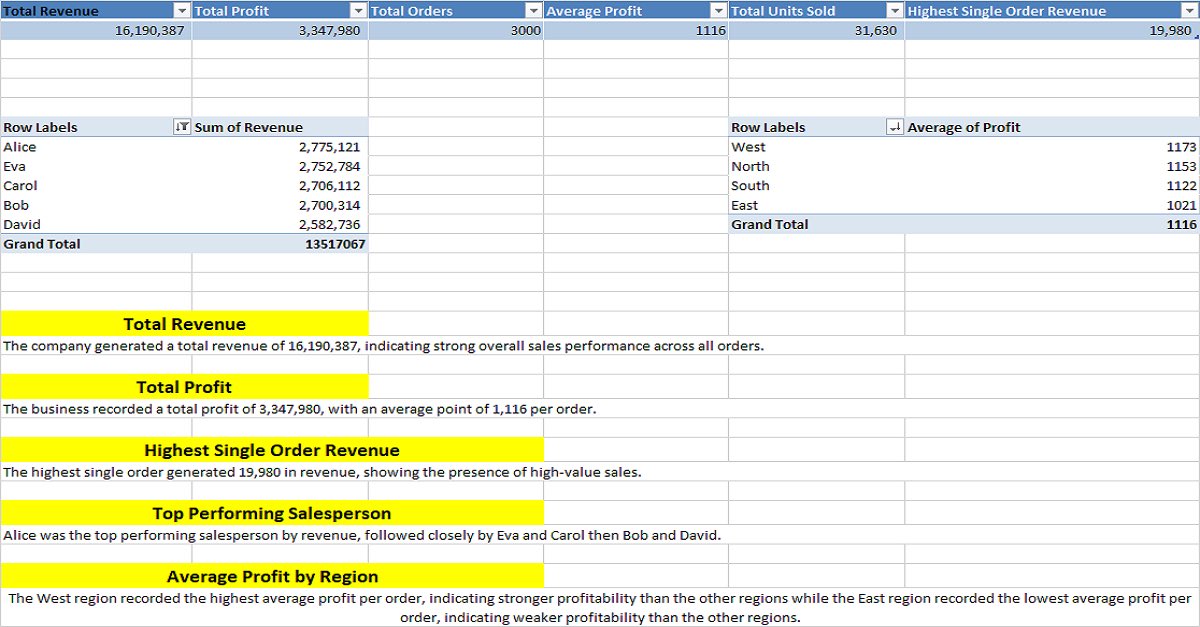
Learning Power Query, data modelling, DAX and data visualization has been quite the journey.
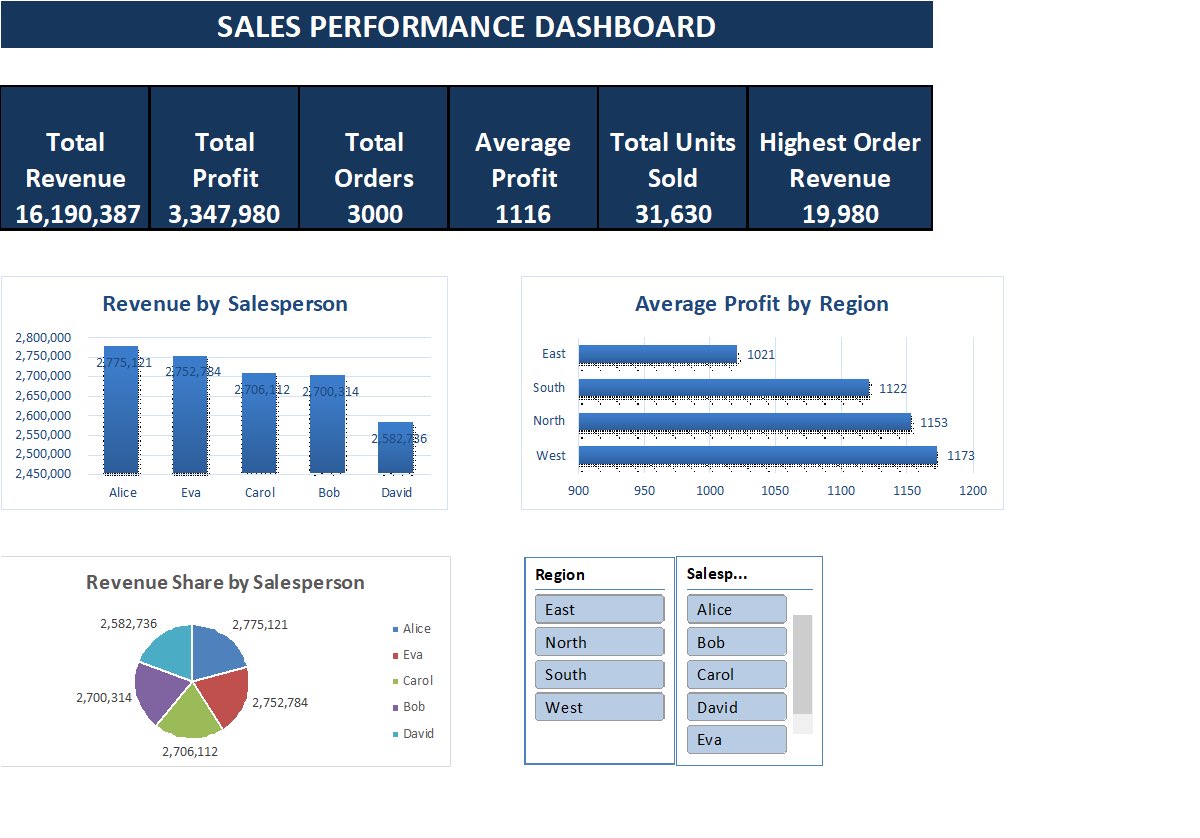
And now, I’ve built my first Power BI dashboard! 🥹
The best part? Seeing my slicers actually bring the dashboard to life. 😭ThankstoMyTutor @ezekiel_aleke
After a few weeks away, I’m back! Today I tackled Power BI: transforming data with Power Query, building relationships in models—and I also completed my TSAcademy quiz!
It’s a great feeling to reconnect after a break and see progress. On to the next challenge!
Day 28 📊
Continued working on a Champions League 2026 dataset in Power Query.
Practiced data transformation, calculated columns, shot accuracy, conditional columns, and grouping data.
Not finished yet, but making progress. 🚀
#DataAnalytics#PowerQuery#Excel
Day 27.
No Excel today. No assignments either.
27 days ago, most of these concepts were completely unfamiliar. Still a long way to go, but I can already tell I’m thinking differently.
Back at it tomorrow. 📊
#DataAnalytics
Day 26 of my Data Analytics journey 📊
A lighter day today—spent some time reading about Power Query and how it simplifies data cleaning and transformation.
Small steps. Consistent progress. 🚀
#DataAnalytics#PowerQuery#Excel#LearningInPublic
Day 25 of my Data Analytics journey 📊
Today’s lesson: Excel Tables—creating tables, structured references, sorting & filtering, Total Rows, and Slicers. Learning to work with data more efficiently every day. 🚀
#DataAnalytics#Excel#LearningInPublic
Day 24📊
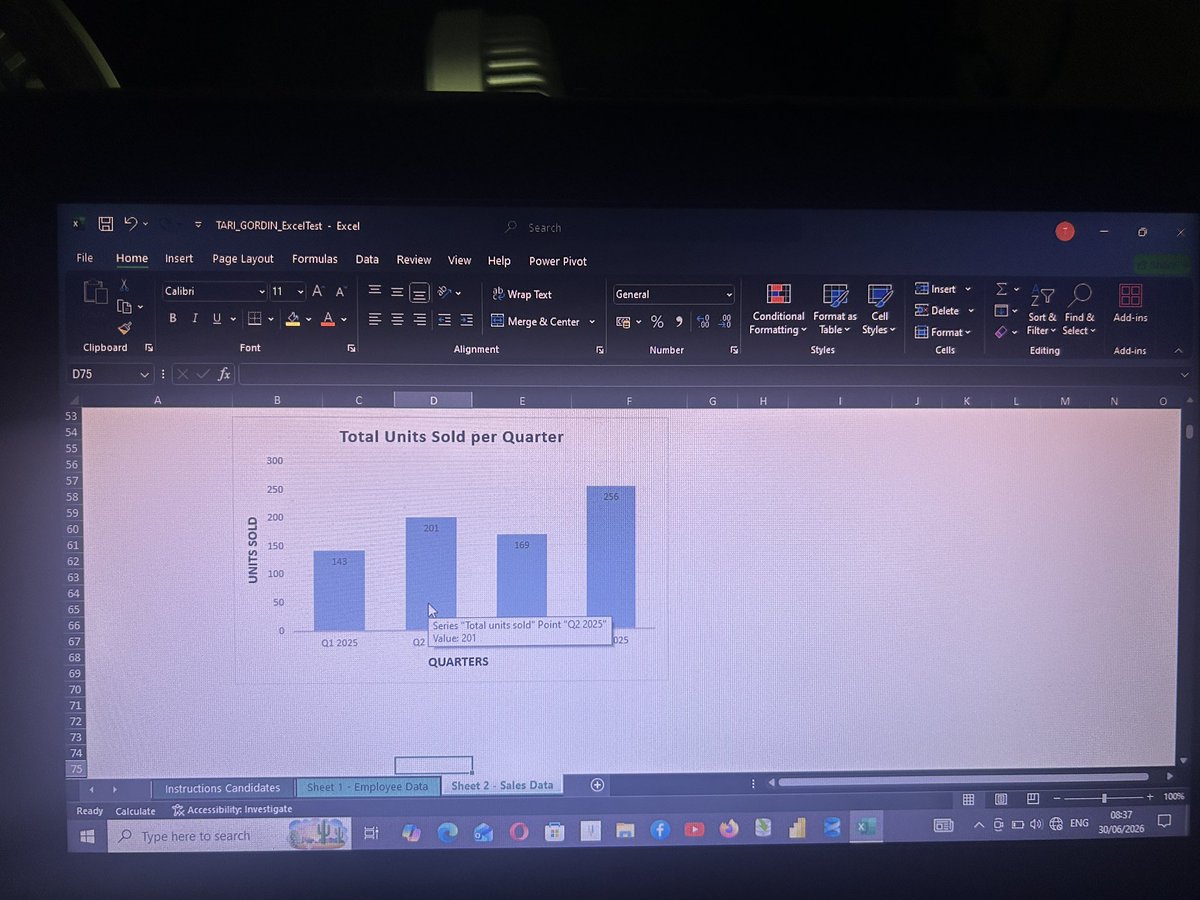
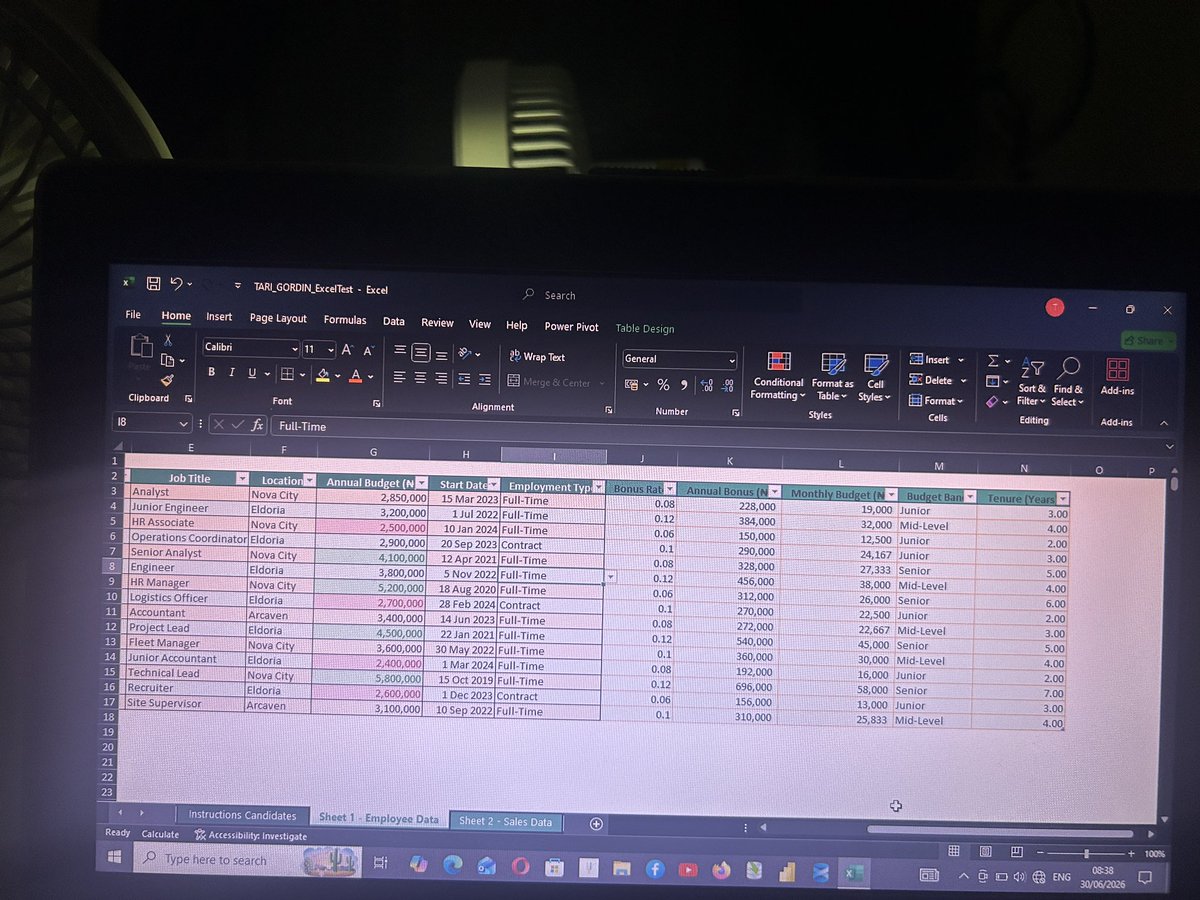
Completed an Excel Proficiency Assessment using:
✅ LOOKUP
✅ IF
✅ SUMIF & COUNTIF
✅ Dates
✅ Conditional Formatting
✅ Data Validation
✅ Tables & Charts
One step closer to becoming a Data Analyst. 🚀Thanks to @ezekiel_aleke#DataAnalytics#Excel#LearningInPublic
Day 23 of my Data Analytics journey 📊
No class today, but growth doesn’t pause just because the lessons do.
Consistency isn’t about making huge leaps every day—it’s about showing up, reflecting, and trusting the process.
23 days in. Still learning. Still growing. 🚀
Day 22 of my Data Analytics journey 📊
Practiced:
✅ Excel Tables
✅ Conditional functions
✅ XLOOKUP
✅ Absolute references ($)
Big takeaway: XLOOKUP only works right when your lookup range is locked properly. Understanding why matters as much as knowing how.
Day 21/30 📊
Today’s class covered both text and aggregate functions in Excel.
✅ UNIQUE, TRIM, TEXT, EXACT, TRANSPOSE, MONTH, YEAR & TODAY
✅ SUM, SUMIF, SUMIFS, AVERAGE, AVERAGEIF & AVERAGEIFS
From cleaning data to analyzing it—each lesson makes Excel feel more powerful.
Day 20/30 📊
Today’s self-study focused on Excel’s AGGREGATE function. Learning how to perform calculations while ignoring errors and hidden rows is another step toward working with real-world data more effectively.
@TechSphereAcad#30DaysOfTech#LearningWithTS
Day 19 of #30DaysOfTech
No new lessons today—just practice.
Spent time reinforcing Excel Text Functions including LEFT, RIGHT, MID, LEN, TEXTJOIN, TEXTSPLIT,TEXTBEFORE, TEXTAFTER, TRIM,& many others
Consistency beats cramming. ���
#LearningWithTS #30DaysOfTech @TechSphereAcad
Day 19 #30DaysOfTech
Today’s lesson was all about Excel Text Functions.
Learned how to combine, extract, and clean data using functions like CONCAT, TEXTJOIN, LEFT, RIGHT, MID, and SUBSTITUTE.
A reminder that clean data is the foundation of good analysis.
#LearningWithTS
Day 17/30
A slower day today with no studying or classes.
Sometimes progress looks like resting, recharging, and preparing to come back stronger tomorrow.
#30DaysOfTech#LearningWithTS#TSAcademy ✨
Day 14/30 🚀
No class and no study time today, but the journey continues.
Sometimes progress means taking a pause and returning stronger tomorrow. Two weeks down, many lessons learned, more to come.
#30DaysOfTech#LearningWithTS#TSAcademy
Day 13/30 🚀
Learned about:
📊 Distribution
🔗 Correlation
⚠️ Outliers
📈 Patterns
Data is more than numbers—it’s insights.
#30DaysOfTech#LearningWithTS#TSAcademy