@sunnypause@WisprFlow@unitechy Please check the latest beta 9.39.0 - it should work with Wispr Flow now. Make sure to change the default paste shortcut from Ctrl+Shift+V to Ctrl+V.
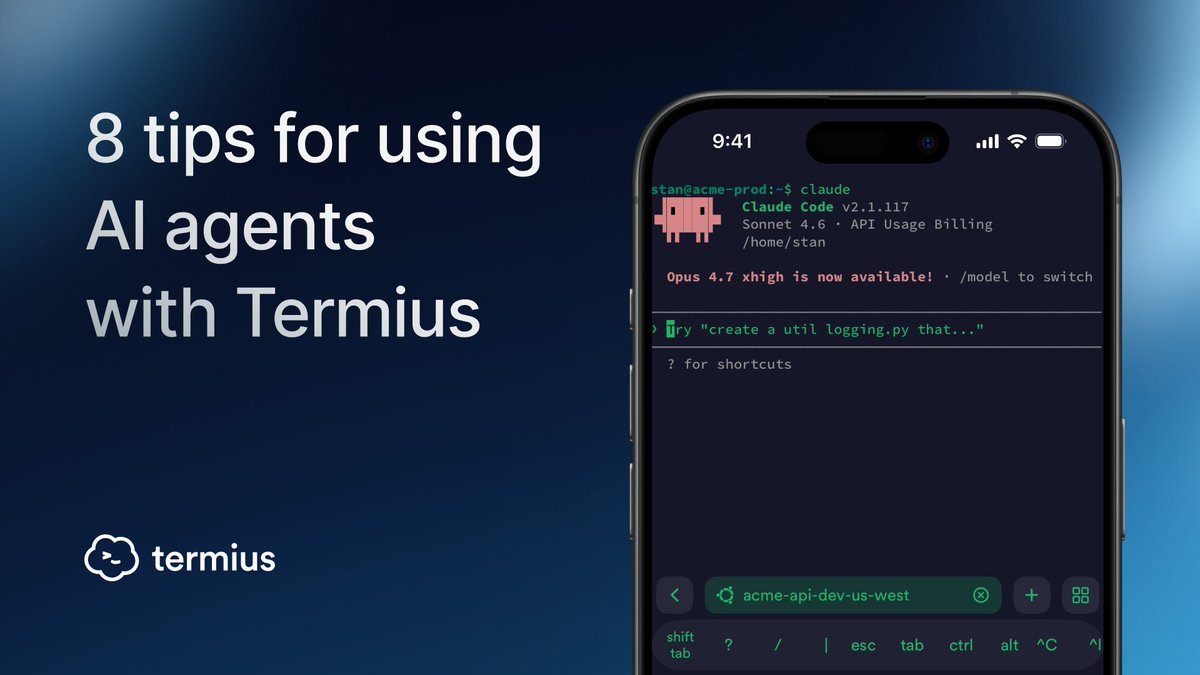
All tips for vibe coding on mobile with Termius, now in one article.
For anyone working with Claude Code, Gemini CLI, OpenCode, and others.
→ https://t.co/Qn2SDXwjxU
If you work in the terminal, you run the same commands over and over. Every retype is a chance for a typo.
Termius fixes this:
→ Snippets – save commands and run them from any session.
→ Snippet Packages – group related snippets and run as workflows.
https://t.co/e5He9BoBLA
@jonoringer@odd_joel@Teknium Could you please contact us via https://t.co/xG041tmv4q? We'll get back to you shortly to take a closer look at your case.
@jonoringer@odd_joel@Teknium While we don't support quick paste of the images into the terminal yet, you can upload an image to the server via SFTP and refer to its path - https://t.co/FY0LQtQCGA - if you need to refer to several images you can upload them to a folder and use the folder path.
A few tips and tricks for vibecoding with Termius 🧵
1/5 Paste images and files to your AI agent prompt via SFTP
→ Open an SFTP tab from your terminal
→ Upload or drag & drop images or files from your phone
→ Copy the path
→ Paste it straight into your agent prompt
Quantum computers will break most of today's encryption, once they appear. But we're already prepared.
We added support for ML-KEM & ML-DSA, two post-quantum algorithms that bring quantum-resistant protection to SSH key exchange and authentication.
→ https://t.co/7gAAmyAole
@dbcox7 Thanks for your feedback, Dominic. A trial or a subscription works across all your devices. The features comparison can be checked on our website or in the documentation.
Network changes (Wi-Fi ↔ mobile data) can interrupt your terminal session at the worst moment. Especially when working with AI agents.
Here’s how to avoid it:
→ Enable Live Activities in app settings (iOS)
→ Run your AI agent inside tmux
→ Set up Mosh on your server
5/5 tmux + startup snippet
Run your AI agent inside tmux to prevent losing context if the network drops. Then add a startup snippet like tmux attach -t %claude_session_name% to your host to automatically restore your previous session.
A few tips and tricks for vibecoding with Termius 🧵
1/5 Paste images and files to your AI agent prompt via SFTP
→ Open an SFTP tab from your terminal
→ Upload or drag & drop images or files from your phone
→ Copy the path
→ Paste it straight into your agent prompt
4/5 Customize the shortcut bar for AI workflows
AI agents often require specific key combinations like Shift+Tab to switch modes. In Termius, you can customize the shortcut bar to keep important actions right at your fingertips.
Review and upload files with SFTP
To review files generated by your agent, open an SFTP tab directly from your terminal without leaving your session.
You can use the same SFTP tab to upload screenshots of a website, then include those files as context in your agent's prompt.
@SabatinoMasala We are working on the terminal improvements in general. If you are experiencing a particular issue with Claude Code rendering, please submit a ticket via our support portal.
tmux + Startup Commands in Termius
Run Claude Code, Gemini CLI, or OpenCode inside tmux to keep your context if the network drops or you switch devices.
Set it as the Startup Command for a host in Termius: tmux attach -t session_name. Your session auto-restores on connect.