TheFormTool® distributes the world's most powerful, user-friendly and secure document assembly & automation software used in WORD®. 5 stars, A-rating, 4.7/5.0
Legal work cannot rely on language that is only “probably right.”
Fluent output is not the same as verified judgment.
AI can assist, but rules-based systems still matter where facts, repetition, control, and accountability are required.
https://t.co/B0knf5hfoQ
#DocumentAutomation #MicrosoftWord
We just finished rebuilding the Home page for our Microsoft Word document-automation site as a “Visitor Center.”
Want to help test it? Visit, click what seems natural, then tell me where you landed—or got lost.
https://t.co/AexmEXBilc
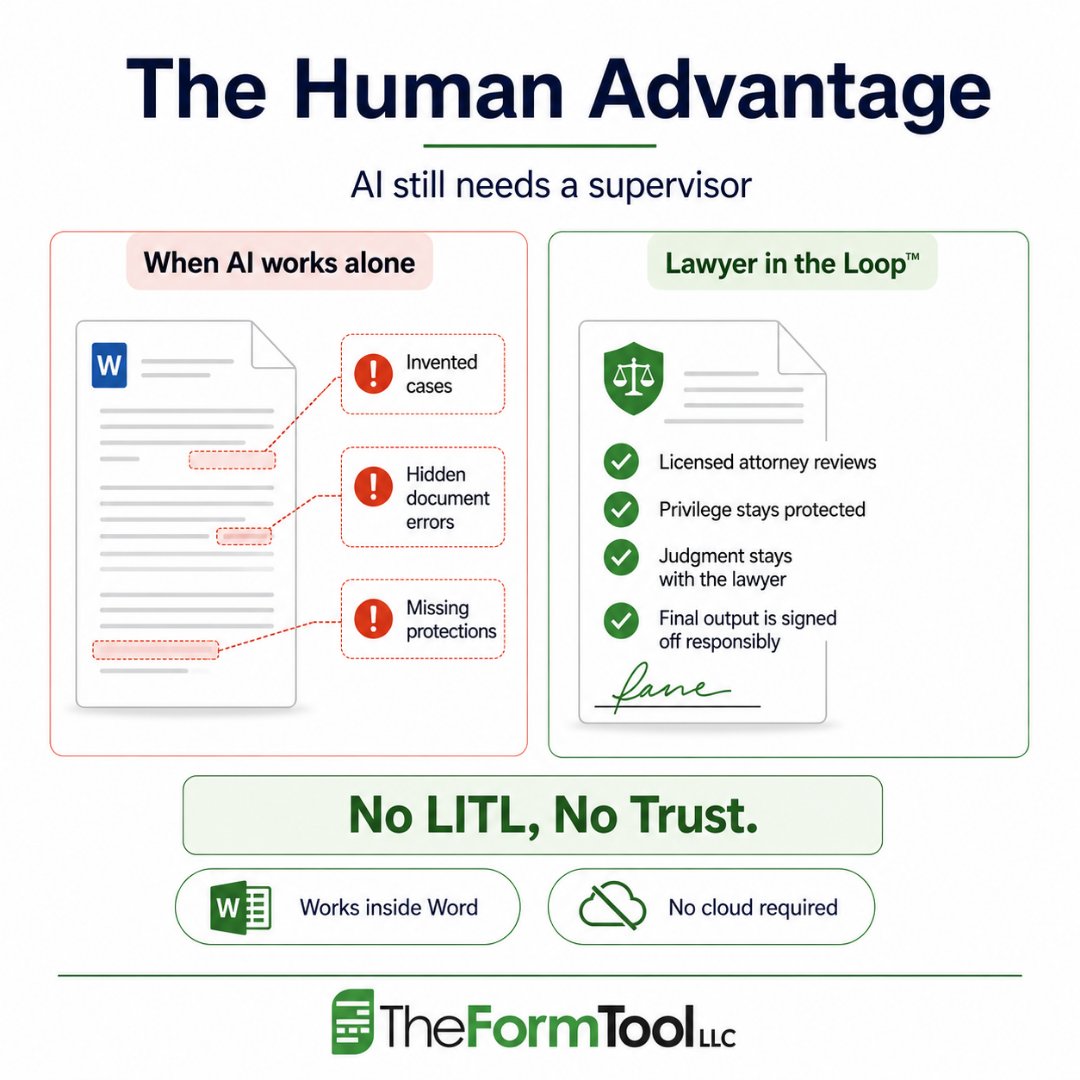
AI can assist legal work.
It should not be left to supervise itself.
Legal documents need more than fluent language. They need judgment, confidentiality, accountability, and professional review.
Every client deserves a Lawyer in the Loop™.
https://t.co/Q4BE3GSDd0
#LegalTech #LegalAI
If a legal assistant invented a case, clause, or argument, the problem would be clear.
The standard should not change because a machine produced the text.
Legal drafting needs facts, rules, and professional review — not guesses.
https://t.co/I5XetqiQqk
#LegalTech #DocumentAutomation
AI can help explore ideas, summarize text, and support early drafting.
But legal forms need something different.
They need trusted language, clear rules, consistent definitions, and lawyer control.
Legal drafting is logic, not creative writing.
https://t.co/GNhOT5psw7
#LegalTech #DocumentAutomation
Good form design is not about adding more questions.
It is about asking less, avoiding double typing, using reusable field names, and doing more work in the design so users do less work every day.
Ask once. Reuse it everywhere it belongs.
https://t.co/pXW0u2ION1
#DocumentAutomation #MicrosoftWord
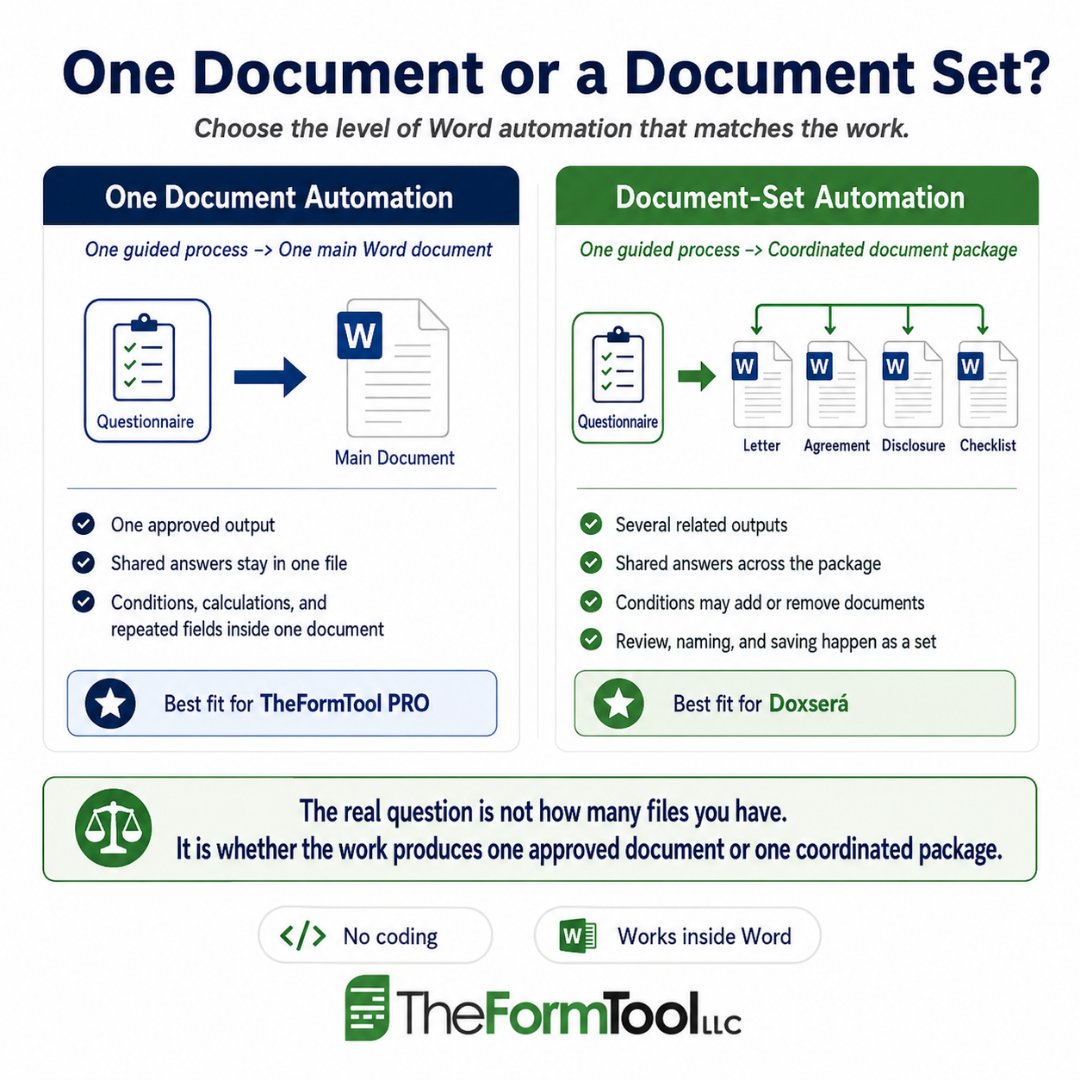
One document or a document set?
The better question is not how many files you have. It is how the work actually moves from first answer to final approved output.
TheFormTool PRO fits structured single-document work. Doxserá fits coordinated document packages.
https://t.co/MwUWbEMBcS
#DocumentAutomation #MicrosoftWord
Medical document automation should support the right work.
Patient names, provider details, dates, attachments, and routing can often follow a controlled Word-based process.
Clinical decisions belong with qualified professionals.
Automate the frame. Keep judgment with people.
https://t.co/LCbmXpzE1D
#DocumentAutomation #MicrosoftWord
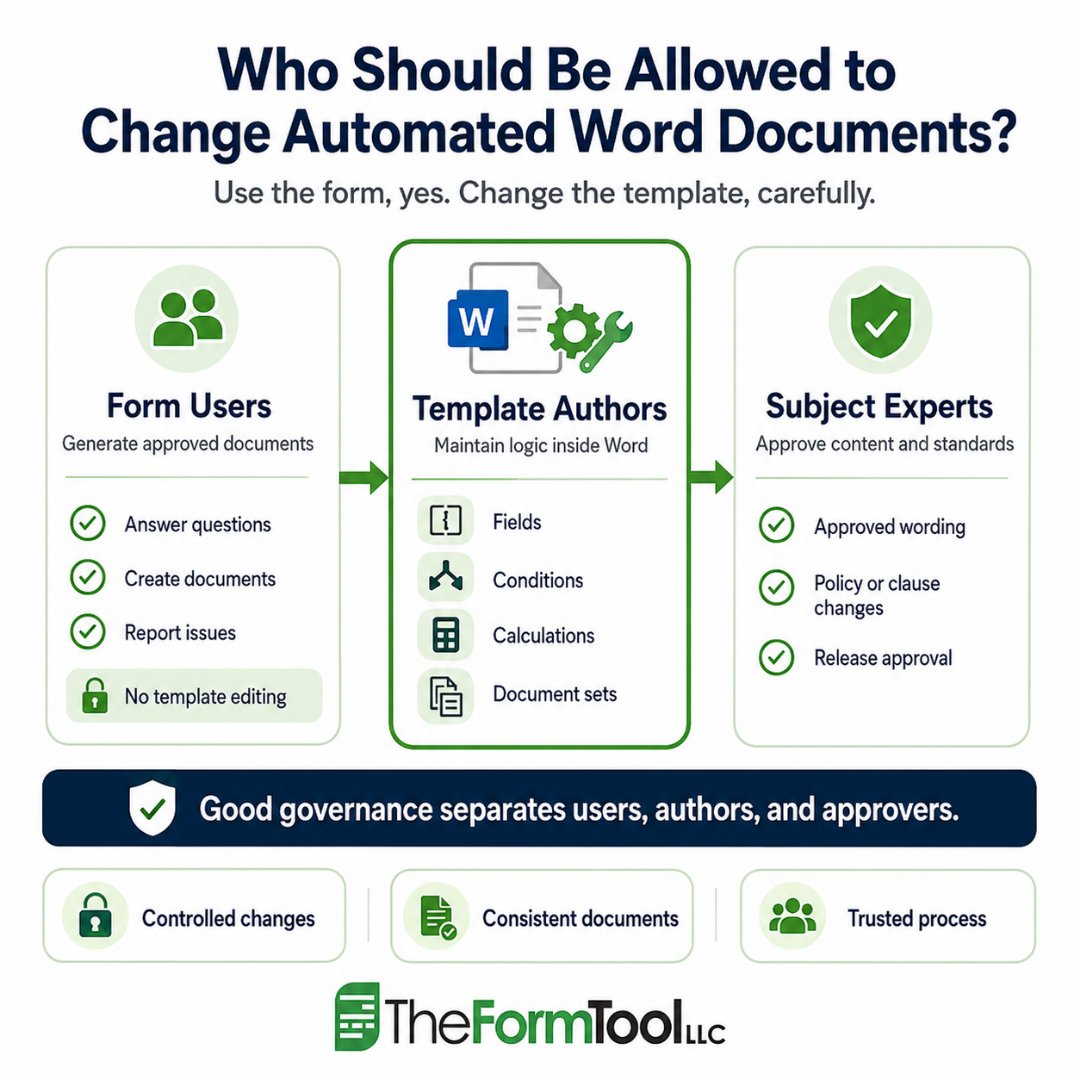
Automated Word templates are not ordinary files.
They carry approved language, questions, conditions, calculations, and document logic. A small change can affect every document produced afterward.
Good governance separates users, authors, and approvers.
https://t.co/Ew8QEuGjrT
#DocumentAutomation #MicrosoftWord
This article in Law Technology Today is the first in a four-part series examining what may be a growing fracture within legal technology itself: a separation between technologies optimized primarily for convenience and scale, and technologies optimized for professional manageability, accountability, and control.
https://t.co/zHACxSJYB5
Word numbering has frustrated professionals for decades.
Indents shift. Lists restart. Copying one section can change numbers elsewhere.
Snapnumbers gives Word users a more direct way to keep numbering stable, predictable, and under control.
Less renumbering. Less rechecking. More control.
https://t.co/ylI1NpTXFe
#MicrosoftWord #Snapnumbers
Proofreading helps. But at some point, it stops being enough.
When a document contains hundreds or thousands of variables, the real issue is no longer attention. It is control.
A stronger process starts with structure, not patchwork review.
https://t.co/1aNxgELphc
#DocumentAutomation #MicrosoftWord
Long before AI, one simple idea changed legal drafting:
Variables. Rules. Reusable logic.
A spreadsheet showed that when the facts change, the result can update with them. Good document automation applies that same logic to Word documents.
Build once. Reuse better.
https://t.co/gsN3ch6jJR
#DocumentAutomation #MicrosoftWord
Security problems often start with complexity.
New systems, new logins, and new training can create confusion in everyday document work.
TheFormTool works inside Microsoft Word, so teams can keep using the tools they already know.
Simplicity is security.
https://t.co/gHhryQbkGl
#DocumentAutomation #MicrosoftWord
Small words can create large document problems.
A name changes. A party role shifts. A pronoun, possessive, or plural form stays behind.
Professional Word documents need more than Find and Replace. They need controlled language.
https://t.co/2vX6ul8ssV
#DocumentAutomation #MicrosoftWord
Legal documents are built on structure, not prediction.
Generative AI can support research, summaries, and early drafting. But legal drafting still depends on clear rules, consistent logic, and professional control.
Rule-based automation helps capture the lawyer’s logic and create documents that remain reviewable.
The foundation matters.
https://t.co/ONer7WjSuc
#LegalTech #DocumentAutomation
The final Word document is only part of the workflow.
Before using document automation, firms should ask where client data is entered, processed, stored, and controlled.
TheFormTool works inside Microsoft Word, helping teams keep the document process under their own control.
No cloud required.
https://t.co/L1BYxI9yN8
#DocumentAutomation #MicrosoftWord
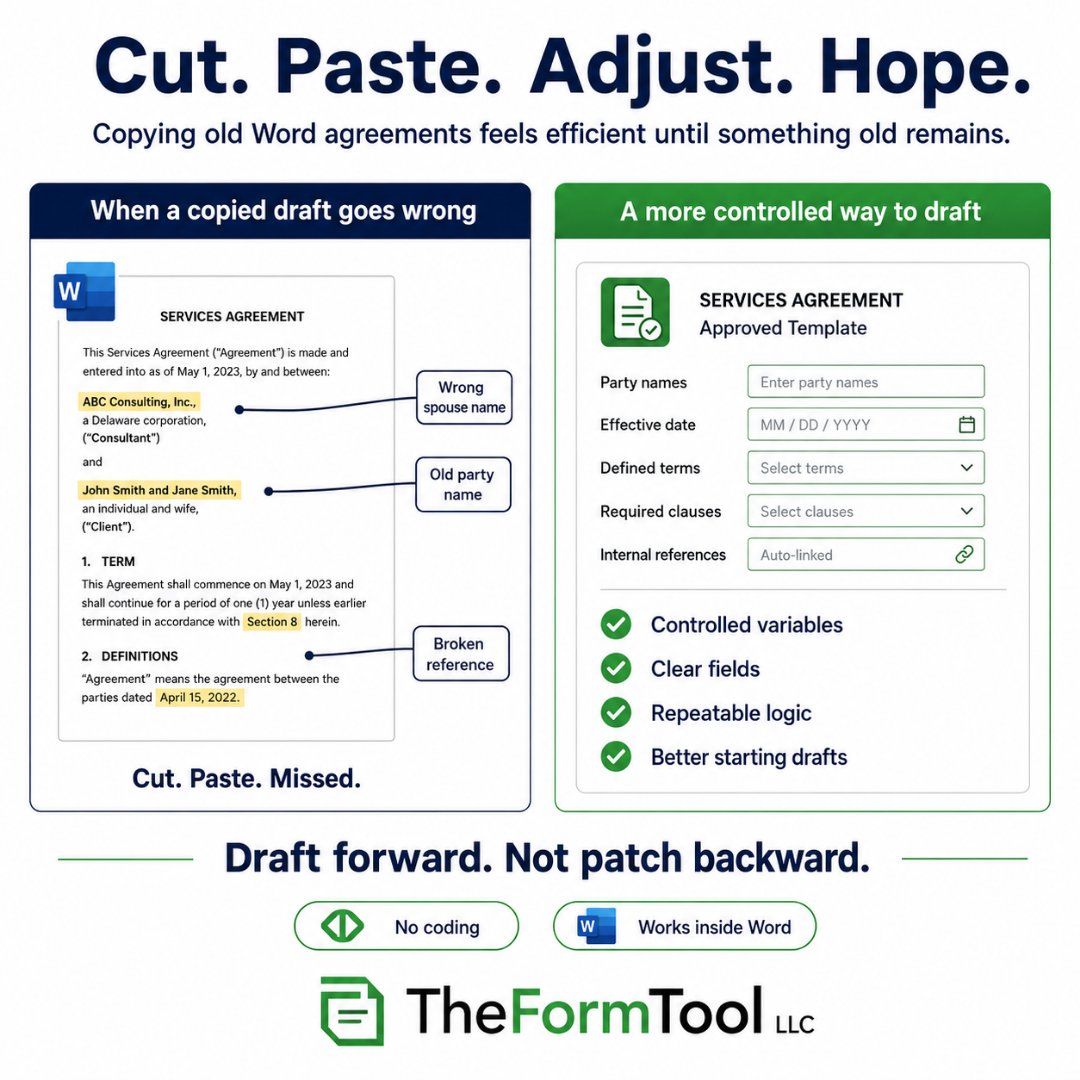
Copying an old Word agreement is fast.
Until the old name, date, or clause is still there.
That is the real risk of cut, paste, adjust, and hope.
A better process starts from a clean, approved template. Ask for the information once. Use it everywhere it belongs.
https://t.co/elWiCFk8kz
#DocumentAutomation #MicrosoftWord