IBM's Martin Keen explains AI's most-repeated myths better than any explainer thread on X.
In 15 minutes, he walks developers through what context windows actually do, whether models really reason, and where AI reliability breaks down.
Here's what it covers:
➔ What context windows really do (and don't)
➔ Whether AI models actually reason
➔ Where machine learning ends and AI begins
➔ What "AI agents" mean in practice
➔ Why AI still hallucinates
Pure gold. Worth every second
👉 Get my (free) Claude course:https://t.co/MzpngUiLOk.
Video source: https://t.co/FX5luFqTZy
You don't need a higher Claude plan. You need 7 better habits.
The shortlist:
1. Never run a chat past 20 messages → summary, new chat, paste, continue
2. Tell Claude how long to respond → "answer in 2 sentences"
3. Put company info and brand docs into Projects → not every chat
4. Add "Don't ask questions. Make your best assumption" → fewer turns, fewer tokens
5. Edit and regenerate → instead of sending follow-up fixes
6. Set up Instructions to Claude in Settings → your role, tone, audience, format
7. If the first output missed, change the prompt → don't gamble tokens on luck
Cut your usage by ~80% without changing models.
♻️ Repost this if you learned something new
Image credit: okaashish
There are 24 things worth installing in Claude. These 8 are the ones I actually use weekly.
8 picks across plugins, skills, and connectors:
1. gstack → 23 specialist tools, full dev team in one install
2. superpowers → dev methodology with 14 skills baked in
3. find-skills → the skill that finds and installs other skills for you
4. skill-creator → interviews you about a task, then builds a custom skill for it
5. office-skills → Claude writes real Word, PowerPoint, and Excel files
6. zapier → 8,000+ apps and 30,000+ actions through one wire
7. notion → reads and writes your databases and docs
8. granola → every meeting note feeds straight into Claude
♻️ Repost this if you learned something new
Image credit: itsmariahbrunner
There are 24 things worth installing in Claude right now. These 9 are the ones I'd start with.
Three layers, three picks each:
Plugins
1. gstack → 23 specialist tools, full dev team in one install
2. superpowers → complete dev methodology, 14 skills baked in
3. marketingskills → 40 marketing tools, full growth ops in one repo
Skills
4. frontend-design → kills generic AI UI, the taste fixer
5. caveman → cuts 65% of tokens, talks like a caveman
6. humanizer → strips AI writing tells from any draft
MCP Servers
7. granola → feeds every meeting note to Claude
8. zapier → 9,000+ apps and 40,000+ actions in one wire
9. perplexity → real-time web search inside Claude
♻️ Repost this if you learned something new
Image credit: programmingpathshala
How to upgrade your Claude Code setup in 5 plugins.
1. impeccable → kills AI-slop design patterns in your UI
2. caveman → drops articles, fillers, pleasantries, keeps technical accuracy
3. codex → bridges Claude Code to GPT-5 for second opinions
4. notebooklm-py → spin up NotebookLM notebooks, sources, podcasts from the terminal
5. obsidian → point Claude at your vault, instant persistent memory
♻️ Repost this if you learned something new
Image credit: chase_ai
I used to spend hours building Excel files from scratch.
Now Claude builds them in 5 prompts.
1. Planning
2. Base creation
3. Automation
4. Summary sheet
5. Final review
♻️ Repost this if you learned something new
Image credit: create_daniel2
I tested 50+ Claude skills this month.
These 8 actually earned a spot in my weekly workflow:
✦ Humanizer → removes robotic phrasing and AI tells
✦ Fact-Checker → flags claims it can't verify before publish
✦ Hook Generator → builds hooks from real marketing frameworks
✦ NotebookLLM → repurposes articles, PDFs, videos into podcasts and quizzes
✦ Voice Builder → makes output sound like you, not like ChatGPT
✦ Beautiful Prose → cuts filler, keeps the rhythm
✦ Deep Research → multi-stage research with sources
✦ Reels Scripting → viral reel structure adapted to your style
♻️ Repost this if you learned something new
Image credit: Punit Gupta
Most people install random Claude skills and never use half of them.
Better move: start with these 5. They cover the biggest gaps:
1. Grill-Me → interview before execution
2. Humanizer → clean tone, no AI tells
3. Fact-Checker → flags claims it can't verify
4. MCP-Builder → custom MCP for any tool
5. Prompt-Master → rewrites brain-dumps into prompts
♻️ Repost this if you learned something new
Image credit: ankush_ai_growth
How to turn Claude into your personal teacher.
5 prompts. Copy, paste, fill the brackets:
1. Build a learning roadmap from scratch
2. Explain anything like I am 12
3. Create a personalised quiz / interview prep
4. Summarise any book or course into key lessons
5. Learn from your mistakes
♻️ Repost this if you learned something new
Image credit: Shubhek Gupta
Sandeep Swadia shows you how to turn AI from a toy into an operational engine that runs on its own.
Here's what it covers:
✦ Finding laser-targeted prospects
✦ Automated outreach and follow-up
✦ Booking and payment automation
✦ AI-generated visuals for delivery
✦ Tying it all into one flywheel
Pure gold. Worth every minute.
Link in the comments
This IBM engineer explains context engineering better than most blog posts do.
In 8 minutes, Martin Keen walks builders through why context engineering is the smarter frame — and how RAG, memory, and agent collaboration fit in.
Here's what he argues:
☑️ Context engineering vs prompt engineering
☑️ Orchestrating RAG, memory, and agent collaboration
☑️ Role assignment in multi-agent systems
☑️ Chain-of-thought prompting for dynamic responses
☑️ Designing better AI workflows
Pure gold. Worth every second
👉 Get my (free) Claude course:https://t.co/MzpngUidYM.
Video source: https://t.co/ny2B7rb33c
Stop reading "AI will take your job" takes — watch this 14-min video instead.
Ex-doctor Ali Abdaal lays out the 3 skills that keep knowledge workers valuable as AI gets better.
Here's what it covers + timestamps:
➔ Getting good at using AI (00:06)
➔ Getting close to revenue (01:07)
➔ The personal brand skill (05:25)
➔ Two ways to build it (08:55)
➔ Why it all comes back to sales (11:43)
Pure gold. Worth every second
Link in the comments
I booked a $1,190 flight for $159.
ChatGPT replaced Google Flights, Booking, and Skyscanner for me. Here are the 7 prompts I now use before any trip:
1. Smart Flight Finder. Cheapest flights using flexible dates, alternate airports, and hidden-city routes.
2. Error Fare Monitor. Recent mistake fares and flash sales from your region.
3. Budget-Friendly Stay Locator. 3 hotels or Airbnbs under your nightly cap, near the good areas.
4. Free Fun Finder. 5 free or super cheap things to do at your destination.
5. Cheap Eats Expert. 3 local spots under your price limit that locals actually love.
6. Best Time to Book Trick. The cheapest date range based on current pricing trends.
7. Trip Budget Calculator. Full trip cost estimate plus one bonus saving tip.
♻️ Repost this if you learned something new
Image credit: create_daniel2
Old way: pay $40/month for Netflix, Spotify, Disney+.
New way: 9 ChatGPT prompts that rebuild the same hub for free.
✦ Movies and series concierge by mood
✦ Music plan across YouTube, SoundCloud, Bandcamp
✦ Podcast plan based on this week's theme
✦ Reading & learning hub by week
✦ YouTube content calendar in Netflix-grid style
✦ Daily plan built around your time and energy
✦ A recommendation engine that asks before suggesting
✦ A reading list with where to find each item
✦ An anti-doomscrolling system with hard limits
Same dopamine. None of the subscriptions.
♻️ Repost this if you learned something new
Image credit: create_daniel2
How to turn ChatGPT into a lawyer, a recruiter, a debt planner, and a travel agent.
10 prompts that do the heavy lifting. Copy, paste, and watch:
✦ Lawyer in your pocket
"I need help with a legal situation: [selling a car, signing a lease, disputing a charge, writing a freelance contract, understanding a letter I received]. Walk me through my rights, write the document or response I need, and flag anything that could hurt me. Explain it all in plain English."
✦ Price scanner
"[upload photo of product] Find me a cheaper version of this exact product. Same quality, same materials, different brand. Search the web and show me where to buy it, the price difference, and whether the cheaper version has any real trade-offs."
✦ Ingredient scanner
"[upload photo of ingredient label] Flag every ingredient linked to health concerns. Tell me what each one actually does, how serious the risk is, and suggest a cleaner alternative product I can buy instead. Write it so someone with no science background understands."
✦ Competitor analyzer
"Here's my competitor's website: [paste URL]. Search the web and break down their entire strategy. What they sell, how they position it, their pricing, what's working, their weak spots, and how I could beat them. Give me the full breakdown like a $5,000 consultant would."
✦ Item appraiser
"[upload photo of your item] Tell me what this is worth right now. Search current resale prices, tell me the best platform to sell it on, and write me the listing title and description that gets the highest price. If it's worth more than I think, tell me why."
✦ Debt payoff planner
"Here are my debts: [list each one with the balance, interest rate, and minimum payment]. Build me the fastest payoff plan. Show me the exact order to attack them, how much extra to put toward each one, the total interest I'll save, and the exact month I'll be completely debt-free."
✦ Resume builder
"[upload your resume and paste the job description] Act as the recruiter hiring for this role. Score my resume out of 100, list the keywords it's missing, name the 3 things that would make you reject it in 10 seconds, then rewrite the whole thing tailored to this exact job. Be brutal."
✦ Travel planner
"Plan me a [number of days] trip to [destination] for [number of people] on a [budget]. Search for the cheapest flights, best-rated hotels in my price range, a day-by-day itinerary with real places to eat and visit, and every way to save money a tourist wouldn't know. Make it a trip I'd book tonight."
✦ Handoff prompt
"This chat is too long. Write a complete handoff document for a new chat covering: the goal, all the context needed to understand it cold, every decision we made and why, what's done, what's left in order, and the exact next step. Make it detailed enough that a fresh AI with zero memory picks up exactly where we left off."
✦ Recipe stealer
"[upload photo of a dish] Every ingredient, the exact quantities, the cooking technique, and how to make it at home so it tastes like the original. If there's a reason the restaurant version tastes better than homemade, tell me that secret too."
♻️ Repost this if you learned something new
Image credit: create_daniel2
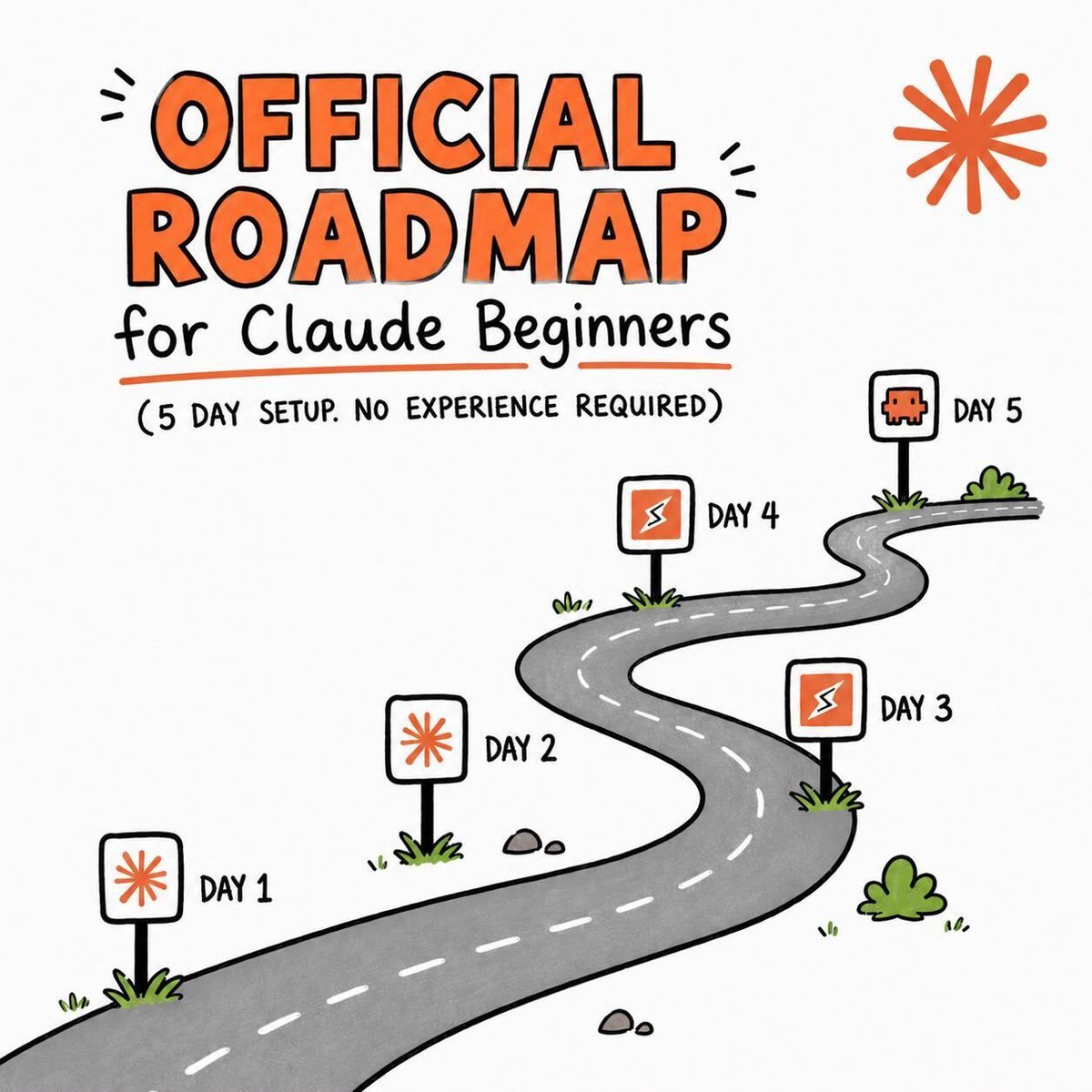
I wish I had this 5-day Claude roadmap when I started.
Each day adds one layer. By Day 5, Claude works for you, not the other way around.
Day 1: install Claude and set up your 4 folders
Day 2: feed Claude your context (about-me.md and ai-style.md)
Day 3: put Claude on real work, not chat
Day 4: connect your tools with MCP (Gmail, Drive, Slack, Notion)
Day 5: unlock Claude Code for tasks that run themselves
♻️ Repost this if you learned something new
Image credit: https://t.co/3xG0MPMZ3o
Save this. 10 Claude Cowork videos worth bookmarking.
Curated so you actually use Cowork, not just watch tutorials.
☑ Nicolas Boucher → Cowork for finance like a pro
☑ Bart Slodyczka → Automate 99% of your work with Cowork
☑ Luke Finance → Why Cowork is a game changer for finance pros
☑ Jeff Su → 80% of Claude Cowork in under 20 minutes
☑ Zinho Automates → The only Cowork tutorial you need in 2026
☑ Luke Finance → Cowork for finance better than 99% of people
☑ Nick Milo → 80% of Cowork in 20 minutes
☑ Paul J Lipsky → 5 mind-blowing Cowork use cases
☑ Carolina Lago → How finance teams kill workflow bottlenecks
☑ Systems Made Better → Set up Cowork better than 99% of people
♻️ Repost this if you learned something new
Image credit: nicolasboucherfinance
This ex-CEO's Gemini stack explains Google AI better than Google does.
In 13 minutes, Sandeep Swadia teaches knowledge workers a four-part intelligence architecture built around NotebookLM, Gemini, and Gems.
Here's the core idea:
☑️ Why outsourcing your thinking to AI weakens recall
☑️ The four-part human intelligence architecture
☑️ NotebookLM as your second brain
☑️ Gemini Gems for repeatable thinking
☑️ Gemini in Google Workspace for daily flow
An absolute gem that deserves every bit of your time.
Link in the comments





![ThePyCoach's tweet photo. How to turn ChatGPT into a lawyer, a recruiter, a debt planner, and a travel agent.
10 prompts that do the heavy lifting. Copy, paste, and watch:
✦ Lawyer in your pocket
"I need help with a legal situation: [selling a car, signing a lease, disputing a charge, writing a freelance contract, understanding a letter I received]. Walk me through my rights, write the document or response I need, and flag anything that could hurt me. Explain it all in plain English."
✦ Price scanner
"[upload photo of product] Find me a cheaper version of this exact product. Same quality, same materials, different brand. Search the web and show me where to buy it, the price difference, and whether the cheaper version has any real trade-offs."
✦ Ingredient scanner
"[upload photo of ingredient label] Flag every ingredient linked to health concerns. Tell me what each one actually does, how serious the risk is, and suggest a cleaner alternative product I can buy instead. Write it so someone with no science background understands."
✦ Competitor analyzer
"Here's my competitor's website: [paste URL]. Search the web and break down their entire strategy. What they sell, how they position it, their pricing, what's working, their weak spots, and how I could beat them. Give me the full breakdown like a $5,000 consultant would."
✦ Item appraiser
"[upload photo of your item] Tell me what this is worth right now. Search current resale prices, tell me the best platform to sell it on, and write me the listing title and description that gets the highest price. If it's worth more than I think, tell me why."
✦ Debt payoff planner
"Here are my debts: [list each one with the balance, interest rate, and minimum payment]. Build me the fastest payoff plan. Show me the exact order to attack them, how much extra to put toward each one, the total interest I'll save, and the exact month I'll be completely debt-free."
✦ Resume builder
"[upload your resume and paste the job description] Act as the recruiter hiring for this role. Score my resume out of 100, list the keywords it's missing, name the 3 things that would make you reject it in 10 seconds, then rewrite the whole thing tailored to this exact job. Be brutal."
✦ Travel planner
"Plan me a [number of days] trip to [destination] for [number of people] on a [budget]. Search for the cheapest flights, best-rated hotels in my price range, a day-by-day itinerary with real places to eat and visit, and every way to save money a tourist wouldn't know. Make it a trip I'd book tonight."
✦ Handoff prompt
"This chat is too long. Write a complete handoff document for a new chat covering: the goal, all the context needed to understand it cold, every decision we made and why, what's done, what's left in order, and the exact next step. Make it detailed enough that a fresh AI with zero memory picks up exactly where we left off."
✦ Recipe stealer
"[upload photo of a dish] Every ingredient, the exact quantities, the cooking technique, and how to make it at home so it tastes like the original. If there's a reason the restaurant version tastes better than homemade, tell me that secret too."
♻️ Repost this if you learned something new
Image credit: create_daniel2](https://pbs.twimg.com/media/HNwQ9bjXAAApL3x.jpg)