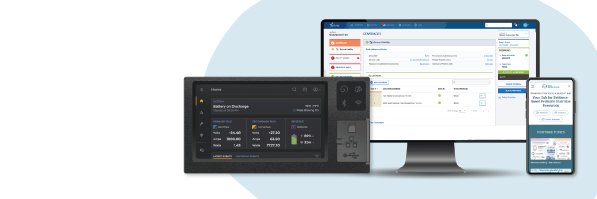
Legacy systems catch a lot of heat.
But here’s the upside most teams overlook:
📊 They come with a goldmine of insight.
Unlike startups building from scratch, enterprises with legacy applications have years of accumulated usage data that can inform every decision in your modernization journey:
✅ You already know what workflows users struggle with
✅ You know which features get used—and which get ignored
✅ You know where support teams spend the most time
✅ And you know what success should look like
That’s the hidden ROI of a legacy system: the lessons it leaves behind.
#UXDesign #LegacySystems #DataDrivenDesign #DigitalTransformation #EnterpriseUX
Your marketing is doing its job.
But here’s the part nobody wants to talk about:
🚪They’re walking right back out.
We see this with legacy systems time and time again:
📈 Leads are flowing in.
🧲 Customers are signing up.
The result?
A leaky bucket.
We saw this firsthand with an insurance client.
They were losing business—not because of pricing or policy—but because agents couldn’t get a quote fast enough.
They went elsewhere, just to keep the deal moving.
Marketing brings people in.
But if the software doesn’t hold up, you can’t retain them.
Are you spending to attract new customers… or to keep them?
#UserExperience #CustomerRetention #MarketingROI #UXDesign #ProductStrategy
Legacy systems are becoming a liability.
Here’s what we’re seeing more often:
🔹 43% of banking systems still run on COBOL.
🔹 Some companies are still using DOS.
🔹 Developers who can work on these systems? Nearly extinct.
🔹 Most in-house dev teams are stretched thin (just keeping these systems alive).
The result?
- No bandwidth to replatform
- No skills to innovate
- No time to focus on the future
And this is exactly how companies die. We've all seen it.
Your best developers are stuck firefighting old code instead of building what’s next.
Even if the will to replatform is there, the resources aren’t.
💭 So here’s the question worth asking:
What signals are pushing your business to finally invest in replatforming your legacy systems?
↳ Your users?
↳ Interoperability with disparate systems?
↳ Ongoing maintenance costs?
↳ AI?
👉 Is your dev team buried in maintenance?
👉 Are you stuck hiring for tech no one wants to learn?
👉 Is the UX holding back your growth?
These are red flags. And they don’t go away on their own.
#LegacySystems #UXDesign #DigitalTransformation #TechDebt #Replatforming
Legacy systems weren’t built with today’s users and high-resolution monitors in mind.
Having redesigned dozens of legacy systems, here’s what’s overlooked:
Optionality.
Here’s what becomes possible:
On-screen, contextual help
→ Field-by-field tooltips, embedded videos, hover-based guidance—built right into the UI.
Error prevention by design
→ Modern interfaces can help users avoid mistakes, not just recover from them. That’s a game-changer.
Flexible layouts, smarter navigation
→ Older systems were designed for tiny screens. Now we have room to breathe—and design. 1024x768 isn't your only option anymore.
More screen real estate = increased user efficiencies
→ A better layout. Clearer hierarchy. Cleaner workflows.
These might seem like small details, but they dramatically impact user efficiency and satisfaction.
In a recent project, adding contextual help alone reduced support tickets by 37% in the first month after launch.
Today's users expect intuitive experiences in every digital interaction.
↳ All of this reduces training costs.
↳ Improves adoption.
↳ Drives efficiency.
↳ And just makes users happier.
What legacy UX issues are frustrating your users or employees today?
#UXDesign #UserExperience #DigitalTransformation #ModernPlatforms #EnterpriseUX
Ever had to tell a client their freshly minted brand colors fail accessibility standards? That awkward conversation happens more than you think—but there's a simple design solution that preserves brand integrity.
The good news? You don't have to choose between brand consistency and accessibility.
Here's what works:
- Small tweaks to hue and saturation can maintain brand identity while meeting contrast requirements.
- Work collaboratively with the marketing team to find that sweet spot.
- Document these "accessibility-approved variations" in the style guide.
- Test color combinations early in the branding process to avoid surprises.
- Remember that text-on-background pairings need special attention.
Your brand should be consistent.
But it should also be usable.
With thoughtful adjustments, you maintain the distinctive visual language while ensuring everyone can access your content.
Need a quick accessibility check? Start here: https://t.co/fyKI2v80hO
#UXDesign #Accessibility #ColorContrast #Branding #InclusiveDesign
If you design your software or website without accessibility in mind,
you're not just creating inconvenience — you're actively excluding potential customers.
Here’s why accessibility isn’t just a nice-to-have:
Ignoring accessibility isn’t just a legal risk; it’s an opportunity loss.
Excluding millions of users
↳ 25% of adults in the U.S. have a disability. That’s a quarter of your potential customers.
Unintentional barriers
↳ Small text, poor contrast, missing alt text—these tiny details determine whether users engage or abandon.
SEO and discoverability
↳ Accessible sites tend to rank higher. Google values structured, well-designed experiences.
When companies invest in accessibility, they’re investing in a better customer experience.
And better experiences drive higher conversions.
What’s one accessibility feature you’ve implemented that ended up benefiting all users, not just those with disabilities?
I've found that these "edge case" solutions often improve the experience for everyone.
\#UXDesign #Accessibility #UserExperience #InclusiveDesign #CustomerExperience
When we talk about accessibility in UX design, we're not just checking boxes—we're opening doors. Here are some angles to consider when prioritizing accessibility:
Legal Requirements
→ ADA compliance isn't optional anymore. Recent lawsuits have targeted companies of all sizes.
Takeaway: Bake accessibility into your design process or budget for legal fees later.
AI Compatibility
→ As AI agents increasingly interact with digital products, they rely on the same structured data and clear labeling that makes sites accessible to humans.
Takeaway: What works for screen readers works for AI—future-proof your digital presence.
Employee Experience
→ Your internal tools need accessibility too. When team members struggle with software, productivity suffers.
Takeaway: Accessible internal systems reduce training costs and increase efficiency.
Revenue Opportunity
→ People with disabilities represent $1.2 trillion in annual disposable income globally. Are you willing to turn away an entire market segment?
Takeaway: Accessible design expands your customer base.
Universal Usability
→ Features designed for accessibility (clear navigation, readable text, logical flow) improve experiences for everyone.
Takeaway: When you design for the edges, you improve the center.
Accessibility impacts compliance, employees, revenue, and even AI-driven interactions.
What’s the biggest accessibility challenge you’ve faced in a project?
#Accessibility #UXDesign #UserExperience #InclusiveDesign #DigitalAccessibility
Accessibility isn't an afterthought—it's the foundation of inclusive design.
Here’s what happens when accessibility isn’t part of your style guide:
We’ve worked with companies undergoing a rebrand only to find that their new fonts, colors, and contrast ratios weren’t accessible.
And that’s a problem.
If your brand guidelines force you into low-contrast colors, tiny fonts, or inaccessible typefaces, you’re creating barriers—not just in design, but in user experience.
Best practices for an accessible style guide:
✅ Color Contrast Matters → WCAG guidelines require enough contrast between text and background. That beautiful muted gray? It might be unreadable.
✅ Typography is Critical → Fancy fonts look nice in print but can be unreadable online. Stick with clean, legible typefaces.
✅ Think Beyond Visuals → Are your links underlined for non-color cues? Are interactive elements large enough to tap?
Bake accessibility into your brand guidelines from day one.
When creating style guides, test color contrasts, font legibility, and interactive elements against accessibility standards before finalizing them.
Is your company’s style guide accessibility-friendly?
Take a moment to review your guidelines against accessibility standards:
🔗 https://t.co/fyKI2v80hO
#Accessibility #UXDesign #Branding #InclusiveDesign #DigitalAccessibility
Want to know if your website or product is accessible?
There’s a tool for that.
Here are some of the best accessibility tools to audit your design, find issues, and improve usability:
- axe DevTools → A browser extension that scans your site for accessibility issues and provides fixes.
- WebAIM Contrast Checker → Quickly checks if your text meets contrast requirements for readability.
- Screen Reader Plugins → Test how your site works with screen readers like NVDA, JAWS, or VoiceOver.
- WCAG Guidelines → The official accessibility standard, used to assess compliance levels (A, AA, AAA).
- Lighthouse Audits → Built into Chrome DevTools, offering accessibility scores alongside performance metrics.
- WAVE Browser Extension → Provides visual feedback by adding icons and indicators to your page showing accessibility issues and attributes.
Many are free and take just minutes to implement.
What’s your go-to accessibility testing tool?
PS – We've compiled our favorites here:
🔗 https://t.co/a0pp0HSUN4
#Accessibility #UXDesign #InclusiveDesign #WebAccessibility #UserExperience
If you’re designing software to make someone’s job easier, get in the trenches and shadow them. Watch them work. See and hear their frustrations.
Let their workflow guide your design — not the other way around.
Recently, our team spent time shadowing call center reps, and what we uncovered reinforced the value of immersing ourselves in the users' day-to-day realities.
Here’s what happened:
We observed how employees worked, what tools they relied on, and even the creative hacks they developed to bridge gaps in their software:
Desks were surrounded by sticky notes.
Individual custom binders were created and filled with reference information.
Shared knowledge only accessible by proximity to a helpful colleague.
Their workarounds weren’t failures on their part; they were signals for improvement.
💡 Here’s what shadowing taught us:
1️⃣ Systems should bake in tools users already rely on (goodbye, sticky notes).
2️⃣ Shared knowledge isn’t just a nice-to-have; it’s a necessity. Build for collaboration.
3️⃣ Real solutions come from real engagement — not assumptions.
What have you learned from shadowing your users?
#UXDesign #EmpathyInTech #UserExperience #DesignForImpact #InnovationThroughDesign
Ever spent hours buried in data, manually building reports and dashboards? We have. And honestly, the biggest value is our ability to save our clients time.
Before AI, user research was clunky:
- Endless hours combing through usage logs.
- Painfully slow manual report building.
- Wrestling with outdated tools just to visualize basic data.
Now? AI does the heavy lifting for us:
- It summarizes user behavior in seconds.
- Dashboards? Automatically generated with all the key insights.
- Custom reports? With a bit of configuration and security, we can ask, and AI delivers exactly what we need.
We were spending less time wrangling data and more time designing evidence-backed solutions that actually work.
Decisions based on data, not opinions.
What’s your favorite way AI has transformed your workflow?
#UXDesign #UserResearch #AI #DataDrivenDesign #DesignTools
"We’ll make the UX look pretty later”. If you’ve ever thought this, you're not alone. But here’s the hard truth: skipping UX doesn’t save money — it costs a fortune.
https://t.co/jidGN07rTY
The best compliment a user can give your product? Silence.
When users don’t think about it and just use it, that’s the ultimate compliment.
If they think, “Why is this so hard?” or “I should just be able to do X, Y, Z,” your design has already failed.
Make design invisible.
Skipping UX doesn’t save money—it costs a fortune. Every decision in UX—good or bad—carries a price tag. The question is whether you want to pay for mistakes or prevent them altogether.
We have a free audit checklist. Reply or send a DM, and I’d be happy to share it with you.