Thunderhead Engineering develops software, with particular expertise in developing intuitive GUI for engineering applications, PyroSim, Pathfinder and PetraSim.
Updated PyroSim documentation includes an example for modeling fire suppression in FDS.
Review simulated suppression behavior for HRRPUA-defined fires.
🔗 https://t.co/O1JT51pkBc
#pyrosim#fds
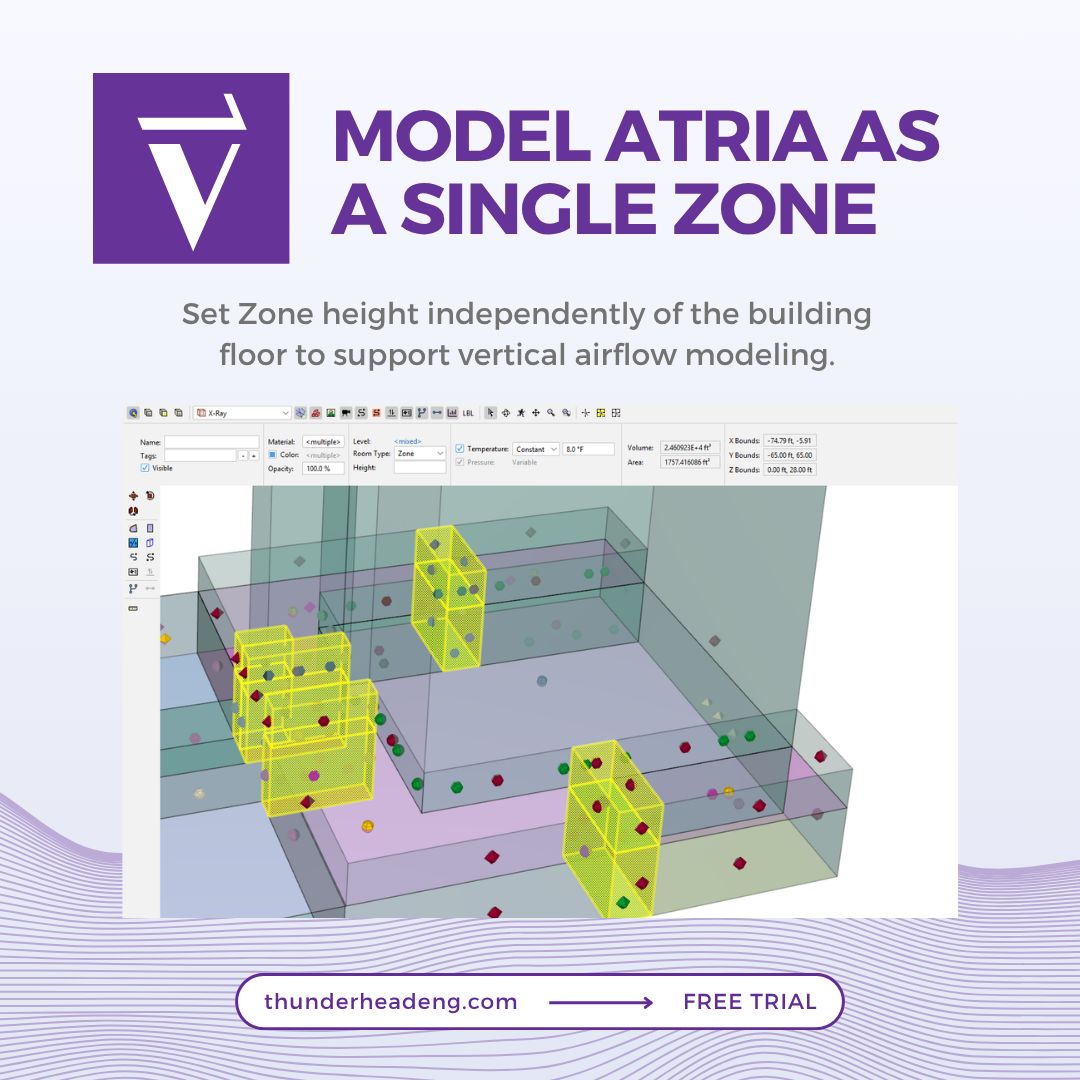
Atria can now be modeled as a single multi-level Zone.
Zone height can be set independently of the building floor, making it easier to represent vertical airflow with zero resistance between levels.
🔗 https://t.co/qgx8Kxyz1v
#ventus#airflowsimulation#engineeringsoftware
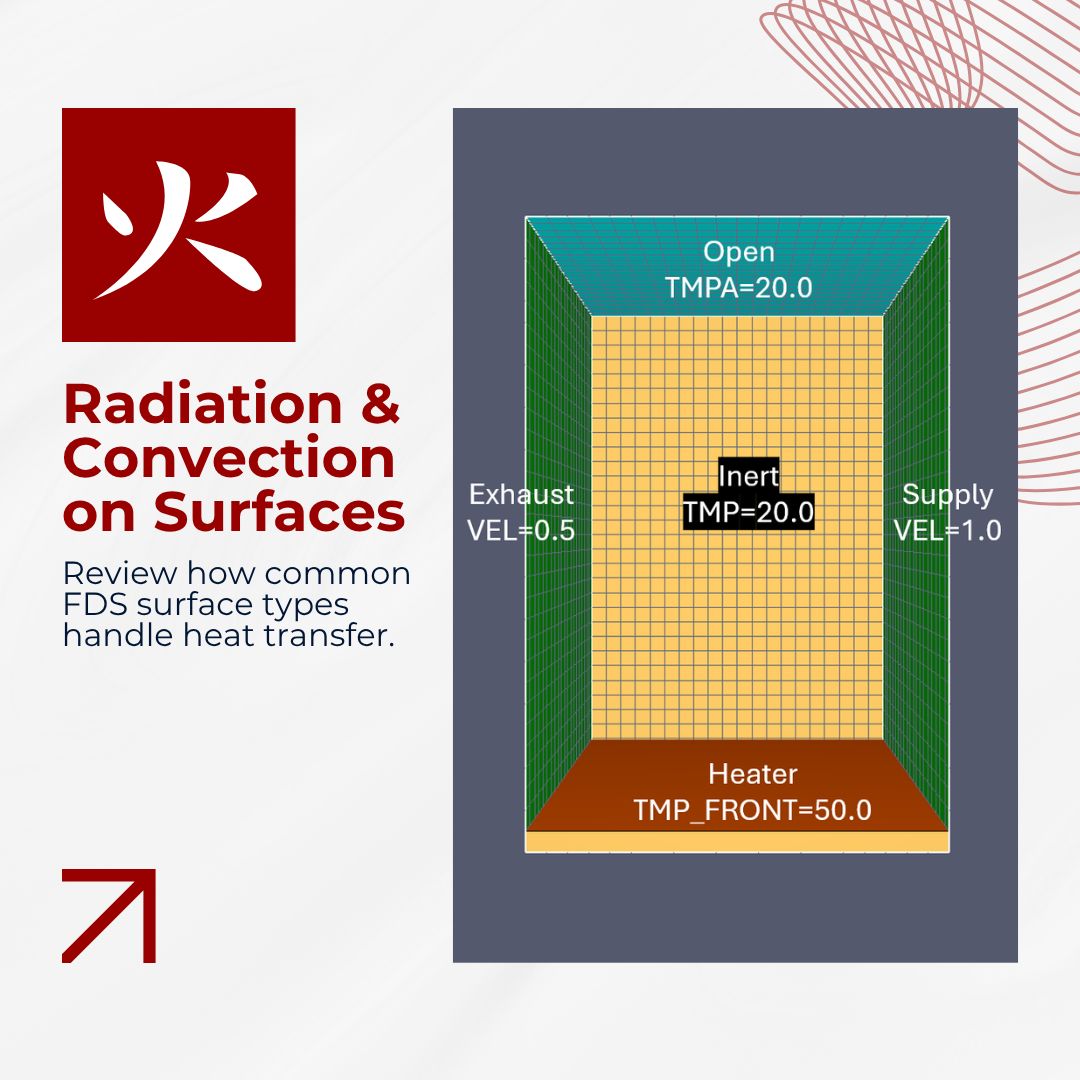
FDS surfaces use convective and radiative heat transfer calculations, even when default values are used.
This updated PyroSim example provides a simple test case for reviewing how common surface types behave.
🔗 https://t.co/7G16jRxIr2
#pyrosim#fds#heattransfer
Ventus documentation includes a new how-to for modeling smoke control dampers in stairwell pressurization analysis.
The guide covers Q vs P and Self-Regulating Vent Flow Elements, including how installation direction affects flow.
🔗 https://t.co/tmOEixkJCx
#ventus
PyroSim documentation includes updated examples for learning how materials, heat transfer, and pyrolysis are represented in FDS simulations.
Use them as an introduction or a refresher on the concepts behind the model.
🔗 https://t.co/lzJTrr0ijE
#pyrosim#fds#pyrolysis
Working in different unit systems?
The new Supported Units documentation explains how unit input works in PyroSim and Ventus and lists the supported units.
🔗 https://t.co/u5mFFG9dxh
#pyrosim#ventus
Section Boxes are now available in Pathfinder and Ventus.
Already available in PyroSim, Section Boxes let you define a 3D region of interest to isolate spaces, rooms, or circulation paths for easier navigation and review.
#pathfinder#ventus#engineeringsoftware#simulation
Measurement Regions are now created and managed directly in Pathfinder Results.
Users can add, remove, or adjust regions during post-processing to explore different areas of interest without re-running the simulation.
#pathfinder#pedestriansimulation#engineeringsoftware
Simplifying CAD geometry can make a significant difference in large models.
In one project, simplification tools reduced a PyroSim model from about 2 GB to 170 MB, making it much faster to work with.
#pyrosim#firesimulation#cad#engineeringsoftware
Not every object in a CAD model needs to be part of the simulation.
With Generic Geometry in PyroSim, non-flow objects can remain visible in the Model View and Results while being ignored by FDS.
🔗 Learn more: https://t.co/omIISzEGLO
#pyrosim#fds#firesimulation
Complex HVAC models generate a lot of data. Reviewing it should be straightforward.
Ventus 2026.2 lets users inspect Duct Junction and Duct Segment results directly in the Results panel and within the 3D model.
Learn more: https://t.co/9xe54GlC3A
#ventus#hvac#airflow
Working with complex CAD models just got easier.
CAD Simplification in Pathfinder, PyroSim, and Ventus helps reduce unnecessary geometry, making models faster and easier to work with while keeping the detail needed for simulation.
#pyrosim#pathfinder#ventus
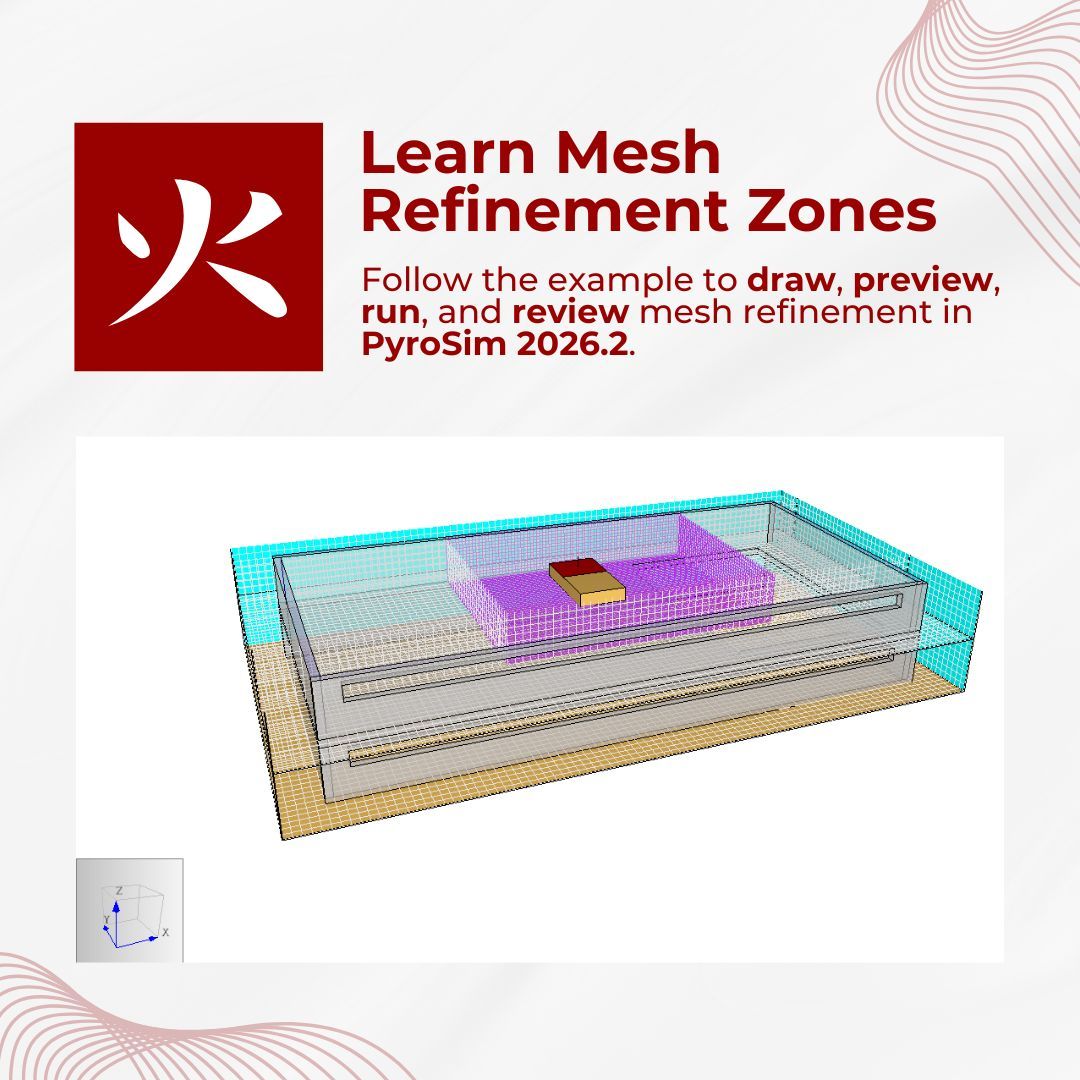
Learn how to use Mesh Refinement Zones in PyroSim 2026.2 to refine key areas, preview mesh changes, and review results.
🔗 https://t.co/IaJ2d8u3w2
#pyrosim#firesimulation#fds#engineeringsoftware
Elevator availability can affect evacuation routes and occupant movement.
With Pathfinder, you can set a Maximum Elevator Wait Time. If the wait exceeds the set time, occupants can use another available route, such as the stairs.
#pathfinder#evacuation#firesafety
Multi-level Zones make vertical airflow modeling easier in Ventus.
Model spaces like multi-story atriums as a single Zone, reducing flow resistance between floors and simplifying model setup.
#ventus#airflowsimulation#engineeringsoftware
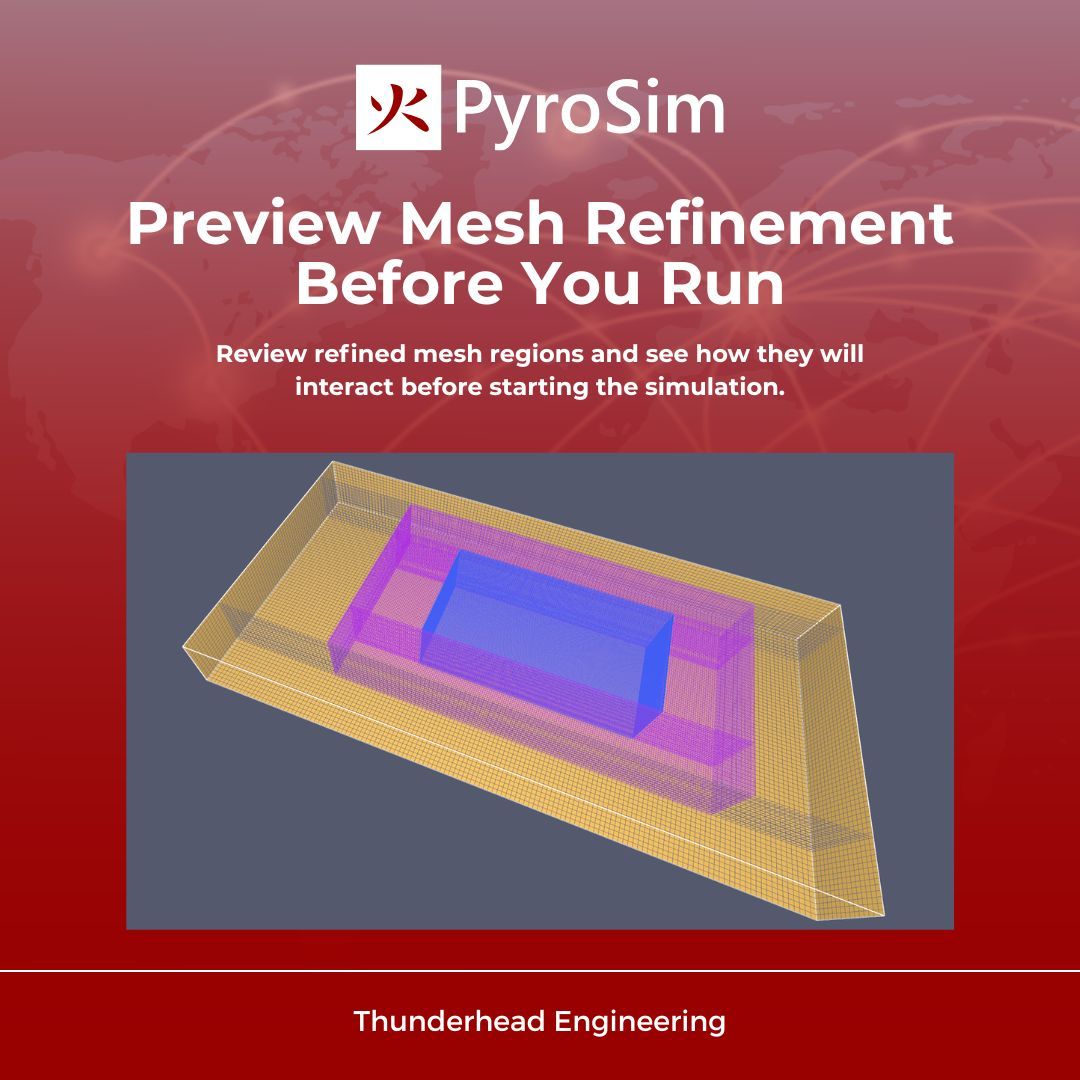
Mesh Refinement Zones help focus mesh resolution where it is needed most.
With PyroSim, users can now preview mesh refinement and review how zones interact before running a simulation.
#pyrosim#firesimulation#fds#cfd#engineeringsoftware
Bulk renaming helps manage large models in PyroSim.
Use Rename with Template to convert complex CAD object names into clear, consistent labels for easier navigation and communication.
🔗 https://t.co/Ea7gEn2BNA
#pyrosim#firesimulation#fds
Pressurization requirements vary across regions and standards.
Ventus allows engineers to evaluate door pressurization performance and compare results against different code and design requirements.
Learn more: https://t.co/3ob0mHokoB
#ventus#smokecontrol#buildingengineering
Looking for a specific feature or workflow?
Search across Thunderhead documentation and jump directly to the information you need.
Tip: Press 𝐂𝐓𝐑𝐋 + 𝐊 for site-wide search.
🔎 https://t.co/KeAlke6iJ1
#documentation#engineeringtools#technicalsupport
Pathfinder Results includes VR Mode for exploring simulations from a first-person perspective.
Experience occupant movement and model geometry with an improved sense of depth and scale.
Learn more: https://t.co/XckGlq3XY6
#pathfinder#virtualreality#pedestrianmodeling