Her assignment was due. She hadn't started.
One conversation later: story → assets library → shot plan → editing.
Meet AI Director on TikFilmer.
It guides you by chat from story to shot design to edit and export — or Autopilot does it all.
Your idea. Your movie.
Her assignment was due. She hadn't started.
One conversation later: story → assets library → shot plan → editing.
Meet AI Director on TikFilmer.
It guides you by chat from story to shot design to edit and export — or Autopilot does it all.
Your idea. Your movie.
Great question — we plan the pauses before generating.
Scene Weighting gives emotional moments extra time, Dynamic Shot Schemes (Breathing Room / Emotion / custom) set the style, and the Director’s Timeline lets you drag lengths or split scenes until it feels right. Cuts stay on natural boundaries.
Same script, two totally different rhythms. All before a single frame is rendered.
How to Make an AI Short Film That Breathes 🎬
Most AI videos feel like a constant stream of clips. A quiet goodbye moves at the same speed as a sword fight. Mid-line cuts disrupt the mood, and the narrative never gets space to rest.
Films don’t just need motion—they need rhythm.
Here is how we fixed pacing on TikFilmer by bringing directorial vision into AI workflow before rendering a single frame:
🔹 Scene Weighting: Splits stories by time/place and assigns scene duration based on emotional weight—giving key moments room to hit.
🔹 Dynamic Shot Schemes: Select directorial styles (Action, Suspense, Dialogue, Breathing Room, One Take) marked ★ recommended or ☆ alternative, or craft your own.
🔹 Natural Cut Boundaries: Cuts only land on natural shot transitions—never mid-line or mid-action.
🔹 Director’s Timeline: Drag shots, switch schemes, or split scenes seamlessly. Every clip snaps to clean, model-synced durations.
The Proof:
We ran 1 Wuxia script (60s total) through two different creative visions:
🗡️ Blood Feud (17 Shots): High-tempo climax with 7 rapid cuts in 20 seconds.
🌸 Old Flame (12 Shots): The fight slows to a dance, ending with 14 seconds of unspoken silence.
Same action. Two distinct emotional rhythms. The shot plan does the storytelling.
Give your story room to breathe:
👉 https://t.co/5cj0b28V3S
#AIFilm #AIFilmmaking #AIVideo #Seedance #GenerativeAI
@foxie_ilands Exactly. Rhythm before motion.
We built this pacing tools so you decide the length of that breath before generating — Scene Weighting assigns emotional time, Director’s Timeline lets you drag it longer, and natural cut boundaries keep it clean.
What if your kid suddenly asked:
“Dad, what is a dinosaur?” 🦖
In 2026, what would be your answer?
Maybe a little movie. 😄
So we gave it a try with TikFilmer.
🎬 Here’s what came out — a little dinosaur film, generated with Seedance Mini at 480p.
No editing afterward. The clips were simply generated and put together in TikFilmer. And somehow, we got through the whole thing with no failed clips.
⚙️ The fast screen recording below shows how it came together.
~350 credits for everything — story, images, and video — roughly one new user’s free credits.
AI can generate incredible shots.
But the real opportunity is building your own system to turn them into films.
At TikFilmer, we’re sharing what we learn along the way.
Make films. Solve problems. Build the system. Repeat.
👇https://t.co/EyspZIhoVp
#AIFilmmaking
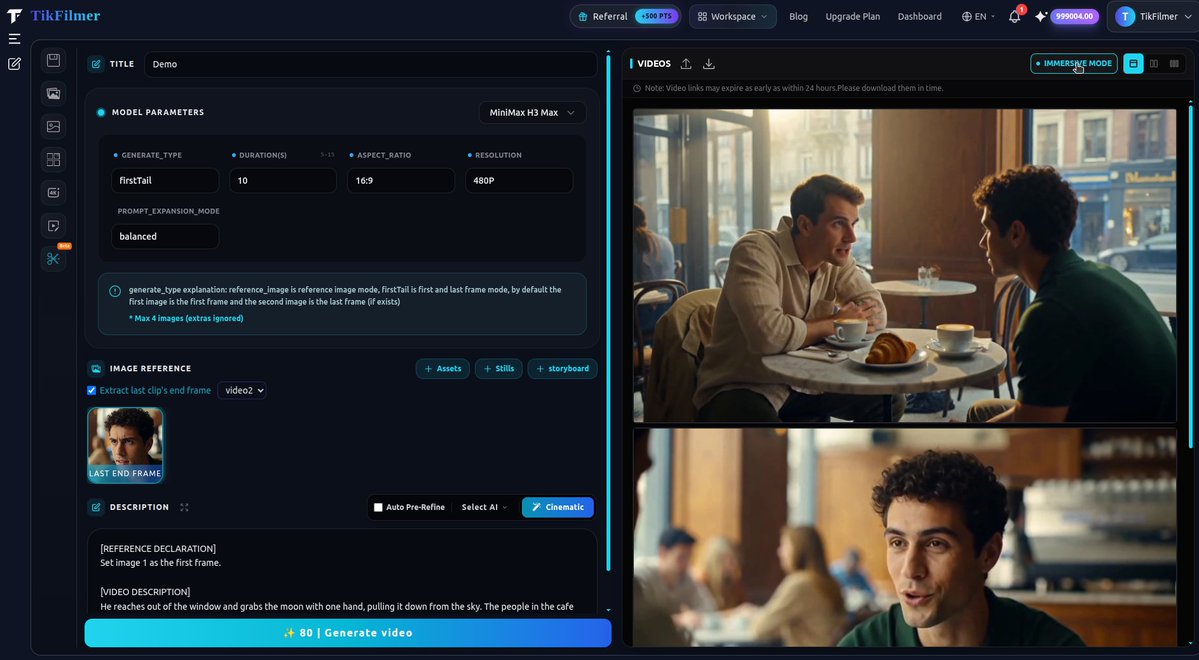
4️⃣ Select the video
→ 👉 Immersive mode
→ type your next idea
→ Ctrl + Enter
The last frame is automatically carried over to the next generation, so you can keep building your story clip by clip, without starting over.
Watch → get an idea → write it → keep generating. 🚀
Write it. Watch it come to life. — in seconds. ⚡️
Write your idea, and see the video generate as you go.
This demo was created with MiniMax H3 Max in TikFilmer Live-Clip Studio.
👉 https://t.co/7jJyn5X0O4
Unleash your imagination in seconds.
#AIvideo#MiniMaxH3Max
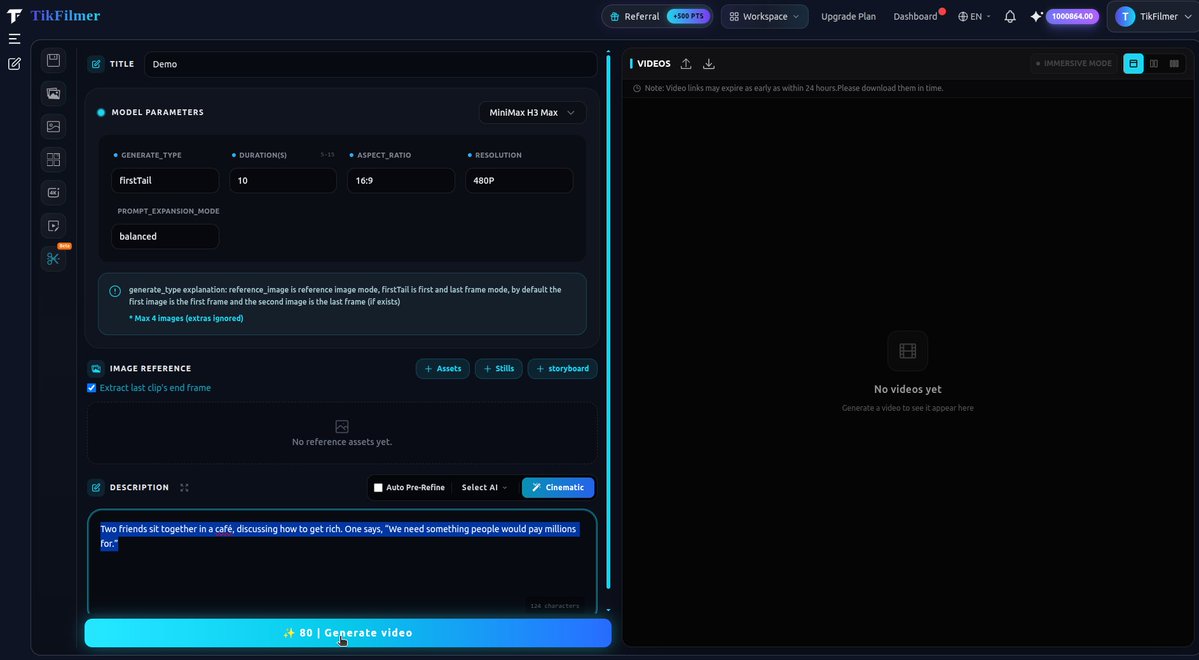
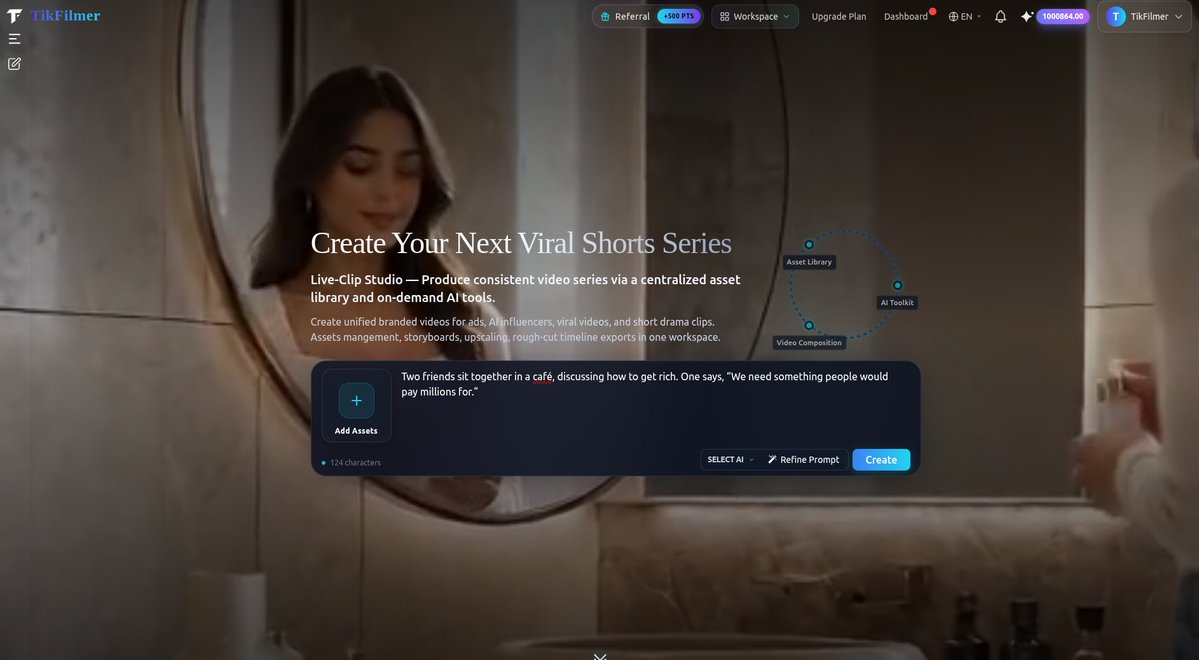
🎬 Create continuous AI videos with MiniMax H3 Max in Live-Clip Studio. Steps(1/4) 👇
1️⃣ Open https://t.co/7jJyn5X0O4 → enter your starting idea → Generate