@thatjeffsmith Have your own AI comments answer, ignore em and mark em as spam (fire with fire!). (or if you can detect, find a way to highlight them to a user, and have a toggle button)
Changes beyond Full Disk Access that have gone under the radar:
1. New in beta 2, *no panel* in Privacy & Security allows dragging in an app. Overlays from apps like ChatGPT won’t work anymore. Users have to use the + button to add apps.
2. As expected, TCC stops recording automatic FDA denials, so apps no longer show toggled off on the list as an easy way to enable.
The TCC auto-denial policy affects:
• Full Disk Access
• Files & Folders (Private Folders)
• System & App Protection Override (old Accessibility)
The no-app-dragging change affects all Privacy & Security categories:
• Accessibility
• App Management
• Bluetooth
• Developer Tools
• Files & Folders (Private Folders)
• Full Disk Access
• Input Monitoring
• Local Network
• Media & Apple Music
• Screen & System Audio Recording
• System & App Protection Override (old Accessibility)
Apple is working on a new app called Harbor
Harbor turns your Mac into a private AI inference server. Run open-weight models locally on Apple silicon—your data never leaves your hardware, and nothing reaches the cloud. Connect multiple Mac computers over Thunderbolt 5 to pool unified memory, enabling large models and higher concurrency that a single computer can handle alone.
Set up in minutes, not hours Harbor automatically detects your devices over Thunderbolt 5 to form a cluster. Plug in, start, and you’re running—no manual configuration, no command line, no infrastructure expertise required.
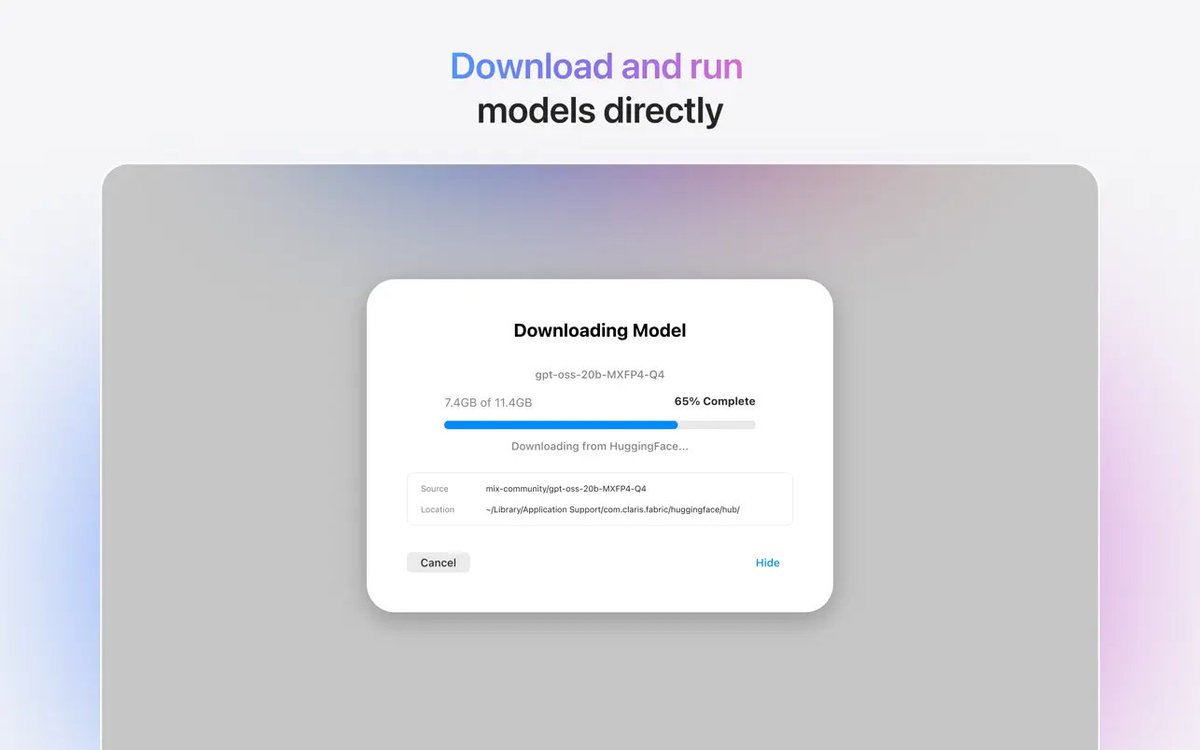
Download and run models directly Browse, download, and load open-weight models from within the app. Harbor handles model management so you can focus on the work, not the setup.
Cluster for scale Connect two or more Thunderbolt 5-capable Mac computers and Harbor pools their unified memory into a single inference resource. Run models that exceed any single computer’s capacity, or serve more concurrent requests across your cluster.
Harbor is currently in a private preview under the Claris brand.
Today’s the day. 🍲
Home Cooked is officially live.
Save the recipes that matter. Build your own cookbooks. Share them with the people you love.
Recipes are meant to be shared.
https://t.co/OLVNinDVE3
@plamen_9 Expect alot more in this area in future releases. We didn't get enough time to ship the responsive utility classes out of the box, but that is def coming. Then we'll get more of the color variables hooked up. This should help hint to our direction with UT.
Going forward, expect tighter integration with generative markup, using supported utility classes that align with Universal Theme’s look and feel. This gives generated experiences a consistent, supported foundation while still allowing for flexible layouts and UI.
More on this soon, nice under the hood frontend changes in APEX 26.2.
We’ve created a Utility Framework that extends our utilities and brings the first phase of generative development to Universal Theme.
Think Tailwind-like, but built for and supported by APEX. #orclAPEX
Generated docs for all supported utility classes. Base utilities and new color variables are loaded on every page, with an optional responsive stylesheet you can add to your app for responsive utility classes.
See more: https://t.co/iyMadYhknU
@JuergenSchuster Not a bug, just a different version of the Matrix. You know what it is the first time you use it. Just like how young folk don't know what 💾 this is. 😅
@JuergenSchuster@Matt_Mulvaney Agree that UX isn’t just taste... visual noise and focus cost are real. Goal of the redesign was consistency, accessibility, and a modernization, not to make the nav compete with content. If nav/branding is distracting, that’s valid feedback and something we should look at.
@Matt_Mulvaney Great post on the new template component. Label is required due to accessibility concerns. As for the u-color-* classes, you technically could just add a space before the class and it should work (not supported).
@Matt_Mulvaney Heh, ya the joys of making things more accessible and on brand. We def will be tweaking these in builder in the future. Appreciate the short term solution for the community in the meantime.
@mgoricki Def plan on tweaking some of the visuals, this was a huge effort to update builder visuals without impacting functionality. So will be interesting to see what other areas people may have issues with, or they just have to use it a bit more :) it is a big change for us.
We weren't able to show more of the UT26.1 enhancement on today's office hours, but here is the app used to demo some of the new features for those curious. https://t.co/rjAgCERnfI #orclapex
@andre_blu Bug filed to make it respond better when those cards get thinner. That said, this app was built for the Office Hours, we never really expected worry about responsive styling, and forced the columns.