Classic was Tinybird’s original experience. Forward is the next big iteration, built for teams operating data products: deployments, schema migrations, local dev, CI/CD, SDKs and Agent Skills.
Free and Developer Classic workspaces must migrate by Sep 15: https://t.co/13C4hE2OtO
pip install 'tinybird-python-sdk[ai]', register TinybirdLitellmAsyncHandler in litellm.callbacks, and each call lands in a Data Source.
Publish the query as an Endpoint and it's a per-customer cost API.
https://t.co/2Kn4xLpbQl
Your LLM bill shows a total per model. It doesn't show which customer spent it.
Log every LiteLLM call to Tinybird with one callback, then answer it in SQL: calls, tokens, cost and failures per customer and model.
You can now query system.merges to see which merges are holding up a deployment.
It shows only your Workspace, with a limited set of columns. Also this week: a clearer Cluster page, and MCP tool errors that return isError so clients can retry.
https://t.co/Cn544AF6Y5
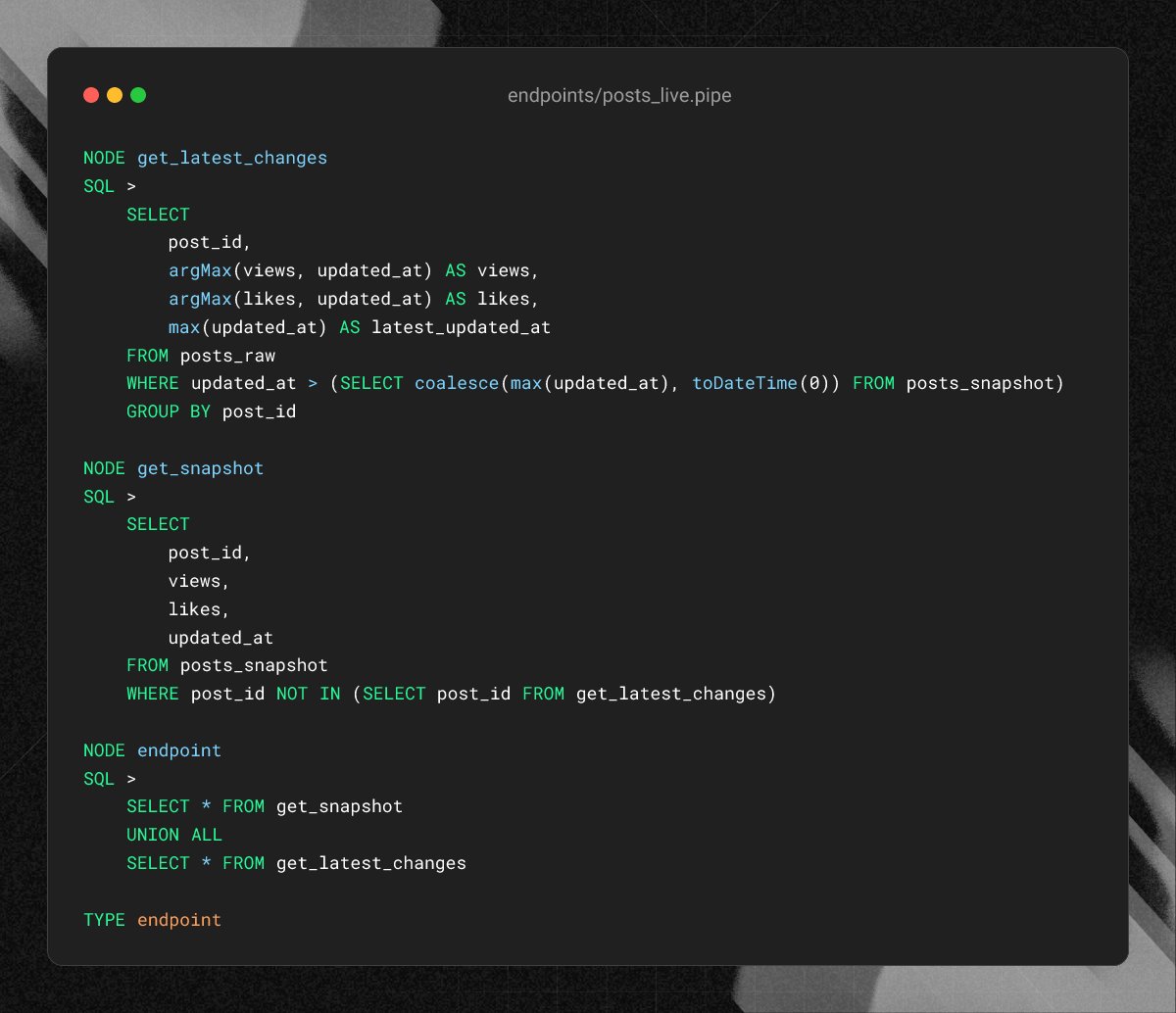
Use a Lambda pattern. A scheduled Copy Pipe snapshots deduplicated state into a MergeTree table.
Then serve queries with a pipe that UNIONs the snapshot with fresh rows since the run:
https://t.co/yeqlP0r3A2
Materialized Views cannot aggregate over ReplacingMergeTree tables because views process incoming blocks, not merged state.
Querying with FINAL works around this, but heavy read concurrency drives up CPU and latency.
Point your client at clickhouse.<region>.tinybird.co and pass your read Token as the password.
Query your workspace tables, tinybird service metrics, and system.tables with standard SQL:
https://t.co/2JTHBxrpgZ
Tinybird exposes a native ClickHouse® HTTP interface on port 443 across all regions.
You can connect BI tools like Metabase and Grafana, SQL clients like DataGrip, or official ClickHouse language drivers directly without custom APIs.
Configure your pipeline in config.yaml with OTLP receivers on ports 4317 and 4318, point the exporter at your Workspace, and query telemetry with SQL:
https://t.co/HEVqIvNhqm
You can stream OpenTelemetry metrics, traces, and logs directly into Tinybird without custom collectors.
The official OpenTelemetry Collector Contrib includes the native Tinybird exporter (v0.131.0+), routing OTLP data straight to ClickHouse®.
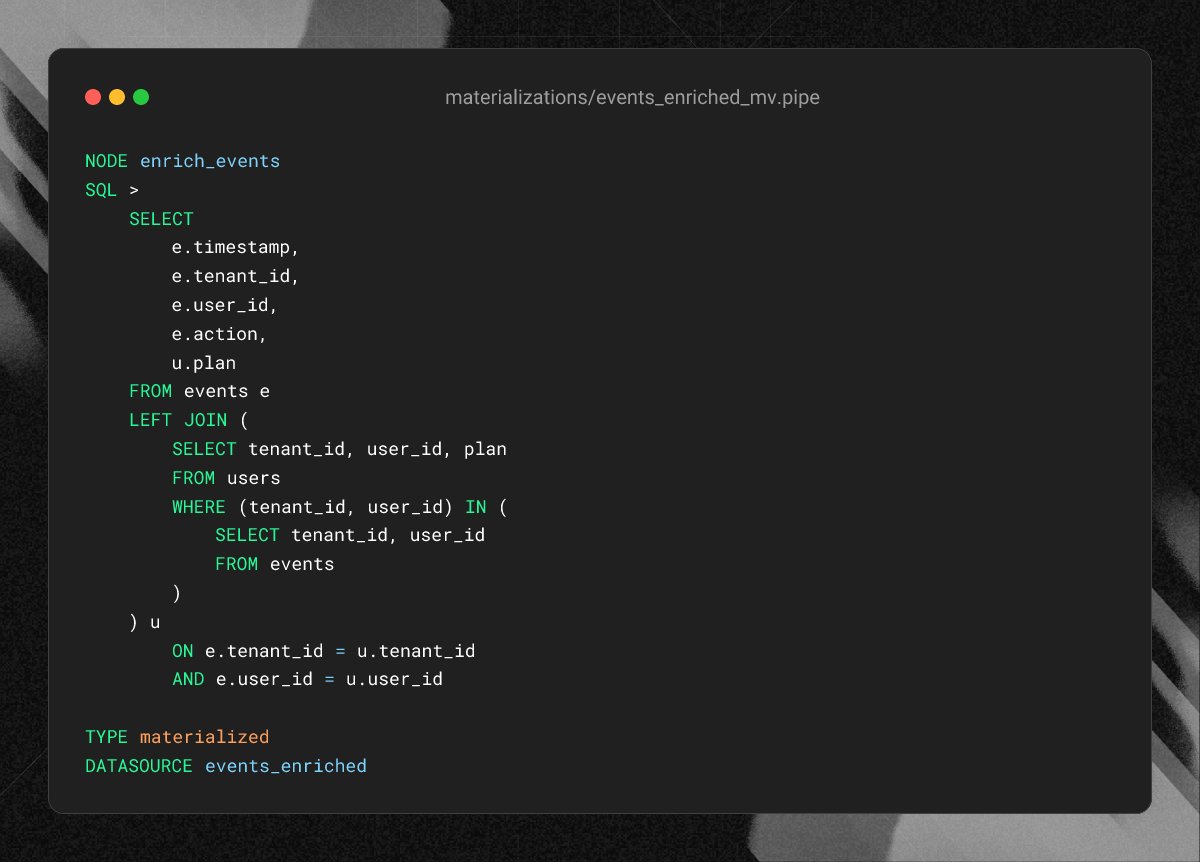
Pre-filter the right table with a subquery on the inserting block:
(tenant_id, user_id) IN (SELECT tenant_id, user_id FROM events)
This confines the scan to matching rows:
https://t.co/KJGwyJrc3v
Materialized Views run as insert triggers. Every inserted block executes the view's transformation query.
If your view JOINs another table, ClickHouse® scans that right-side table in full on every single insert. As tables grow, inserts slow to a crawl.
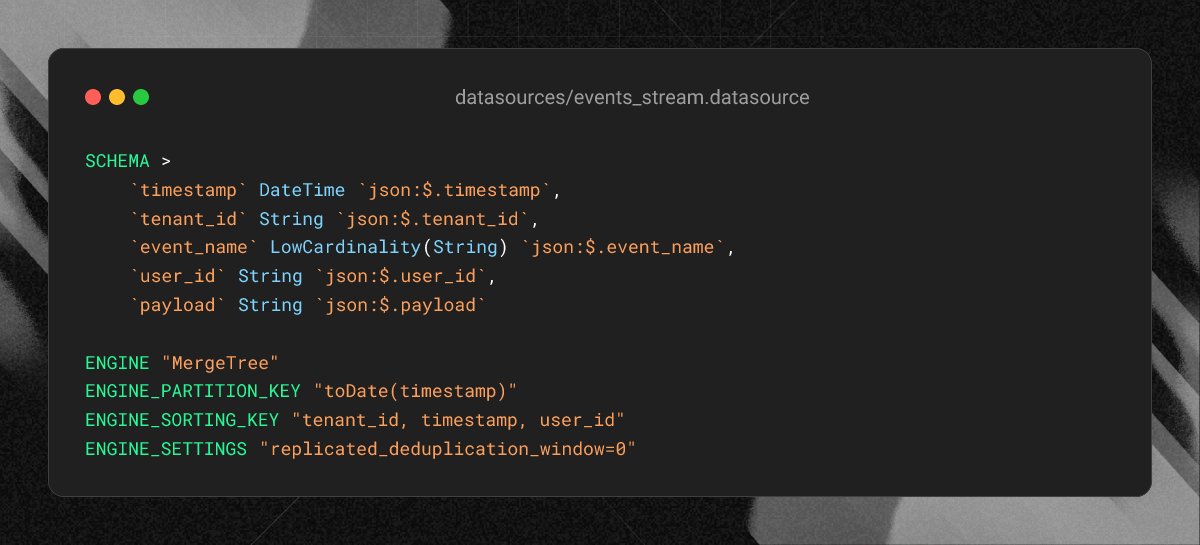
To ensure every block commits during replays, set replicated_deduplication_window=0 in ENGINE_SETTINGS.
You can lower this setting directly in your .datasource file:
https://t.co/yadruji9nt
ClickHouse® MergeTree deduplicates inserted blocks by default. It keeps hashes of the last 10,000 blocks and discards identical ones.
When you replay an event stream or backfill test data, that deduplication window can silently drop incoming rows.
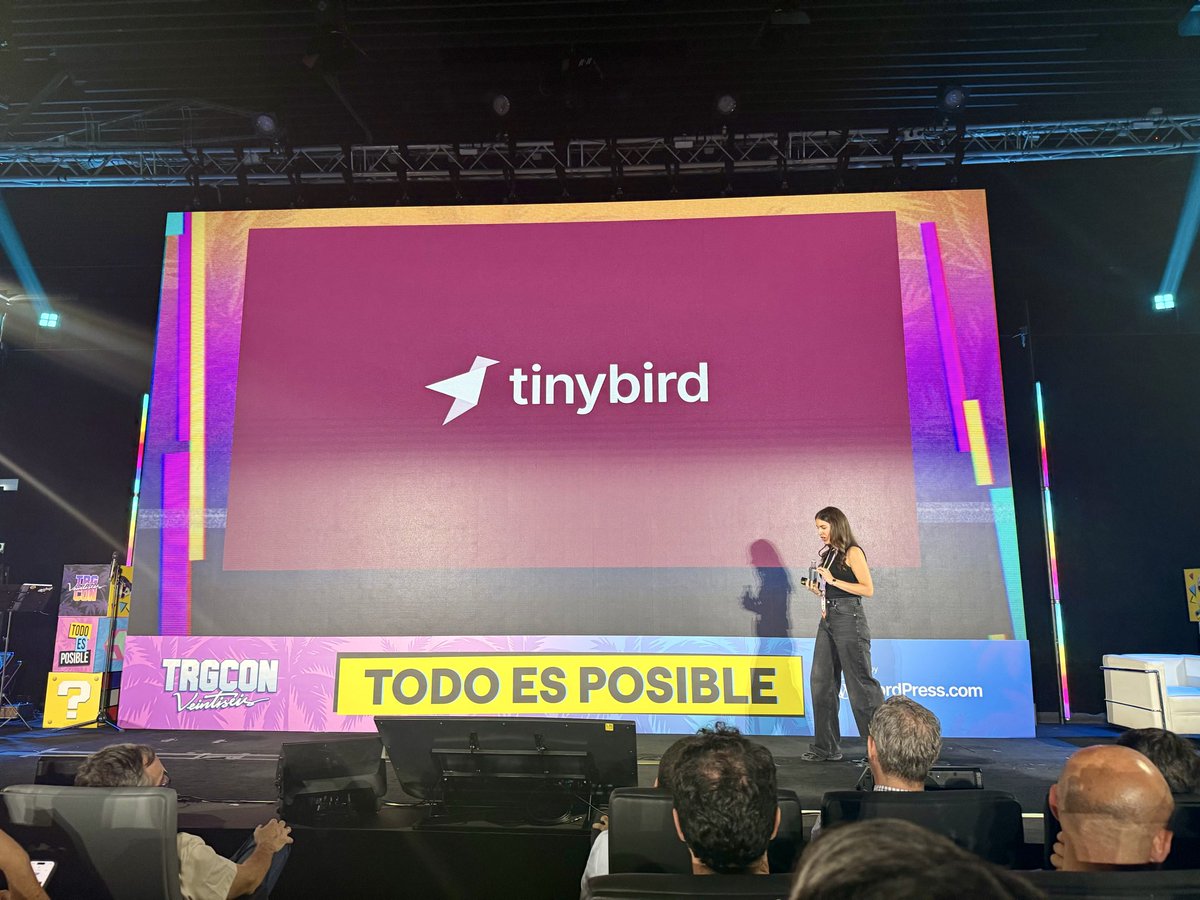
Hace 4 años @nmediavilla19 vino a su primera @tarugoconf en el stand de @tinybird… hoy está en el escenario con "El diseño post-ChatGPT: eliminando barreras, no trabajos". Bravo!!! #TRG26
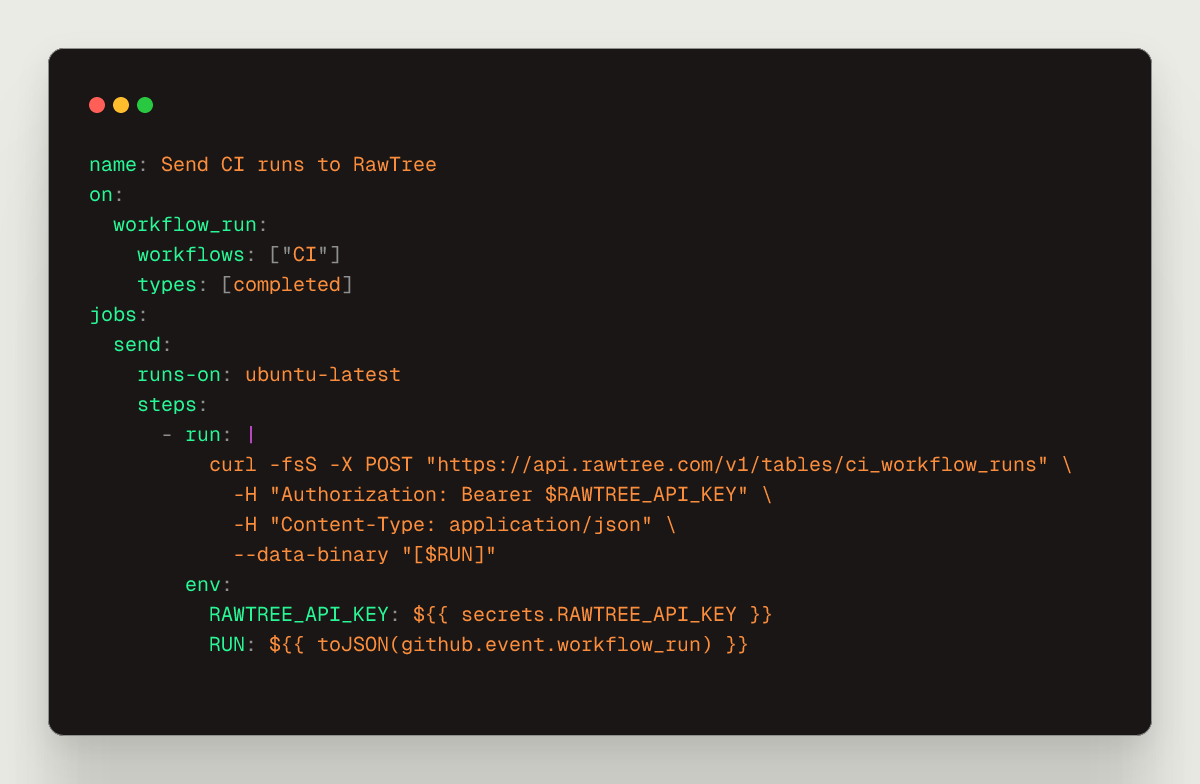
AI automation lands more PRs every day. Nobody watches every CI run anymore.
So stream every CI run into RawTree as it finishes. One small GitHub Actions workflow, no CREATE TABLE, no cron job. Then ask it questions instead of watching it.
https://t.co/ymOti77V49
Every concurrency limit transition is logged in tinybird.cluster_control_log and visible in Observability.
Inspect degradation reasons, CPU ratios, and recovery timelines directly:
https://t.co/vzDVXICt3S
A sudden surge in heavy dashboard queries shouldn't crash your dedicated ClickHouse® cluster.
Tinybird Cluster Protection automatically throttles degraded Endpoints under peak load to safeguard cluster memory and CPU.