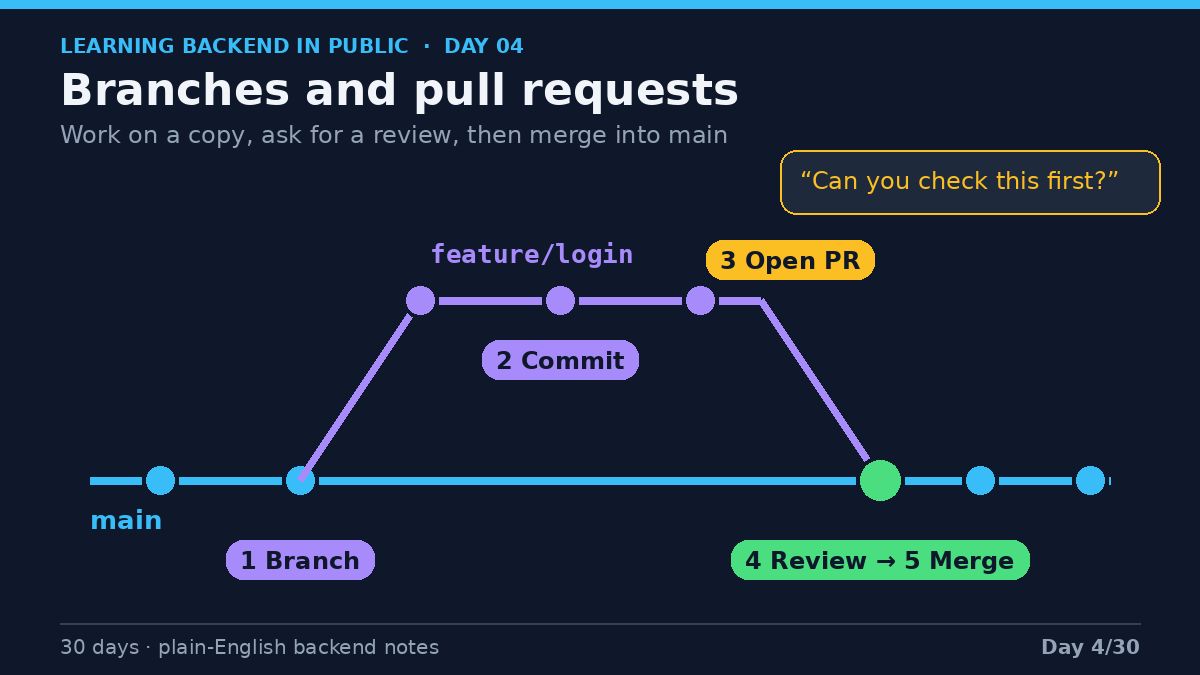
Two people edit the same paragraph differently? Someone has to decide which wording wins. That's a merge conflict, just a decision Git can't make for you. And since main is often what gets deployed, keeping it reviewed matters. Your go-to Git analogy? #LearningInPublic
Happy with your draft? Hand it to a colleague and ask "can you check this before we update the real one?" That's a pull request. They comment, maybe ask for changes, and once it's approved your edits get folded into the original. That's the merge. #Git
Happy with your draft? Hand it to a colleague and ask "can you check this before we update the real one?" That's a pull request. They comment, maybe ask for changes, and once it's approved your edits get folded into the original. That's the merge. #Git
The analogy that made branches click for me: drafting a document. ✍️ Your team has one shared, polished doc. That's main, and nobody scribbles on it directly. To change something, you photocopy it and scribble on the copy instead. That's a branch. #LearningInPublic#Git
More Git mistakes to dodge: working straight on main (branches are cheap, use one per feature or fix) and force pushing a shared branch, which can wipe out work others have already pulled. Fine on your own branch, risky on shared. What would you add? #LearningInPublic
Two Git habits worth breaking: giant "fixed stuff" commits that touch 40 files for five reasons (hard to review, hard to roll back), and vague messages like "update" or "wip". Small, focused commits with a line on what changed and why are much kinder. #Git
Git mistake I most want to avoid: committing secrets like API keys, passwords and .env files. Once pushed, assume they're compromised, as deleting the file later doesn't remove it from history. Add a .gitignore early, rotate any leaked key. #LearningInPublic#Git
Analogy that helped me: Git is your camera, GitHub is the online photo album. GitLab and Bitbucket do a similar job, and Git doesn't care where your remote lives. Commit talks to your machine, push talks to the remote. Did you mix them up too? #LearningInPublic
GitHub (@github) is a website that hosts Git repos online and adds a layer for working with others: a remote to push to and pull from, pull requests for review, issues for bugs and to-dos, and Actions for things like running tests. #GitHub
Easy mix-up when you're starting out: Git and GitHub aren't the same thing. 😅 Git is the tool. It tracks changes to your files, lives on your computer, works completely offline, and it's free and open source. #LearningInPublic#GitHub
Every Git commit saves a snapshot of your files, so you can see what changed and when, go back if something breaks, and try ideas on a branch. A good message tells future you why, not just what. What's one Git command you wish you'd learned sooner? #Git
New series: I'm learning backend development in public, mistakes and all, with the @roadmapsh backend roadmap as my guide. 🙂 First up is Git, easy to write off as "the thing you type before you push". It's a time machine for your project. #LearningInPublic#Git
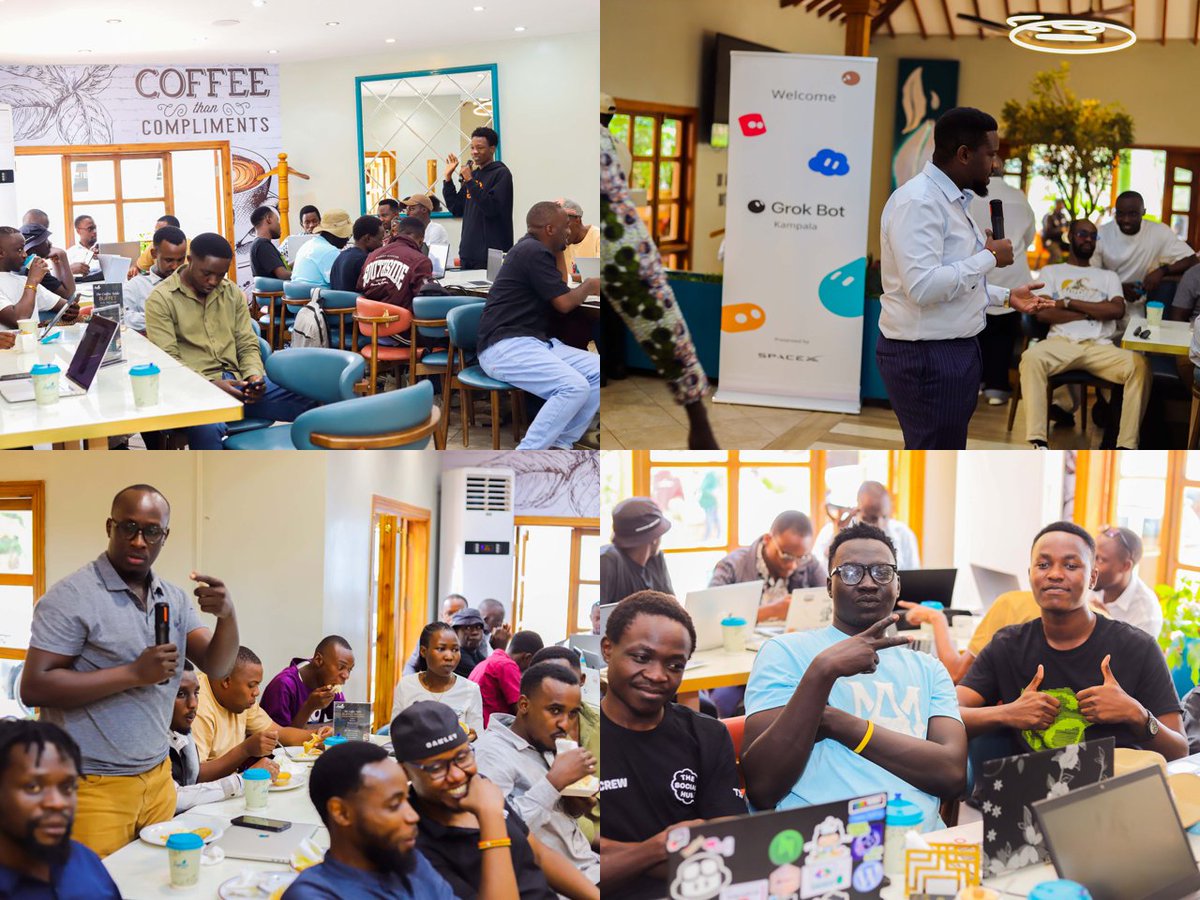
Grok Bot Meetup Kampala
A full room, great conversations, and a lot of builders from the Kampala community. Thanks to everyone who came out.
@bot@grok@spacexai#GrokBot#n8n#Kampala#AI
Our second Grok Bot meetup in Kampala is coming up! 🚀
AI, automations, and workflows, plus coffee and community.
Slots are limited. Beginners are welcome, so bring your laptop. The registration link is in the comments
What is a file system?
A file system is how an operating system organizes, stores, and retrieves data on a storage device.
It helps your computer manage files and folders, know where data is stored, and access it when needed.
Examples: FAT32, NTFS, ext4, and APFS.
I don’t think anyone just getting into tech right now should start with web development (HTML, CSS).
If I were starting over, I’d choose backend development (Node.js, Go, Python, Rust, or Java), app development, or AI/ML.
With backend development, you could eventually branch into DevOps or MLOps as an ML engineer.