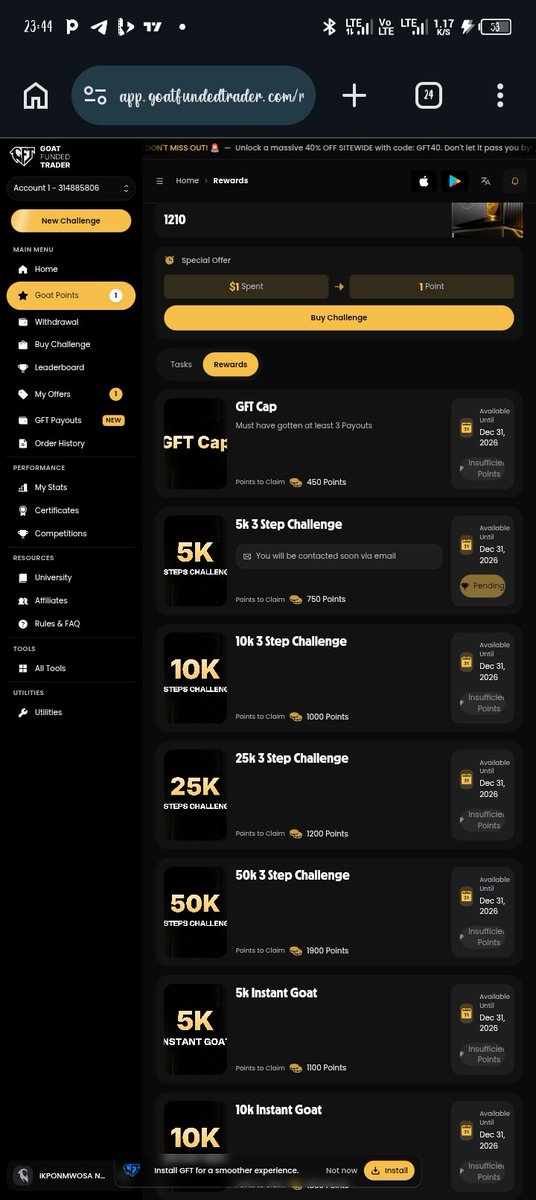
Good afternoon sir, I have been trying to claim my remaining GFT tasks points rewards for almost a month now and I haven't been able to claim it all because few are still showing pending ever since then,I really need your help to check it out.@EdwardXLreal@GoatFunded@igweGFT
cBot: AI Level Trader
AI Level Trader is an experimental AI-powered cBot built around a multi-provider consensus engine. It can query up to 11 AI providers, compare their responses and generate trade setups only when the selected consensus rules are met.
The cBot combines AI voting with key price level detection, risk filters, session controls and a live chart panel. Its architecture brings together provider fallback handling, AI performance tracking and detailed runtime diagnostics, making it one of the most ambitious AI-focused products available in cTrader Store.
🔎 cBot functionality:
- Multi-AI consensus engine.
- Support for up to 11 AI providers.
- Smart price level detection.
-Prop firm rules and risk filters.
- ATR volatility filter and trading sessions.
- Partial close and cooldown system.
- Live chart panel with real-time AI status.
⭐️ Trader’s feedback:
“AI Level Trader feels more like an experimental AI trading infrastructure project than a classic cBot. The multi-provider consensus idea is genuinely creative, and the runtime logs show real interaction with external AI models. At the same time, the system inherits all the instability of modern LLM APIs: malformed outputs, fallback loops, and inconsistent execution behaviour.”
👉 Explore this cBot in cTrader Store:
https://t.co/768yZiUyVn
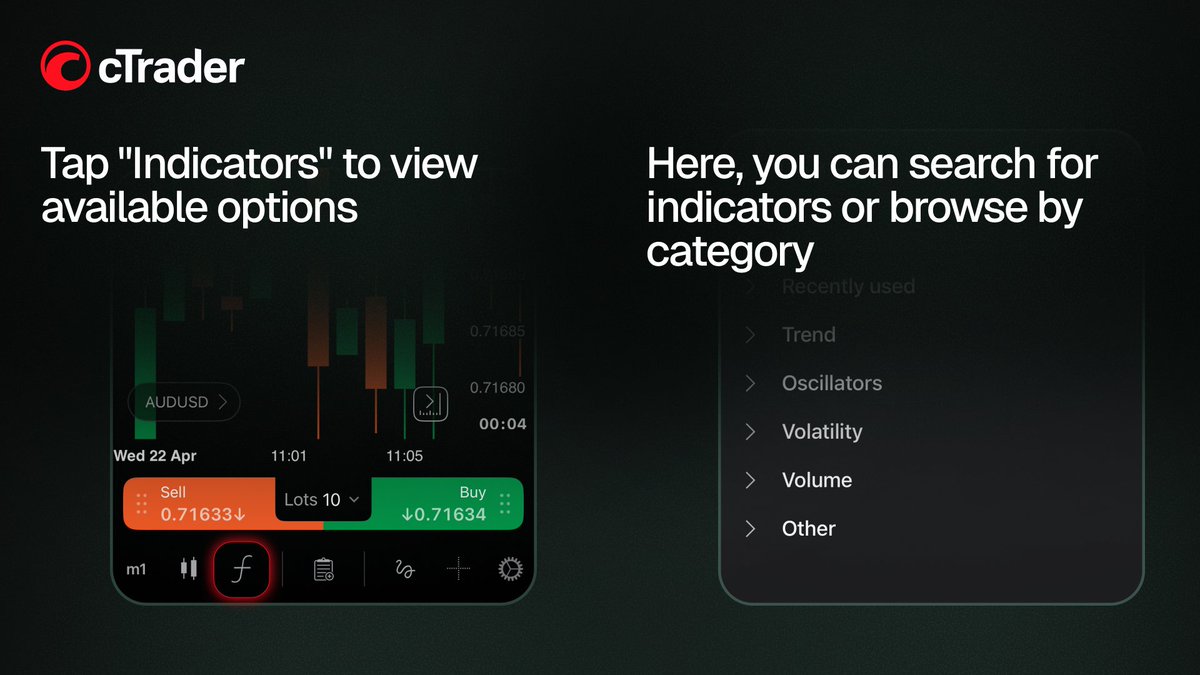
Customise indicators in cTrader Mobile
In this post, we show you how to add, arrange and customise indicators in cTrader Mobile. Swipe through, follow the steps and adjust your indicators to match your trading style.
_____________________________________
👉 Start trading with cTrader - https://t.co/reVGT8gxOG
Customise indicators in cTrader Mobile
In this post, we show you how to add, arrange and customise indicators in cTrader Mobile. Swipe through, follow the steps and adjust your indicators to match your trading style.
_____________________________________
👉 Start trading with cTrader - https://t.co/reVGT8gxOG
$0 Access is now live. 🚀
No upfront fee.
Only pay after you pass.
This is your chance to get started with Atlas without paying on day one.
Big opportunity. Big momentum. Big month ahead.
Start now: https://t.co/rF2ENxvWlp
My favorite GFT feature is the payout on demand. Being able to request withdrawals once you meet the profit requirement is really convenient for traders. @Goatfunded and @EdwardXLreal
My experience with Goat Funded Trader has been great so far. The support team responds quickly and the platform is easy to use. Definitely one of the prop firms worth trying. 🐐📈 @Goatfunded & @EdwardXLreal
🎥 Historical Volatility (HV) in cTrader - how it works and how to use it
In this video, we explore Historical Volatility (HV) in cTrader - an indicator that measures past price fluctuations over a specific period, helping traders understand market variability and risk.
You’ll learn where to find the Historical Volatility indicator in cTrader, how it is calculated using logarithmic price returns, standard deviation and annualisation, and how to customise settings such as standard deviation and bar history.
We also look at how traders use HV to:
• Identify rising volatility and expanding market swings
• Recognise falling volatility and quieter market conditions
• Confirm breakout conditions and trend continuation
• Adjust protection and stop-loss placement based on market volatility
• Combine HV with indicators such as ADX or moving averages
• Use HV in cBots
📍 Timecodes
00:09 – Introduction: what is Historical Volatility (HV)
01:14 – Where to find Historical Volatility and how to customise its settings
01:34 – How Historical Volatility helps identify changing market conditions
02:29 – Using HV to confirm breakouts and trend continuation
03:39 – Using volatility to adjust protection and stop-loss placement
05:08 – Combining HV with other indicators and using it in cBots
- Learn more about the Historical Volatility - https://t.co/ZR04tiGk4N
- Join Discord - https://t.co/N23Rt86kcx
Don’t forget to like and share your thoughts in the comments!
_____________________________________
👉 Start Trading with cTrader - https://t.co/chQIER1Ve3 👈