@kimiquaz Awesome! We hope you enjoy using Vecta. Feel free to contact us at [email protected] if you have any questions or issues. Wishing you a good day ahead!
@kimiquaz Also, please let us know how you create an account for Vecta. Do you create an account with an email or using Google, Microsoft, or another option? Please also check your Spam folder for the confirmation email. Thank you.
@magicspacemafia Hi there,
Could you please elaborate more on your issue or provide us with a screenshot for our better understanding? Also, you may reach out to us via email at [email protected] and we will assist you as soon as possible. Thanks in advance.
@newnoz Hi Nora! We are happy to know that you've joined the Vecta community. To create a triangle, kindly use the 'Draw path..' option. Hope that helps and feel free to reach out to us again if you have any questions.
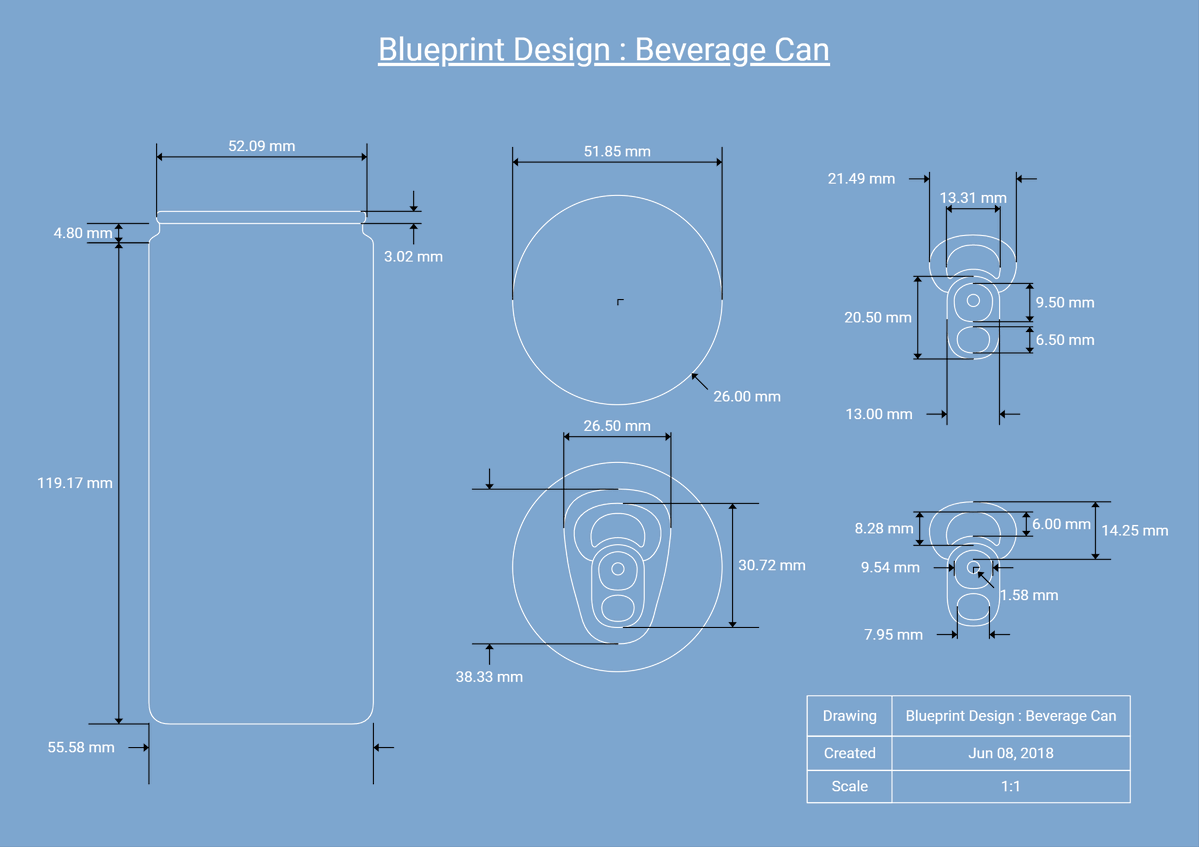
Vecta is a versatile tool designed to cater to different needs. In addition to its remarkable ability to create striking visuals, you can also create professional blueprint designs without hassle! 📝
Get the template for free: https://t.co/ugThAW3BKB
#RadicaSoftware#vecta
Simply compress your SVG with Nano to save up to 80% of your average bandwidth. We are proud to add value to Roger's project and look forward to to doing more for Nano users in the future. 💪🏻
Compress your SVG here: https://t.co/RuRGtRNPMa
#RadicaSoftware#nanosvg#electra