BIG New update — v0.2.0 patch note
— New —
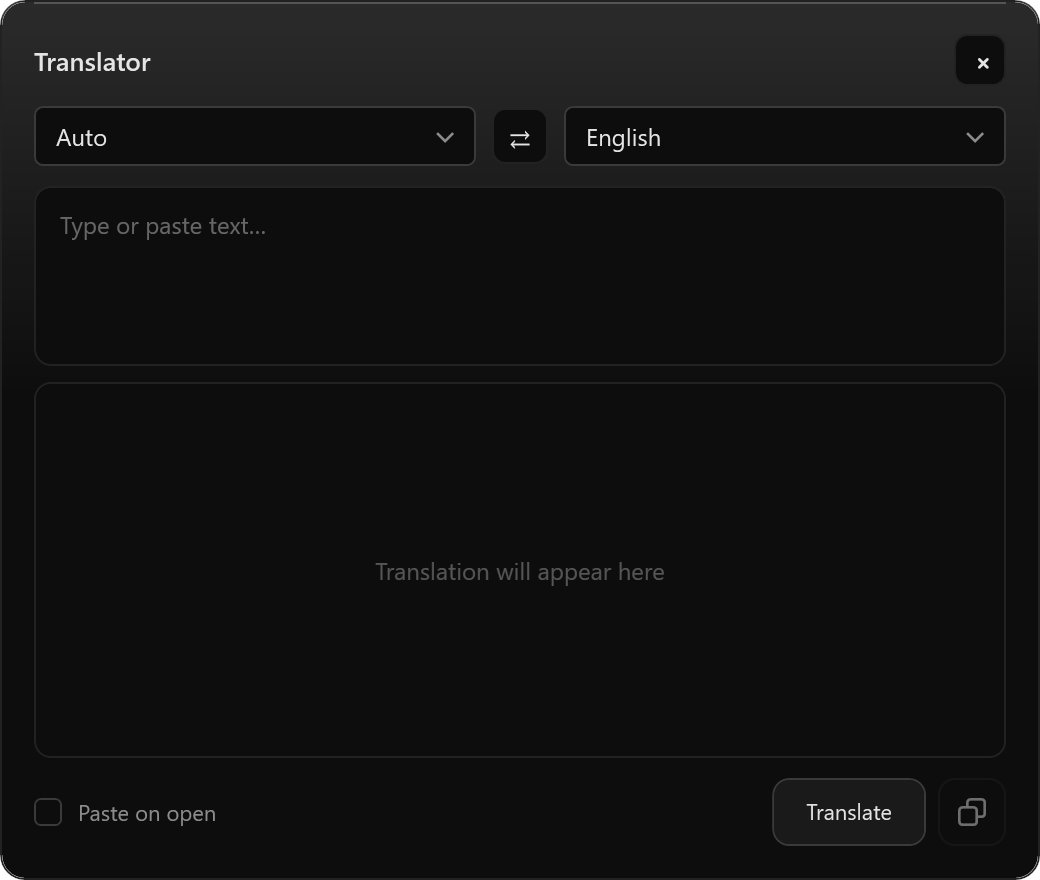
Built-in local translator.
1. Ctrl+Alt+T → type or paste text → get a translation or
2. Copy → Ctrl+Alt+T → get a translation,if you activate "Paste on open"
Crypto reads like a human reads it.
1. Highlight 10 sol > ctrl+c — Vestiga shows price instantly.
2. Tickers work in any case: $ton, $BTC, eth.
3. You can separate target currencies for fiat and crypto.
#productivity #crypto #tools
Your clipboard remembers. Vestiga attaches the source to every copy.
URL, file, or app. Jump back to it in one click.
https://t.co/S1FYqYSiid
#productivity#clipboardmanager#WindowsApp
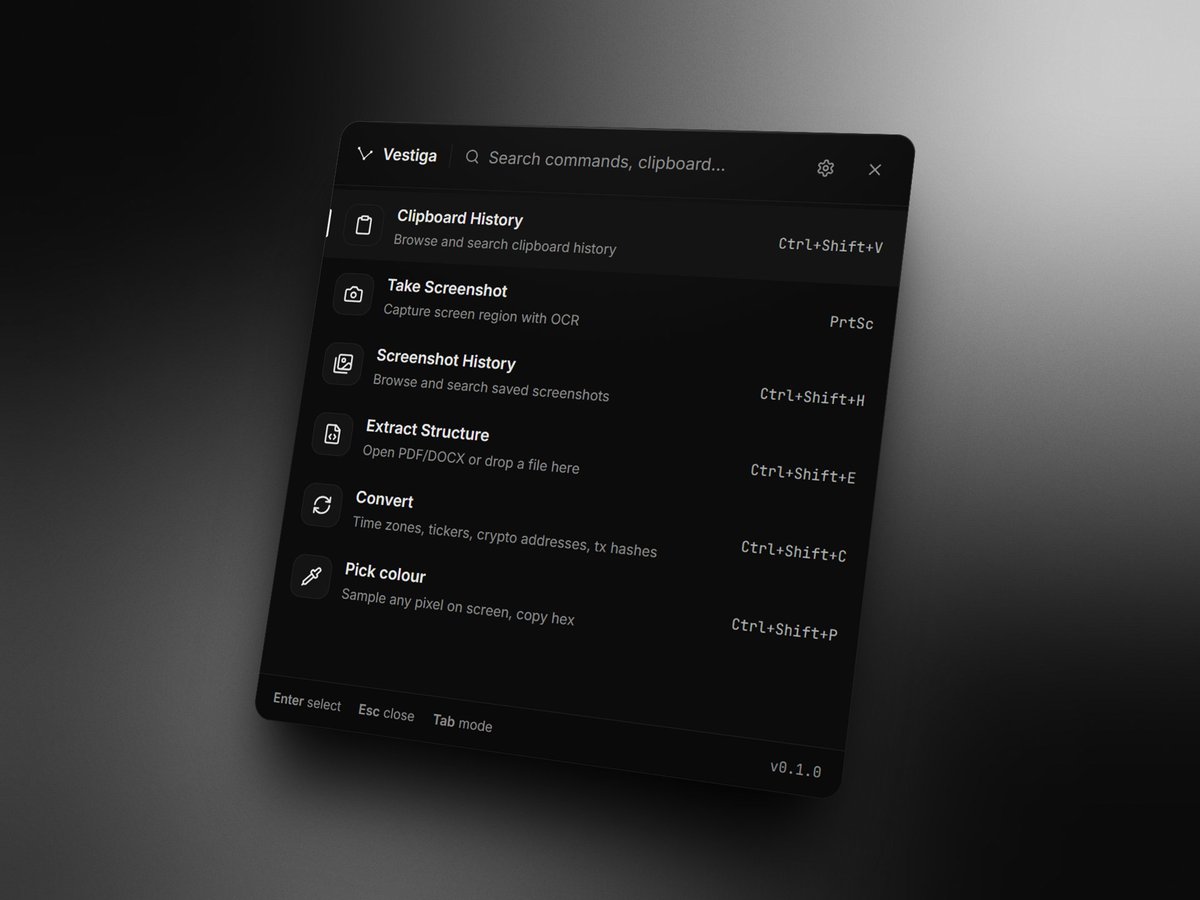
Clipboard history. Screenshot OCR. Smart rename. Structured extraction. All offline.
Early bird waitlist is open. Limited spots.
https://t.co/S1FYqYRKsF
#productivity#privacy
Clipboard history that knows where you copied from.
Link from Chrome → saves the URL. Text from a PDF → saves the file path. One click to go back to the source.
https://t.co/S1FYqYRKsF
#productivity#WindowsApp#localAI
@joni_vrbt We're building https://t.co/S1FYqYRKsF
It's clipboard manager that runs locally with ocr and features like keywords search and source tracking.
Ever lost a screenshot you needed? Search through all your old ones by text.
https://t.co/S1FYqYRKsF reads what's in them locally and privately.
#OCR#productivity#localAI
Meet Vestiga, the ultimate windows productivity tool that works 100% locally.
No cloud, no tracking, your data stays on your machine. Use clipboard history and OCR for screenshots privately.
https://t.co/S1FYqYRKsF