🚨 Type I Error vs Type II Error
A Type I Error means rejecting a true null hypothesis (False Positive), while a Type II Error means failing to reject a false null hypothesis (False Negative). Understanding these errors is essential for making accurate statistical decisions.
Everyone is chasing self-improving models.
The bigger opportunity is self-improving products. Your users generate the best learning signal every single day.
I think that's where the real competitive advantage will come from.
All Paid Courses (Free for First 4500 People)
🎯 Social Media Marketing Course
🎯 WordPress Development Course
🎯 Facebook Ads Course
🎯 Search Engine Optimization
🎯 Email Marketing Course
🎯 Amazon Business
🎯 Fiverr Freelancing Course
🎯 Graphic Designing
🎯 Video Editing Course
🎯 Ecommerce Business Course
🎯 Dropshipping Course
🎯 Shopify Course
🎯 Web Development & Design.
🎯 And Many More
🚨 FREE for 48hrs only 🚨
To get Simply:
1) Follow me [ MUST! ] for DM access
2) Like & Repost
3) Comment " All " to grab your copies.
Most people use NotebookLM like a file reader.
Big mistake.
It can summarize, compare, quiz, teach, research, create content, and turn messy notes into clear action plans.
Here are 20 powerful NotebookLM prompts to learn faster, research smarter, and save hours:
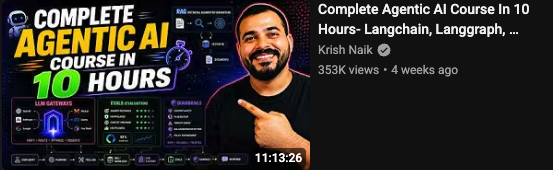
One of the better agentic AI courses I've seen
Nearly 10 hours of great content. Covers LangChain, LangGraph, RAG, deepagents, guardrails, and more
Any other good Lang* resources out there for folks who are interested in learning?
https://t.co/OXNPMeGiyd
No importa si usas Claude Code, Codex u OpenCode.
Estos 6 CLIs son los que SIEMPRE termino instalando:
🎭 Playwright CLI → la IA prueba el navegador sola
https://t.co/SdIL4Yv2xS
🐙 GitHub CLI → PRs sin tocar la web
https://t.co/W1PjICM2fC
☁️ cloudflared → tu localhost público con un prompt
https://t.co/hj5YCxr8DJ
🚀 CLI de tu Nube → todas las nubes actuales tienen su propio CLI para que tu agentes despliegue
- Railway: https://t.co/J0QhDfPwSM
- Vercel: https://t.co/LmU45UDtEc
- AWS CLI: https://t.co/4MRg9AI8TZ
- Azure: https://t.co/9Q3ad0Lwlw
- Google Cloud: https://t.co/1EFvMgfgfs
📚 Context7 → docs actualizadas para tu LLM
https://t.co/EV0IT1zroX
🐧 Day 16/30 — #Linux
A Linux server connected to the internet without a firewall is like a house with its doors wide open.
Firewalls help control incoming and outgoing traffic, protecting systems from unauthorized access and malicious activity.
Linux Firewall – Mastering iptables, ufw, and firewalld
Understanding Linux firewalls is essential for system administrators, DevOps engineers, cybersecurity professionals, and cloud engineers.
What is a Firewall?
A firewall filters network traffic based on predefined rules.
It can:
→ Allow trusted connections
→ Block unwanted traffic
→ Restrict access to services
→ Improve server security
→ Protect against attacks
iptables – The Traditional Linux Firewall
iptables is a powerful command-line firewall utility built into the Linux kernel.
Example:
→ sudo iptables -L
Displays current firewall rules.
→ sudo iptables -A INPUT -p tcp --dport 22 -j ACCEPT
Allows incoming SSH connections on port 22.
Benefits:
→ Extremely flexible
→ Highly customizable
→ Widely used on Linux servers
However, complex rule management can become difficult as configurations grow.
ufw – Uncomplicated Firewall
ufw provides a simpler interface for managing firewall rules.
Common on Ubuntu-based systems.
Examples:
→ sudo ufw enable
Enables the firewall.
→ sudo ufw allow 22/tcp
Allows SSH traffic.
→ sudo ufw allow 80/tcp
Allows HTTP traffic.
→ sudo ufw status
Displays active firewall rules.
Benefits:
→ Beginner-friendly
→ Easy rule management
→ Faster configuration than iptables
firewalld – Dynamic Firewall Management
firewalld is commonly used on Red Hat, CentOS, Rocky Linux, and Fedora systems.
It introduces the concept of zones for managing trust levels.
Examples:
→ sudo firewall-cmd --state
Checks firewall status.
→ sudo firewall-cmd --add-service=http --permanent
Allows HTTP traffic permanently.
→ sudo firewall-cmd --reload
Applies configuration changes.
Benefits:
→ Dynamic rule updates
→ Zone-based management
→ Enterprise-focused administration
Common Ports to Know:
→ 22 = SSH
→ 80 = HTTP
→ 443 = HTTPS
→ 3306 = MySQL
→ 5432 = PostgreSQL
Why Firewall Skills Matter:
→ Secure Linux servers
→ Protect cloud infrastructure
→ Control network access
→ Reduce attack surfaces
→ Meet security best practices
Mastering iptables, ufw, and firewalld is a critical step toward building secure and production-ready Linux systems.
🐧 Grab Linux Ebook: https://t.co/DeHjJ1Wubf
#Linux #LinuxTutorial #CyberSecurity #iptables #UFW #firewalld #DevOps #SystemAdministration #CloudComputing #100DaysOfCode
Getting a web dev job today is more competitive than ever.
You need more than just a portfolio to land a job.
Here, Ilyas goes over strategy, skills prep, applications, interviews, and more so you make smarter decisions while looking for your next role.
https://t.co/JcUBcNhbU6
Best YouTube Channels To Learn AI in 2026 (No BS). Save it.
1. Fundamentals – 3Blue1Brown
2. Deep Learning – Andrej Karpathy
3. AI Research – Yannic Kilcher
4. Practical AI – AssemblyAI
5. LLMs – AI Explained
6. ML Theory – StatQuest
7. Papers Simplified – Two Minute Papers
8. GenAI – Matthew Berman
9. AI Agents – Nicholas Renotte
10. Applied ML – Krish Naik
11. PyTorch – Aladdin Persson
12. Math for ML – Serrano Academy
13. Industry Insights – Lex Fridman
14. Real-world AI – DeepLearningAI





![kevin_parker_ai's tweet photo. All Paid Courses (Free for First 4500 People)
🎯 Social Media Marketing Course
🎯 WordPress Development Course
🎯 Facebook Ads Course
🎯 Search Engine Optimization
🎯 Email Marketing Course
🎯 Amazon Business
🎯 Fiverr Freelancing Course
🎯 Graphic Designing
🎯 Video Editing Course
🎯 Ecommerce Business Course
🎯 Dropshipping Course
🎯 Shopify Course
🎯 Web Development & Design.
🎯 And Many More
🚨 FREE for 48hrs only 🚨
To get Simply:
1) Follow me [ MUST! ] for DM access
2) Like & Repost
3) Comment " All " to grab your copies.](https://pbs.twimg.com/media/HL091eAboAAo-Ac.jpg)