Give an AI agent tools and context, and it stops answering and starts acting. Jon Galloway gets into it.
Dive in further with Jon: https://t.co/ogx2NnOwBD
We came, we saw, we coded.
That's a wrap on VSLive! San Diego, and we're already itching to put everything we picked up this week to use. Thank you to everyone who spent it with us.
⚙️ C++ nerd snack: Every lambda = a unique type = more template instantiations. 🤯
This clever refactor converts lambdas into a shared DispatcherQueueHandler, factors out type-specific logic, and even removes the template altogether. 🚀
📖 Read: https://t.co/Vu9nKmJHwJ
Quick tip from Visual Studio on YouTube... See the Visual Studio Debugger Agent use a Test-Driven Investigation workflow to take an intermittent bug from a GitHub issue to a verified fix. 🎥https://t.co/MkFB6UtHnu
You can just pin it, and stop reopening the same variables every debug session. Marco Peyrot Carrion has the trick.
See the trick: https://t.co/zrreK2d4hE
🐢 App feels slow... but WHICH process is guilty? 🔍⚡
This deep dive shows how to hunt hidden latency across a distributed .NET app using Visual Studio Performance Profiler + GitHub Copilot Profiler Agent. Trace requests across Blazor, services, databases, AI endpoints, and separate CPU-bound work from wait-time bottlenecks. 🤯
Ready to profile smarter? 👇
📖 Read the blog: https://t.co/Y3649Ls4wM
You work in Visual Studio daily. There's more in it than you've tried.
Visual Studio Subscribers, activate your Pluralsight benefit and keep learning: https://t.co/mEOz926EPE
You work in Visual Studio daily, but there's still more in it than you've tried.
Pluralsight has courses to help you keep exploring and learning more. Activate your Pluralsight benefit and keep learning: https://t.co/WO3Whrmvi7
AI doesn't always get it right the first time, not even when it's debugging your code. Mark Downie and Sireesha Pisipati dive in.
See the full session: https://t.co/uq1DseKn2U
Your AI agent can't write good code in a codebase it doesn't understand yet. Dalia Abo Sheasha explains why.
Dive into the full session: https://t.co/qwhizuVJ5D
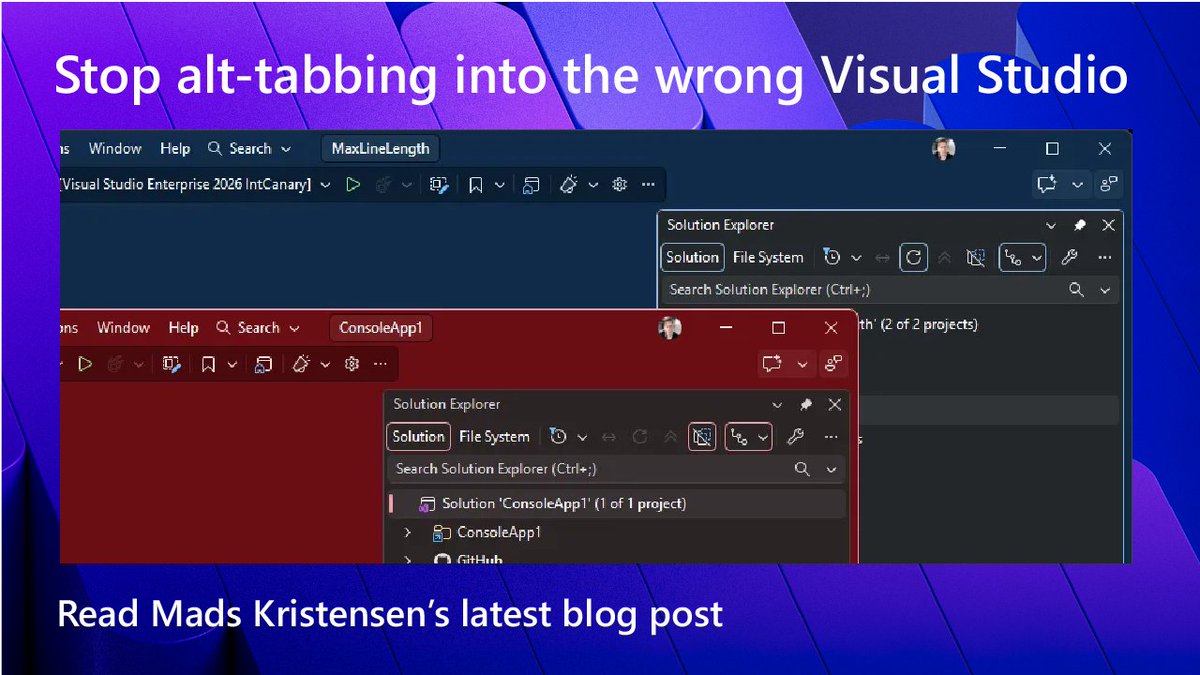
🎨 Alt+Tab roulette? 🎯
Visual Studio 2026 lets you scope themes/settings per solution and store them in settings.VisualStudio.json. Different repos, different colors, fewer wrong-window edits. 🚀
Read more 👉 https://t.co/5E6qgTjzfy
🚀 C++ tip: Templates boost reuse, but every expansion can inflate your binary. 😬
A neat trick? Factor out the type-dependent parts and keep the common logic shared. Smaller codegen, cleaner builds, happier compilers. ⚙️🧩
📖 Read: https://t.co/ybnwxTJL1f
⚙️ C++ trivia that saves code:
If your lambda only calls another callable with the same parameters, don't wrap it. 🚫📦
Lambdas are already callable objects (operator()), so pass them directly. Cleaner, simpler, faster to read. 😎
https://t.co/7nu6O4zGFL
Copilot writes code. This goes further, building AI directly into what you ship.
From Pluralsight, included for many Visual Studio subscribers. See what's included: https://t.co/XHlA3jyqJT
Writing code with AI is one thing. Building AI into your code is another.
Pluralsight has training on both, from sharpening your day-to-day AI skills to learning how to build AI into what you ship. See what's included with your subscription: https://t.co/twS6SYgJcw
👀 Reviewing GitHub PRs?
Do it without leaving Visual Studio. ⚡ Review diffs, add inline comments, approve & merge, then pull the PR into Copilot with #pullrequest for AI-assisted code review. 🤖🔥
📖 Read: https://t.co/cEKfYeoKmV
San Diego is calling.
VSLive! San Diego kicks off soon, and we cannot wait to connect with developers, dive into sessions, and talk shop in person.
Ready to connect, learn, and build together?