@magyarpeterMP Itt lenne az ideje a megélhetési Köztársasági elnökök fizetését, végkielégítését és a nyugdíját 99%-al csökkenteni. Sokat meg lehetne spórolni. Valószínüleg az jobb belátásra bírná @DrTamasSulyok urat is.
@DrTamasSulyok Sorry Mr President , You are unworthy to fulfill your position as President. You served only the Orban regime, against the Nation. 71% of the Hungarians want to have a much better Person in your Position.
@SenAdamSchiff Sir You missed a very important part, we want to replace all the corrupt Politicians in a Hungarian Parliament with a fresh, new People. We believe the Politicians should be accountable for their crimes. Even a left wing voters chose Tisza , this time ...
📢 Big Update Pack — Daily Streak Hall of Fame + Milestone Relics, Economy Activity Log (Mobile UI), and Profile/Economy Cleanup
Hey everyone - we’ve shipped a solid batch of upgrades across Daily Streaks, relic milestone rewards, economy transparency, and mobile UI polish.
The goal of this pack is simple:
make long-term progression feel fair and legendary, and make the economy readable + auditable again (especially on phones).
🏛️ Daily Streak Update - Hall of Fame + Milestone Relics (and safer claims)
We’ve just shipped a pretty big upgrade to the Daily Streak system - both the rules and the reward delivery logic.
Here’s what changed in normal human words:
🏛️ 1) Hall of Fame Streak (365+ never burns)
Once you reach 365 days, your streak becomes non-burnable.
If you disappear for a long time (even 10+ days), your streak won’t reset anymore.
Instead, it pauses and continues growing only when you return and keep logging in again.
This also prevents weird “stale streak” edge cases that could accidentally bump your streak after a long break.
🎖️ 2) New milestone relic drops (big streak rewards)
We added milestone rewards that trigger when you claim your daily reward on that exact streak day:
✅ Epic milestone drops
200 / 300 / 400 / 500 / … days → 2× Epic relics
These are inserted as two separate relics (not quantity +2).
Before day 365: you can lose your streak and later earn these milestones again (it’s part of the risk/rebuild loop).
From day 365+: milestone drops become protected (one-time per milestone), so you can’t re-claim the same 400d/500d reward after a long pause.
✅ Legendary anniversary drops
365 / 730 / 1095 / … days → 1× Legendary relic
These are one-time per milestone (Hall of Fame protection).
If you’re already in Hall of Fame and return after a long break, it will not re-issue the same 365/730/etc reward again.
🔒 3) Safer reward claiming (anti double-claim)
This prevents double-click abuse and weird race conditions.
📨 4) Relic notifications are now consistent (important!)
This part is huge for transparency:
Daily relic drops are already sent via notification (as before).
Milestone relics (200/300/365/…) are ALSO queued into the same notification buffer.
Meaning: when you hit a milestone and claim, you should see relic notifications just like any other drop.
✨ 5) Better UI messaging
We improved how the client displays streak rewards:
Clearer breakdown of bonuses (Explorer, Daily Amplifier, Grandmaster effects, etc.)
Milestone rewards show up as part of the streak “special reward” messaging.
Reduced confusion around what was earned and why.
🎁 Manual Milestone Drop (one last time)
As part of rolling out the new system, we issued milestone relics manually one final time to a few players:
🎁 Daily Login Milestones - Drop (Mar 4, 2026)
Milestone relics have been issued. Same artwork + “fantastic” memory word.
🏆 500 Days - 2× Epic
arcotrade → Epic #147991, Epic #147992
⚡ 400 Days - 2× Epic
georgechira → Epic #147993, Epic #147994
🏅 365 Days - 1× Legendary
IceWeaselSienna → Legendary #147995
🔥 200 Days - 2× Epic
RRSS1710 → Epic #147996, Epic #147997
If you don’t see the relics yet - restart the game tab/app once (cache/UI refresh).
That’s it - the streak system is now much more readable, much safer, and finally has proper long-term “legendary” progression for the most dedicated listeners.
As always: if anything looks off, screenshot + username helps a lot.
📜 Economy Activity Log UI Update (Mobile-first, finally usable)
We’ve just shipped a pretty big quality-of-life update to the Global Pool & Economy Activity log.
The goal was simple:
make the activity feed actually readable and ergonomic on mobile, without losing the detailed desktop view.
✅ What changed
1) Mobile UI is no longer “wide table hell”
On phones, the log now switches to a compact card list instead of a huge horizontal table.
Each activity shows:
-Event type + time (UTC)
-Username
-Only the meaningful deltas (no empty columns)
-Chips for SONO / WOS / 🔢 Points / 🧩 Fragments
This makes the feed scannable again - one event no longer takes half of the screen.
2) Category filters are now swipeable (and don’t get cut off)
The filter buttons used to overflow and some categories became invisible on mobile.
Now filters are a horizontal scroll “chip strip”:
Swipe left/right to access all categories
A small “Swipe categories →” hint appears on mobile
Subtle gradient edges indicate there’s more off-screen
When you tap a category, the UI auto-scrolls to keep it visible
3) Numbers are displayed in a compact format on mobile
Huge values were breaking layout (especially Points → WOS and other high-volume actions).
Now mobile chips display deltas in a compact style like:
+32.6M
−50.1T
You still get full precision in the backend - this is purely a UI readability improvement.
4) Fullscreen mode + safer scrolling behavior
The modal supports a fullscreen toggle on desktop, and mobile already runs fullscreen by design.
We also removed a CSS behavior that could break swipe scrolling on iOS in some cases.
5) More transparency in the economy feed (new tracking)
This update isn’t only UI - we also improved what the log can actually show:
✅ Listening Sessions are now tracked as real log entries with a lot more detail behind the scenes (session-based records).
That means we can accurately store and display listening session outcomes using multiple parameters (duration accounting, reward seconds, season seconds, processed seconds, points/fragments awarded, relic results, source, etc.). This is the foundation for better analytics and more transparent session history.
✅ Points → WOS now shows the cost clearly
In the Points → WOS mint section, you can now see how many Points were spent for each minted WOS amount - so it’s obvious what was burned and what was received (no more “WOS appeared from nowhere”).
6) Everything stays consistent across categories
The feed remains unified and still includes:
-Pools (deposit / withdraw / APY bonus)
-SONO staking
-DEX swaps
-WOS → in-game WOS
Points → WOS (now with Points spent shown)
🧩 Fragments → 🔢 Points
🎧 Listening sessions (now tracked with detailed session logging)
SONO mining events (relic burns, sound descriptions, phrases, season rewards)
🧪 Why this matters
This feed is basically the public audit trail of the economy.
Now it’s finally something you can comfortably use on a phone:
-faster scanning
-better searching
-filters that don’t break
-no UI chaos from huge numbers
…and more transparency for both listening sessions and Points → WOS conversions.
If you notice any edge-case formatting issues (especially with timezones or an unusual event type), please ping me with a screenshot - we’ll patch fast.
📢 Profile + Economy UI Update (Polish & Stable Again)
Hey everyone - quick dev update on the Profile / Economy screen.
We’ve shipped a cleanup pass that focuses on two things:
✅ 1) Economy flow is now more logical
We reorganized the Profile tab so the economy actions live inside the Economy section, where they belong:
Mint $WOS (Points → $WOS)
Convert 🧩 Relic Fragments → 🔢 Points
Convert 🔢 Points → in-game $gameWOS (fast off-chain conversion for upgrades and anything that spends $gameWOS)
So instead of having conversion blocks scattered around the Profile, the economy now reads like a real “wallet + actions” panel.
✅ 2) Profile now shows more balances at a glance
We also added display for off-chain wallet balances alongside the rest of your stats:
Off-chain SONO
Off-chain WOS
This gives you a complete “what do I actually have?” snapshot directly in Profile, without needing extra tabs.
✅ 3) Layout polish + better centering
Buttons and conversion blocks were re-centered and tightened visually to match the game’s UI vibe:
-cleaner spacing
-more consistent button sizes
-less “random alignment chaos” on mobile
✅ 4) Fixes: mint slider + missing info loading
After moving blocks around, we also fixed a regression where:
the $WOS mint slider could stop behaving correctly
the rate/limits info for minting and fragment selling could fail to load in some cases
That’s now restored - the Economy section should again show the same detailed info as before.
If anything looks off on your device (especially mobile), please drop:
📱 your screen size + browser + a screenshot, and we’ll squash it fast.
Thanks for sticking with the constant UI evolution - the goal is a Profile tab that feels like a real “character sheet + wallet” instead of a pile of buttons.
Many other changes soon
#reveriefield #webgame #sono
The main part of Liquidity Distributor is - Fee scheduler
Fee scheduler sets high fees at start to make sure the tokens in the pool don't sell for too cheap. It might print big fees, offsetting impermanent loss for those who chose NFT option
Learn more in the video 🔽
🎮 Major Update tomorrow: Reverie Field Soundtracks + Seasons: a whole new way to play
Hey folks, this one’s big. We’ve shipped a massive wave of features and polish that changes how the world of sound feels, plays, and rewards you. Here’s everything that just will be live soon.
The update will take effect on October 7 at 17:00 UTC.
🎶 The Soundtrack Arrives (with its own player!)
The Reverie Field world finally has its score. And it will be an optional feature.
How to use: start listening to the Radio, then tap the Music button in the same tab. A full soundtrack player slides out with navigation controls and a complete tracklist.
Atmospheric long-form background compositions crafted and mastered to live inside the radio’s field-recording soundscape, gently amplifying your everyday experience. They will breathe with the world around you, blending in rather than sitting on top.
Independent volume sliders: you can now balance Radio and Music separately to find your perfect mix.
Your flow, your rules: play the soundtrack in order or shuffle it or loop.
Radio stays wild: Radio still plays randomly as before.
Why it’s special: thousands of organic Radio sounds now meet an authored score, creating a new, living interactive soundscape every session. No two sessions feel the same.
🏁 Seasons & ⏱️ Listening-Time Leaderboards
Skill issue? Not here. This is about time in the world, not your inventory.
Lifetime Listening (new):
We now track total listening time for every player. When you successfully finish a session, your time is saved and shown in the Leaderboard.
Seasons (new, quarterly):
What it is: a recurring, equal-ground challenge that runs by quarters.
How winners are chosen: only listening time matters. Not points, not relics, not tokens. Everyone starts at zero; everyone has the same 24 hours.
Rewards: the Top 150 listeners each season can claim rewards in-game at the end from Seasons tab.
🥇 1st place: 55,000 SONO, 7,000 fragments, and a Legendary Relic.
🥈🥉 …and places 2–10 get Epic Relics with scaled SONO & fragment rewards.
Rewards continue down to 150th, scaling fairly.
How to enter a Season
Find Seasons under the Events tab (This feature starts from 17PM 07.10.25 UTC). There you’ll see rewards, rules, and your status.
Minimum entry: 5,000,000 points.
When you enter: all your current points are burned.
If your wallet is linked, those points mint on-chain into $WOS according to the WOS minting rules.
If your in-game wallet is not linked, your points are still burned, and you’re registered in the Season (no mint occurs).
The goal: add a real competitive edge that rewards dedication and variety in play.
⚖️ Balance Pass: Relic Boost Rework
Legendary/Epic relic boost stacking has been nerfed for balance:
Before: certain Legendary/Epic boosts multiplied each other.
Now: those boosts add together instead.
This keeps powerful collections meaningful without turning specific combos into runaway must-haves. Talents, Refs, Daily Login Streak and more becoming more valuable.
🔧 Reliability & Background Mode
Background sessions are now backed up more reliably.
Rewards for “lost” sessions are granted more consistently.
Overall session stability: up.
✨ Lots of polish
Tons of small fixes, UI touch-ups, copy tweaks, and QoL improvements across the board.
TL;DR
Soundtrack + Player inside the Radio tab (independent volume, shuffle/manual, full tracklist).
Listening time is tracked globally and shown on the Leaderboard.
Seasons (quarterly): equal footing, time listened decides winners, Top 150 get scalable rewards (1st: 55k SONO + 5k fragments + Legendary).
Season entry: burns all current points; mints $WOS if wallet linked, otherwise points burn and entry registers. Minimum 5,000,000 points to enter.
Relic boosts: multiplicative → additive (healthier balance).
Background mode: more stable, better reward recovery.
Plus lots of polish.
Crank the Radio, cue the score, and we’ll see you on the Season leaderboard. 🖤
#reveriefield #WebGame #SONO #Koii #KoiiNetwork #KoiiLabs #WOS #FieldRecording #Web3Gaming
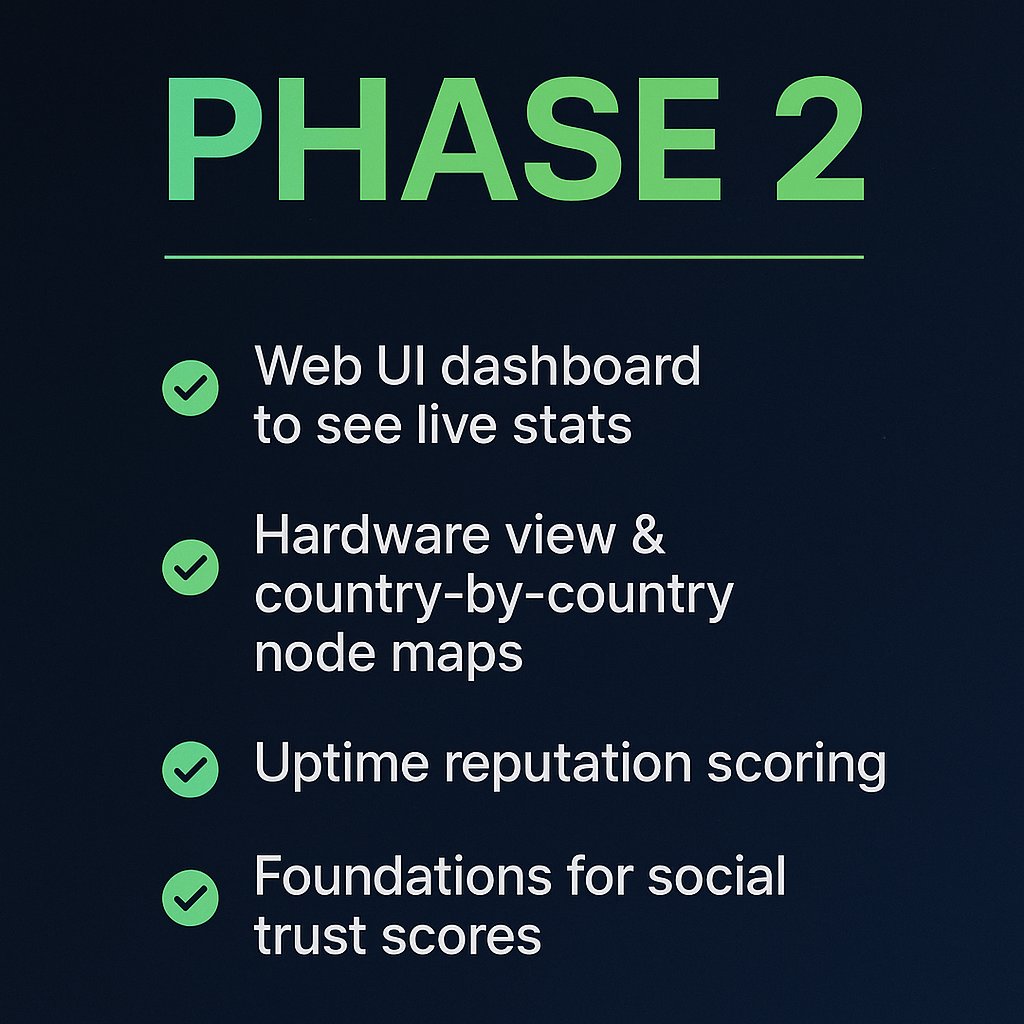
🚨 Been a while since we shared an update, so here’s a quick refresher on what InfraScan ($ISCAN) is all about 👇
We’re building the heartbeat monitor of the KOII Network — tracking node hardware, uptime, and performance to shape the future of DePIN compute. ⚡