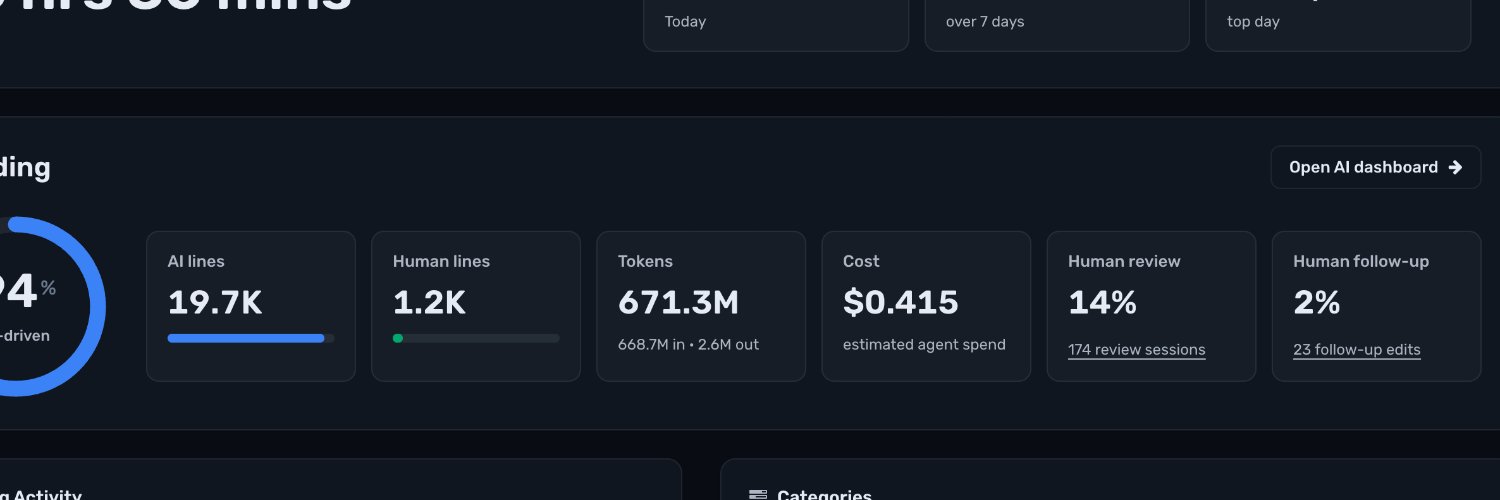
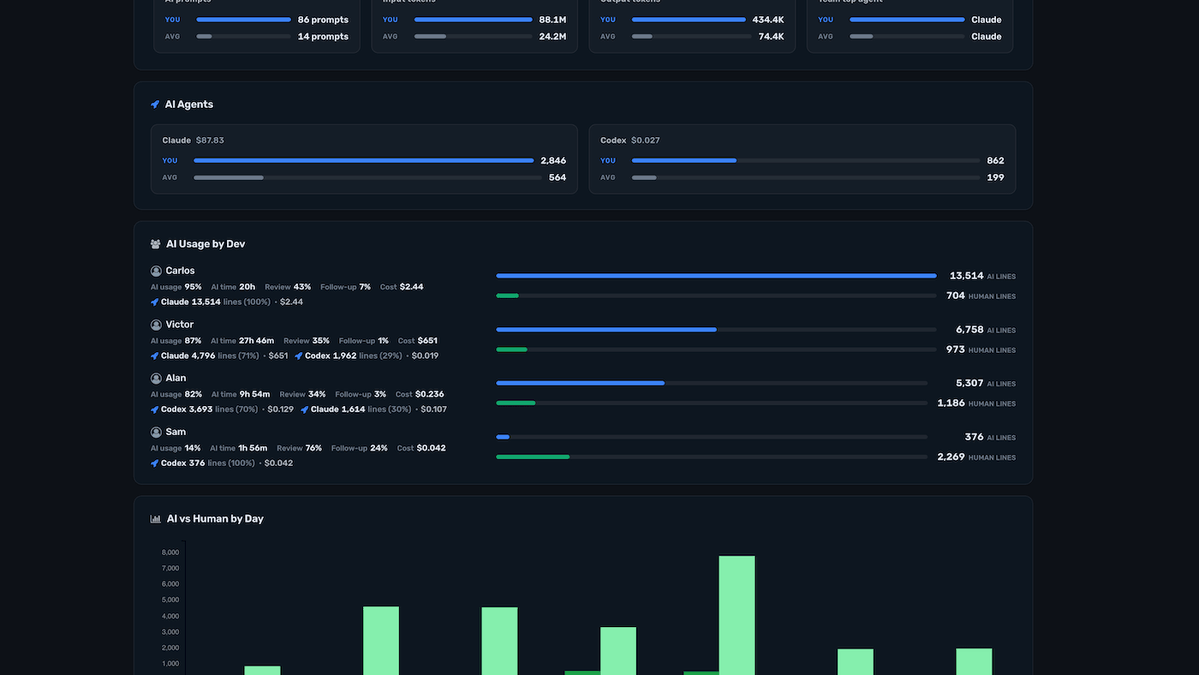
check out the new AI metrics
- AI Usage by Dev
- Lines of code generated vs written by humans
- Which devs are using which models
- How much those AI generated lines are costing in tokens
We're rolling out this dashboard to teams for Claude, Codex, Cursor, etc.
Your AI coding bill might surprise you. 👀
Crackboard shows the real, unsubsidized cost of your AI usage. See how your spend stacks up at https://t.co/N9HuNn3H0a
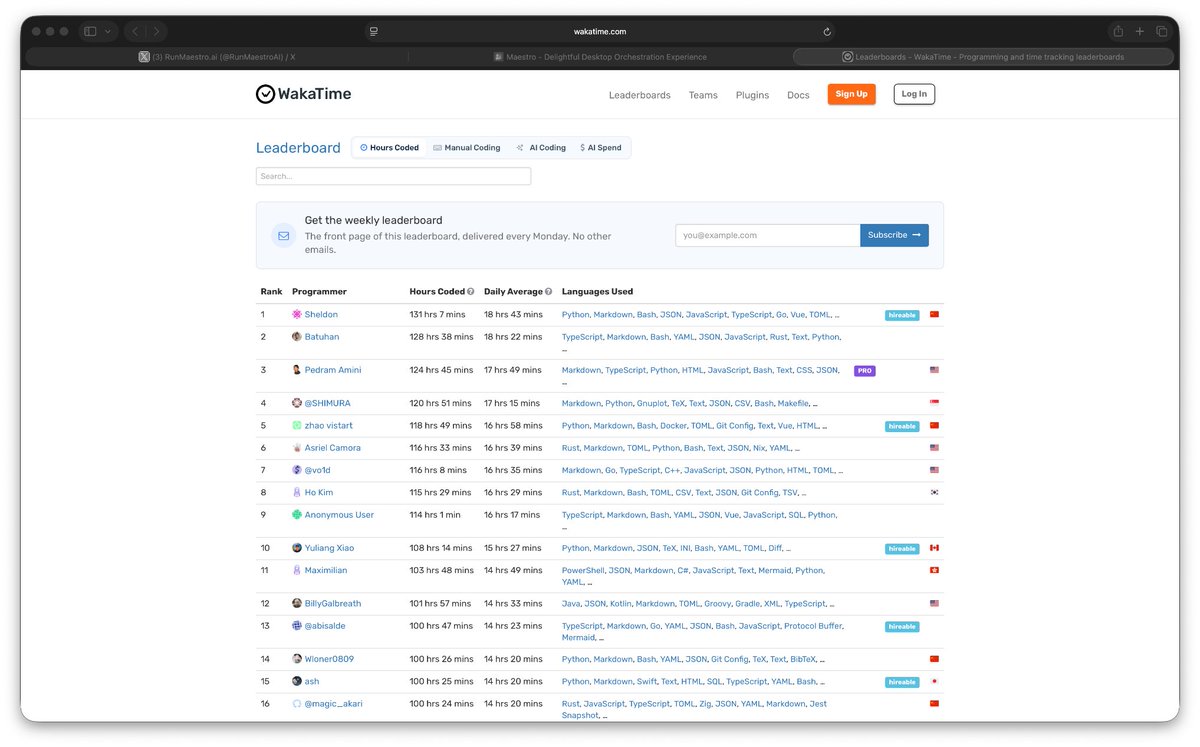
I've been cranking so hard on the new Maestro website and the impending releases that I hit #3 in the world on Wakatime this week:
https://t.co/Y1ZAS7U9Em
But check out how slick the new website!
https://t.co/VNd6ZzHvgB
How much are you spending on AI compared to other devs?
See where you rank on the @WakaTime Leaderboard and find out who’s burning the most subsidized investor cash on models 🔥💸
https://t.co/adcOElhtft
How much are you spending on AI compared to other devs?
See where you rank on the @WakaTime Leaderboard and find out who’s burning the most subsidized investor cash on models 🔥💸
https://t.co/adcOElhtft
@vultuk@ultimussaeculi@btibor91 We were counting cached tokens at normal price when they should have been discounted 90%. The coming weeks now that we separate cached from normal tokens, your @WakaTime spend estimate will go lower.
@nzlndr That's the number from last year, before AI took off mainstream. This year we're going to publish 5 numbers:
1. Avg time spent coding with AI & manually
2. Avg time using AI
3. Avg time coding manually
4. Avg LoC AI generated
5. Avg LoC manually typed
Prev yrs it was only #1