AI video prompts fail when you describe only the subject.
Add these 4 layers:
Camera (85mm lens, low angle, slow pan)
Motion (subtle handheld shake, natural finger micro-movements)
Lighting (golden hour side light, soft shadows)
Mood (cinematic, warm color grade)
WayinVideo Text-to-Video respects all of them. One detailed prompt = pro-looking output.
Turn one gaming session into 20+ posts:
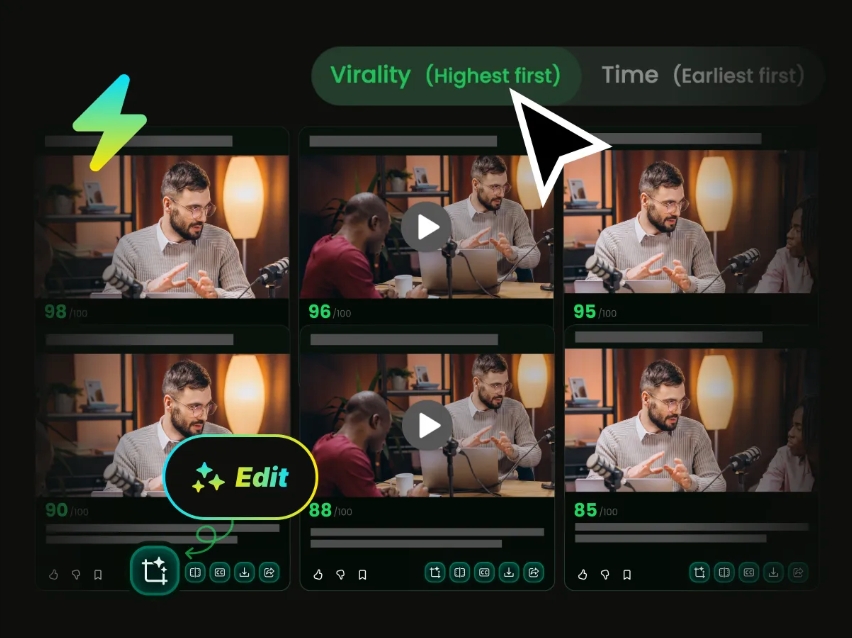
Upload full VOD to WayinVideo → Automatically finds key moments (wins, fails, tips) → Clip Maker creates multiple hook styles (pure gameplay, with commentary, quote text).
Distribute across TikTok, Reels, YouTube Shorts and X in minutes.
Turn one video into 9 platform versions instantly:
9:16 for TikTok/Reels
1:1 for Instagram
16:9 for YouTube
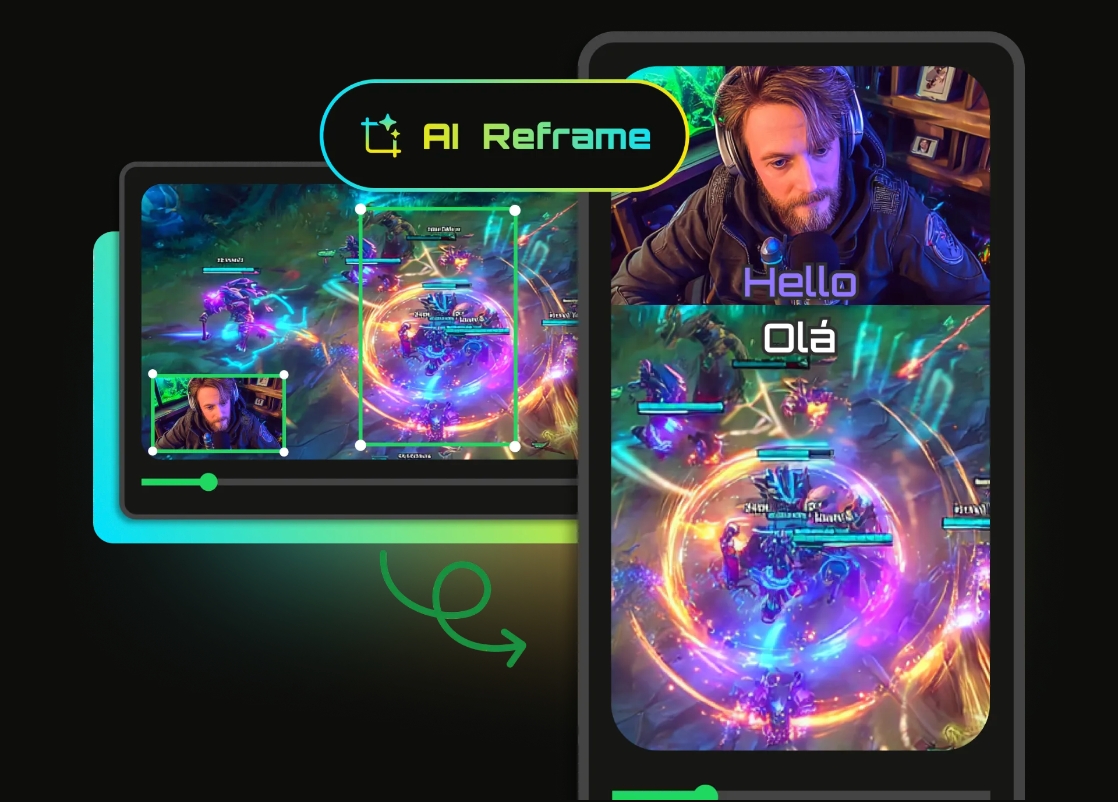
WayinVideo AI Reframe keeps text, faces, and composition perfect across all ratios. No more distorted crops or repositioning.
Horizontal gameplay to vertical gold:
Upload to WayinVideo→ AI Reframe automatically puts your face cam on top, gameplay below, and keeps crosshair + action fully visible.
No more cut-off headshots or missing abilities. One click = platform-ready Shorts.
Turn talking-head videos into cinematic content:
Upload to WayinVideo AI video editor→ then matching cinematic B-roll: subtle texture shots, atmospheric details, smooth transitions.
AI automatically suggests and times B-roll that fits your original footage. Boring interview becomes scroll-stopping video.
Want realistic human movement in AI video?
Never say 'person walks'. Instead: 'natural gait with slight arm swing, realistic weight shift, fabric folds moving naturally'.
Generate in WayinVideo, small wording changes fix 80% of stiff results.
Gaming creators: Stop hunting highlights manually.
Upload your long stream or gameplay to WayinVideo → Find Moments with 'epic kill, funny fail, insane reaction, boss transition'.
AI instantly pulls the best 15-30s clips. Perfect for TikTok & YouTube Shorts virality.
Thumbnail repurposing hack: Stop using random frames.
Paste your long video or YouTube link into WayinVideo AI Thumbnail Maker.
AI analyzes emotional peaks, clear faces, and curiosity moments then generates high-CTR variations automatically.
One video → multiple scroll-stopping thumbnails in seconds.
AI subtitles that actually boost retention:
Use 'big, bold, centered, 3-5 words max, with emoji on action words'.
Upload to WayinVideo AI Clip Maker — it auto-generates and times them perfectly for vertical format.
Watch time increased 40% on our tests.
Long video repurposing hack: Stop manually clipping.
Upload your 10-60 min video to WayinVideo→ Use Find Moments: strongest hooks, surprising reactions, key takeaways.
It auto-extracts 15-30 high-potential Shorts with perfect timing + AI subtitles. One upload = weeks of content.
Test the loop:
one long core piece → AI clips + scripts 15 Shorts → auto-schedules with A/B hooks.
Data comes back and the next cycle is already smarter.
Love seeing workflows like this from @DataChaz 🤝
We built WayinVideo so creators never have to choose between quality and speed. Long video in, viral-ready shorts out — in seconds.
If you haven't tried it yet, now's the time 👇
https://t.co/VcqaxAm4kq
MIND BLOWN 🤯
I just turned my terminal into a full-scale content machine using the @WayinVideo AI Clipping Skill through @OpenClaw.
I fed it one long video, and out came a stack of viral-ready shorts in seconds.
Goodbye hours of editing!
The setup couldn’t be easier:
#1 Grab the AI clipping package in VS Code
#2 Export your WayinVideo API key
#3 Boot up the @OpenClaw gateway locally
That’s it.
Under the hood, WayinVideo does all the heavy lifting.
You give it a YouTube URL or a raw file, and it automatically finds the best moments, turning them into perfectly framed 9:16 MP4s.
It’s insane for pretty much anything:
> Pulling 10+ clips from a single podcast
> Turning long YouTube essays into daily Shorts
> Grabbing instant highlights from streams and interviews
In the demo below, I literally just asked OpenClaw for vertical clips.
WayinVideo sent back highly scored segments, complete with titles, directly in the chat UI.
Zero manual editing.
It even added animated captions and multilingual subtitles 💥↓
Your time is too valuable to edit every clip manually. ⏱️
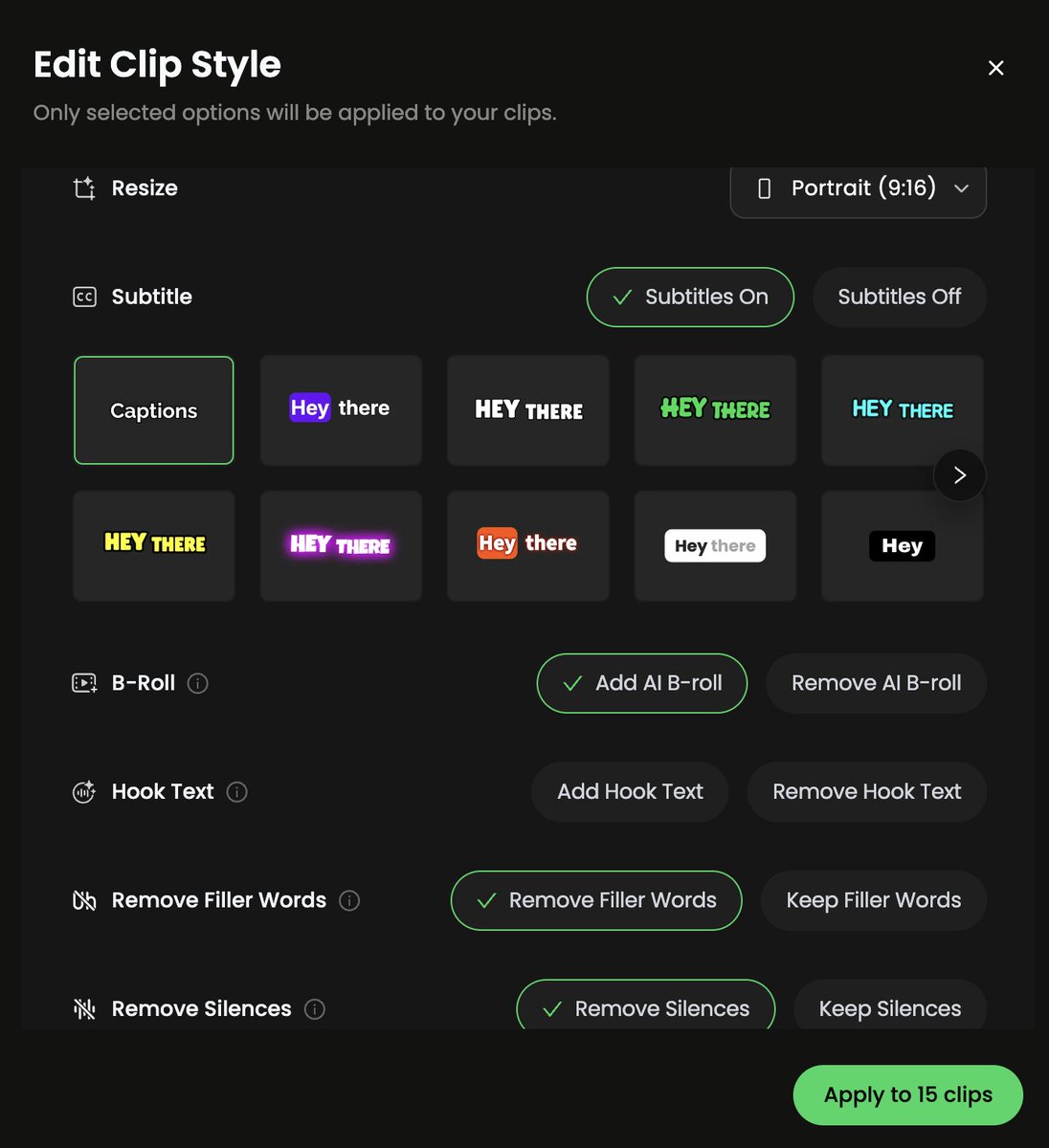
With WayinVideo's new Bulk Edit, you can apply multiple styles to all your clips in one go:
✅ Auto-resize for TikTok, Reels & Shorts
✅ Style your subtitles
✅ Add hook text that stops the scroll
✅ Drop in AI B-roll
✅ Cut filler words & silences
Batch edit. Ship faster. 🚀
#WayinVideo #VideoProduction #ClipMaker #AIVideo
2026 YouTube/TikTok growth isn’t all Shorts or all long-form.
It’s 70% discovery Shorts + 30% loyalty long videos, connected by automation.
Creators who run this hybrid flywheel are the ones quietly compounding.
Stop posting and hoping.
Batch-record your core idea → automation applies the viral template to every clip → you test what actually stops the scroll in real time.
AI makes structure effortless.
Upload your long piece → WayinVideo extracts the highest-retention moments → applies the proven pattern automatically.
You focus on the message, not reinventing the wheel every time.
Cross-platform doesn’t have to mean extra work.
One master automation takes your core content and outputs the right format for TikTok (trends), Reels (stories), and YouTube Shorts (search).
Same asset. Triple the revenue streams.