📚 Learn how you can create a scroll-animated portfolio from scratch using React, TypeScript, and CSS in this interactive free course
https://t.co/O9e6j3A1EE
💡 Want to prevent elements from receiving click events? Here are three solutions you can use:
1️⃣ Set the `disabled` attribute in HTML
2️⃣ Set `pointer-events` to `none` in CSS
3️⃣ Call `event.preventDefault` in JavaScript
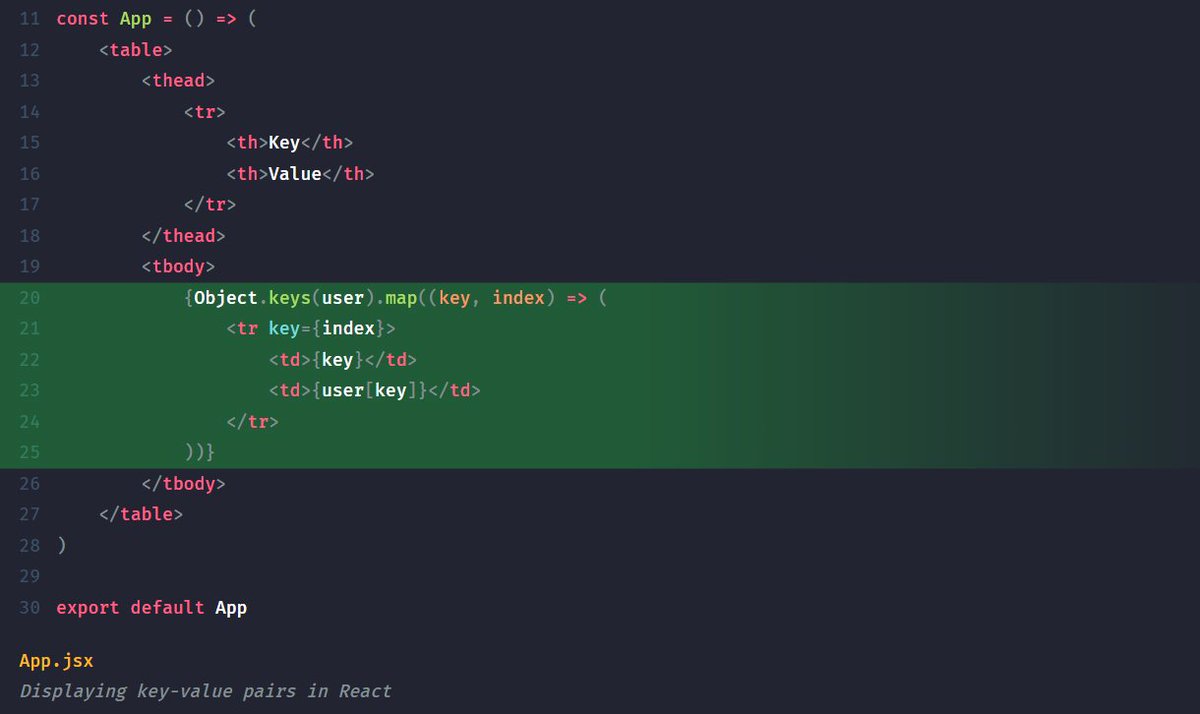
💡 Want to display a JavaScript object in a readable way in your React app? You can use a combination of Object.keys with a map to create a loop and display the data in a tabular format:
Learn what are the commonalities, and what are the differences between the local and storage session API in JavaScript, and how to use both of them.
https://t.co/MWQ0dSAnhB
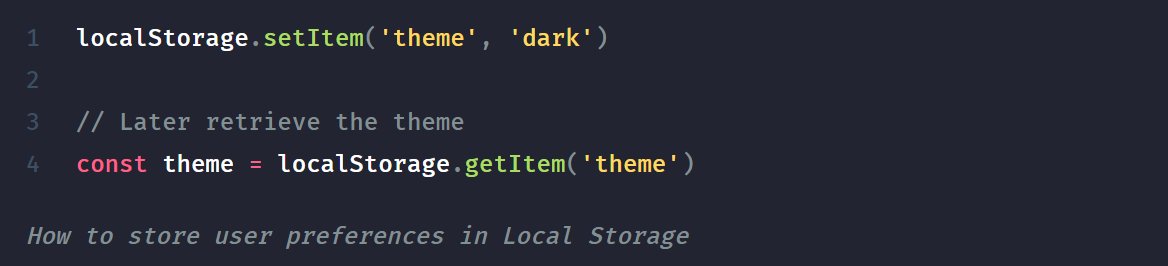
Using the Local Storage API is a great way to store small sets of data, such as user preferences in the browser, without having to rely on a database. It has:
✅ Easy to use API
✅ Low effort to implement
✅ Supports offline access
✅ Improved data privacy
💡 Do not confuse Local Storage with Sessions Storage. While both are client-side storage with a similar API, they have a key difference:
✅ Local Storage is persistent, retained after session
🚫 Session Storage is temporary, cleared after session
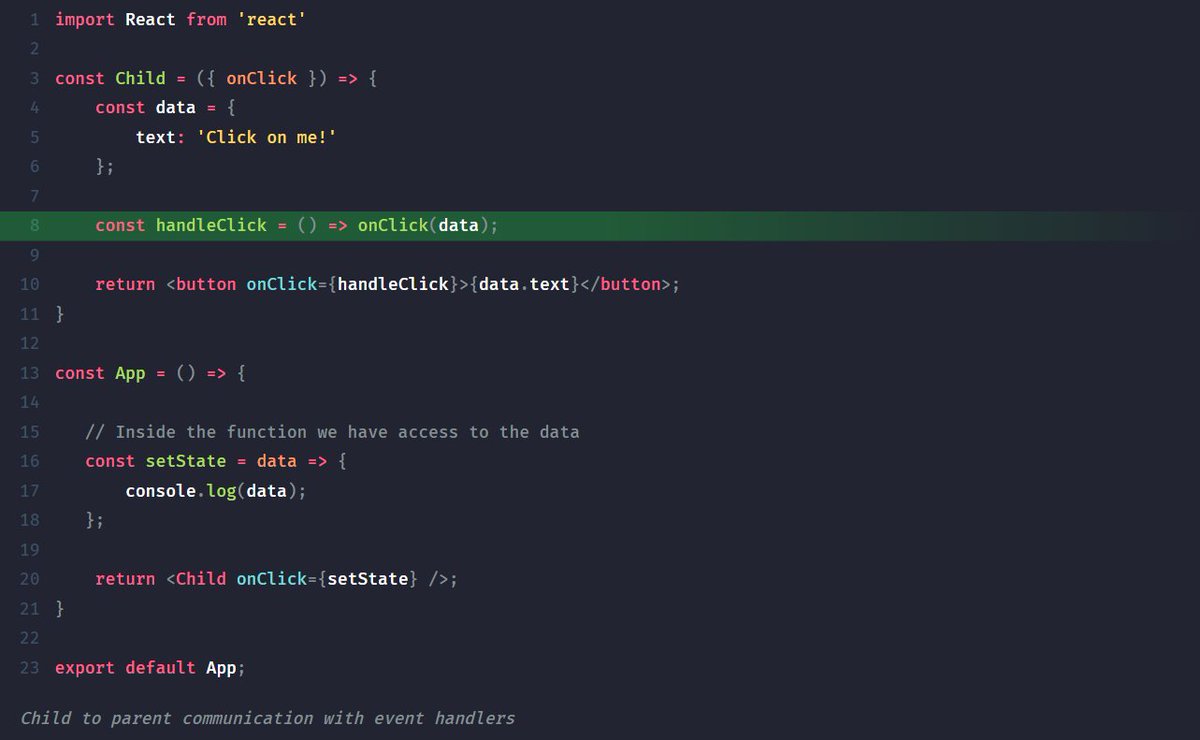
Here are four patterns you can use in React to improve your codebase:
1️⃣ Child-to-parent communication: Most commonly, you want to lift your state when you want to pass data from child-to-parent components. However, you can also use callback functions:
If you'd like to learn more about how to work with promises in JavaScript, check out the following tutorial which dives deeper into the topic:
https://t.co/IFO2DhuoHc
Carousels are a common way to present a list of media in a limited space. Learn how you can build the following animated Carousel component in React with the help of CSS transitions:
https://t.co/KQB85j1lkL
Modals are a great way to display information outside the regular content flow. You can create them natively in HTML in three simple steps:
1️⃣ Create the modal using a dialog element
2️⃣ Use form method="dialog" to close modals
3️⃣ Use dialog.showModal to open the modal