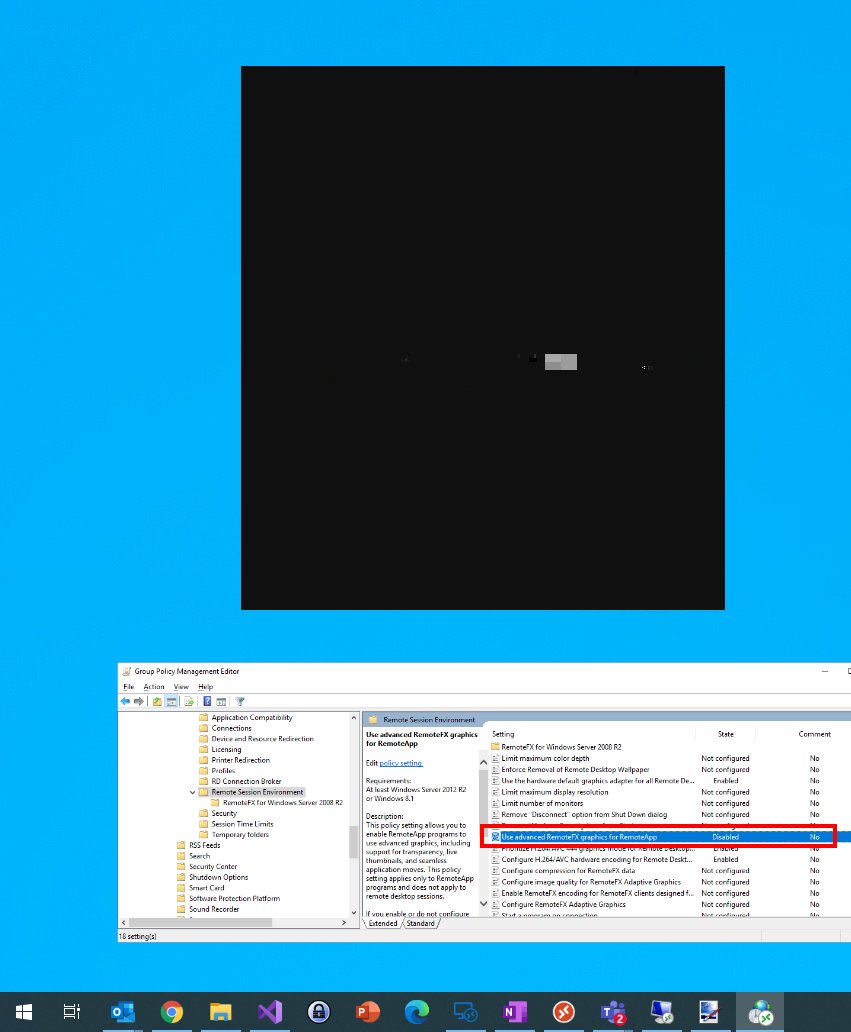
Getting a "black" remote app in Windows Virtual Desktop (#WVD) for some apps? Check your policy to resolve this:
Disable:
Windows Components/Remote Desktop Services/Remote Desktop Session Host/Remote Session Environment/Use advanced RemoteFX graphics for RemoteApp
New VMware Management Pack Update Release (20.9.2060.0) - Our fourth update release for 2020 of @OpsLogix VMware Management Pack for #SysCtr#OpsMgr#SCOM. Features includes Host Ram Disk monitoring and Discovery of Tagging information for Hosts and VMs.
https://t.co/uY7NTaasjW
📢📢📢Hey people! I just found that folder!😀
If you'd like to add your custom background in #MicrosoftTeams, upload it to this folder:
C:\Users\[USER]\AppData\Roaming\Microsoft\Teams\Backgrounds\Uploads
I’m presenting at the 1st ever @Microsoft meets Community event: Windows Virtual Desktop. Here’s what I will be talking about. Check the agenda. Interesting topics and WVD fun all around. Sign up now (almost full). See you there! https://t.co/DbCTI79vML #WVD#Community#MVPBuzz
BLOG UPDATE. Learn about new #deployment capabilities in this (updated) Windows Virtual Desktop (#WVD) technical (and expansion) walkthrough article — including more tips and tricks to accelerate you during your deployment. #WFH#Azure#Managedimage https://t.co/n9GTrcLhlT
Are you working with Azure AD Privileged Identity Management (PIM)? Are you using it in multiple tenants with different accounts?
I have written a small tool that manages your PIM connections.
Here is how it works:
https://t.co/3BfKEOHUkk
#AzureAD#PIM
Today I added a very cool feature for #WVDAdmin - my free Admin GUI for #WVD
You are now able to start MIRRORING user sessions directly from the GUI.
Thanks, Kevin Bohusch for the hint and command line. Supported from V1.3.5 from today.
https://t.co/kRBilSCnqr
#Community





![TomaszPoszytek's tweet photo. 📢📢📢Hey people! I just found that folder!😀
If you'd like to add your custom background in #MicrosoftTeams, upload it to this folder:
C:\Users\[USER]\AppData\Roaming\Microsoft\Teams\Backgrounds\Uploads https://t.co/67mPe94CUy](https://pbs.twimg.com/media/EVjQ1rgWsAERWbU.jpg)