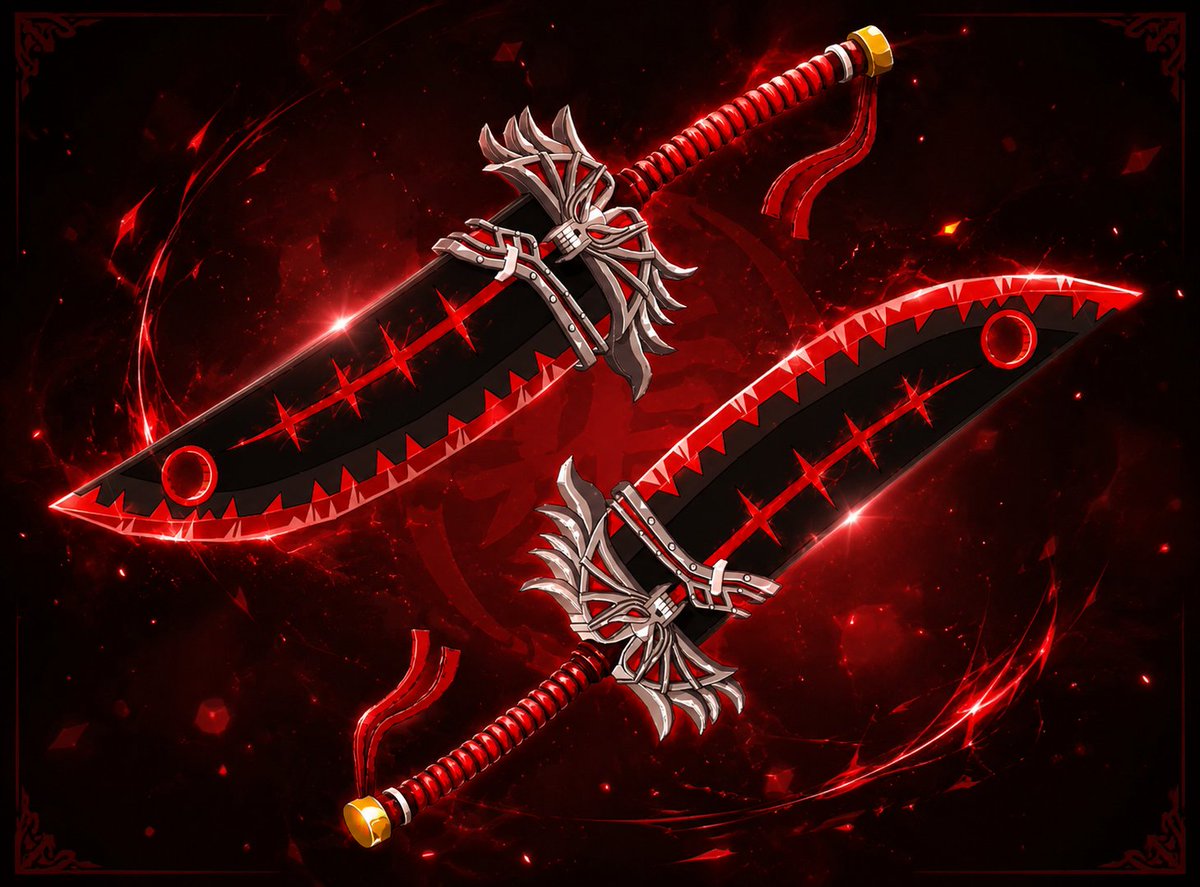
Random sword modeled for fun, found on Pinterest
Comm me:https://t.co/KK2Mo75MxX
P.s I promise it's not some type of graphic. Didn't like the blender background so I added some new background and added vfx.
#robloxart#roblox#ROBLOX#Robloxdev#3d#anime#Blender3d
Due to high requests in my Discord, I’m dropping this. 📂
I spent hours refining these fluid & elastic interactions in UILabs. Every layer was tweaked for maximum weight and depth.
🧵 Full technical breakdown in the replies: 👇
#RobloxDev#UIDesign#robloxstudio#robloxdevs
If you found this breakdown helpful, a like and repost goes a long way in supporting the craft! 🧡
If you want any more details regarding the process or specific easing values, reply here and I’ll get back to you. 🤝
Due to high requests in my Discord, I’m dropping this. 📂
I spent hours refining these fluid & elastic interactions in UILabs. Every layer was tweaked for maximum weight and depth.
🧵 Full technical breakdown in the replies: 👇
#RobloxDev#UIDesign#robloxstudio#robloxdevs
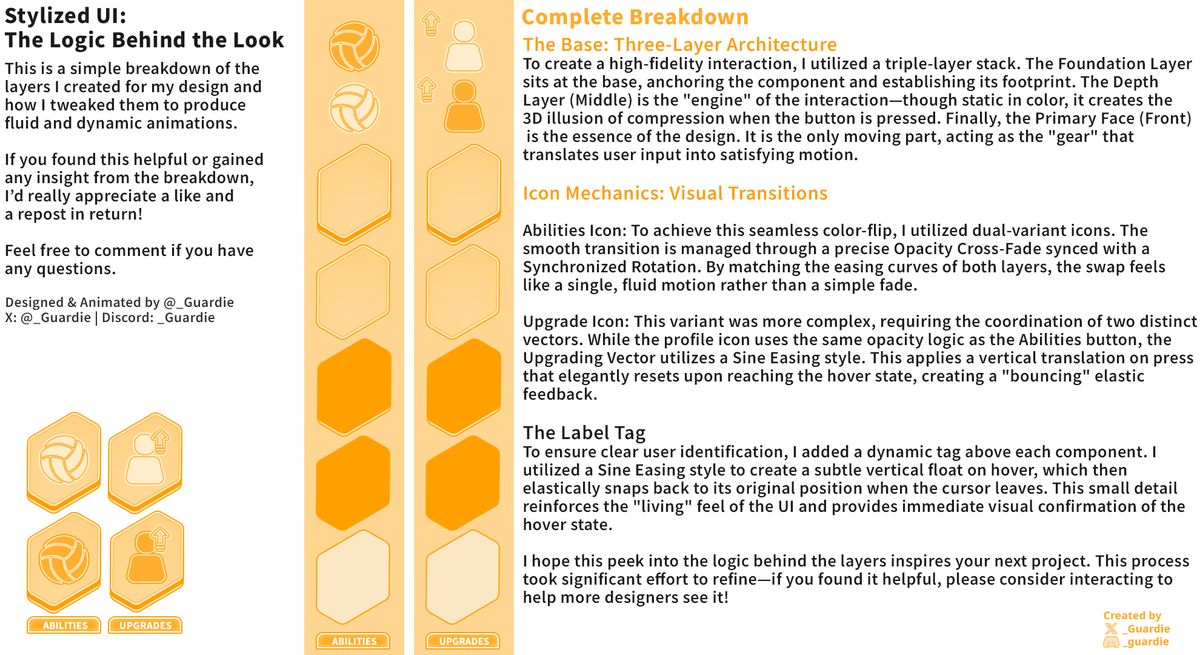
Here is the logic behind the look. 🔍
To get that 'elastic' feel, it’s not just one layer moving—it's a 3-layer stack working together to create physical depth.
Check the graphic for the breakdown of the icon mechanics and easing styles!
@IPCZ101 Used UI Labs as the base platform.
I separated the button into 3 main parts:
- back
- front
- tag
That made it way easier to animate each section independently.
The vector itself was fully handmade too, so recoloring and animating the 2 halves was really flexible.