Finally!!! So my Samsung S23 Ultra just decided to grow a green line down the middle of its screen. Out of nowhere. No drops. No Updates. Just woke up one day and chose chaos. 🧵
#Samsung#S23Ultra#GreenLine#DisplayDefect@SamsungIndia
The audacity of charging Ultra prices for non-Ultra quality control is genuinely impressive. At this point the green line is the most “Ultra” thing about this phone.
New @ICICIBank design feels like it skipped QA 😅 Typos, misalignments, bugs, missing features, even iWish deposits vanished from the app! 🤷♂️
Whats going on!!!!
#icicibank
I’m deeply moved and truly humbled by the love and heartfelt response for #Thudarum.
Each message and every word of appreciation has touched me in ways I can’t fully express.
Thank you for opening your hearts to this story, for seeing its soul, and for embracing it with such grace.
This gratitude is not mine alone. It belongs to every single person who walked this journey with me, giving their love, effort, and spirit to every frame.
To Renjith M, Tharun Moorthy, KR Sunil, Shobhana, Binu Pappu, Prakash Varma, Shaji Kumar, Jakes Bejoy and our extraordinary team — your artistry and passion made Thudarum what it is.
This film was made with care, with purpose, and above all, with truth.
To see it resonate so deeply is more than a reward. It is a true blessing.
With all my heart, thank you.
With love and gratitude Always ❤️
I explored Japan for 8 days in LESS THAN ₹1 lakh! 🇯🇵
Err... ₹96k ONLY 😍
Flights, hotels, sightseeing, local travel, food - ALL INCLUSIVE!
From Cherry blossom to blazing bullet trains, I did it all!
Unleash the backpacker in you.
Bookmark NOW & read on 👇
#Japan#Travel
📣 Calling all #DevOps & #DevSecOps pros: Ready to level up your skills with @JFrog
Gain hands-on experience that sets you apart + you could WIN Airpods Gen 2.
Limited spots available - secure yours NOW: https://t.co/JqIfBm4Wj1 https://t.co/2ojPlnkJKY
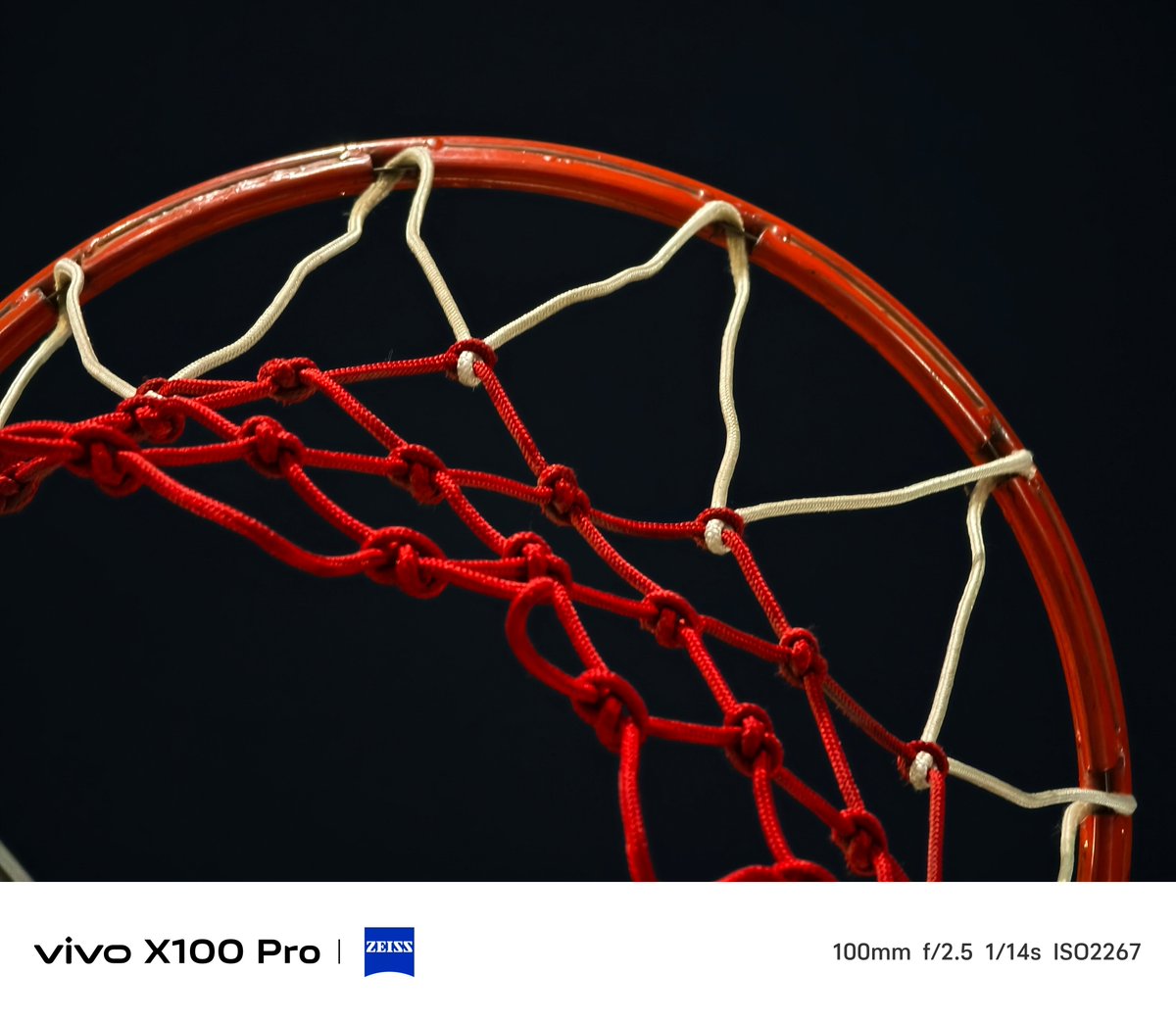
The 100 mm telephoto sensor of the vivo X100 Pro is AWESOME!
I know that the camera sensor is not the most advanced, but the processing is just so good. Pleasing yet doesn't try so hard to be extra.
@RjeyTech Android is the only one I have seen so I don't know how much it would be to get the kids in a good place and how they would go to the next step and to get the most important things in life
Many users have asked me how to downgrade their devices to One UI 5.1 after updating to One UI 6, which has been buggy for many users so far. In case you want to downgrade your device to One UI 5.1, below is a step-by-step guide that I have made :
In order to Downgrade your device, first you'll have to install SmartSwitch app on your Laptop/PC and take backup of your device.
(Note : If you've locked your notes in the Notes app then unlock them first or else they will not get backed up on SmartSwitch. Same goes for Secure Folder,if you want to backup your Secure folder data first move it out of the Secure Folder).
Then you'll have to download the firmware on your Laptop/PC which you want to flash on your device (in your case it's One UI 5.1). You can use https://t.co/fobSbrmeB1 to download the firmware for free.
Then you'll have to install the latest version of Odin on your PC (install v3.12.7).
Once the firmware download is complete,unzip the firmware folder.
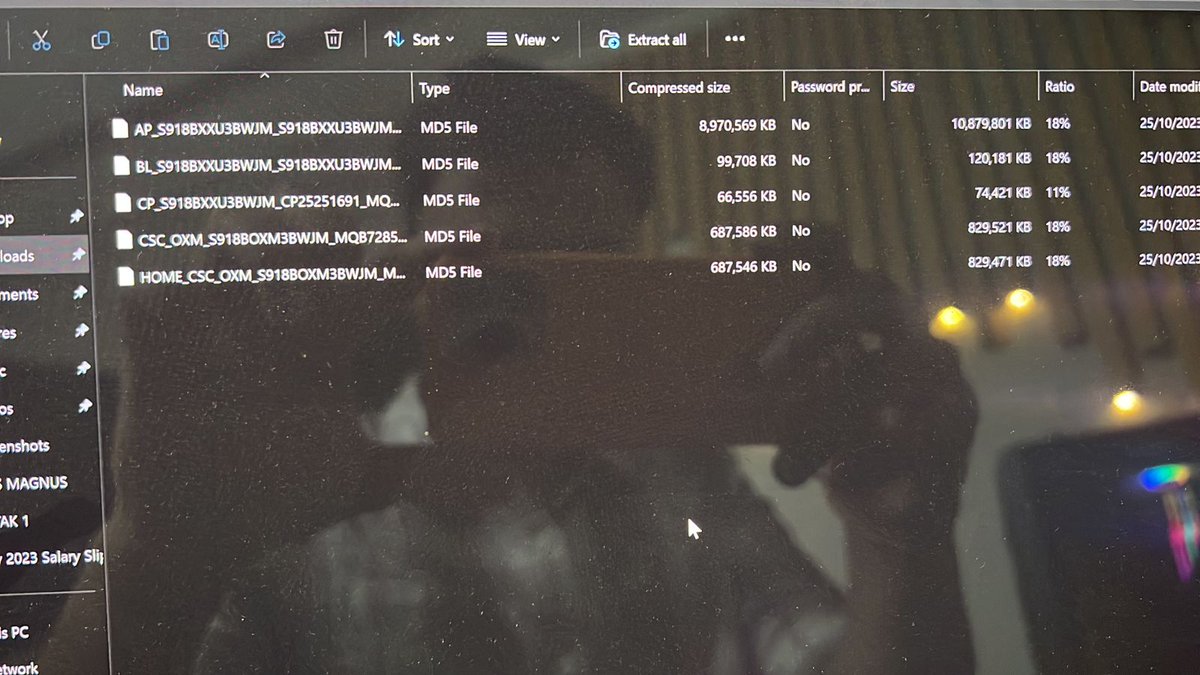
After unzipping the folder, you'll see files named BL,AP,CP,CSC & HOME_CSC.
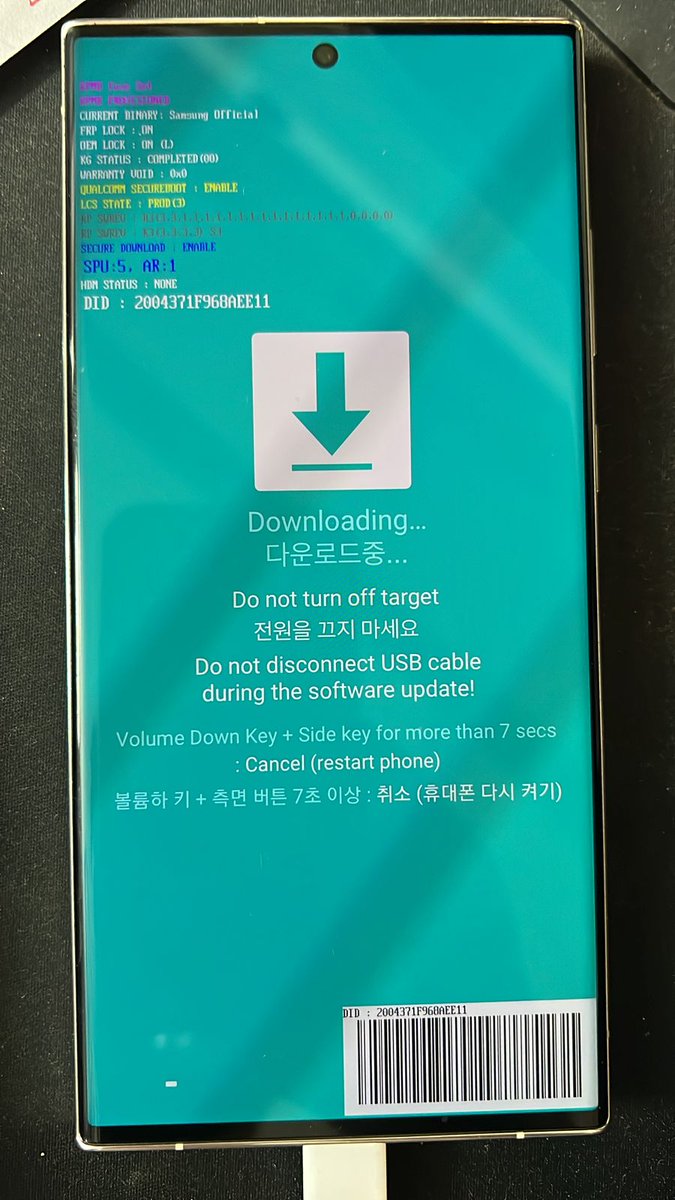
Now Turn Off your device,after it's Turned Off, press and hold Volume UP and DOWN Keys together and plug-in your device to your Laptop/PC. This will put your device in "Download Mode" (it's a blue screen with Korean stuff written on it).
Once you're on that screen press the Volume UP Key to continue.
Now open the Odin app which you installed on your device earlier.
Over there you'll see the BL,AP,CP,CSC empty boxes. Click on them one by one and choose the respective files from the firmware folder (Like the BL file will go into the BL box, AP in the AP box etc.).
(Note: When you get to the CSC box,choose the CSC file ONLY from the firmware folder and not the HOME_CSC file).
After you've placed all the files in their respective boxes on Odin,click START on the bottom. Now wait for the process to finish. Once it's done,your device will Restart and you'll see the "Welcome" screen on your device.
And Voila! Your device has been successfully rolled back to One UI 5.1 !!
Now you can restore the data on your device which you've backed up earlier on SmartSwitch app on your PC.