This Thursday, Nov 5, I'm doing a live security workshop. I'll hack a real production mobile app and show how our AI Pentester finds and exploits vulnerabilities in practice
Join me: https://t.co/p1gescd6Oj
On September 24, I’m hosting a free webinar with a special guest from Vimeo where we will discuss how AI is changing attacks on mobile apps, what new risks it creates, and what security teams should prepare for.
Register here: https://t.co/JCRzmaiyfp
I'm opening a limited 5-week free pilot for Oversecured 2.0
You’ll be able to test the new platform on your own apps
We’ll select a small group of companies for the first pilot: https://t.co/VCTZurkczN
On July 28, I'll host a live webinar introducing Oversecured 2.0
I'll show a new agentic approach to discover vulnerabilities, how we build vulnerability chains and create a map of attack vectors on your apps
Link to register: https://t.co/PiyPxjbdBv
I’m looking to talk to people who work with mobile app security inside companies.
I want to better understand your real workflow, tools, pain points, and what still feels too manual.
There’s a reward of your choice for the interview.
Form: https://t.co/uR4MhM1goR
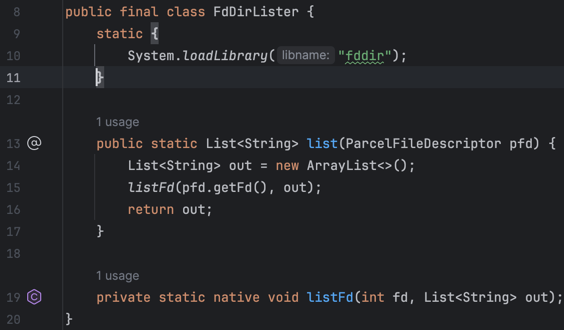
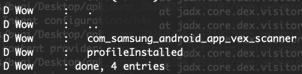
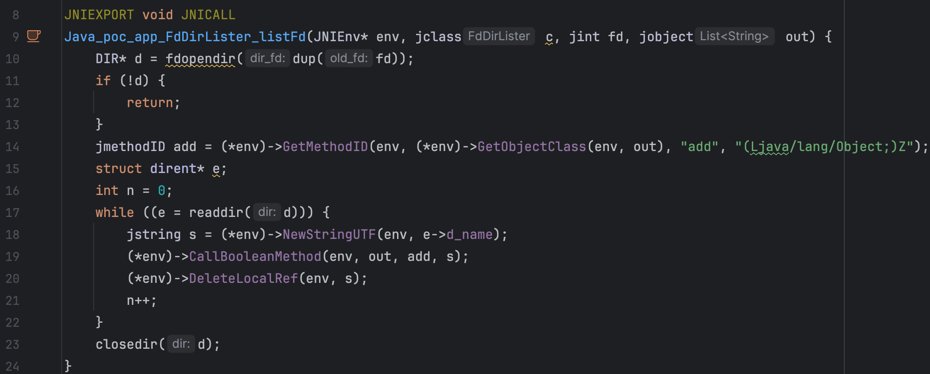
[1/3] It's common to get a ParcelFileDescriptor pointing to a directory through an Android ContentProvider. But can you actually turn that into a directory listing?
[2/3] Examples:
- FileProvider pointing to files/cache directories
- A misconfigured ContentProvider that can be tricked into returning a ParcelFileDescriptor pointing to a directory
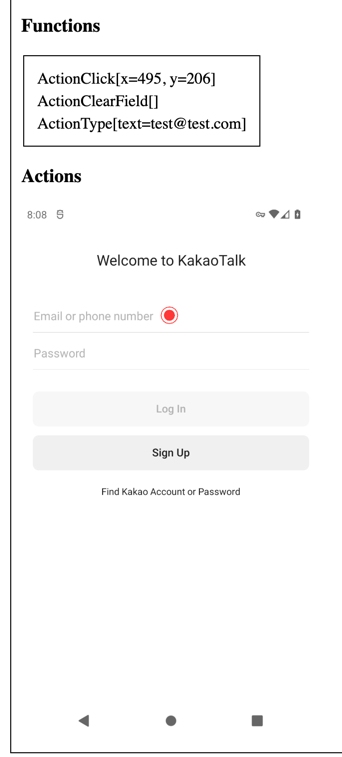
We launched Android DAST. And the first problem we hit is that login flows block everything.
So we used LLM to log in automatically. This is what debugging looks like
[4/4] If the implementation of ContentProvider.getType(), query(), openFile() does anything other than simply returning a ParcelFileDescriptor or data from a database (making directories, debug mode, dumping logs), an attacker can trigger it this way and gain privilege escalation
An attack on Android content providers that researchers might overlook
[1/4] Android has a mechanism to restrict access using the exported attribute or by requiring permissions
[2/4] But system apps ("android.uid.system" and maybe systemui) automatically bypass these restrictions and can access arbitrary components
[3/4] It's trivial to force a system app to call ContentResolver.query() or openInputStream() for an arbitrary Uri
We’re hiring a Mobile App Security Expert!
What you'll do:
- Research Android/iOS internals and ship new SAST/DAST checks
- Turn real-world findings into PoCs and write-ups
- Be the technical voice with customers: explain findings, advise architecture, guide CI/CD setup
[4/4] Limitations:
1. The lack of scheme validation
2. You also need to bypass the network security config:
- Easy case: usesCleartextTraffic is set to "true"
- Hard case: checking the app's network security config and trying to load your own host (or you control DNS responses)
New Android host validation bypass technique!
[1/4] All parsed URIs in Android are https://t.co/x8giXOfU0w.Uri.StringUri objects. However, the scheme parser only looks for the ":" delimiter
[3/4] This will only work if the scheme isn't validated either. This attack can increase the impact in cases when, e.g., the victim's access token is appended to the request headers