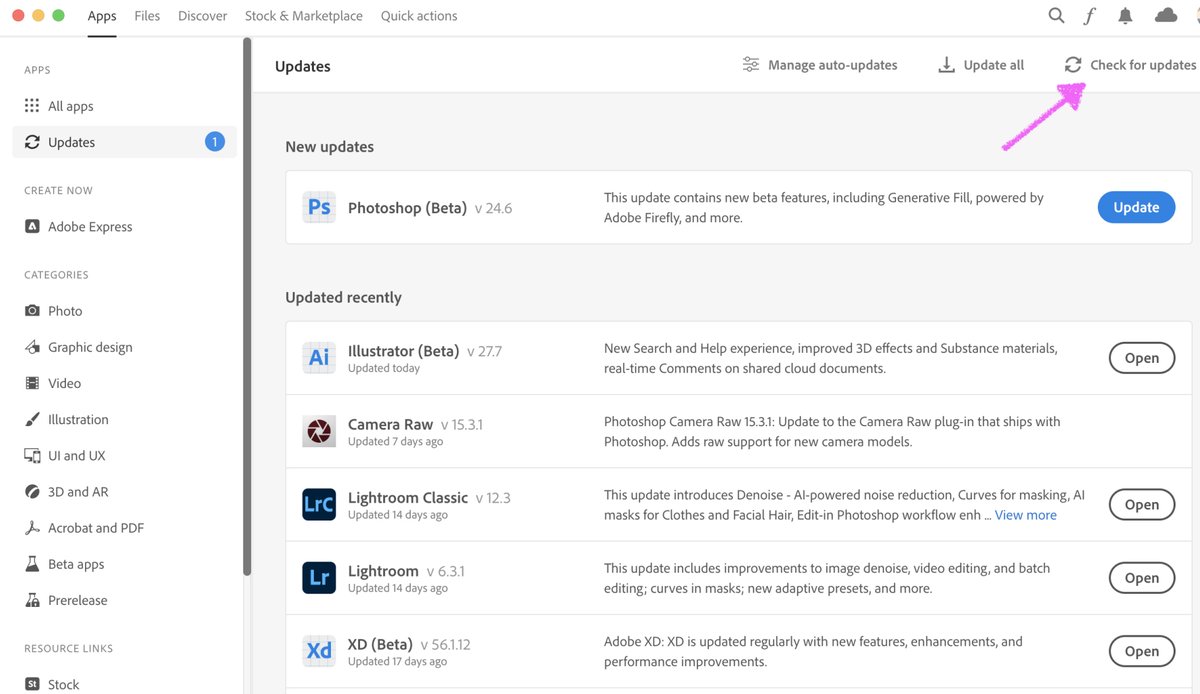
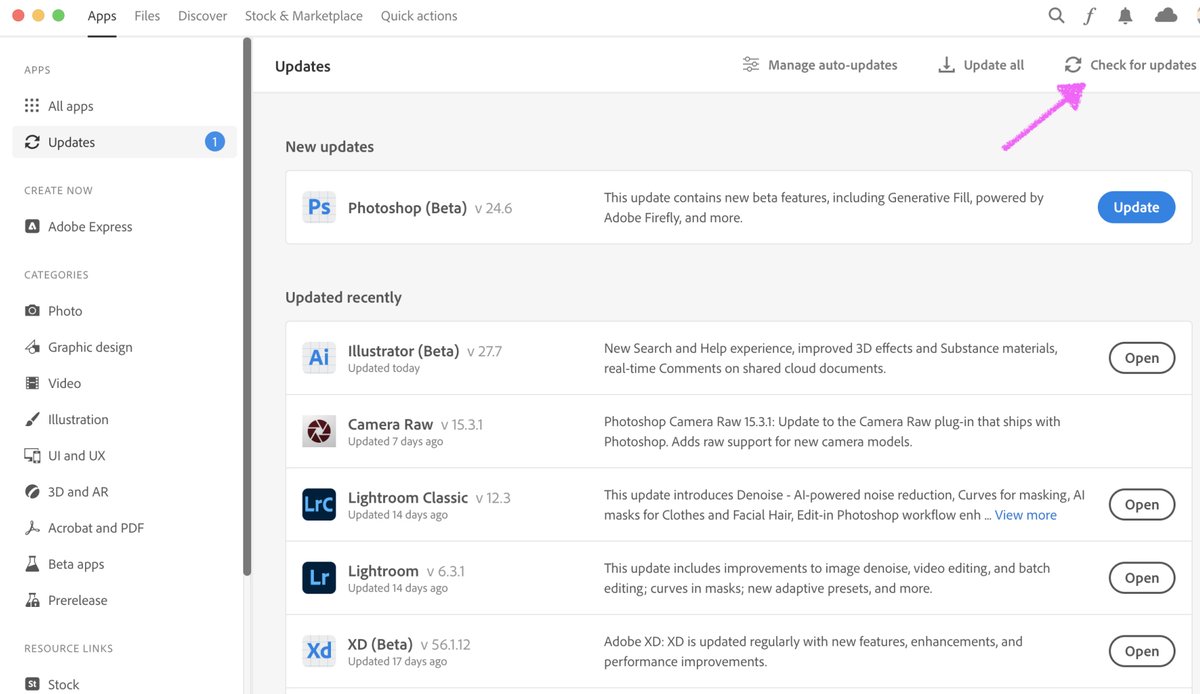
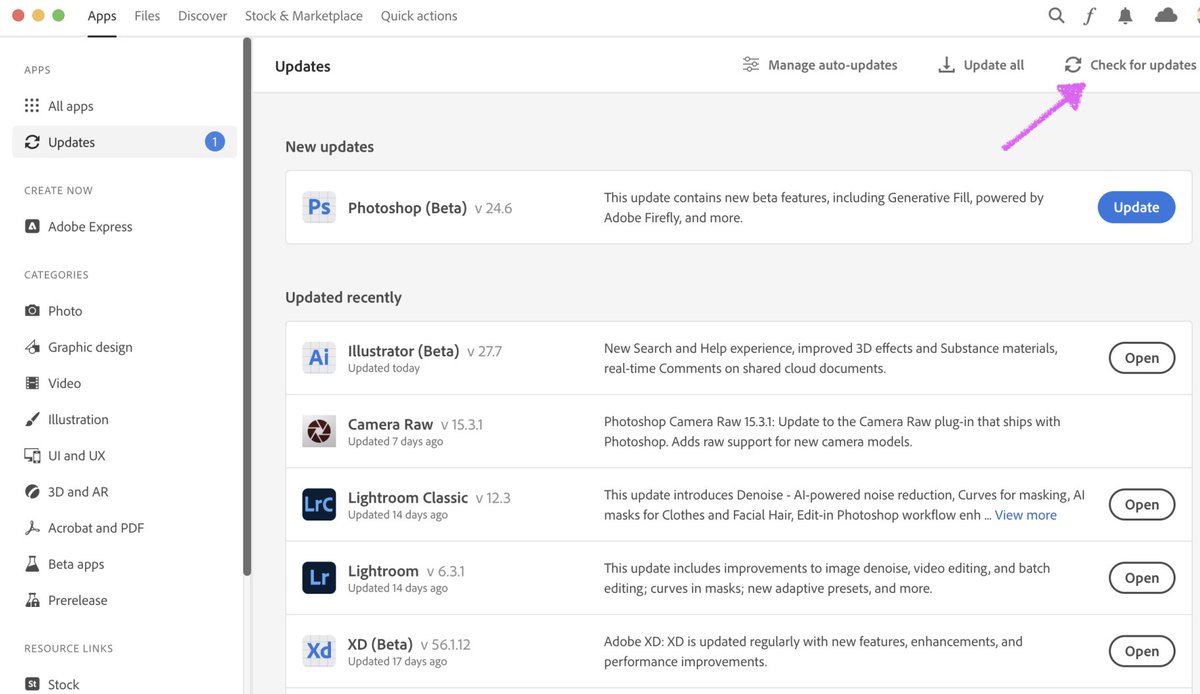
@jay_weight@Photoshop Make sure to "Check for Updates" in the Updates tab of CC Desktop. You'll want version m.2181 in Ps beta's Help > System Info.
Excited to share news of the latest feature we've been working on #GenerativeFill available now in the Photoshop (beta) app. Check it out!
https://t.co/kMyez1KQON
@knucracker@AdobeCare@_andreaswacker Make sure to "Check for Updates" in the Updates tab of CC Desktop. You'll want version m.2181 in Ps beta's Help > System Info.
@Harry_The_Greek@Adobe@Photoshop Make sure to "Check for Updates" in the Updates tab of CC Desktop. You'll want version m.2181 in Ps beta's Help > System Info.
@salihtahir @vw_artist @andriyand__@Adobe@Photoshop Make sure to "Check for Updates" in the Updates tab of CC Desktop. You'll want version m.2181 in Ps beta's Help > System Info.
@grantfriedman@Photoshop Sorry for the trouble Grant...It could be that you downloaded the previous 24.6 version of Ps beta, Make sure to "Check for Updates" in the Updates tab of CC Desktop. You'll want version m.2181 in Ps beta's Help > System Info.
@benmitchell79@terryleewhite@Photoshop make sure to "Check for Updates" in the Updates tab of CC Desktop. You'll want version m.2181 in Ps beta's Help > System Info.
@fofrAI@juliewdesign_@Photoshop Make sure to "Check for Updates" in the Updates tab of CC Desktop. You'll want version m.2181 in Ps beta's Help > System Info.
@VernardFields@Adobe@Photoshop Make sure to "Check for Updates" in the Updates tab of CC Desktop. You'll want version m.2181 in Ps beta's Help > System Info.
@sihorrock@jtriest@juliewdesign_@Photoshop As you've seen, make sure to "Check for Updates" in the Updates tab of CC Desktop. You'll want version m.2181 in Ps beta's Help > System Info.
Do you use Photoshop? Would you like to take part in helping the Photoshop team make Photoshop the best it can be?
Sign up to join our Photoshop Prerelease program! https://t.co/ZuyoQCQzeX
@33xtc Really sorry about this experience. For now I’d recommend rolling back to Photoshop 23.3.2: https://t.co/8IELjxUyla
We are working to get a fix out for this ASAP.
Workaround for 23.4 would be disabling GPU compositing in Photoshop Preferences > Performance > Advanced