aaPanel is a free Linux web hosting control panel. Easily manage websites, databases, SSL, and server security. Follow us for product updates and tutorials.
Node.js 27 Alpha came out on November 26, 2026.
Two changes stand out: how the client matches responses to requests when it reuses HTTP connections, and the move to phase out TLS 1.2 renegotiation.
Safer HTTP connection reuse. The Node.js client reuses connections to avoid the overhead of opening new ones. A bug (CVE-2026-105481) could cause it to treat data it received before it sent a request as the response to that request. Node.js 27 Alpha includes the fix already released for supported branches. It also tightens the rules for sharing HTTPS connections so requests with different certificates or trust settings don’t share an unsuitable connection. The HTTP/2 client now enforces the configured session memory limit when it opens a new stream.
TLS 1.2 is still supported. The feature being deprecated is renegotiation, which means performing another handshake on an existing encrypted connection. It’s still enabled by default in this release. Developers can turn it off to check whether older gateways or partner APIs depend on it. If your service needs a client certificate, the Node.js team recommends requesting it during the initial handshake.
The patched versions listed in the November security advisory are 22.23.5, 24.22.3, and 26.13.1. Install the version for your current branch or a later security update on that branch. 27 Alpha is better suited to a test environment where you can check compatibility ahead of time.
1Password began investigating the breach on November 19, 2026, and made it public on November 25. The attackers took over an employee’s company GitHub account, copied private source code, and pushed malicious code to a backend service. They also downloaded account information for some customers.
⬇️ Here’s what was exposed ⬇️
- Names, email addresses used to sign in, and account and user IDs for some customers
- When those customers signed up and when they last signed in
- Tokens from links in some invitation and account recovery emails
1Password says the tokens alone can’t be used to sign in. The company contacted the small number of users who were in the middle of an invitation or account recovery process when the breach happened.
According to 1Password’s investigation, the attackers didn’t access any passwords or other items in customer vaults. The keys that protect those vaults and the account recovery keys were also unaffected.
1Password says you don’t need to reset your password because of this breach. If you get an invitation or account recovery email you didn’t request, open the official app or type the website address into your browser to check. Don’t enter your account password or Secret Key on a page you reached through an email link.
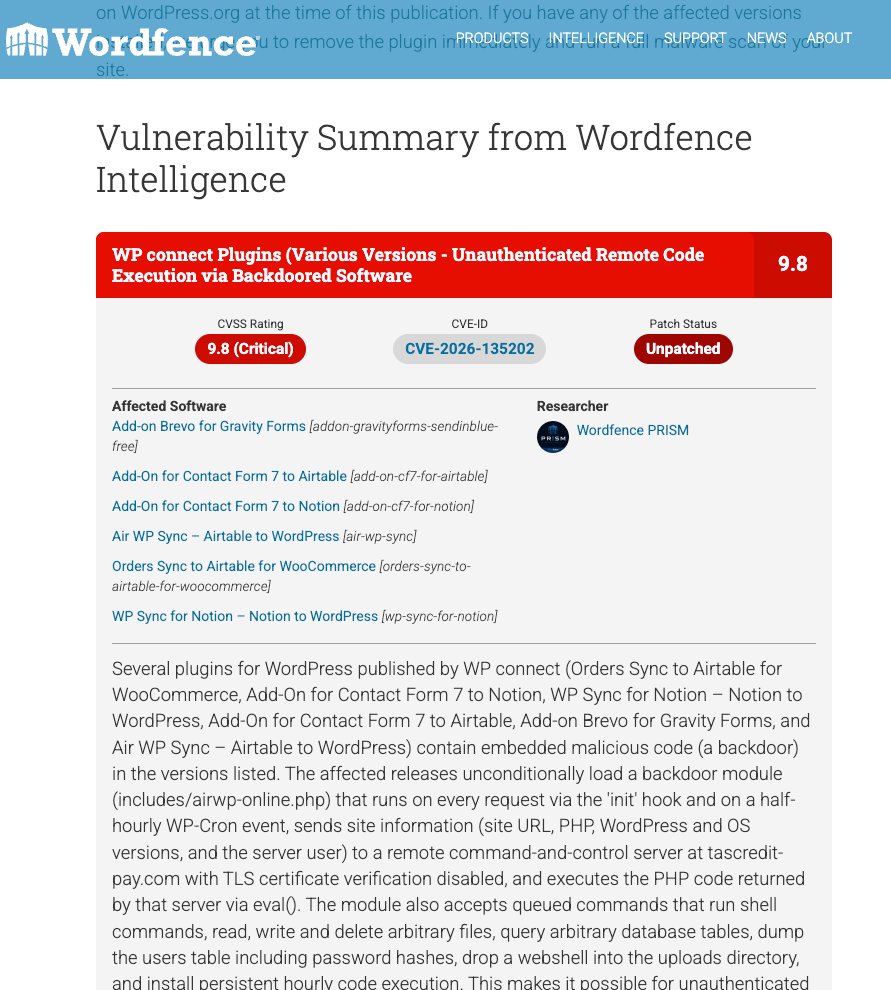
WordPress blocked updates for six plugins after backdoors were added, before any of the updates went live.
All six plugins came from the same developer, WP Connect. On November 22, someone committed the same malicious code to each plugin’s official repository. Researchers suspect the developer’s account was compromised.
WordPress has a waiting period between when plugin updates are submitted and when they go live. That gave the plugin team time to block the updates.
⬇️The team also permanently removed the six plugins listed below⬇️
1.Air WP Sync – Airtable to WordPress
2.WP Sync for Notion – Notion to WordPress
3.Add-on Brevo for Gravity Forms
4.Add-On for Contact Form 7 to Airtable
5.Add-On for Contact Form 7 to Notion
6.Orders Sync to Airtable for WooCommerce
⚠️ Chrome just patched a critical flaw in the system it uses to roll out features
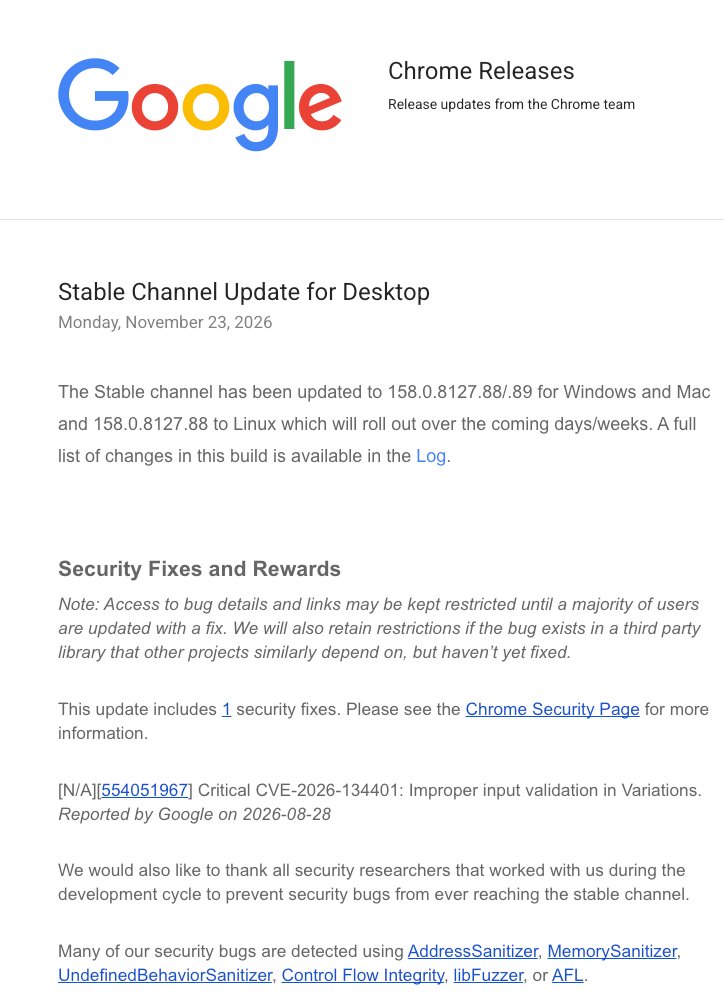
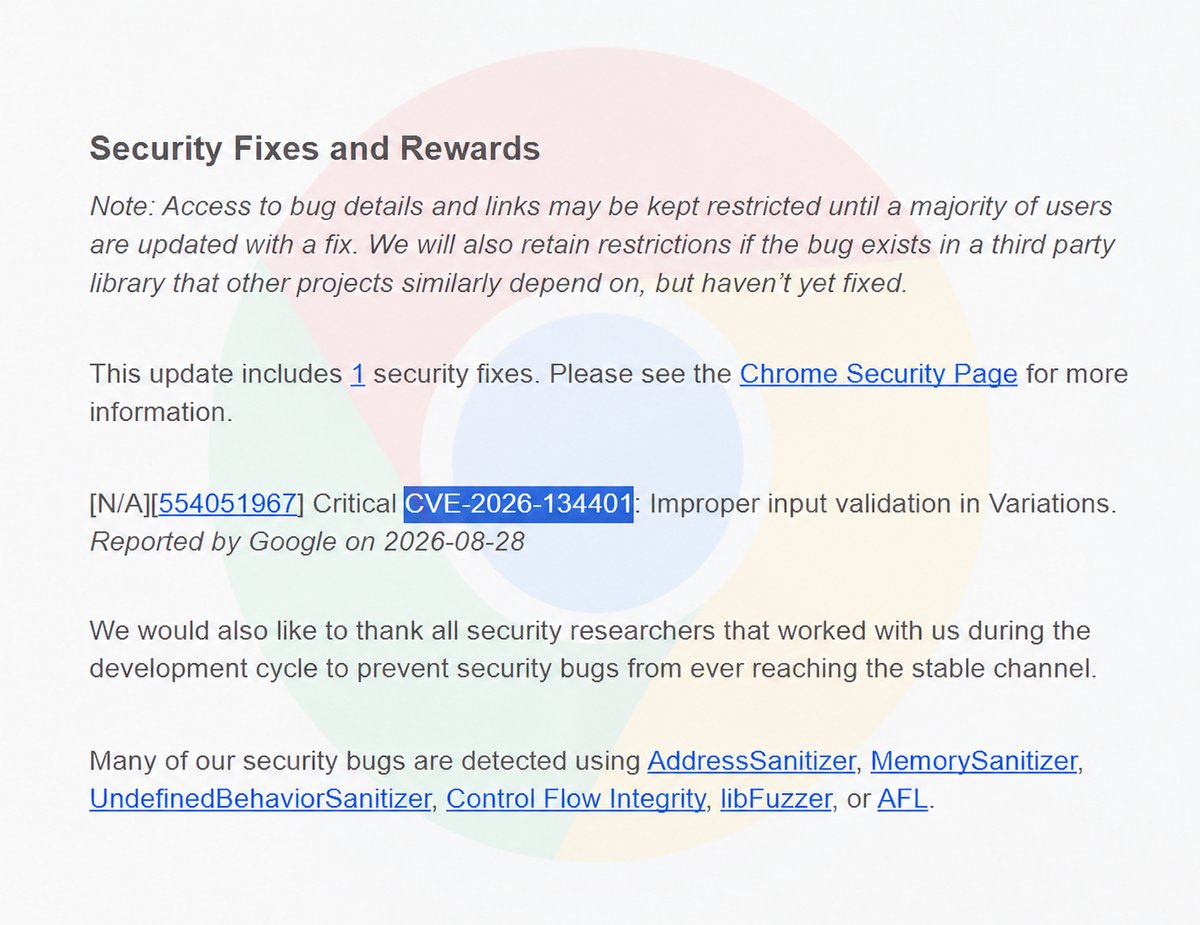
On November 23, Google fixed CVE-2026-134401 in Variations, the system that lets it switch on features and run experiments between Chrome releases. The potential impact is serious: visiting a malicious page could allow code to run outside Chrome’s sandbox. Google’s release notes
One detail deserves a closer look. When Chrome can’t fetch its experiment settings over HTTPS, it can retry over plain HTTP. That drops encryption for the retry. Whether that fallback caused this particular flaw is still an open question. Google’s public advisory identifies an input-validation bug in Variations and gives no further explanation of the cause
Vanadium, the browser included with GrapheneOS, disables remote Variations. Brave runs its own rollout service and blocks the HTTP fallback. Those choices matter because browsers built on Chromium can handle the same feature differently. Claiming either browser “beat Google to the fix” would take evidence linking the fallback to this bug
If you use desktop Chrome, open Help → About Google Chrome, let the update finish, and relaunch
🚨 Update Chrome NOW!
Google has released an emergency-worthy security patch addressing a CRITICAL vulnerability (CVE-2026-134401).
Chrome 158.0.8127.88/.89 is rolling out to Windows, macOS and Linux.
Hey guys, I’ve got something for you!
Sorry for all the Black Friday promo emails lately.
I tucked some redemption codes at the very bottom of the next email as a little gift for you.
The email’s ready to go, and I’ll send it out in a couple of days. Make sure to open it and scroll all the way down!
It’ll hit inboxes at random times, so it’s down to luck. First come, first served!
Only a limited number of codes are available!
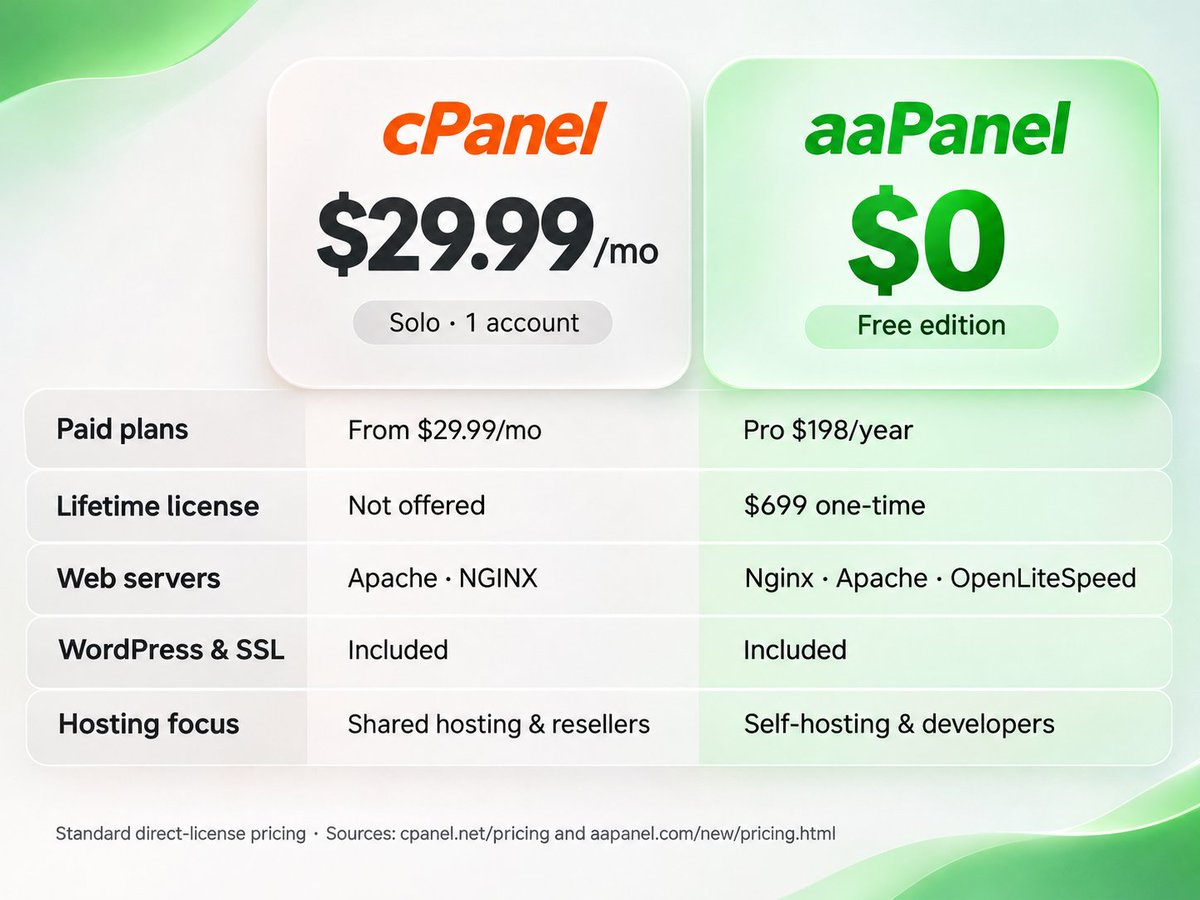
Looking for a cPanel alternative? Why not give aaPanel a try?
If you’re thinking about moving away from cPanel, start with one question. Do your clients need to log in to a hosting control panel, or do they just need you to keep their sites running?
Say you run a web design agency and maintain 20 client sites. Your clients log in to WordPress to publish posts and change product prices. You handle the server. When you open the panel, it’s usually to set up a site for a new domain, troubleshoot a PHP error, renew a certificate, or back up a database before a redesign.
If that sounds like your day-to-day, aaPanel is a good first cPanel alternative to try. aaPanel Free covers most of the work teams like yours do every day. If you take on a Node.js or Python project later, you can manage it from the same panel you already know.
What are you actually paying for?
Let’s give cPanel a fair comparison. Say all 20 sites are on one VPS and you manage them from a single account. cPanel Solo can handle multiple sites under that account. Based on the annualized price shown on cPanel’s website, the license costs about $329.52 a year. For the same setup, aaPanel Free has no license fee and includes tools for websites, databases, FTP, Docker, SSL certificates, and basic WordPress management. If your agency runs on one VPS, you could put that money toward offsite backups or a server upgrade.
What if your clients actually need their own logins? Take a setup with 30 separate client accounts. cPanel Pro works out to about $593.52 a year, while aaPanel Pro’s regular annual price is $198 and its listed features include up to 30 client subaccounts. Each subaccount has its own dashboard, and you can set limits on disk space, bandwidth, and the number of sites. That’s a difference of about $395.52 a year in base licensing costs. If that setup meets your clients’ needs, there’s a clear reason to consider aaPanel Pro.
What does aaPanel make easier?
Say a client starts with a WordPress site and later asks you to add a booking app built with Node.js. Six months later, the booking page won’t load. Whoever picks up the issue has to figure out where the app is deployed, what’s managing the process, when the domain’s SSL certificate expires, where the logs are, and so on.
aaPanel’s All Projects view puts PHP, WordPress, Node.js, Go, Python, and reverse proxy projects in one list. Find the domain, open its project, and check the settings, logs, and certificate from there. You can also scan for and import existing PM2 services. When you link an existing PM2 process, it can keep running. That makes life easier for a small team looking after several client projects.
What about moving off cPanel?
A migration that goes wrong can be the most expensive part of switching panels. I’d start with one site you know well, can test easily, and can switch back at any time.
aaPanel lets you import accounts from cPanel, and you can import WordPress sites into WP Toolkit. Set up a new server and keep the original site running. Then use a test domain to check three things:
Submit a form and make sure the email comes through.
Log in to the admin dashboard and upload an image.
Restore the site from a backup.
If most of your revenue comes from multi-tier reseller hosting or complex hosting plans, or your clients rely on your existing email and account recovery workflows, it’s worth running a few more rounds of testing before you migrate. If you’re a developer, run a web design agency, or are picking a panel for your first live site, you can start with aaPanel Free.
aaPanel 8.0.8 Stable Release Notes
This release includes 25 changes: 2 security updates, 9 new features, 5 improvements, and 9 bug fixes. It adds PHP 8.6 support, gives you one place to manage all your website projects, and fixes a thread deadlock that could make the panel stop responding.
Security updates (2)
1. Updated the Nginx WAF rules to block requests that try to exploit the PHP2Shell vulnerabilities (CVE-2026-109618 and CVE-2026-109619).
2. Added one-click temporary protection against both PHP vulnerabilities under Home → Security. We still recommend upgrading PHP.
New features (9)
1. Added support for PHP 8.6.
2. You can now see a breakdown of disk usage by category on the Home page.
3. Create or import Go and Python projects under Home → Quick Deploy.
4. Manage all your website projects in one place under Website → All Projects.
5. Rename sites and copy site names with one click under Website → PHP Project.
6. Scan & Import now supports PM2 projects under Website → Node.js Project.
7. Create Go projects by scanning running processes under Website → Go Project.
8. Give tasks custom names when you create or edit them in Cron.
9. Added a prompt to take a user experience survey after 7 days.
Improvements (5)
1. Improved how Git Manager handles file permissions.
2. Improved cross-site handling, package verification, and SSL SNI configuration in WP Toolkit.
3. Improved how Files renders lines of text and handles related logic.
4. Reduced disk reads from scheduled SSH log statistics collection.
5. Improved the pages for buying Pro and plugins, using licenses, and learning about features.
Bug fixes (9)
1. Fixed a thread deadlock that could make the panel stop responding.
2. Fixed an issue in Nginx where enabling or disabling a site that used a non-root directory reset the site directory to the root directory.
3. Fixed a protocol rewriting issue in WP Toolkit when the primary domain didn’t match the SSL certificate.
4. Fixed an issue where an OPcache JIT process crash prevented users from adding WordPress sites.
5. Fixed missing request statistics for domains linked to Node.js projects.
6. Fixed incorrect remote backup filenames generated by PHP Project and WP Toolkit.
7. Fixed an issue where MariaDB showed the wrong running status in some cases.
8. Fixed errors during fresh MySQL installs or forced root password resets.
9. Fixed missing CPU usage data in Monitor in some cases.
Paying monthly just so your control panel renews SSL certificates and runs backups? Most people don’t need the full paid version anymore. Free alternatives now handle both jobs reliably.
https://t.co/a3NPQn0znF
#ControlPanel#WebHosting#VPS#LinuxServer#SSL