لو بتتساءلوا في اندرويد كيف ممكن نتعامل مع الموضوع،
ف عنا بالـ strings file شيء اسمه plurals من خلاله بنقدر نحدد النص المناسب حسب الكمية، مثلًا :
<plurals name="passengers_count"> <item quantity="zero">لا يوجد ركاب</item> <item quantity="one">يوجد راكب واحد</item> <item quantity="two">يوجد راكبان</item> <item quantity="few">يوجد %s ركاب</item> <item quantity="many">يوجد %s راكبًا</item> <item quantity="other">يوجد %s راكب</item> </plurals>
طيب كيف Android بيعرف أي واحدة رح يستخدم؟
Android بيدعم 6 حالات:
zero
one
two
few
many
other
وبيحدد متى يستخدم كل واحدة بناءًا ع لغة التطبيق لانه كل لغة الها قواعد خاصة فيها.
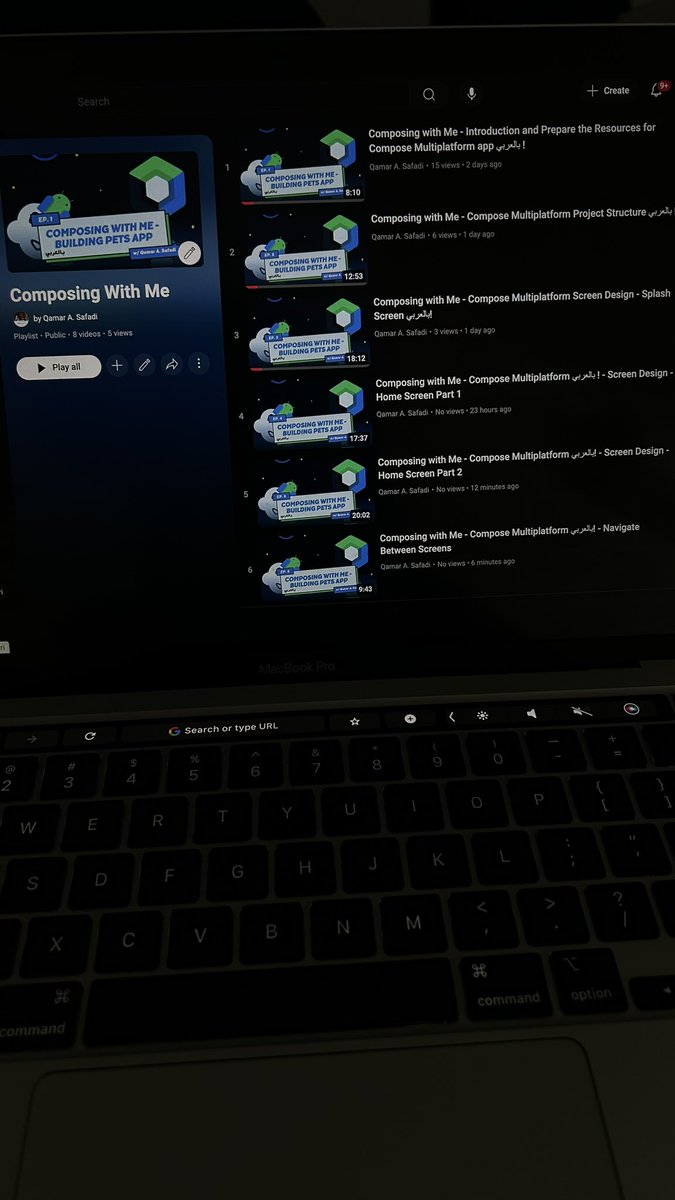
صارلي يومين بشتغل على بلاي ليست خاصة في
Compose multiplatform، رح تكون اول تجربة إلي في اليوتيوب ف أعذروني ع الاخطاء مقدمًا،
لسا البلاي ليست unlisted محتارة هل أنشرها من الآن او استنى بس اكملها للآخر محتاجة اسمع رايكم 😁!
دا هيساعدك تنظم افكارك فهتلاقي الدنيا اسهل واسرع
واه دا بيبقي صعب شويه إنك تعمله قدام لاسباب كتير زي الشغل الكتير او الـ responsibilities اللي هتزيد عليك كل ما تكبر.
بجانب كل الـ technical advices ، استغل الفتره اللي بتسمع فيها اراء وافكار الاخرين حواليك في إنك تبني طريقتك في التفكير واتخاذ القرار. متعملش الحاجه وخلاص لأ ، فكر في كل حاجه قبل ما تعملها ، دور عالـ best practice ، user experience ، scaling ، maintenance & updates ....
وجرب تفكر في كل السيناريوهات اللي ممكن تطلع ، وتناقش فيها من وقت للتاني مع الـ senior بتاعك. دا هيوفر عليك كتير لما تبقي senior وهيخلي عندك رائ مسموع وهيوفر عليك وقت في انك تفكر هتعمل كل تاسك ازاي و��يساعدك تبني كود كويس في اي project.
واتعود تمسك القلم وتخطط هتعمل ايه قبل ما تبدا
هو اكيد الجماعة بتوع Android development في امان من أي حاجة لها علاقة بالذكاء الصناعي عشان التخلف اللي الواحد بيشوفه من Gradle و Android Studio لا هينفع معاه ذكاء صن��عي ولا ذكاء طبيعي
Code suggestions can help you translate code in your app without messing with string names — they just change the values! 🌍✅
Explore more → https://t.co/icoY8dw7Rx
📣 Dev news incoming!
Soon, you can experiment with an early preview of Android Studio on Project IDX running fully in your browser — no machine setup required.
Sign up for early access program here → https://t.co/USctgt1xTG
لعنة ال demo حقيقية. كلما زادت أهمية ال stackholders اللي في الاجتماع كلما زادت احتمالية حدوث مشاكل امامهم.
أهم شئ تعلمته وقت أي demo انك:
- تحافظ على رباطة جأشك أمام الآخرين
- تكون ذكي أثناء العرض. لا تتوقف أمام مشاكل النظام.
- تطمئن من أمامك ان كانت المشكلة بسيطة.
- فكر بسرعة
What's new in #AndroidStudio Koala 🤔?
Last day @AndroidDev team released the Android Studio Koala version, in this post we will dive deep into what's new in this version.
⏩️ Gemini API template : Easily build apps with Generative AI using the Google AI SDK through the new Gemini API template.
⏩️ Side by side layout in Running Devices : Display multiple devices simultaneously. Use the menu to choose Split Mode Right or Split Mode Down, or drag a device tab to a new spot.
⏩️ New Terminal : Enjoy a refreshed terminal with commands in distinct blocks, smooth block navigation, and command completion.
⏩️ Sticky lines in the editor : Pin key code elements like class or method beginnings to the top of the editor as you scroll, making navigation easier.
⏩️ K2 Kotlin mode : Improved stability and compatibility with future Kotlin 2 features, enhancing code analysis quality and IDE reliability.
⏩️ In-editor code review : the most interesting part! Review code directly in the editor with new tools like pink markers for changes, popups for original code, and gutter icons for discussions and comments.
⏩️ Inline breakpoints for multiple statements : Set and configure breakpoints within lines containing lambda functions or return statements, allowing advanced debugging.
Which new feature are you most excited to try out in Android Studio Koala?