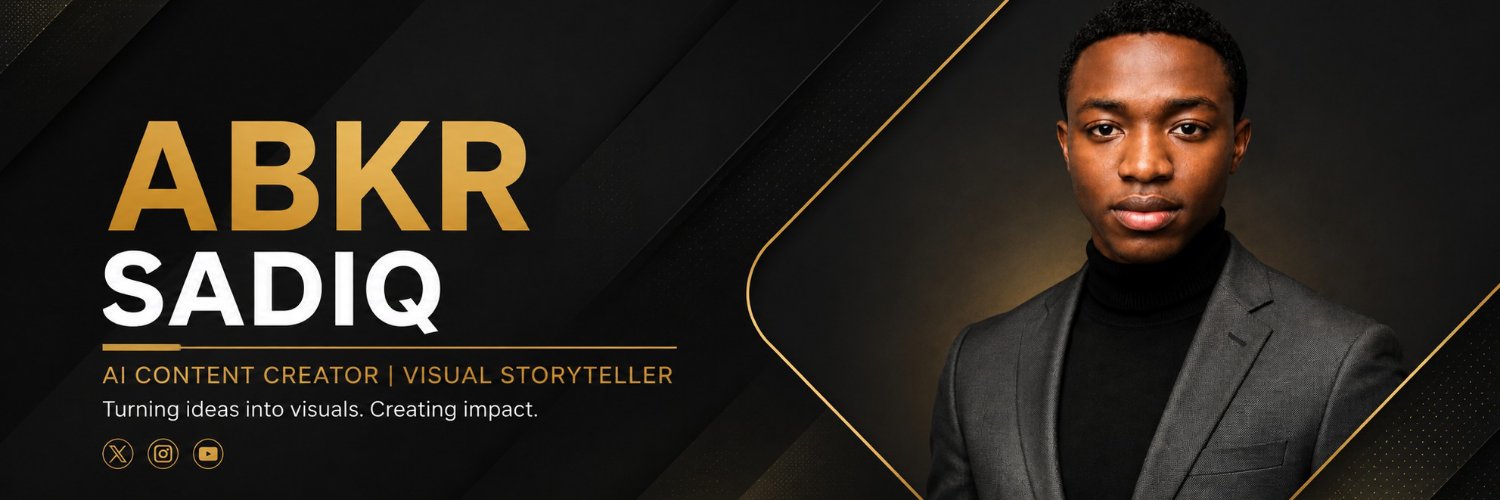
🔥 STOP PAYING MORE FOR EVERY PHOTOSHOOT! CREATE STUNNING AI PHOTOS WITH THE RIGHT PROMPTS.
Imagine creating professional headshots, stunning portraits, luxury birthday photos, graduation photoshoots, beautiful pre-wedding pictures, and memorable family portraits—all with AI.
The secret? Knowing the right prompts to use.
📘 My AI Photography Prompt Pack helps you transform ordinary photos into stunning, realistic images for different occasions and styles.
✨ Professional headshots
✨ Premium studio portraits
✨ Birthday photoshoots
✨ Graduation portraits
✨ Pre-wedding photoshoots
✨ Beautiful family portraits
Whether you're a content creator, designer, photographer, or someone who loves beautiful pictures, this prompt pack unlocks endless creative possibilities.
Stop guessing what to type. Get the prompts. Create the photos you've always wanted.
📩 Get your AI Photography Prompt Pack here:
https://t.co/7MklmDlwrT
7. The Prompt Improver
Before using a weak prompt, ask ChatGPT to improve it.
Copy this:
“Rewrite my prompt to make it clearer, more specific, and more effective. Identify missing information, add useful constraints, and give me the improved version without changing my original goal.”
Then use the improved prompt.
Save this thread for later.
🧵 7 ChatGPT commands and shortcuts most people overlook.
Most people use ChatGPT to ask questions and get answers.
But you can do much more when you learn how to control the conversation.
Here are 7 tricks worth learning. 👇
6. The Voice Conversation Trick
Instead of typing everything, try Voice mode if it's available in your app.
You can practice interviews, learn a language, brainstorm ideas, or talk through a difficult topic.
Try saying:
“Act as my tutor. Ask me one question at a time, wait for my answer, and correct my mistakes gently.”
1. Custom Instructions
Stop explaining your preferences every time.
Tell ChatGPT how you want it to respond.
Try this:
“Act as my personal AI assistant. Give me clear, practical answers. Use simple English, real examples, and step-by-step instructions. Avoid unnecessary explanations.”
Find Custom Instructions in your ChatGPT settings if available.
@MayaMaxwel_ AI influencers are changing the content creation game! Imagine building your own digital personality, creating cinematic content, and turning creativity into a business. The opportunities are endless.
@IsabellaHan_ AI influencers are opening up a whole new world for content creators. 🔥 Imagine building a digital personality, creating brand campaigns, and monetising content without being in front of the camera. The possibilities are huge!
@AmControo The perfect combo for turning creative ideas into cinematic visuals without breaking the bank. Dreamina for the visuals, CapCut for the final polish!
CLIP 2 (10-20s)
Use the last frame of Clip 1 as the first frame.
Image-to-Video Prompt
Theme: Continuation. The baby keeps complaining while Mom starts to react.
Visuals: Same dim living room, same baby in a light blue onesie with the glowing smartphone at the ear; the mother in a white tank top and grey sweatpants on the dark couch in the blurred background; small white bottle with a blue cap on the cushion. Keep lighting, framing and characters identical to the previous clip.
Camera: Handheld close-up at the baby's eye level, shallow depth of field, subtle natural adjustments to keep the baby centered.
Style: Comedic, relatable, modern domestic, low-key phone-screen lighting, vertical 9:16.
Action + Sound Design:
[0-4s] The baby adds emphatically: "Yes, she forgot my milk." In the background, the mother looks up from her phone, eyes wide, and mouths: "I did not!"
[4-7s] The baby glances toward the mother, then back to the phone: "See, Daddy, she arguing too."
[7-10s] The baby shakes their head slightly: "No, too late."
Audio: dubbed comedic child voice, mother's reactive exclamations, soft evening room ambience.
End state: The baby holds the phone to the ear, head slightly shaking. The mother stares at the baby from the couch, looking shocked.
CLIP 1 (0-10s)
First Frame Image Prompt
A cinematic close-up shot of a baby in a dimly lit living room at evening, holding a large black smartphone up to their right ear with a serious, concentrated expression. The baby wears a light blue zip-up onesie. The active phone screen casts a bright cool bluish-white glow onto the baby's face, creating strong contrast with the dark room. In the softly blurred background, a woman with blonde hair pulled back sits on a dark couch, wearing a white tank top and grey sweatpants, looking down at her own glowing phone. A small white bottle with a blue cap sits on the couch cushion. Shallow depth of field, intimate handheld documentary feel, modern domestic atmosphere, vertical 9:16 aspect ratio.
Image-to-Video Prompt
Theme: A baby comically complains to Dad about Mom over the phone.
Visuals: Dim evening living room; close-up of a baby in a light blue onesie holding a glowing smartphone to the ear; in the blurred background, a mother in a white tank top and grey sweatpants sits on a dark couch, also on her phone; a small white bottle with a blue cap on the couch cushion.
Camera: Handheld close-up at the baby's eye level, shallow depth of field, subtle natural adjustments to keep the baby centered.
Style: Comedic, relatable, modern domestic, low-key phone-screen lighting, vertical 9:16.
Action + Sound Design:
[0-2s] The baby holds the phone to their ear with a serious expression and says in English: "Daddy, come get your wife."
[2-4s] The baby pauses, then says with a matter-of-fact tone: "Mama problems."
[4-7s] The baby frowns and complains: "Phone, phone, phone, all day."
[7-10s] The baby continues, looking annoyed: "Skincare all the time."
Audio: dubbed comedic child voice, soft evening room ambience.
End state: The baby still holds the phone to the ear, looking annoyed. The mother is still looking down at her phone in the background.