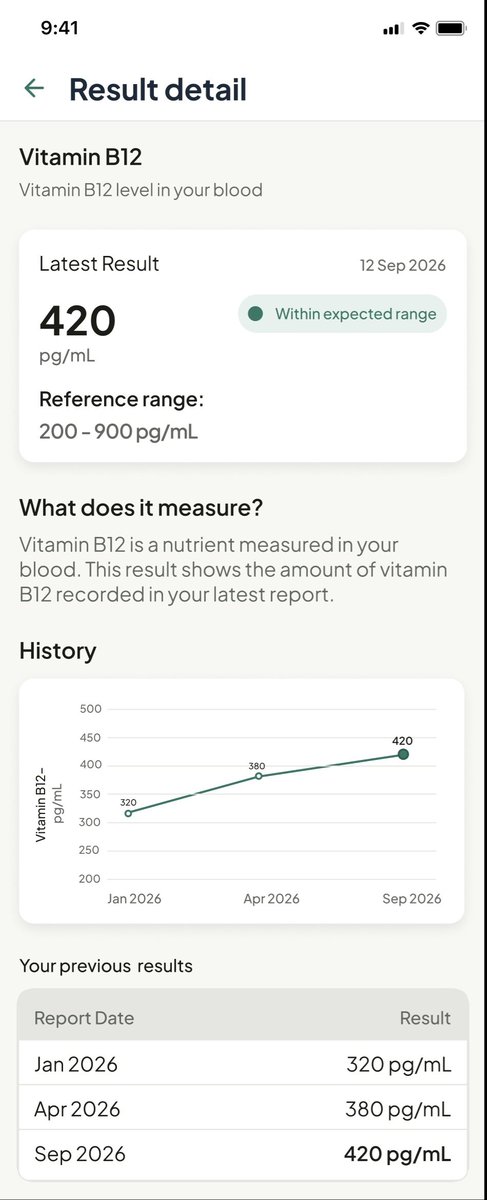
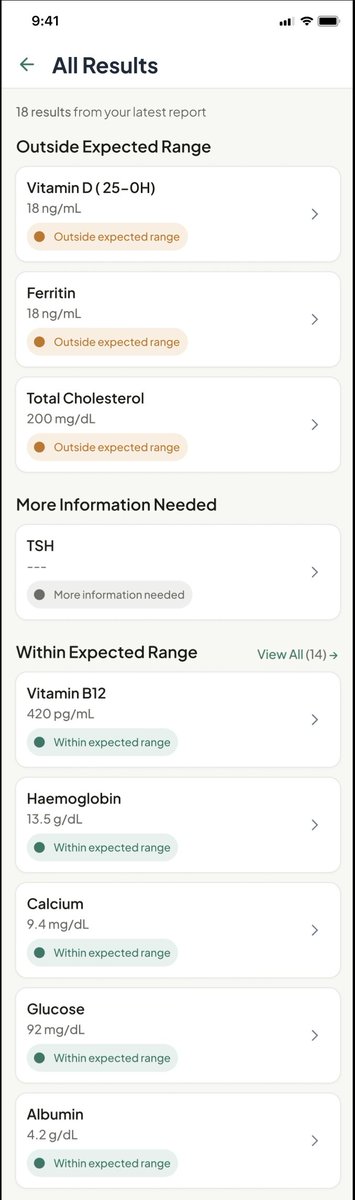
You can show someone all their health report numbers, and they can still have no idea what they mean.
For Clarity, I designed a mobile app concept focused on making health reports easier to understand, track, and compare over time.
The goal wasn't to diagnose anything. It was to give people more context around their results and help them understand changes over time.
Showing results is one thing. Helping people make sense of them is another.
#UXDesign#UIDesign#HealthTech
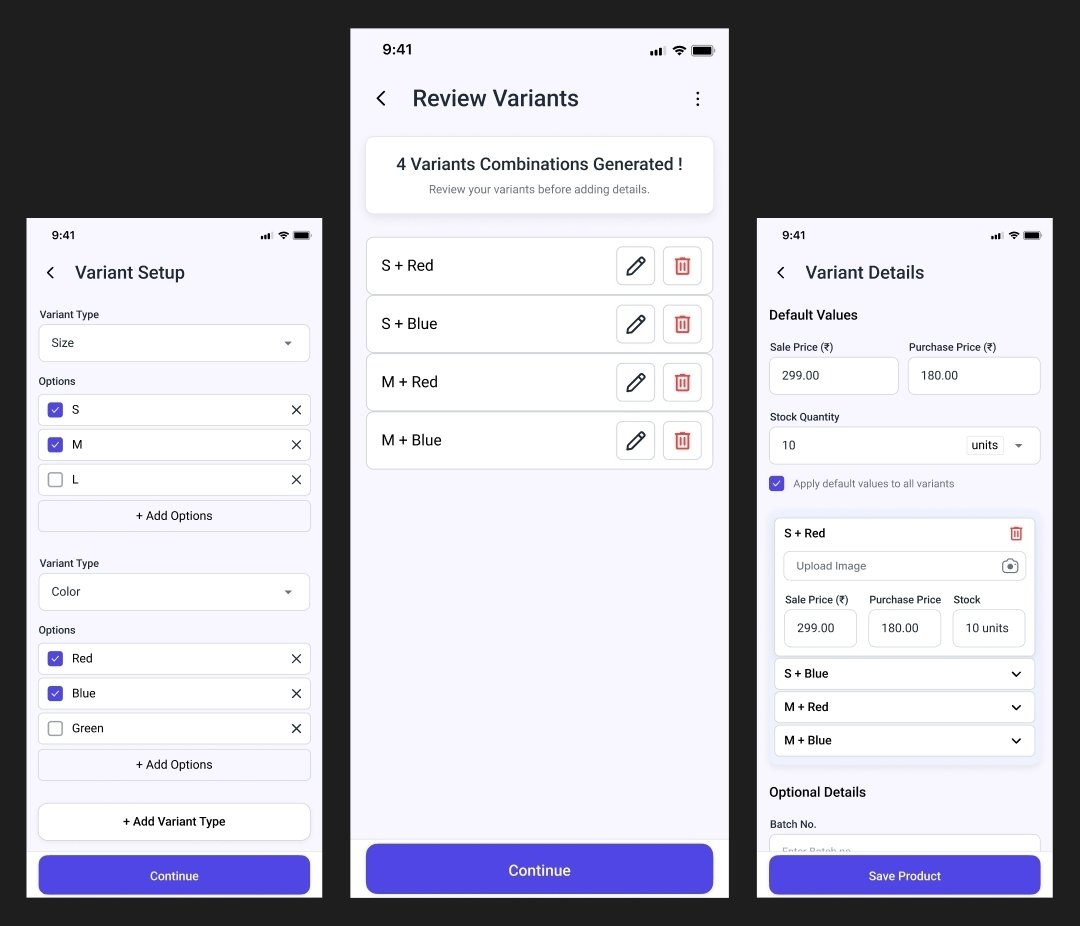
If a product can do repetitive work for the user, why make them do it manually?
While working on a product setup flow, I was thinking about how users would create products with multiple variants.
The user stays in control. It made me think about a question I want to keep asking in product design:
What work are we asking users to do simply because the product hasn't done it for them yet?
I already use AI in my design work to brainstorm, explore ideas and challenge my assumptions.
Learning more about its limitations makes me more conscious of how I use it, not just how much I use it.
#AI#ResponsibleAI#UXDesign
AI can generate the answer. But who decides if it’s actually a good one?
I recently completed YUVA AI for ALL by FutureSkills Prime, in collaboration with NASSCOM IT-ITES Sector Skills Council.
Here are a few things I took away.
What stood out to me most was the importance of responsible AI:
→ Bias
→ Privacy
→ Misinformation
→ Ethical use
AI can be powerful, but its output still needs human judgment and verification.
Portfolio: https://t.co/CrUQokPcAL
I’m currently looking for junior UI/UX Designer opportunities. If you’re hiring, I’d love to connect.
#UIDesign#UXDesign#UXPortfolio#Portfolio
You’ve seen pieces of my design work here.
Now they’re all in one place.
I’ve put my UI/UX projects, case studies, redesigns and experiments together in my portfolio.
If the screen already makes the action obvious, shorter labels can reduce clutter and make decisions faster.
Sometimes good UX is knowing what not to add.
#UXDesign#ProductDesign
I almost used longer labels for these buttons.
While designing Society Sync’s visitor approval flow, I considered:
“Allow visitor entry”
“Reject visitor request”
But I kept it simple: Accept / Decline.
Good microcopy isn’t always about adding more words.
Sometimes it’s about knowing when you don’t need them.
A button shouldn’t be evaluated in isolation. Its clarity depends on the context around it.