Android Studio Arctic Fox Canary 15 contains very preliminary support for Apple Silicon (arm64). We are still working on it, but wanted to get early #AndroidDev feedback.
Check out our blog post to follow the instructions 👇
https://t.co/ObAmWd7EQS
On Thursday, we are doing a Live Q&A on Kotlin and Jetpack. If you have questions, you can ask them here with #AskAndroid and we'll have some time beforehand to find the answers 😄. If there isn't enough questions, @chethaase will do stand-up comedy.
I'll be there, as will many others on the team!
There's a wide range of questions already there, so hopefully there's a few that you didn't realize you wanted to know the answer to :)
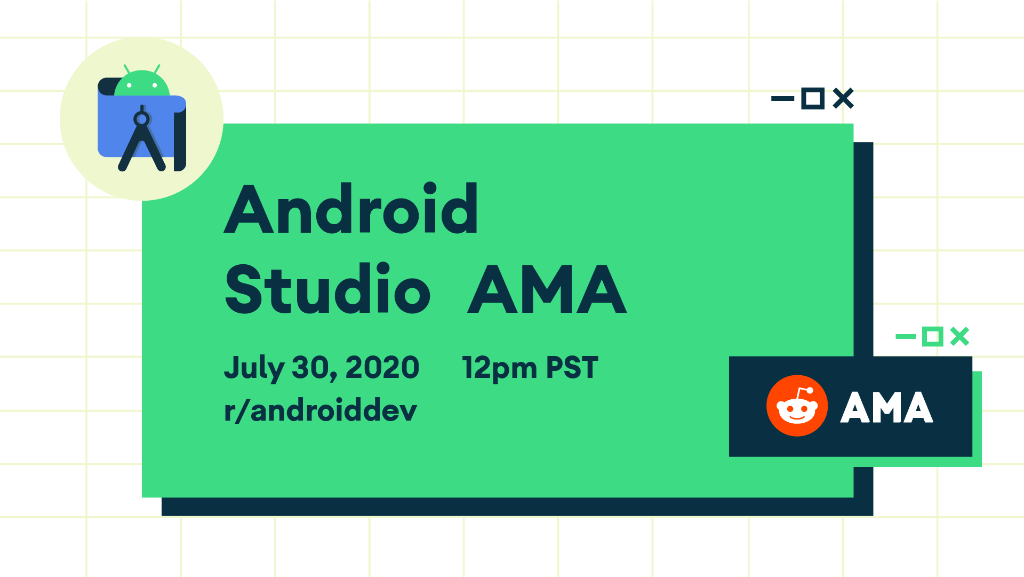
🚨 Our #RedditAMA is starting soon! 🚨
Join us at 12:00pm PST and have all your AMAzing technical questions on @AndroidStudio answered by the engineering team.
Get your questions answered → https://t.co/vtfdKrqGRQ
#11WeeksOfAndroid
@manohar_reddy_a@androidstudio Thanks! I left a note to myself to look at it on Monday. If I have any questions or comments I'll leave them on the bug.
@manohar_reddy_a@androidstudio Sorry to reply late. Gradle should be irrelevant here. If you're comfortable please file a bug and include your idea.log on it (Help -> Show log in finder). Also, maybe look at logcat too and look for suspicious messages?
@NinjaJez@AndroidDev Many tips were new to me too. After giving this talk, I've started using almost all of them regularly. I hope you find some that stick with you too!
You may have already watched our Studio Debugging Tips n' Tricks talk from ADS19, but if 45 minute videos aren't your thing, or you want a refresher, check out our medium post! We just published it, covering everything in good 'ol, easy-to-search text.
Move from the debugger ➡️ code editor.
Check out our tips n’ tricks for speeding up debugging, including log filtering and folding, setting conditional breakpoints, clicking Drop Frame, using Analyze Stack Trace, and more!
Read @adt_dherman's blog ↓
https://t.co/03j5QLbHzP
Along with the release of Android 11 beta, we released Android Studio 4.0 and 4.1 beta, with new tools and refinements in the Design Tools (Motion Editor, Layout Inspector, etc.). For more details check https://t.co/FM0JcutUvL :)
#AndroidDev#AndroidStudio#DesignTools#Compose
@steven_pena@JakeWharton You should work with Jake sometime! No matter what you might say about him after the experience, it won't be that he is in any way interested in virtue signaling.
I thought I'd give porting the Doom Fire effect a try in Kotlin, joining others inspired by @fabynou's excellent blog post.
Github repo here: https://t.co/dGv23iH65y
Original blog here: https://t.co/474Wq1fwiK
@iamspathan @tornorbye Database inspector is landing 4.1 -- so good stuff today and good stuff still to come. :) Of course you can try it out in the canary channel.
You all waited forever for 3.6 and then we dropped 4.0 so seemingly quickly. But despite appearances, there was a ton of work behind the scenes! Don't miss the design tool improvements -- motion editor at last!!
Really happy to have 4.0 reaching stable -- we put a lot of work in it, and we are releasing several new design tools like the #MotionEditor for #MotionLayout and the new Live Layout Inspector. Check this thread for more details / examples! https://t.co/PtOWn8Nv3C #AndroidStudio
Great talk that gives a quick but useful tour of practical data binding fundamentals. 😎 Thanks Zarah and Hugo!!
Happy that our team could finally bring modern IDE support to this framework so developers no longer have to ctrl/cmd-F to find their binding adapters by hand 🙃
After being in the works for so long, finally did a talk with my #databindingcrew 👯♀️ co-founder @botteaap for @AsyncAndroid ! 🎥 We discussed our favourite practical, real-life usages of databinding. 💚
https://t.co/Zlz6ymcF0o
🧑💻I just uploaded two new 90-second screencasts explaining the LiveData coroutine builder.
💉 Part 1 - one-shot operations
https://t.co/FsOTf8Z8Yq
🗺️Part II - parameters with switchMap
https://t.co/waC06sdV15
Questions/requests? 👇
The database inspector was announced last week, but consider 𝑖𝑛𝑠𝑝𝑒𝑐𝑡𝑖𝑛𝑔 this latest blog which provides a more comprehensive look at the feature, including walkthrough steps and animated gifs. Plus, read about "live updates" which just landed in 4.1 Canary 6.
😍🔎
With Database Inspector in Android Studio 4.1 Canary 6, not only you can inspect and debug your database but now you can also modify the data just like editing a spreadsheet! https://t.co/kA307ZdlY2