For all folks that are looking for conductor alternative:
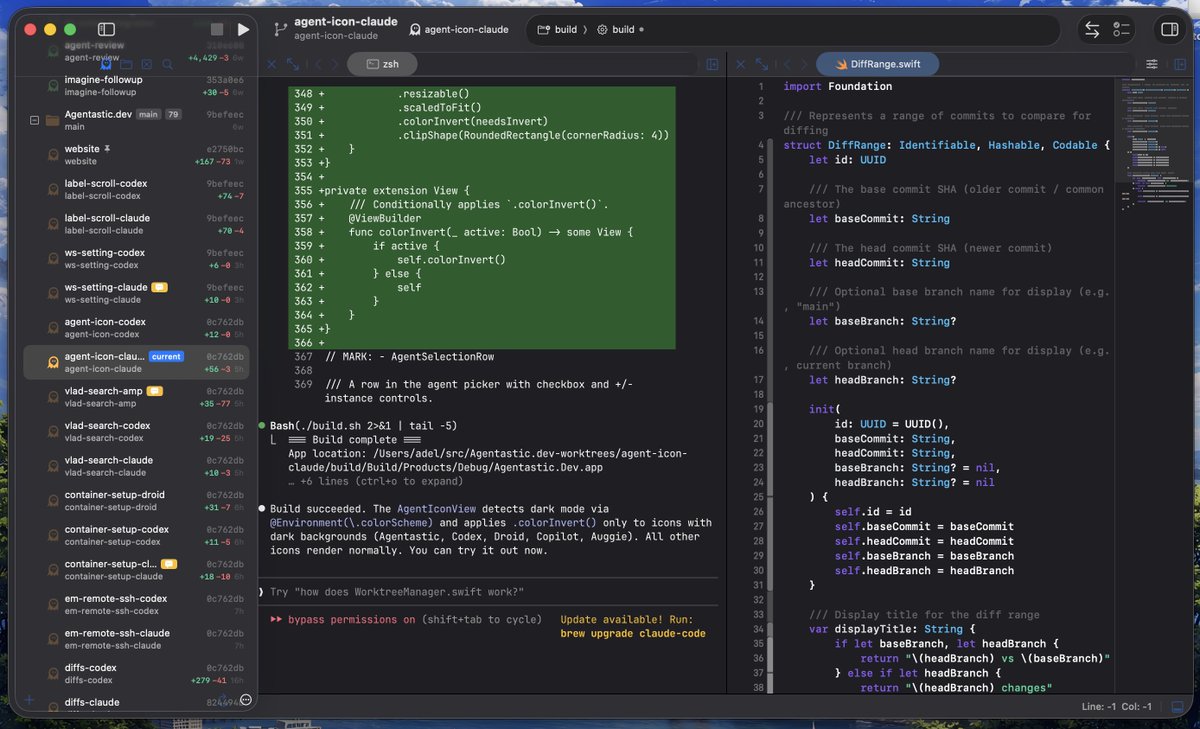
https://t.co/VklK8mUtQG is our multi-agent IDE
native mac app, support any agents in terminal mode or chat mode. local, vps or cloud agents. Browser-use, Device-use and computer-use included. with mobile app.
Some folks prefer TUI and some folks like Chat. @agentastic supports both. You can seamless switch between terminal agents and their chat interface in https://t.co/6RNm8jsyCh by pressing ⌘+I (interface) or toggle it in the sidebear. You can also set the chat or terminal as the default for each agent.
Our terminal (which is a fork of libghostty) is also special that we preview images and files if you hover over them. This applies to local terminals, as well as VPS or Cloud VMs so you can see the image previews without needing to sync those files to local machine. Very handy for pasting local screenshots to the agent's terminal.
So conductor cloud is sunsetting, https://t.co/dXHuYY9uQ2 on the other hand on the rise. You can bring all your configs/agents/worktrees to dev, and also all the cloud features are free (no subs required).
This is an SF meetup you don't want to miss.
Real demos, tips, and workflows for agentic engineering. Expect engineers from @OpenAI, @cognition, @temporalio, @agentastic, and Qodo.
No shilling. They're sharing how they build with Codex, Claude Code, and other coding agents.
Wed, Sept 30 at @okta offices 📍 RSVP now:
https://t.co/xEShMfvLBG
I'm the second presenter here, jump to 30m mark to check out https://t.co/6RNm8jsyCh, where we talk and demo AI factories, long-horizon manager agents, and fab: our new agent analytic platform for understanding how agents operate in your factory. This also gives a glimpse of the direction where Dev is headed.
Just kidding, Agentastic[.]Dev supports both Remote SSH and Cloud Agents (@modal and @flydotio), so you can launch your agents, close the app, go to sleep, and your agents run 24/7 on your dev-boxes or the cloud without any interruption.
Introducing the browser-use skill in Agentastic[.]dev.
Dev now gives agents full browser control through dev browser, so they can open pages, inspect the app, click around, fill forms, wait for UI changes, and verify behavior from the terminal. This is a huge step toward true autonomous web dev.
We added a new feature called Agent Home. We really like it! It lets you submit the same task to multiple agents simultaneously, we take care of creating work-trees and running the agent in the background. Watching 10s of agents spin-up on-demands is a sight to be see.
Agentastic Dev fully supports themes.
Pick from 30+ built-in themes, or import/edit your own. Every theme includes light + dark variants and can automatically follow your system (or your preference).
Themes apply everywhere: UI, terminal, and editor.
Claude can now use multi-agent orchestration in separate processes/tabs. tmux (any terminal) or iterm2 terminal support this by default. AgentasticDev uses a native terminal (libghostty), so tmux is supported out of the box. But the question is can ghostty support native tab splitting like iterm2. The source article said ghostty was not supported, I don’t believe it. So I set to implement this feature in Dev.
Claude can now create tabs for its sub-agents, and you can click/interact or re-arrange each tab. We believe native tabs are much better UX than tmux, and definitely much more customizable.
We love Markdown at @agentastic Dev. We support markdown previews and side-by-side edits, so you can enjoy reviewing all of those specs and plans. That's it. That's the feature.
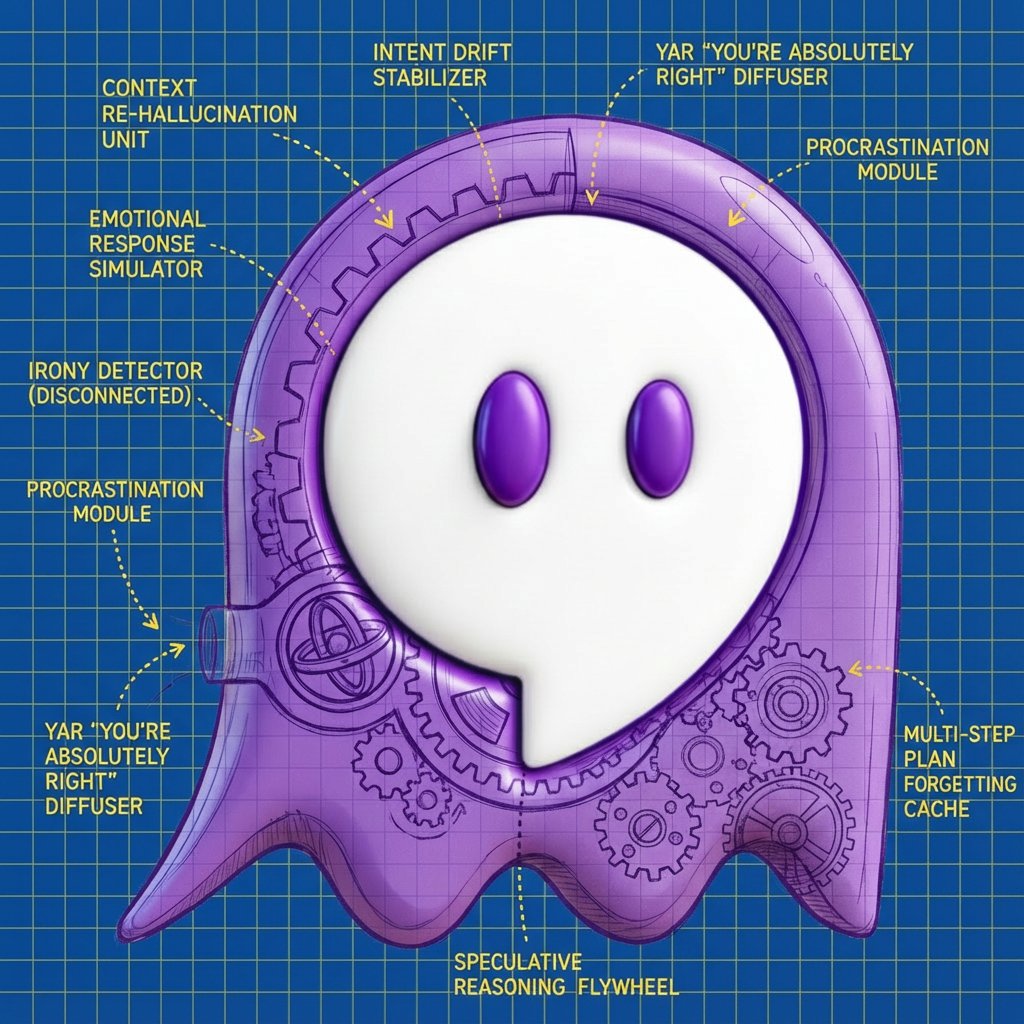
Claude Code this, Codex that; everyone's buzzing about AI coding agents. So we figured, why not pull back the curtain and give you a sneak peek under the hood?
We released @agentastic Dev v0.5. This version brings some of the most requested features as well as usability improvements.
Containers: Containers provide full isolation, so you don't need to worry about agent deleting your production tables. This was the most-requested feature since our beta launch last week. Docker containers are now supported (req. docker), so you can use them in addition to the work-trees for full isolation. The code is synced between local worktree and container, so you can view view, edit or test agent's changes immediately.
Zen mode removes everything but the terminal, to get full Ghostty experience. Agent panel (worktrees) are still accessible by hovering over left (or Cmd+0), so you can check what they are up to and which agent needs attention.
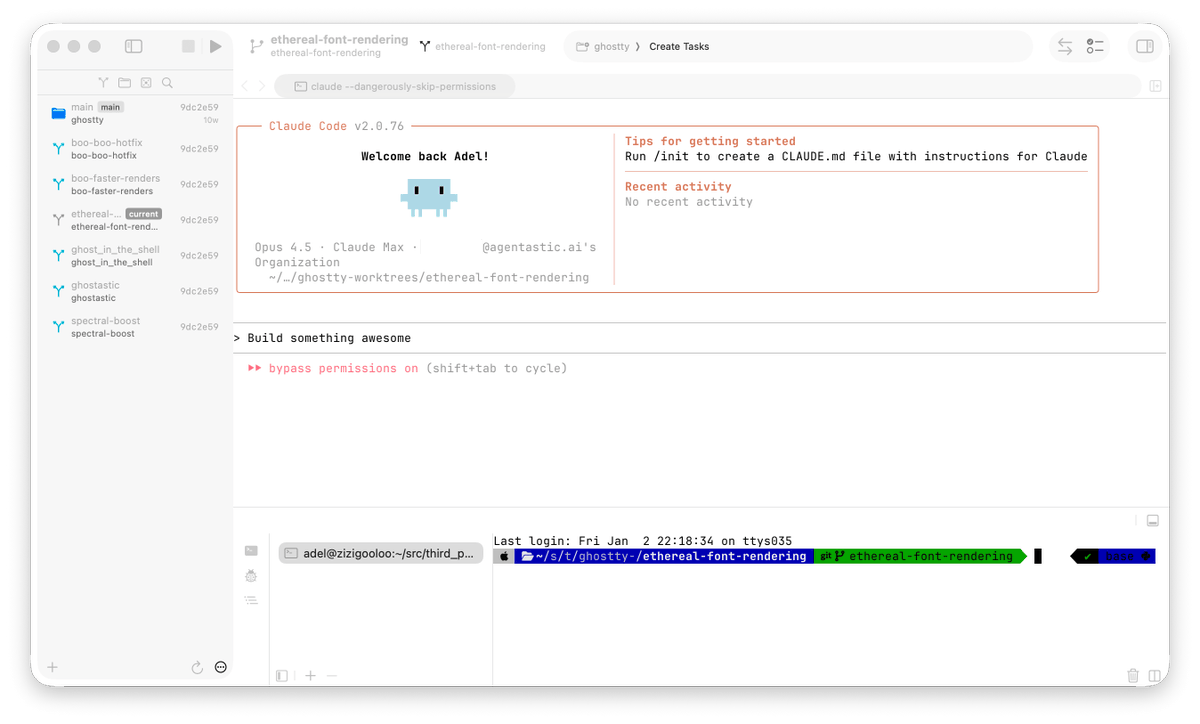
We are releasing a beta version of AgentasticDev, it is terminal-first IDE (mac) for running multiple coding agents (CC/Codex/Droid/etc) in parallel. It is powered by Ghostty and Git Work-trees.