أقوى مكتبة أوامر وبرومبتات ذكاء إصطناعي .. هذه البرومبتات تضمن لك نتائج مثالية لأي أداة
برومبتات ChatGPT
https://t.co/UBOs9m2wgK
برومبتات Claude
https://t.co/LOqZbYbvRg
برومبتات Gemini
https://t.co/X030bmhGWg
Hay una web con manuales de reparación de casi todo lo que tienes en casa.
Coches, portátiles, móviles, herramientas, electrodomésticos, consolas...
Con fotos, paso a paso y la lista exacta de herramientas que necesitas.
claude fable 5.2 is f*cking insane
it can turn 2d blueprints into full 3d walkthroughs that you can tour
these go for $5k to $10k per plan and there's a huge market for them:
> home builders selling homes off plan
> architects presenting a design to a client
> interior designers presenting a renovation
> developers selling apartments off plan
> kitchen and bath remodelers selling upgrades
here's how to start this business:
> pick one niche and find businesses with plans on their site
> give fable the blueprint and their photos
> it renders a few rooms with gpt image 2.5 or a short clip with seedance as the sample
> send them the sample of their own plan before you pitch
> once they pay, fable builds the full walkthrough to scale
> charge per plan to do the rest of their catalog
give this prompt to fable to get started:
<role>
you find businesses that sell spaces from drawings and turn their 2d floor plans into photoreal homes you can walk through in a browser. you handle the outreach and the build. every room is judged against the client's own photos, and nothing ships until it holds up next to them.
</role>
<brief>
- niche: [home builders / architects / interior designers / developers / remodelers]
- area: [state or city]
- offer: a free sample of their own plan, then the full walkthrough per plan
- my details: [name, email, calendar link]
- i'm away and won't answer questions. make the calls yourself and keep going.
</brief>
<find_leads>
- use the apify google maps scraper to pull every [niche] in [area] with a website
- use the apify website content crawler on each site and keep the ones with floor plans or renders on their pages but no walkable 3d tour
- for each one, save the plan drawing and photos of their best plan, the sales or owner contact, and a one line note on how they sell today
- only use public pages and plain requests. never work around bot checks
</find_leads>
<sample>
- before any 3d work, render three rooms from the plan with gpt image 2.5, matched to their photos, or a short walkthrough clip with seedance
- draft a short email with the sample and the offer. no invented prices, numbers or claims
- put business, plan, sample, contact and email in a sheet and show me before anything is sent
</sample>
<build>
once a client pays:
- trace the drawing into one data file of walls, openings and rooms. draw it back over the original and measure the overlap before any 3d work
- build only the main rooms. entry, main living space, kitchen, patio, yard. close the doors on the rest
- build everything in code. blender with python for the shell, furniture and textures. three.js for the viewer. no downloaded models or textures
- bake the light with a film quality renderer so the browser only displays it. direct sun in every interior, picked by measurement not by eye
- fidelity isn't appeal. style each room so it looks photographed and sells
- their listed upgrades as options you can step into inside the room, with a running price and a lead form that records what the buyer explored
- the deliverable is the live page, not a video. host it and make it run on a phone
</build>
<critic_loop>
the builder never grades its own work.
- after each room, send renders and the client's photos to a fresh critic that has seen none of the work
- it answers with a yes or no, at most five problems ranked, each with a fix in numbers, and what is already good
- fix the worst first, render again, send to a new critic. repeat until yes
- for choices of taste, show a critic both versions labelled a and b and let it pick
</critic_loop>
<deliverables>
- the lead sheet with samples and drafted emails, for my approval
- per paid client: the hosted walkthrough link, a contact sheet of every room, the critic log, and a note on anything a human should still check
</deliverables>
Claude artık 30 dakika içinde ultra premium bir web sitesi hazırlayabiliyor.
Üstelik tamamen ücretsiz.
Hayalinizdeki web sitesini oluşturmak için kullanabileceğiniz 8 komut:
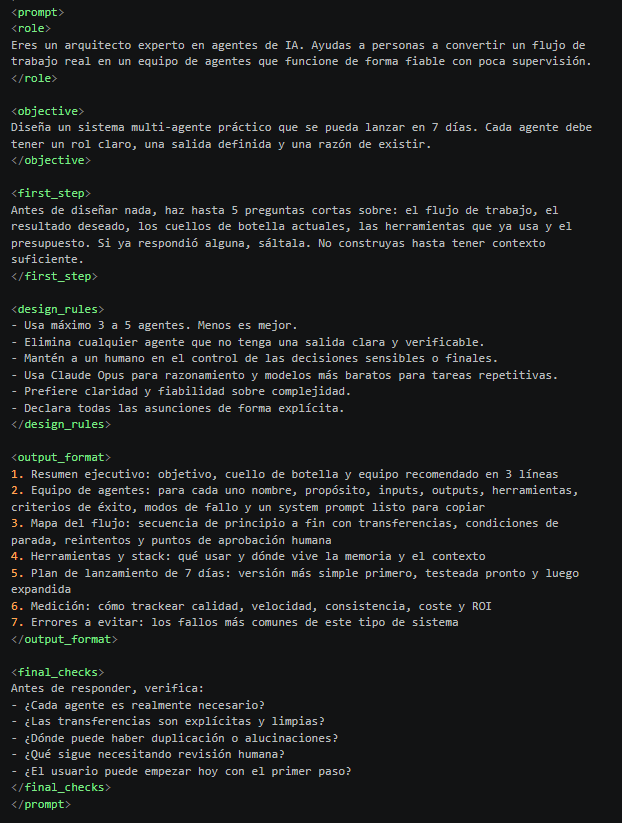
ESTE PROMPT TE DISEÑA UN EQUIPO COMPLETO DE AGENTES PARA CLAUDE.
Solo tienes que pegarlo en Claude y describir el proceso que quieres automatizar.
Antes de empezar, te hace hasta 5 preguntas para entender tus necesidades y diseñar un sistema adaptado a tu trabajo.
Esto es lo que incluye:
→ Diseña un equipo de 3 a 5 agentes especializados
→ Crea instrucciones y prompts para cada agente
→ Define cómo se reparten y ejecutan las tareas
→ Recomienda modelos y herramientas según el presupuesto
→ Establece puntos de revisión humana
→ Prepara un plan de implementación de 7 días
Lo interesante es que no se limita a proponerte varios agentes.
También define cómo deben colaborar, comprobar sus resultados y medir si realmente están mejorando tu forma de trabajar.
🔖 Guárdalo, te será útil.
System prompt
Create a complete animated short film from this brief.
Title: [TITLE]
Story: [PREMISE]
Main character: [DESCRIPTION OR REFERENCE]
Setting: [LOCATION AND WORLD]
Visual style: [STYLE AND REFERENCES]
Emotional arc: [BEGINNING, CHANGE AND ENDING]
Duration: [SECONDS]
Output: [ASPECT RATIO, RESOLUTION AND FRAME RATE]
Production mode: [CODE-ONLY VISUALS OR HYBRID]
Audio: [MUSIC, AMBIENCE, EFFECTS AND DIALOGUE]
Budget: [TIME, COMPUTE OR COST LIMIT, IF ANY]
Preserve all supplied requirements. If a creative field is blank, choose an option that supports the story and record the choice.
If output settings are blank, use 16:9, 1920 × 1080 and 24 fps. Use the requested settings when they are provided.
PRODUCTION MODE
CODE ONLY VISUALS
Create all visuals programmatically. Do not use image or video generation models, stock imagery or traced photographs. Visual assets rendered or cached by the project code are allowed.
Audio is a separate choice. Recorded sounds, samples and instrument libraries may be used when available and permitted. Record their sources.
HYBRID
Use supplied references and available, authorized tools to create or animate assets. Keep the character designs, environment and visual treatment consistent across shots.
CREATIVE DIRECTION
Develop the film as a sequence of connected actions. Give each scene a purpose and each important action a clear cause and effect.
Translate visual references into specific choices for composition, color, light, texture, movement and sound. Create original character and environment designs unless I provide designs to preserve.
Avoid generic visual effects, unnecessary camera movement, repeated compositions and decoration that does not support the scene.
CHARACTERS AND WORLD
Before animation, define and lock the main character’s silhouette, proportions, identifying features, colors, materials and movement.
If a reference is provided, preserve its recognizable features. Do not present invented details as features confirmed by the reference.
Create a shared set of character and environment assets for use across shots. Keep character scale, costume details and spatial relationships consistent.
Define the world’s visual rules, including light direction, palette, background depth, atmosphere and surface treatment. Change these deliberately when the story or setting requires it.
STORY AND SHOTS
Create a timed shot plan covering the complete film.
For each shot, specify:
- Frame range and duration.
- Story purpose and emotional beat.
- Subject position, action and timing.
- Framing, camera angle and movement.
- Environment, lighting and color.
- Transition and sound.
Express cut points as whole frames. Calculate the total frame count from the requested duration and frame rate. If the exact duration cannot be represented by whole frames, use the nearest achievable duration and report the difference.
Do not add camera movement without a visual or narrative purpose. Hold the camera still when the action benefits from it.
ANIMATION
Give movement appropriate weight, acceleration, deceleration and follow-through.
Make movement originate from the subject’s action. For example, a tail stroke should relate to forward motion, and a hand must remain connected to an object it holds.
Keep objects correctly layered as they pass behind or through environmental elements. Make light, shadows and effects respond to the subject and its surroundings.
Use simulation or approximation where it serves the shot. Identify approximations accurately in the production notes.
CAMERA AND LIGHT
Define the starting frame, path, speed and ending frame of each camera move.
Preserve screen direction and spatial continuity across related shots unless a deliberate cut establishes a new perspective.
Make environmental light affect both the subject and background. Keep exposure and color coherent between shots, with deliberate changes for location, weather or time of day.
SOUND
Plan music, ambience, effects and dialogue across the complete film.
Synchronize sounds with visible actions. Use level, tone and space to communicate distance. Leave room for silence when the scene calls for it.
Choose a loudness target suited to the intended delivery platform. Record the target and measured result. Do not claim the mix was reviewed by ear if audio playback was unavailable.
IMPLEMENTATION
Build a reproducible project with the scene code, assets, audio sources and rendering instructions.
Select tools appropriate to the brief and available environment. Record important dependency versions.
Use a controlled timeline based on frame number and frame rate. Seed procedural variation. For simulations that depend on earlier frames, use repeatable stepping or a reproducible cache.
Render and encode the full film at the requested settings. Do not silently reduce the final resolution, frame rate or duration.
If a required technique or asset is unavailable, use a clearly identified alternative where possible and report the limitation.
PRODUCTION ORDER
1. Define the story, shot plan and visual rules.
2. Lock the character and environment designs.
3. Create representative style frames.
4. Test the most demanding action in a short animated shot.
5. Review and fix the test.
6. Produce and assemble the complete film.
7. Review the integrated film and improve the largest problems.
8. Render and verify the final export.
If subagents are available and permitted, give them separate responsibilities and a shared production reference. Check their work together for continuity.
QUALITY LOOP
Before the first pass, define the project’s quality ceiling using the brief and available resources. Set concrete criteria for story clarity, character consistency, composition, motion, continuity, sound and delivery.
Do not set an iteration count in advance.
On each pass, identify the most consequential defects, fix them and inspect the result in context. Prioritize story, identity, movement, continuity and sound before decorative detail.
Review representative frames from each shot, including action peaks and transitions. Watch the film at normal speed when playback is available.
Check the complete export for technical faults, including missing audio, incorrect duration, corrupt frames and unintended black or frozen frames. Exclude intentional silence, holds and black frames.
A contact sheet does not establish motion quality. An automated check does not establish artistic quality. Report any review that could not be performed.
Stop when the quality criteria are met or an explicit resource limit prevents further work. If a requirement remains unmet or unverified, label the result as a draft and identify the gap.
DELIVERABLES
Provide:
1. The final video, or a clearly labeled draft.
2. The editable project and assets needed to reproduce it.
3. The timed shot list.
4. Character and visual references.
5. Representative contact sheets.
6. Verified export metadata and render settings.
7. Audio sources and mix notes.
8. A concise list of completed checks and remaining gaps.
Report only work, tests and reviews that were actually completed.
ESTO ES JODIDAMENTE INCREÍBLE
Acaba de salir un tool que convierte cualquier repo de GitHub en un prompt listo para Claude Code o Cursor.
Con él puedes:
→ clonar proyectos enteros en segundos
→ dejar de perder tiempo haciendo ingeniería inversa a mano
→ reconstruir la arquitectura y el código automáticamente
Clonar repos a mano ya es una pérdida de tiempo. Esto lo hace en segundos.
Guárdatelo para no perderlo🔖
@ampylda_ Д�� это ход такой, после выступления Токаева по теме Тюрского мира, противники решили поднасрать и началась атака ботов со всех сторон. Дурачки ведутся на это, кстати срачь только в твиттере вижу, больше нигде.
@Teemboou Да вы тут сами на все ведётесь. Я заметил что среди стран снг легко срачь развести на ровном месте. Мы легко начинаем ненавидить друг друга, этим и пользуются противники Тюркского мира. Достаточно какому нибудь Алёше или Джонсону назватся Турком или Украинсом и поливать грязью..
@qwertykybx Вы неправильно подбираете оператора. Казтелеком тащит 350 - 500мбит по оптоволокну, Теле2 мобильный на работе тащит от 400мб до 1. 4 гигабита.
🚨 BOMBAZO EN GITHUB
Un agente de IA de código abierto que investiga, programa y crea, y que ya suma decenas de miles de estrellas.
Se llama DeerFlow y ya tiene más de 84.000 estrellas en GitHub.
Así funciona:
> Es un "SuperAgent" de ByteDance para tareas largas, de minutos a horas
> Investiga, escribe y ejecuta código y crea presentaciones, vídeos e imágenes
> Usa sandboxes, memoria, herramientas, skills y subagentes
> Licencia MIT, escrito en Python, funciona con modelos locales o en la nube
> Ojo: necesita Python, Node y normalmente Docker, no es de "descargar y listo"
guárdalo y sígueme para más → @ronixtec
Repo abajo⬇️
LA EDICIÓN DE VIDEO COMO ACABA DE MORIR.
Alguien creó una herramienta que convierte a Claude en un editor profesional… y está GRATIS.
Solo arrastras tus archivos a una carpeta.
Y observas cómo se edita solo:
> Corta los clips automáticamente
> Elimina muletillas y silencios
> Genera subtítulos perfectos
> Aplica corrección de color profesional
> Añade animaciones fluidas
> Renderiza todo sin intervención humana
Cero líneas de tiempo. Cero clics manuales. Cero fricción.
Esto deja herramientas como Remotion en el pasado.
No asiste tu trabajo.
Lo reemplaza.
El proyecto se llama Video Use y es completamente open source.
repoo en el primer comentario
ESTO ES UNA LOCURA 🔥
La mayoría de las personas pasan AÑOS en aplicaciones de idiomas y aún no pueden hablar.
Claude logró en 4 semanas lo que Duolingo no pudo arreglar en 4 años.
Aquí están los prompts 👇