You can now ask Gemini to create Docs, Sheets, Slides, PDFs, and more directly in your chat. No more copying, pasting, or reformatting, just prompt and download.
Available globally for all @GeminiApp users.
When you fix one issue by updating a dependency, only to introduce a new issue somewhere else. 😵💫
Ditch the headache of cascading build errors with the new Version Upgrade Assistant in Android Studio and let AI handle the boilerplate for you → https://t.co/TdB98HCgKB
Phone. Tablet. Monitor. Connected display support is available on Pixel devices 📱➡️💻
Don't let your UI get stuck in phone mode. Read the guide on optimizing for window sizing and density changes so your app can stretch its legs on external monitors → https://t.co/kp4o9ZVLW0
Accelerate your AI roadmap with GEAR, a new learning initiative to quickly go from idea to production-ready AI agents. ✨ Gain access to curated learning paths, official badges, and support from fellow developers.
Get started → https://t.co/lPCN9u78MQ
Our new Google AI Professional Certificate from #GrowWithGoogle features 20+ hands-on labs designed to help you use AI as a partner in your daily work.
You’ll learn how to:
✔️ Build project plans and daily workflows
✔️ Vibe code custom AI applications for your job
✔️ Generate custom marketing and creative assets
✔️ Develop data-backed market research
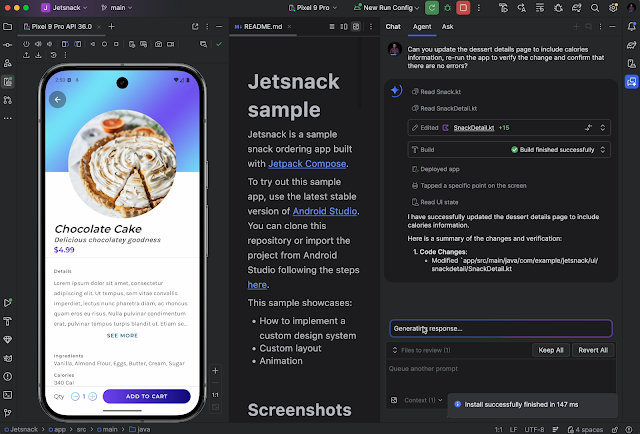
You write the app. We help with changes and fixes.
Instead of manually clicking through every screen, let Agent Mode do the heavy lifting. It can now interact with your app and verify updates by reviewing live screenshots → https://t.co/09Mb9dkvA9
"Make the button blue." "Add more padding." Done ✅
With the update AI Actions in Android Studio, you can type your UI changes into existence. Gemini handles the code, so you can focus on the design → https://t.co/ZZqVMSljEq
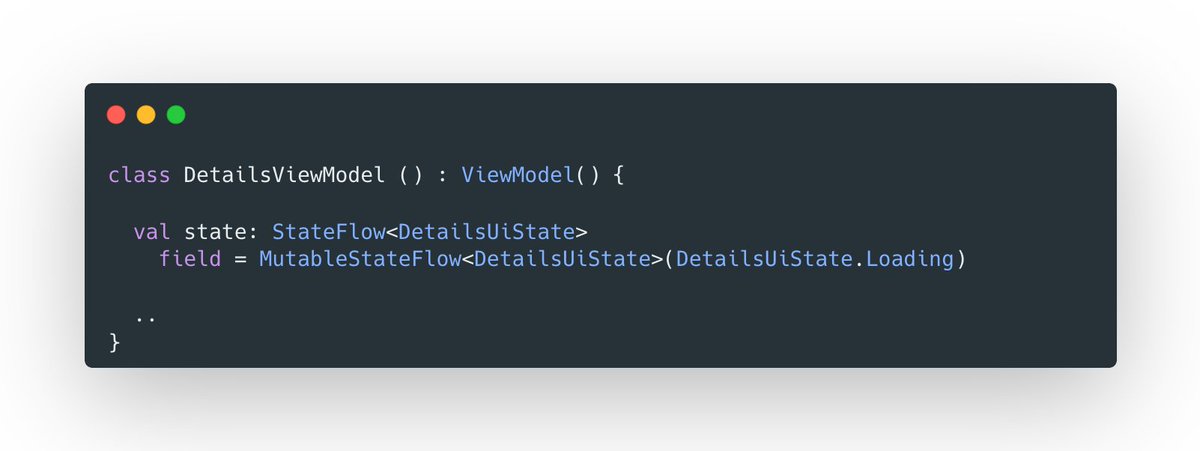
Kotlin 2.3.0 introduces explicit backing fields.
A new syntax for explicitly declaring the underlying field that holds a property's value, in contrast to the existing implicit backing fields.
https://t.co/LnxY9NaQ5i
Android Emergency Live Video launched. You can now easily share vital visual information with one tap to emergency services so they can assess situations faster and guide you through life-saving steps until help arrives. https://t.co/3rb2MiEIeG
It was a pleasure meeting @tikurahul and having a great conversation at the @droidconIN India event. Thank you for the insightful session on Perfetto👏.
Navigate your multi-module projects with ease→ https://t.co/5iGdTzXh2I
The Android view now has a new setting to display build files directly under their corresponding modules, making it easier to manage your build scripts.
If your R8 is configured with proguard-android.txt, you're missing out on optimizations.
Switching to proguard-android-optimize.txt offers a smaller apk, faster app startup times, and smoother runtime performance.
Change this one line and see the difference for yourself!
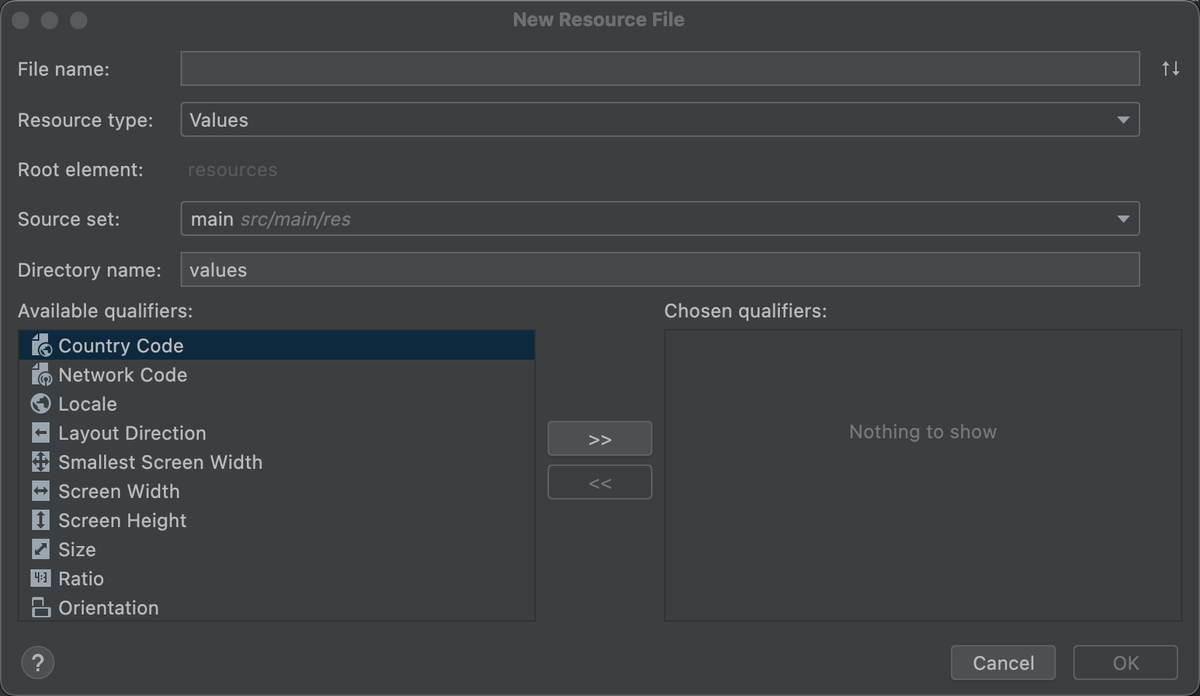
Android Studio simplifies the management of app resources, including alternative versions for different device configurations.
Learn how to organize and add resources effectively to your Android projects!
Read more → https://t.co/rk6UMVU3J2
Did you know you can provide custom prompts for Gemini in Android Studio to generate tailored code suggestions?
1️⃣ Enable Gemini
2️⃣ Prompt Gemini to simplify, transform, or generate code
3️⃣ Review and accept the suggestions you want
Learn more → hhttps://goo.gle/3B0lIzl
Gemini in Android Studio is becoming the go-to tool for tackling legacy codebases.
Watch Android developer Darshan Parikh shares his experience using Gemini to revitalize his carpool app during the latest episode of #TheAndroidShow ↓
itshappening.gif
Dagger's latest release is the first one with KSP support for both Dagger and Hilt!! 🎉
https://t.co/LUkkHLfrqI
This is a good time to completely get rid of KAPT... https://t.co/h3IvPajEIJ