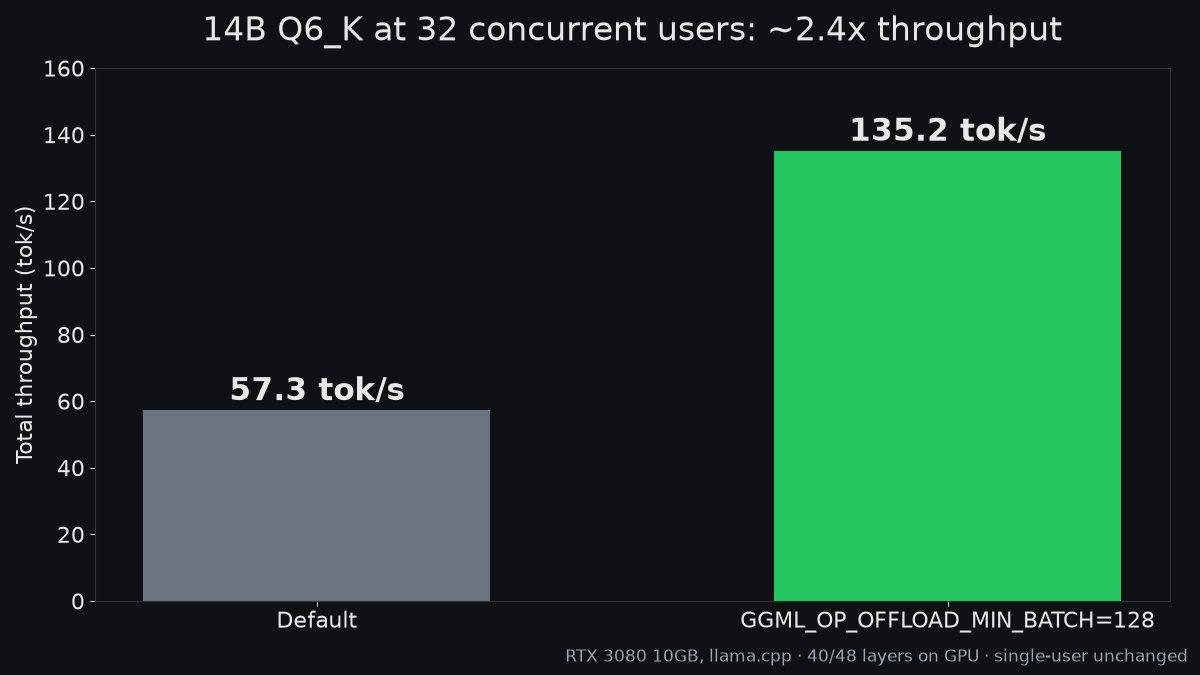
One llama.cpp setting took a 14B model from 57.3 to 135.2 tok/s at 32 users on my RTX 3080 10GB. That's about 2.4x, with no new hardware and no new model.
@frankekn Oh that might explain it. Plain n-gram never did anything on my 3080 either and I just wrote it off. Got a link to the PR? I'd like to rerun it with your patch
One llama.cpp setting worth knowing if you use a small draft model for speculative decoding. On my build it needs --spec-type draft-simple.
With a 0.5B draft my 14B went from 14 to 19 tok/s on a 10GB 3080, and GSM8K scores didn't move.
#llamacpp#LocalLLM
64GB on one card would change a lot for me. On my 10GB 3080 a 14B at Q6 only fits 40 of 48 layers, the rest runs on CPU.
Curious what the software support looks like though, that's usually the catch.
China’s Moore Threads just teased a new triple fan GPU for a December 29 reveal with 64GB of VRAM!!!!
4x the memory of its 16GB MTT S80.
Let that sink in.
While consumer Nvidia cards stay capped at 16GB-32GB, a single 64GB card puts heavy local LLMs within reach without paying enterprise datacenter prices.
People mocked the S80 for its rocky gaming drivers.
Pricing isn’t out yet but with 32GB RTX 5090s going for $5,000-$6,200+ on retail shelves right now, Moore Threads barely has to try to undercut Nvidia.
Nobody is going to care about gaming drivers if this thing runs local AI cheaply.
Would you put a Chinese GPU in your rig for 64GB of VRAM?
@witcheer This is the part people skip. Most of what I automate at work doesn't need a model at all. A plain script checks if something changed and only then does the model get called. Way cheaper and way less to go wrong
Sunday build-in-public from my one-person studio.
Most of my side time this week went into a tool that lets my AI assistant see the screen and click around on my own PCs.
The clicking is the easy part. Knowing when it clicked wrong is the hard part.
#BuildInPublic#AI
@Oluwaphilemon1 98% of the aggregate is a nice headline but I'd want the per task numbers, an average can hide one task falling off a cliff. On my 3080 the Q4, Q5 and Q6 of a 14B landed within 3 problems on HumanEval, but 89% smaller is a much bigger jump.
@Oluwaphilemon1 That's the MoE trick, only about 3B active per token so the experts sitting in system RAM don't hurt as much. Curious what context they ran it at, on my 10GB 3080 that's usually where things fall apart.
@rohanpaul_ai Tokens per kWh is the number more people should be looking at. On my 3080 just batching better took energy per token from about 1.6 to 1.2 joules, no new hardware.
@david_vanloon@TheAhmadOsman Same question lol. On mine a 14B only fits about 40 of its 48 layers, so I'd start with a smaller quant and see how much context you get before it spills. I'll post if I find a setup I like
@aijoey@ViC305 Thanks for the tag. The 8GB one is interesting for my 10GB card. I've mostly stuck with llama.cpp so haven't tried EXL3 yet, might have to now
Same GPU, better software is my favorite kind of upgrade. One existing llama.cpp setting took my 14B from 57 to 135 tok/s at 32 users on a 10GB 3080. Single user didn't move at all, which is why most people never notice it.
Here's another reason I'm keeping an eye on Intel Arc Pro GPUs for local AI. 👀
llama.cpp merged an optimization, delivering up to 73% faster prompt processing on an Intel Arc Pro B60 24GB. 🔥
Same GPU. Same model. Just better software.
Here's what the developer measured with Qwen3-30B-A3B Q4_K_M on a 1x B60.
Prompt Processing — 512 tokens
🔵 Before → 1,338 tps
🟢 After → 2,314 tps 🚀 +73%
Prompt Processing — 2,048 tokens
🔵 Before → 1,328 tps
🟢 After → 2,256 tps 🚀 +70%
Token Generation
🔵 Before → 87.2 tps
🟢 After → 87.3 tps
And on 3x B60 GPUs running Qwen3.8-Flash-Next, prompt processing improved by approximately 21%.
The optimization improves how Intel's XMX engines handle quantized MoE weights, avoiding unnecessary memory transfers and synchronization.
These are prefill improvements. Token generation speed is essentially unchanged.
Now, the interesting question for the 32GB B65 in my original post ...
The B65 hasn't been benchmarked in this PR, but it's another reason I'm paying attention to Intel's growing local AI ecosystem.
Anyone testing these improvements on a B65 or B70?
🛍️ Affiliate links in GPUs in thread
@witcheer The full test suite one is the one I'd add first. A coding agent saying "done" and the tests actually passing are two very different things lol
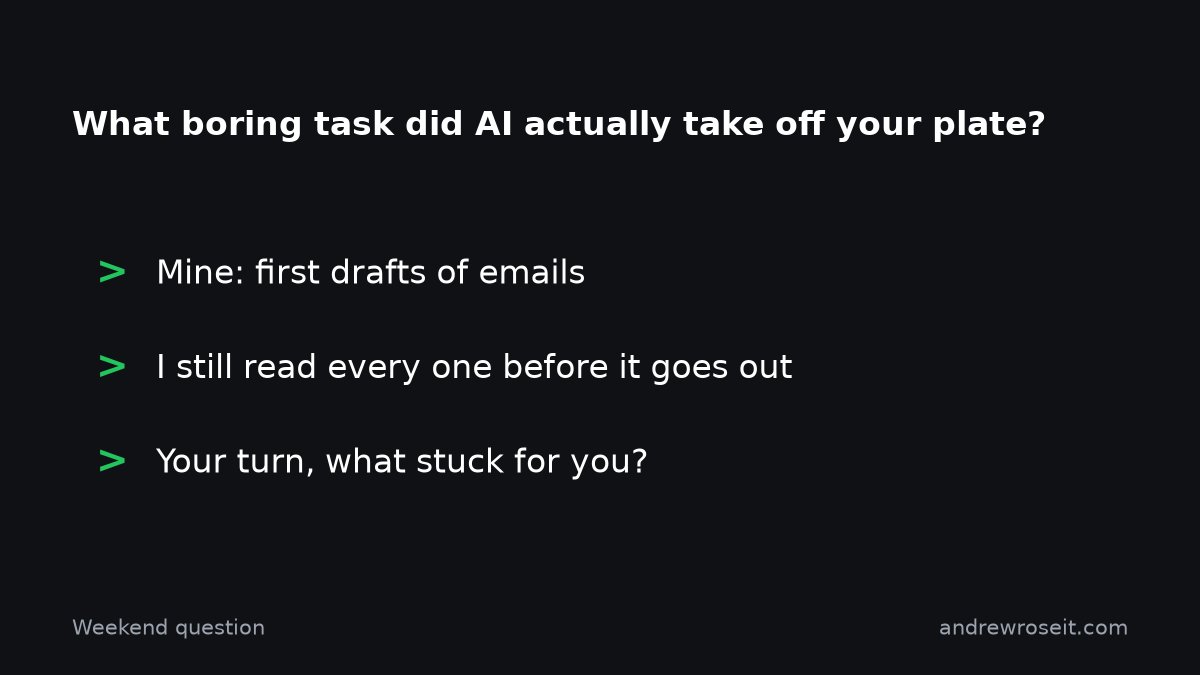
Weekend question for anyone using AI at work, local or cloud. What's the one boring task you handed off that actually stuck?
Mine is first drafts of emails. I still read every one before it goes out, but skipping the blank page saves me more time than any benchmark gain.
#AI
@pratikg@OpenRouter@googlegemma@Spangler3000@darkbloomai Idle Macs serving that much is a great use of hardware people already paid for. How do you handle a Mac going to sleep mid request? That's the part I'd worry about for anything work related.
Before I trust small deltas I check the token cap. My 14B went from 76.6% to 95.3% on GSM8K just by raising the cap from 320 to 1024. Same model, same card.
Not saying that's happening here, just the first thing I'd check.
🇺🇸 A new American open-weight AI model matched Qwen3.8-27B on the Artificial Analysis Intelligence Index.
It beats Qwen3.80-27B in nearly all shared benchmarks (check out the deltas)
And you can run it locally with just 16GB of RAM. 😳
@thinkymachines released Inkling 2 Mini, a 26.4B-parameter MoE model using a fascinating new looped-transformer architecture.
Unsloth has already released GGUFs (see thread)
Look at the benchmarks comparing it with Qwen3.8-27B ...
Artificial Analysis Intelligence Index v5
🟢 Inkling 2 Mini → 20.1
🔵 Qwen3.8-27B → 20.1 same
DeepSWE v1.1
🟢 Inkling 2 Mini → 48.2% 👈🔥
🔵 Qwen3.8-27B → 42.2%
SWE-bench Pro v2 Hard
🟢 Inkling 2 Mini → 77.9% 👈🔥
🔵 Qwen3.8-27B → 73.8%
Terminal-Bench 2.1
🟢 Inkling 2 Mini → 71.6%
🔵 Qwen3.8-27B → 73.0%
The AA Index results are independently evaluated and the coding results are Thinking Machines' published benchmarks.
It has only 24 transformer layers. 👈🔥
Instead of adding more layers and parameters,
Thinking Machines loops the middle 12 layers 3x for every token.
That's 48 layer executions using just 24 stored layers.
Essentially, more internal computation without needing more unique model weights.
And it's a MoE with just 5.4B effective weight activations per token, roughly 5× fewer than dense Qwen3.8-27B.
GGUF ladder ...
💾 Q2_K_XL → 9.14GB
💾 Q3_K_XL → 13.63GB
💾 Q4_K_M → 16.61GB
💾 Q4_K_XL → 17.63GB
Local AI requirements ...
✅ Runs on 16GB systems with smaller quants
✅ 32GB+ Macs supported via Ollama
✅ Text + image inputs
✅ Up to 1M-token context
✅ Apache 2.0
✅ GGUF for llama.cpp
✅ Open weights for local inference and fine-tuning
The full 1M context isn't realistic on a 16GB setup, and llama.cpp currently requires a build with looped-layer support.
Thinking Machines even demonstrated the model building a playable flight simulator entirely offline on a MacBook Pro. 👈🔥
@danielhanchen Looping layers is a neat trick for small cards, more compute without more VRAM. Curious how much slower it is per token than a normal 5B though, since some layers run more than once.