When I started investing in real estate, I didn’t have a clue about how to systemise or outsource.
I wasted time testing different tools, made lots of mistakes and ended up spinning my wheels.
Here are my 5 top learnings from the past 8 years:
I hope they help you too…
If you're a real estate investor overwhelmed by all the info to manage in your business, check out my latest video, where I share how to use @NotionHQ to keep on top of everything...
Link down below 👇
https://t.co/c2piulmfn0
On Tuesday London @NotionHQ ambassadors and users got together for another fantastic meet up.
There were great conversations about how we each use Notion in our personal and professional lives and there was even a laptop share session!
Looking forward to the next one 🎉
Building navigation into your Notion pages makes getting round quicker and more efficient.
To find out how check out my latest video, where I share 5 ways you can do this (plus a bonus tip!)
Enjoy! 😊
https://t.co/ET1MtGivYa
Spent a lot of today doing some more work on this template to help landlords manage their portfolio.
Keeping everything in one place makes life so much easier - docs, tasks, contacts, tenancies, property info etc...
Still a work in progress but hope to release before the end of month...
In this weeks video, how to stop struggling with difficult to understand Notion gallery views.
Instead use simple formulas to add labels, formatting and more to your data...
Link below...
A business without systems is just a job.
But how do you create them?
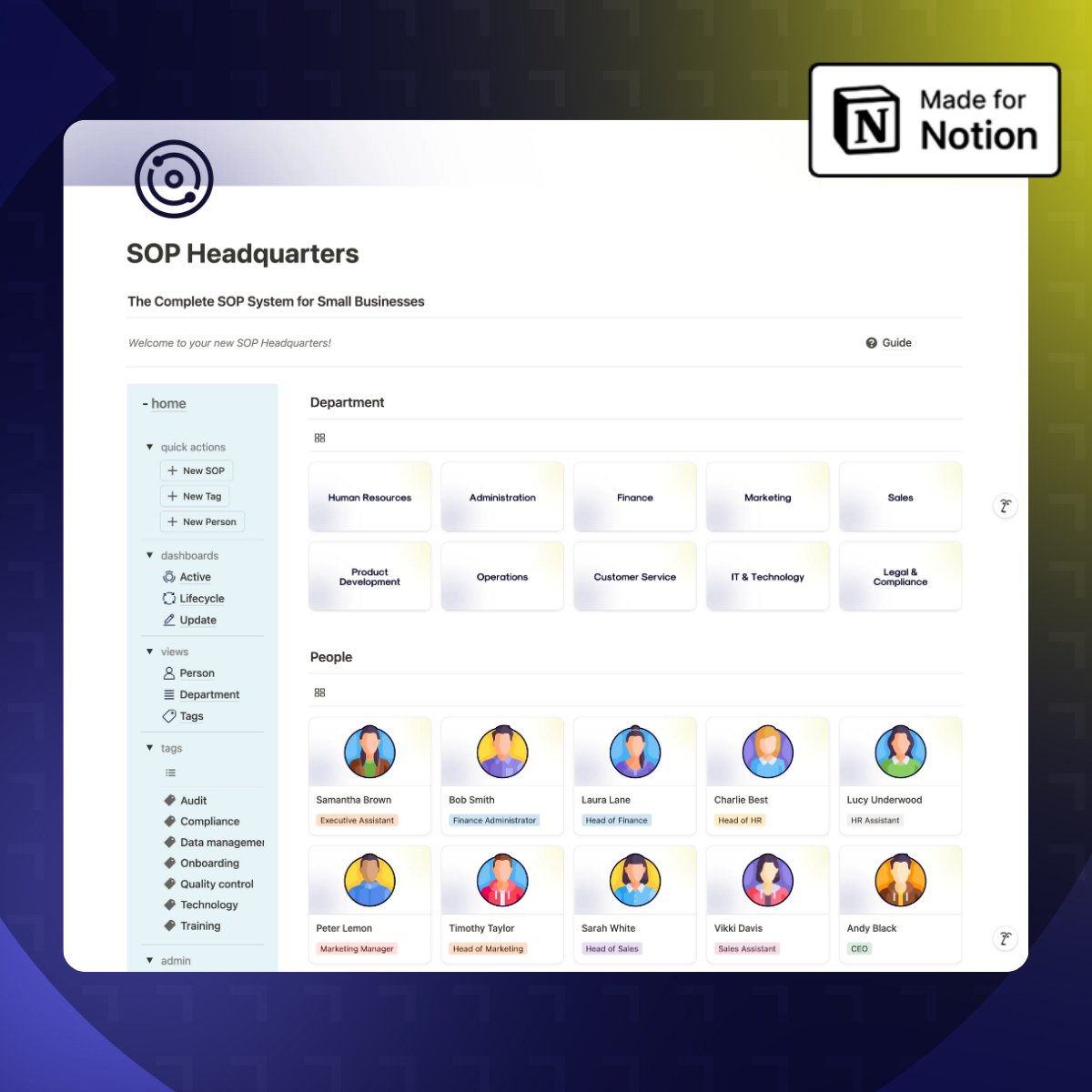
Try the ‘SOP Headquarters’...
A complete Notion system to write and use SOPs.
Usually £30, but now FREE for 24hrs ONLY!
Like & Reply ‘SOP’ and I’ll DM you the link
(must follow)
A business without systems is just a job.
But how do you create them?
Try the ‘SOP Headquarters’...
A complete Notion system to write and use SOPs.
Usually £30, but now FREE for 24hrs ONLY!
Like & Reply ‘SOP’ and I’ll DM you the link
(must follow)
Hey everyone!
I hope you've had a great week!
One of the first things to try in Notion is a simple to-do list, but where do you start?
Well in this weeks video I share how to create one and show you 5 different ways you can use to-do lists in Notion
https://t.co/iM2OiozC9x
Something I've found incredibly powerful when working towards my goals is a Vision board...and of course, it's in @NotionHQ 🥳
So in this weeks video I show you, step by step, how you can create your own too.
Link in first comment
Earlier this year I released a Notion dashboard step by step video...
However, almost a year later I've realised I got it wrong.
I want you to learn from my mistakes so I've made another video...
Link in next tweet...