When developing interactive web components, it is all too easy to make it visually great but forget about users that are using assistive technology like a screenreader. Consider using ARIA live regions to announce changes of dynamic content. https://t.co/GDN7z9npdc #accessibility
I'm #hiring! I have a Senior #DataEngineer vacancy at
@Pret. Looking for someone who can play a big part in designing and building big data pipelines in a culture that supports learning, collaboration, transparency, and inclusiveness. Apply at https://t.co/oOrvi8jlaT
Please RT.
Last day working for @BBC all done!
Thank you to all my past and present colleagues for a great 8 years, for the leaving gifts and card and a great night yesterday!
1 week off to relax now, before the next chapter begins.
#LastDay#NewJob
We’ve been talking about it.
You’ve been asking for it.
We’ve been working on it.
Today, we launched it: the image description reminder!
It’s live to 10% of global Twitter across Android, iOS, and Web. 🧵 (1 of 6)
@mholzschlag I wrote a blog post about how to do this kind of thing - hopefully it's useful to some of your darling web developers! https://t.co/Z4bajxQ5Sw
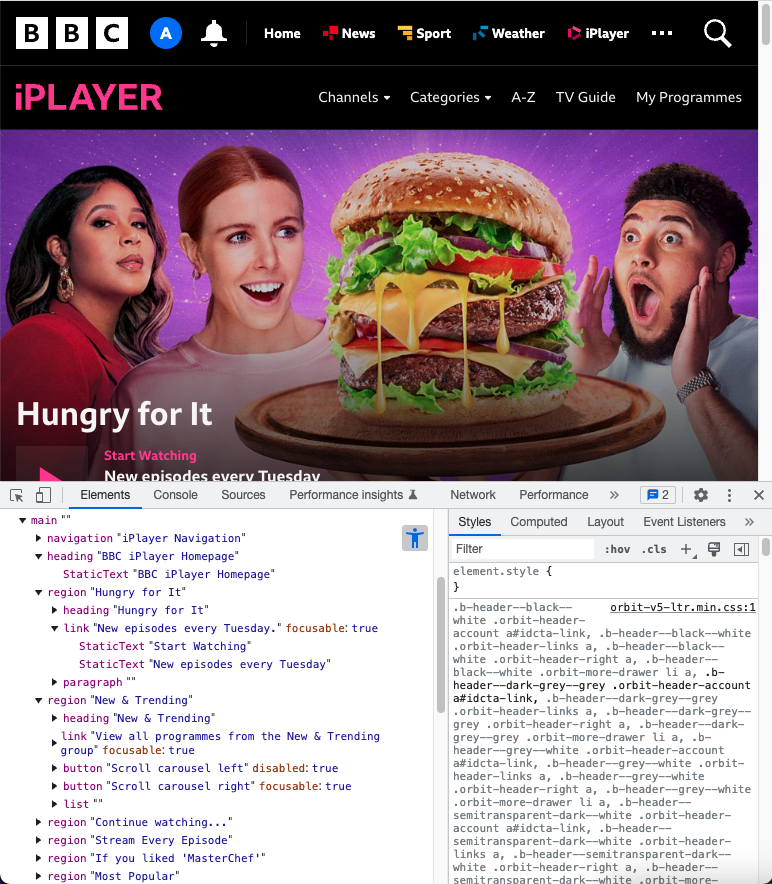
If you want to learn more about what the accessibility tree is, here's a great blog post on it from my colleague @Seraphae (though it was written before Chrome released this feature): https://t.co/L4HSGVMQvU
"Chrome DevTools is launching a full #accessibility tree making it easier for developers to get an overview of the whole tree."
This makes it much easier to ensure all your users can access and understand all your content!
(Thanks for sharing @JHarrowell!)
https://t.co/EARe8HvqUC
Testing your product for #accessibility yourself will *never* compare with testing with real users.
This week we conducted 5 usability interviews with frequent screen reader users. Here are some things I observed:
(a thread) 🧵👇